10 Top AI Use Cases by Industry for 2026
McKinsey reported in its 2024 global survey on AI that AI use has become common across business functions. That shift matters for a simple reason. AI is no longer a side experiment for innovation teams. It is part of everyday work in operations, finance, service, hiring, and risk management.
For beginners, "ai use cases by industry" often sounds broader than it really is. A clearer way to approach it is to look for repeatable jobs inside each industry. AI handles pattern-heavy work well. It can review images, sort documents, flag unusual transactions, predict maintenance needs, and draft routine responses. A good mental model is a junior assistant that works fast, follows patterns well, and still needs a human manager for judgment.
AI is also not a single tool you buy once. It is a group of methods used for different jobs. Machine learning helps forecast outcomes. Natural language processing reads and writes text. Computer vision analyzes photos and video. If you mix those categories together too early, the topic feels confusing. If you match each one to a business task, it becomes much easier to understand.
The strategic question for any team is practical. Where do delays pile up? Where do people review the same type of information all day? Where do costly mistakes come from missed signals rather than lack of effort? AI usually creates value in those spots first because the workflow is clear, the before-and-after results are easier to measure, and the return can be tied to time saved, errors reduced, or revenue protected.
That mini-consultant lens is the point of this guide. Each industry section will focus on what AI is doing, what it tends to cost in real organizations, where ROI often shows up first, which mistakes slow projects down, and what a smart first pilot looks like. If healthcare is your starting point, this overview of AI in Healthcare is a useful companion read.
1. Healthcare and disease detection
Healthcare is one of the easiest places to understand AI because the task is so clear. A clinician has an image, a history, and a decision to make. AI helps by scanning medical images and records for patterns that might be easy to miss when people are tired, rushed, or dealing with huge caseloads.
Tools like IBM Watson for Oncology, Google DeepMind projects in imaging, Zebra Medical Vision, and Siemens Healthineers AI-Rad Companion all point to the same basic idea. Let software do the first sweep, then let trained clinicians make the final call. That's usually the safest and most practical model.
Where AI helps most
Diagnostic imaging is the headline example. AI systems can review X-rays, CT scans, MRIs, and mammograms to flag suspicious regions, suggest likely findings, and move urgent cases higher in the queue.
That doesn't turn AI into a doctor. It turns it into a second set of eyes.
AI works best in healthcare when teams treat it like decision support, not autopilot.
A hospital might start with a narrow problem, such as identifying possible pneumonia on chest scans or highlighting possible stroke indicators. That limited scope is smart because it keeps evaluation manageable and makes it easier for radiologists to compare AI suggestions with real outcomes.
What beginners should watch
The biggest pitfall is workflow confusion. If nobody knows when the model speaks, who reviews it, or how disagreements get resolved, even a strong tool creates friction.
A practical rollout usually includes:
- Pick one imaging problem first: Start with a specific use case instead of trying to cover every modality at once.
- Keep radiologists in the loop: Clinicians should validate outputs, especially in early deployment.
- Protect patient data carefully: Healthcare teams need strong privacy, encryption, and access controls.
- Train staff on the interface: A helpful model still fails if people don't know how to use it in real work.
For beginners, the right mental model is simple. AI in healthcare isn't magic diagnosis. It's a triage and pattern-recognition layer that can help clinicians work faster and more consistently. For a broader industry view, this page on AI in healthcare gives a useful overview of how the space is developing.
2. Finance and fraud detection
Banks process huge volumes of transactions and documents every day, so even a small gain in speed or accuracy can save a lot of time and money. That makes finance one of the clearest places to start understanding practical AI.
A familiar example is the fraud alert that appears moments after an unusual card purchase. Behind that alert, AI is usually doing pattern recognition at scale. It compares the current transaction with a customer's usual behavior, then flags activity that looks out of place. You can picture it as a constantly running triage desk for payments, transfers, and account activity.
JPMorgan Chase's COiN platform is a useful beginner case because it shows two high-value finance jobs in one system. According to Capella Solutions' case study on successful AI implementations, COiN reduced commercial loan agreement review to under 60 seconds per document from a process that had previously consumed 360,000 manual hours each year. The same source reports fraud models with precision above 95%, a 30% drop in false positives, and a 20% reduction in fraud-related operational losses.
That combination matters.
It shows that finance teams do not need to start with a vague goal like "use AI somewhere." A better starting point is to pick one expensive bottleneck and ask three simple questions: Is the work repetitive? Is the signal buried in lots of data? Is a wrong decision costly? Loan review and fraud screening both meet that test.
What ROI looks like in finance
For a bank, insurer, lender, or payments company, ROI usually shows up in a few concrete ways:
- Less manual review: Analysts spend less time reading standard documents or chasing weak fraud alerts.
- Faster turnaround: Loan, risk, or claims teams can move routine cases through more quickly.
- Better use of expert time: Senior investigators focus on the small share of cases that require judgment.
- Lower loss exposure: Catching suspicious activity earlier can reduce direct financial loss and customer churn.
A simple mental model helps here. AI is often the sorting system, not the final approver. It works like an airport security line that sends the obvious low-risk bags through quickly while routing unusual ones to a human for closer inspection.
Common pitfalls beginners should expect
Finance teams often run into trouble when they treat model accuracy as the whole project. Accuracy matters, but operations matter just as much.
A fraud model that flags too many legitimate transactions frustrates customers and overloads investigators. A document model that reads contracts quickly but cannot show why it reached a conclusion creates audit headaches. In regulated environments, speed without traceability is a weak trade.
That is why strong finance rollouts usually include:
- Clear escalation rules: Define which cases AI can score, which cases require human review, and who signs off.
- Explainability checks: Teams should be able to trace why a transaction or document was flagged.
- Fresh training data: Fraud patterns change, so stale models lose value.
- A narrow pilot first: Start with one workflow, such as card fraud alerts or loan document extraction, before expanding.
For beginners and aspiring professionals, the strategic lesson is simple. Finance AI works best when it reduces queue volume, shortens review time, and gives specialists better cases to focus on. If you can estimate today's manual hours, false-positive burden, and loss rate, you already have the starting inputs for a realistic AI business case.
3. Manufacturing and equipment maintenance
Manufacturing teams usually don't need a grand AI vision. They need fewer breakdowns, less scrap, and better throughput. That's why predictive maintenance is such a common starting point.
Think about a factory line like a car dashboard multiplied across dozens of machines. Sensors report temperature, vibration, pressure, and performance signals. AI watches that stream and learns what "normal" looks like. When a motor, pump, or conveyor starts drifting away from normal, maintenance teams get a warning before the failure becomes expensive.
A beginner-friendly way to describe this is simple. Traditional maintenance often happens too early or too late. AI tries to help teams service equipment at the right time.
Here’s a visual that captures that environment.

What this looks like on the ground
Platforms such as Siemens MindSphere, GE Predix, Schneider Electric EcoStruxure, and Microsoft Azure AI are often used to bring together machine data and analytics. In practice, a plant manager might begin with one bottleneck asset, such as a compressor or packaging line, rather than instrumenting the whole facility.
That matters because good maintenance AI depends on good data. Dirty sensor feeds, missing logs, and inconsistent naming conventions can derail a project before anyone sees value.
Common mistakes and smart first steps
The most common mistake is starting with low-value equipment just because the data is easy to get. Start with the machine whose downtime hurts the most.
A sensible first phase often looks like this:
- Choose a critical asset: Focus on equipment with expensive downtime or safety impact.
- Combine live and historical data: Sensor streams are stronger when paired with maintenance records.
- Work with operators early: The people closest to the machines often know which signals matter most.
- Define intervention rules: Decide what happens when the model flags a likely issue.
Manufacturing AI tends to win when it's tied directly to uptime, maintenance labor, and quality. If those metrics improve, the project keeps growing. If the project stays in "interesting dashboard" mode, enthusiasm fades fast.
4. Retail and personalization
Retail AI is easiest to picture because most consumers interact with it every day. You browse a product, and a store recommends matching items. You return a week later, and the homepage looks different. That's AI helping decide what to show, when to show it, and sometimes what price to test.
This category usually combines recommendation systems, search, demand forecasting, and dynamic pricing. Amazon, Netflix, Target, and Sephora have all shaped how people think about personalization, even though each company applies it differently.
The business case in plain English
Retailers want three things from AI. Help shoppers find what they want faster, reduce wasted inventory, and make merchandising decisions with better signals.
The recommendation layer gets the most attention, but it's only part of the story. Search ranking, bundle suggestions, replenishment reminders, and customer service bots all support the same commercial goal. Make shopping easier without making it feel creepy.
If you want a deeper look at that stack, this guide to machine learning in retail is a useful next read.
Where teams go wrong
The biggest beginner mistake is assuming more personalization is always better. It isn't. Recommending the same narrow category over and over can trap shoppers in a filter bubble and hide discovery.
Strong retail teams usually balance relevance with variety.
- Use multiple recommendation methods: Blend browsing behavior, purchase history, and product similarity.
- Be transparent on pricing: If prices change dynamically, teams should understand the logic and risks.
- Respect privacy boundaries: Clear policies matter when customer data drives personalization.
- Test before scaling: A recommendation box that looks smart in a demo can hurt conversions if it distracts from buying intent.
Another common problem is forgetting store associates and merchandisers. Retail AI doesn't only affect the website. It shapes stocking, promotions, returns, and support workflows too. The more those teams understand the system, the better the outcomes usually are.
5. Human resources and hiring workflows
HR teams often meet AI through hiring first. That's because recruiting creates a pile of repetitive work: resume screening, interview scheduling, job description drafting, and early-stage candidate communication.
Products like LinkedIn Recruiter tools, HireVue, Textio, and GapJumpers show the range. One system helps source candidates. Another analyzes interviews. Another rewrites job postings to improve clarity and appeal. Its core value isn't "replace recruiters." It's "remove low-value admin work so recruiters can spend more time assessing people well."
Where AI actually helps
For beginners, it helps to split hiring AI into two buckets. The first bucket is workflow automation, such as ranking resumes or scheduling interviews. The second bucket is judgment support, such as highlighting skills matches or possible bias in job descriptions.
The first bucket is less controversial. The second needs more care.
Hiring is a high-consequence process. AI should narrow and support, not decide alone.
That principle matters because biased historical data can leak into screening models. If past hiring choices were skewed, an AI trained on those outcomes can inadvertently copy the same pattern.
A safer way to adopt it
Start with the admin layer before the assessment layer. Let AI help recruiters write cleaner job ads, organize applicants, and answer candidate questions. Then add more advanced screening only after a bias review process is in place.
For people comparing tools, this list of AI-powered recruitment tools is a good practical resource.
A smart rollout usually includes:
- Human review for every final decision: Never let the tool make the hire by itself.
- Bias audits on a schedule: Review outcomes by role and applicant group.
- Candidate transparency: Tell applicants where automation is used.
- Structured interviews afterward: Human conversations should test what the screening layer can't.
The short version is that AI can make hiring faster. Making it fairer takes deliberate work.
6. Energy and utilities
Energy and utilities use AI in a less visible but highly important way. The challenge isn't recommending products or sorting resumes. It's balancing supply, demand, reliability, and safety across complex systems.
That makes AI useful for grid management, anomaly detection, and demand forecasting. A utility has to make constant decisions about where power is needed, how to prepare for spikes, and how to integrate volatile sources such as wind and solar.
Why this industry is a strong fit
AI handles situations with many changing inputs well. Utilities deal with consumption patterns, weather signals, maintenance schedules, grid conditions, and local constraints all at once. Humans still oversee the system, but AI can surface patterns and forecasts much faster.
Examples in this space include Google DeepMind work in energy optimization, Siemens eMeter, AutoGrid, and IBM energy-focused AI tools. Their common value is coordination. They help operators see changes coming sooner and respond with more confidence.
What a practical rollout looks like
A beginner shouldn't picture "fully autonomous grid control." A more realistic use case is targeted forecasting. For example, a provider might use AI to estimate neighborhood demand patterns or flag equipment behavior that looks abnormal.
The major pitfalls are predictable. Legacy infrastructure can be difficult to integrate, cybersecurity is essential, and teams need clear governance on who approves interventions.
A grounded starting plan often includes:
- Begin in one zone or use case: Demand forecasting is often easier than full grid optimization.
- Include security from day one: Utility systems are critical infrastructure.
- Keep privacy in mind: Smart meter data can reveal sensitive behavioral patterns.
- Plan handoffs carefully: Operators should know when they are expected to trust, verify, or override the model.
In this industry, AI earns trust slowly. Reliability matters more than novelty.
7. Transportation and logistics
A single late delivery can ripple through an entire network. In logistics, one bad address, one traffic jam, or one failed proof-of-delivery check can trigger extra calls, repeat trips, and avoidable return costs. That is why AI earns attention here. It helps teams make faster decisions inside systems that change hour by hour.
A useful beginner view is this: logistics AI works like a dispatch supervisor that never stops scanning the board. It reviews routes, vehicle location, package history, customer signals, and delivery evidence at the same time, then flags where a human team should act first.
A strong real-world example comes from Domina in Colombia. Google Cloud says the company, which handles over 20 million annual shipments, used Vertex AI and Gemini to predict package returns and automate delivery validation. In the same case, Google Cloud reports that return rates had been 25% to 30% before implementation, real-time data access improved by 80%, delivery effectiveness rose by 15%, and return processing costs fell by 40%.
Those results matter for a strategic reason. They show where logistics teams often get the fastest ROI. The first win is usually not futuristic autonomous fleets. It is reducing expensive exceptions such as failed deliveries, disputed drop-offs, and unnecessary returns.
For a beginner or aspiring professional, that changes the playbook.
Start by asking where money leaks out of the operation. Route planning is one category. Return prediction is another. Proof-of-delivery review is often a strong candidate too, because teams can use images, timestamps, GPS data, and customer records together instead of checking each case by hand.
Here’s a related video for a broader logistics view.
Best first move for beginners
A practical first project is route optimization or exception handling in one region, one carrier group, or one warehouse flow. That keeps cost and complexity under control while giving you a clean before-and-after comparison.
A simple rollout often looks like this:
- Choose one costly problem: Late arrivals, repeat delivery attempts, returns, or proof-of-delivery disputes are easier starting points than autonomous delivery.
- Pull data from actual operation: Traffic feeds, GPS traces, scan events, customer updates, and driver notes all improve decision quality.
- Measure against the current process: Compare AI recommendations with existing routing rules, dispatcher choices, or manual review times.
- Keep humans in the loop: Drivers and dispatchers need to see why a recommendation changed, or adoption will stall.
- Price the pilot clearly: Budget for data cleanup, system integration, and staff training, not just the model itself.
The common pitfalls are usually operational, not technical. Address data may be messy. Driver apps may log events inconsistently. Teams may expect perfect predictions when the actual goal is fewer avoidable mistakes.
In transportation and logistics, AI works best as a cost-control tool first and an automation tool second. If a pilot reduces repeat trips, speeds up exception review, or lowers return handling costs, you already have a business case worth expanding.
8. Customer service and chatbots
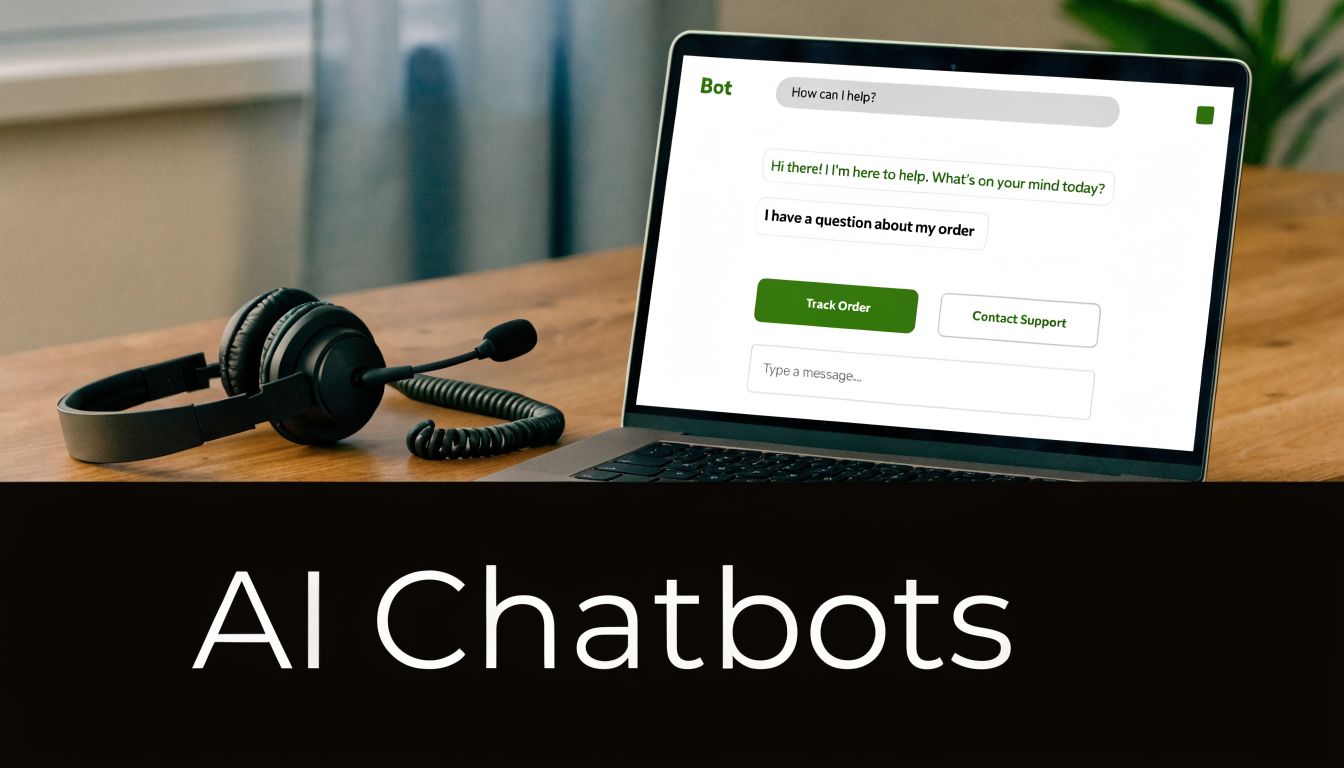
Support is often the first place a company tries AI because the pilot can be small, the workflow is familiar, and the result is easy to measure. A chatbot is usually doing the digital version of front-desk triage. It answers routine questions, fetches information, and sends complex cases to the right person.
That simple role matters because support teams spend a large share of their day on repeat requests. Order status. Password resets. Appointment changes. Basic account questions. If AI handles those well, human agents get more time for billing disputes, unusual edge cases, and upset customers who need judgment, not canned replies.
What good chatbot use looks like
A useful support bot works like a well-trained receptionist with a searchable binder and a clear escalation rule. It should know what it can answer, what it cannot answer, and when to bring in a person quickly.
That is where many teams get confused. The model is only one part of the system. The bigger question is whether the bot can reach the knowledge base, customer history, order data, and ticketing tools it needs to give a specific answer instead of a vague one.
Tools like ChatGPT-based support workflows, Zendesk AI, Intercom, and Microsoft Bot Framework are common choices here. The business result usually depends less on brand names and more on setup quality, especially the knowledge source, guardrails, and handoff flow.
The strategic question beginners should ask first
Do you want AI to reduce ticket volume, lower handling cost, improve response time, or raise customer satisfaction?
Those goals sound similar, but they lead to different designs. A cost-focused bot may prioritize deflecting repetitive tickets. A satisfaction-focused bot may escalate faster and answer fewer questions on its own. If a team skips this choice, the pilot can look busy without producing a clear ROI story.
For a small or midsize business, a narrow chatbot pilot often has a manageable starting cost if the company already uses a help desk platform with AI features included or available as an add-on. Custom bots tied into several internal systems usually cost more because integration and cleanup work add up fast. In practice, the expensive part is rarely the model itself. It is the operational plumbing behind it.
The hidden make-or-break factor
Chatbot failures usually come from workflow design. The bot cannot see the right information, gives broad answers, or keeps the customer stuck in a loop after the issue has clearly become human territory.
A customer service bot needs an escape hatch. Fast.
That means the team should decide three things in advance. When does the bot hand off. What context goes with the handoff. Who reviews failures each week so the system gets better instead of repeating the same mistakes.
A practical first rollout often includes:
- Use the knowledge base: Product policies, shipping rules, refund terms, and troubleshooting steps should come from current internal content.
- Set handoff triggers early: Low confidence, repeated failed answers, angry language, or account-specific problems should go to a person.
- Pass the conversation summary to the agent: Customers should not have to repeat the whole story.
- Review logs on a schedule: Bad answers, missing articles, and dead-end flows become visible quickly when someone owns the review.
- Start with one queue: Billing, order tracking, or appointment support is easier to evaluate than an all-purpose bot.
One common pitfall is aiming too high on day one. A bot that handles 20 common questions accurately is often more valuable than a flashy assistant that attempts everything and gets too much wrong.
For beginners and aspiring professionals, customer service is a strong training ground because the business case is concrete. You can compare ticket volume, average handle time, escalation rate, resolution speed, and agent workload before and after the pilot. If those numbers improve and customers are not getting trapped, you have a use case worth expanding.
9. Agriculture and precision farming
About 70% of farms worldwide are smallholder operations under 2 hectares, according to an agriculture overview citing FAO data. That single fact changes how you should evaluate AI in agriculture. A tool that works for a large agribusiness with strong connectivity, modern equipment, and a dedicated data team may fail on a smaller farm that needs something cheap, durable, and easy to use during a long workday.
That is why agriculture AI is not just a story about clever models. It is also a business design problem.
What AI can actually do on a farm
The core use cases are practical and easy to picture. Computer vision can scan field images for crop stress, weeds, or signs of disease. Sensors can track soil moisture and help time irrigation. Forecasting models can estimate yield and support planting, fertilizer, and harvest decisions.
The tools in this category include platforms and equipment from John Deere, Descartes Labs, Trimble, and Microsoft FarmBeats. But beginners should focus less on vendor names and more on the job to be done. If a farm loses money from overwatering, uneven fertilizer use, or late disease detection, that is the starting point.
A good way to frame it is simple. AI works like an extra set of eyes and a planning assistant. It spots patterns across images, sensor readings, and weather data faster than a person can, but it still needs a farmer or agronomist to decide what action makes sense in the field.
Where the ROI shows up first
For a first project, the smartest question is usually financial. Which problem is expensive, frequent, and measurable?
The same agriculture overview notes pilot programs in which AI-driven soil sensors reduced input costs by 20% to 30%. That sounds promising, but the harder question is whether the savings remain after hardware, software, setup, training, and maintenance are added in. On a large farm, those costs can spread across many acres. On a small farm, they can overwhelm the benefit if the system is too complex or too expensive.
That creates an opening for consultants, startup founders, and early-career professionals. The opportunity is often not building a new model from scratch. It is packaging an affordable workflow that fits existing equipment, weak internet connections, and limited staff time.
Common pitfalls beginners miss
The first mistake is buying a precision farming stack before proving a narrow use case. If the farm cannot act on the alerts, the tool becomes an expensive dashboard.
The second mistake is assuming cloud-first systems will work everywhere. Rural connectivity can be inconsistent, so edge processing or offline-friendly tools may be the better choice.
A third mistake is skipping domain expertise. Agronomy matters here. A model can flag unusual plant patterns, but local advisors help separate a real issue from a false alarm caused by weather, soil differences, or image quality.
A practical first rollout
A beginner-friendly pilot usually works best when it stays small and measurable:
- Start with one field problem: irrigation timing, early disease detection, or fertilizer use is easier to evaluate than a full farm platform.
- Use data the farm can already collect: phone images, basic sensor readings, or existing equipment logs lower setup cost.
- Check the payback period early: compare expected savings against subscription fees, hardware cost, and labor needed to maintain the system.
- Build around current routines: if workers need five extra steps every morning, adoption will drop fast.
- Bring in field expertise: a grower, agronomist, or local advisor should review outputs during the pilot.
For readers who want to understand how AI review tools handle another high-stakes, detail-heavy field, this comparison of AI contract review software offers a useful contrast.
Agriculture and precision farming reward a consultant mindset. Start with one costly problem. Price the rollout realistically. Test whether the recommendation changes real farm decisions. That is how AI becomes useful in agriculture instead of staying stuck at the demo stage.
10. Legal and compliance
Legal work contains exactly the kind of material AI can help with: dense text, recurring patterns, clause extraction, and risk review. That's why contract analysis and document review are among the most practical legal AI applications.
A lawyer reading a stack of agreements is doing many repeatable things. Finding termination clauses. Comparing language to a preferred template. Flagging obligations. Noting missing terms. AI can accelerate that first pass.
What the tools actually do
Products such as LawGeex, Kira Systems, Thomson Reuters AI-Assisted Research, and other contract review platforms use natural language processing to analyze legal documents. They help teams search faster, extract key terms, compare versions, and prioritize risky sections for closer human review.
This is especially useful in compliance-heavy environments, where teams need consistency across high document volumes. Legal AI can act like an intelligent sorter and highlighter. It doesn't replace legal judgment on novel or high-stakes issues.
For readers exploring that market directly, this overview of AI contract review software is a practical comparison point.
Where value shows up first
Legal teams often see early value in intake and review speed. If a system can separate standard contracts from unusual ones and surface the likely trouble spots, attorneys can spend more time negotiating and advising.
The common pitfalls are predictable:
- Using generic training for specialized contracts: Domain-specific language matters.
- Skipping human oversight: High-risk legal decisions still need expert review.
- Ignoring workflow design: Teams need to know when AI findings are suggestions versus blockers.
- Forgetting ethics and confidentiality: Security and professional responsibility standards still apply.
Legal AI is most useful when it narrows attention. It helps lawyers focus on the clauses and questions that deserve lawyer time.
AI Use Cases by Industry: 10-Point Comparison
| 🔄 Implementation Complexity | ⚡ Resource Requirements | 📊 Expected Outcomes | 💡 Ideal Use Cases | ⭐ Key Advantages |
|---|---|---|---|---|
| Healthcare: Diagnostic Imaging and Disease Detection, High (regulatory approvals, integration with PACS, large annotated datasets) | Large: millions of labeled images, GPU compute, clinical partnerships, strict security/HIPAA | High accuracy; faster diagnosis (≈20–40%); ROI 3–5 yrs | Radiology-assisted triage, cancer/blood clot screening, ICU imaging support | Early detection, reduced diagnostic errors, less clinician burnout |
| Finance: Fraud Detection and Risk Management, Medium-High (real-time systems, continuous retraining) | Significant: streaming infrastructure, historical transaction data, monitoring & compliance tools | Rapid fraud interception (ms), fewer false positives over time; ROI 1–2 yrs | Real-time transaction monitoring, anti-money-laundering alerts, adaptive risk scoring | Prevents losses, adaptive learning, scalable protection |
| Manufacturing: Predictive Maintenance and Equipment Optimization, Medium-High (IoT integration, legacy compatibility) | High: IoT sensors, time-series storage, edge/gateway devices, ML expertise | Reduced unplanned downtime (35–45%), longer asset life, ROI 2–3 yrs | Critical asset monitoring, production-line failure prediction, maintenance scheduling | Lowers downtime/costs, improves safety, extends equipment lifespan |
| Retail: Personalized Recommendations & Dynamic Pricing, Medium (data pipelines, A/B testing) | Medium: customer behavior datasets, real-time pricing engines, recommendation models | Higher AOV (15–30%), improved retention; ROI 6–12 months | E‑commerce personalization, dynamic promotions, inventory-driven pricing | Increased conversions, scalable personalization, inventory optimization |
| Human Resources: Recruitment & Talent Screening, Low-Medium (model bias risk, legal scrutiny) | Moderate: resume corpora, conversational AI, bias-auditing tools | Faster hiring (months→weeks), cost reduction 25–40%; ROI ~1 yr | High-volume hiring, initial screening, candidate sourcing | Speeds hiring, identifies stronger candidates, scalable screening |
| Energy & Utilities: Smart Grid Management & Demand Forecasting, High (grid modernization, regulatory constraints) | Very high: sensors/AMI, grid telemetry, ensemble forecasting, cybersecurity | Reduced waste (10–15%), fewer outages; ROI 3–5 yrs | Load forecasting, renewable integration, automated demand response | Improves reliability, optimizes supply, enables renewables |
| Transportation & Logistics: Route Optimization & Autonomous Delivery, Medium-High (real-time data fusion; autonomy adds complexity) | Medium-High: GPS/telemetry, fleet telematics, simulation testing, AV hardware for autonomy | Fuel/cost reductions (15–30%), better on-time rates; route ROI 1–2 yrs | Last-mile routing, fleet dispatch, phased AV deployment | Lowers costs/emissions, improves utilization, operational transparency |
| Customer Service: AI Chatbots & NLP, Low-Medium (dialog design, escalation workflows) | Low-Moderate: conversational models, knowledge bases, multi-language support | Cost reduction (30–40%), 24/7 availability; ROI 6–12 months | FAQ automation, first-line support, high-volume routine inquiries | Instant responses, scale handling, collects customer insights |
| Agriculture: Crop Monitoring & Precision Farming, Medium (sensor/drones + analytics integration) | Medium: drones/satellite data, edge sensors, connectivity, domain models | Yield ↑10–20%, water use ↓20–30%; ROI 2–3 yrs | Crop health monitoring, disease detection, precision irrigation | Higher yields, reduced inputs, improved sustainability |
| Legal & Compliance: Document Review & Contract Analysis, Medium (model accuracy and legal oversight) | Medium: contract corpora, NLP tools, integration with CLM systems | Review time ↓50–80%, better risk ID; ROI 1–2 yrs | Due diligence, contract risk scoring, compliance monitoring | Speeds review, consistent risk detection, scalable legal support |
Your Next Step into the World of AI
Across these industries, one pattern shows up again and again. AI creates the most value when it improves a specific decision or workflow, not when a company treats it like a magic replacement for an entire team.
A good way to see it is to compare AI adoption to fixing traffic in a city. Cities do not start by rebuilding every road at once. They begin with one intersection that causes delays every day, measure what changes, and expand only after the results are clear. AI works the same way. The strongest starting points are repeated tasks, costly errors, slow reviews, and decisions that depend on spotting patterns in lots of data.
That practical mindset matters because industry examples can be misleading. A use case may sound impressive, but the better beginner question is simpler: what does it cost to try, how soon can it pay back, where can it fail, and who needs to stay involved? Those are consultant-style questions, and they lead to better decisions than chasing whatever tool is getting attention this month.
Start with three filters. The problem should be expensive or time-consuming. It should happen often enough to justify setup work. The team should be able to measure whether outcomes improved, such as lower review time, fewer false alerts, better response speed, or fewer missed issues.
Then look at the operating details.
Many first projects struggle because the model gets all the attention while the workflow gets ignored. A strong model inside a messy process still gives messy results. Teams need usable data, clear ownership, review steps for high-risk outputs, and a plain definition of success before they spend much money.
Human judgment still carries the final weight in high-stakes work. Clinicians confirm findings. Analysts investigate fraud alerts. Hiring teams assess fit and context. Legal teams decide what risk means in a real contract. AI is good at scanning, sorting, drafting, and flagging. People are better at judgment, accountability, and exceptions that do not fit the pattern.
If you are exploring ai use cases by industry for a business, a client project, or your own career, use a simple worksheet. Pick one industry you know. List the tasks that are repetitive, data-heavy, delay-sensitive, or error-prone. Next to each task, write four notes: likely data source, possible cost of a pilot, expected business return, and the main failure risk. That turns a vague interest in AI into a short list of realistic projects.
The "boring" questions are often the money questions. Where will the data come from? Who checks outputs? What happens when the system is wrong? How much process change will staff need to accept? A pilot can look cheap on paper and still fail if cleanup, training, and review time were never considered.
For entrepreneurs, that creates a useful opening. Many opportunities are not in building the flashiest model. They are in packaging AI so a smaller clinic, local manufacturer, regional retailer, or lean operations team can use it without hiring specialists or replacing every system they already have.
For professionals, AI literacy is becoming part of general business literacy. Knowing how these systems work, where they fail, and what problems they solve makes you more valuable in operations, product, marketing, compliance, support, and leadership. You do not need to build models yourself. You do need to ask better questions than "Can we use AI here?"
Keep the focus on a real business problem. Start small, measure carefully, and keep people involved where the stakes are high. That is how AI shifts from an interesting concept to a tool that earns its place.
If you want a steady place to keep learning, YourAI2Day is a helpful resource for exploring AI tools, industry examples, and beginner-friendly updates without needing a deep technical background first.