
R Project Decision Tree: A Beginner’s Guide
You’ve probably got a spreadsheet open right now that feels more confusing than helpful. Rows keep piling up. You can sort, filter, and chart a few columns, but the bigger question still hangs there: what drives the outcome you care about?
That’s where a r project decision tree becomes a great first machine learning project. It gives you a model that behaves more like a clear decision flowchart than a mysterious formula. Instead of spitting out a prediction with no explanation, it shows the path it took. For beginners, that changes everything. You’re not just building a model. You’re learning how to read the story inside your data.
Why Decision Trees in R Are a Game-Changer
A decision tree feels approachable because it matches how people already think. If a customer has one trait, go left. If they have another, go right. Keep splitting until you land on a likely outcome. That structure is why decision trees are often one of the easiest machine learning models to explain to non-technical teammates.
R makes this even more beginner-friendly. The language has strong statistical roots, and packages like rpart make tree building feel practical instead of overwhelming. You can load data, fit a model, plot it, and start interpreting the branches without needing a huge engineering setup.
Why beginners connect with trees so quickly
A lot of first-time learners struggle with the gap between “I ran the code” and “I understand the result.” Decision trees shrink that gap.
Here’s why they stand out:
- They’re visual: A tree looks like a set of decision rules, not a wall of algebra.
- They handle different kinds of problems: You can use them for classification tasks, where the answer is a category, and regression tasks, where the answer is a number.
- They help with explanation: If a stakeholder asks why the model predicted something, you can often point to the exact branch.
Decision trees are also grounded in a long-established method. The most widely adopted approach is CART, proposed by Breiman in 1984, and decision trees are described as one of the most interpretable machine learning approaches in this decision tree guide for R. That same reference notes practical rpart() results with classification accuracy reaching 93.33% on test datasets and RMSE around 5.22 units for regression tasks.
Practical rule: If you need a model you can explain to a manager, teammate, client, or your future self, start with a decision tree before reaching for something more complex.
Why this matters in a real project
The power of a r project decision tree isn’t just prediction. It’s interpretation.
A black-box model might score well and still leave you unsure what to do next. A decision tree often reveals patterns you can act on. Maybe churn risk rises when support usage and contract type combine in a certain way. Maybe loan approvals cluster around a few simple conditions. Maybe customer conversion depends less on age and more on traffic source plus pricing tier.
That’s why I like teaching trees first. They don’t just answer “what happened?” They often help answer “why might this be happening?”
Your Toolkit Setup Installing R and Key Packages
Setup isn’t glamorous, but it’s quick. Once it’s done, you’ll be able to build and visualize decision trees anytime.
Start with two basics:
- Install R from the official CRAN site.
- Install RStudio, which gives you a much easier workspace for scripts, plots, and data exploration.
If you’re brand new, R is the engine and RStudio is the dashboard. You can drive without the dashboard, but it’s a lot less comfortable.

Packages worth installing first
Open RStudio and run:
install.packages("rpart")
install.packages("rpart.plot")
install.packages("partykit")
install.packages("dplyr")
Then load them:
library(rpart)
library(rpart.plot)
library(partykit)
library(dplyr)
Here’s what each one does:
rpartgives you the classic decision tree algorithm used in many beginner projects.rpart.plotmakes tree diagrams much easier to read.partykitoffers another tree framework with clean plotting options.dplyrhelps you filter, select, and reshape data without wrestling with messy syntax.
A few beginner shortcuts
People often get stuck on small setup issues, not the model itself. Keep these in mind:
- Restart if packages don’t load: R sessions sometimes hold onto old state.
- Use a script file: Don’t type everything into the console and hope you remember it later.
- Keep one project folder: Put your data, script, and output plots in one place.
The smoother your setup, the more attention you can give to the model’s logic instead of fighting your tools.
Once your packages load without errors, you’re ready for the part that matters most: getting your data into shape.
From Raw Data to a Trainable Dataset
Most decision tree problems don’t fail because the tree is bad. They fail because the input data is messy, inconsistent, or poorly split. Beginners sometimes think modeling starts with rpart(). It doesn’t. It starts with checking whether your dataset is even ready to teach the model anything useful.
A simple example is a customer churn dataset. You might have columns like Age, MonthlyCharges, ContractType, and Churn. Your tree can only learn patterns that are present and usable in those fields.
First look at the data
A good first pass in R looks like this:
data <- read.csv("customer_churn.csv")

str(data)
summary(data)
head(data)
These functions answer basic but critical questions. Are your categories stored as text when they should be factors? Do numeric columns contain strange values? Is the outcome column formatted in a way the model can understand?
Then check for missing values:
colSums(is.na(data))
If missing values appear, pause before modeling. You don’t need a fancy solution on day one. You just need a reasonable one. Sometimes you’ll drop rows with too many blanks. Sometimes you’ll fill missing numeric values with a simple summary statistic. Sometimes you’ll re-check the original data source because the blanks reveal a pipeline problem, not a modeling problem.
If you want a broader practical reference on preparing messy inputs, this overview of techniques for transforming raw data into a trainable dataset is useful because it connects cleaning work to the bigger ETL process many real teams use.
Why the train and test split matters
This is the part beginners most often underestimate.
If you train and evaluate on the same data, the model gets to “grade its own homework.” That usually looks better than reality. A proper split protects you from that false confidence.
Think of the training set as study material and the test set as the final exam. If your model has already seen the exam questions, the score won’t tell you much.
In practice, you create one dataset for learning and one for honest evaluation. A common R workflow uses random sampling so rows are assigned into train and test groups.
set.seed(1234)

index <- sample(c(TRUE, FALSE), nrow(data), replace = TRUE)
train_data <- data[index, ]
test_data  <- data[!index, ]
The exact split can vary by project. What matters is the principle. The test set stays untouched until you’re ready to evaluate.
Small cleanup choices that help a lot
Before fitting your tree, check a few common trouble spots:
- Outcome type: For classification, your target should usually be a factor.
- Text-heavy columns: IDs, notes, and free-form comments often don’t help a basic tree.
- Leakage columns: Remove variables that reveal the answer too directly.
For example:
data$Churn <- as.factor(data$Churn)
That one line can save a lot of confusion.
A trainable dataset isn’t just clean. It’s honest. It gives your model enough structure to learn patterns without accidentally feeding it shortcuts.
Constructing Your First Decision Tree in R
Now the fun part. You’ve got data that’s cleaned, split, and ready to use. Time to build your first tree.
The classic package for this in R is rpart. It uses a simple formula style that beginners usually pick up fast: outcome ~ predictor1 + predictor2. In other words, “predict this outcome using these columns.”
Your first rpart model
Let’s say you’re predicting churn.
library(rpart)

tree_model <- rpart(
  Churn ~ Age + MonthlyCharges + ContractType + Tenure,
  data = train_data,
  method = "class"
)
That’s already a working classification tree.
Here’s what matters in plain English:
Churnis the thing you want to predict.- The columns on the right are the inputs.
method = "class"tells R this is a classification problem, not a regression problem.
You can also use every remaining predictor with a dot:
tree_model <- rpart(
  Churn ~ .,
  data = train_data,
  method = "class"
)
That shortcut is handy, but beginners should use it carefully. If your dataset still contains IDs or irrelevant fields, the dot will include them too.
Why this formula style is so useful
The rpart() formula style is one reason R remains beginner-friendly for trees. A documented implementation describes the syntax as outcome ~ predictor1 + predictor2, and one case study using 22,223 customer records reported 81.09% classification accuracy, improving to 81.29% when model complexity was tuned from 7 nodes to 10 nodes in this R decision tree walkthrough. I like that example because it shows an important truth: small tuning changes can matter, even when the model itself is simple.
A first tree doesn’t need to be perfect. It needs to be readable enough that you can learn from it.
A second option with partykit
partykit is worth knowing because some people prefer its style and plotting behavior.
A simple example looks like this:
library(partykit)

party_model <- ctree(
  Churn ~ Age + MonthlyCharges + ContractType + Tenure,
  data = train_data
)
This package often feels a bit more polished visually. It’s especially nice when you want a clean-looking tree fast. Still, rpart remains the package most beginners encounter first, and it gives you strong control over pruning and tuning.
Choosing Your Decision Tree Package rpart vs. partykit
| Feature | rpart | partykit |
|---|---|---|
| Core use | Classic choice for decision trees in R | Modern alternative for tree building |
| Beginner tutorials | Very common | Less often the first package taught |
| Formula syntax | Simple and familiar | Also simple |
| Pruning workflow | Strong support and widely used | Different workflow style |
| Plotting | Better with rpart.plot |
Clean default visual style |
| Best fit | Learning fundamentals and tuning | Exploring conditional tree alternatives |
A practical recommendation
If this is your first r project decision tree, start with rpart. It teaches the core mechanics clearly and matches a lot of examples you’ll find in books, courses, and team codebases.
Use partykit when you want another perspective, or when you want to compare how different tree-building approaches behave on the same dataset. That comparison alone can teach you a lot about your data.
Decoding the Branches Pruning and Interpretation
A decision tree becomes valuable when you can read it like a set of rules instead of staring at it like abstract art. The first time you plot a full tree, it may look crowded. That’s normal. Beginners often assume a giant tree means a powerful model. In practice, a giant tree often means the model has started memorizing noise.
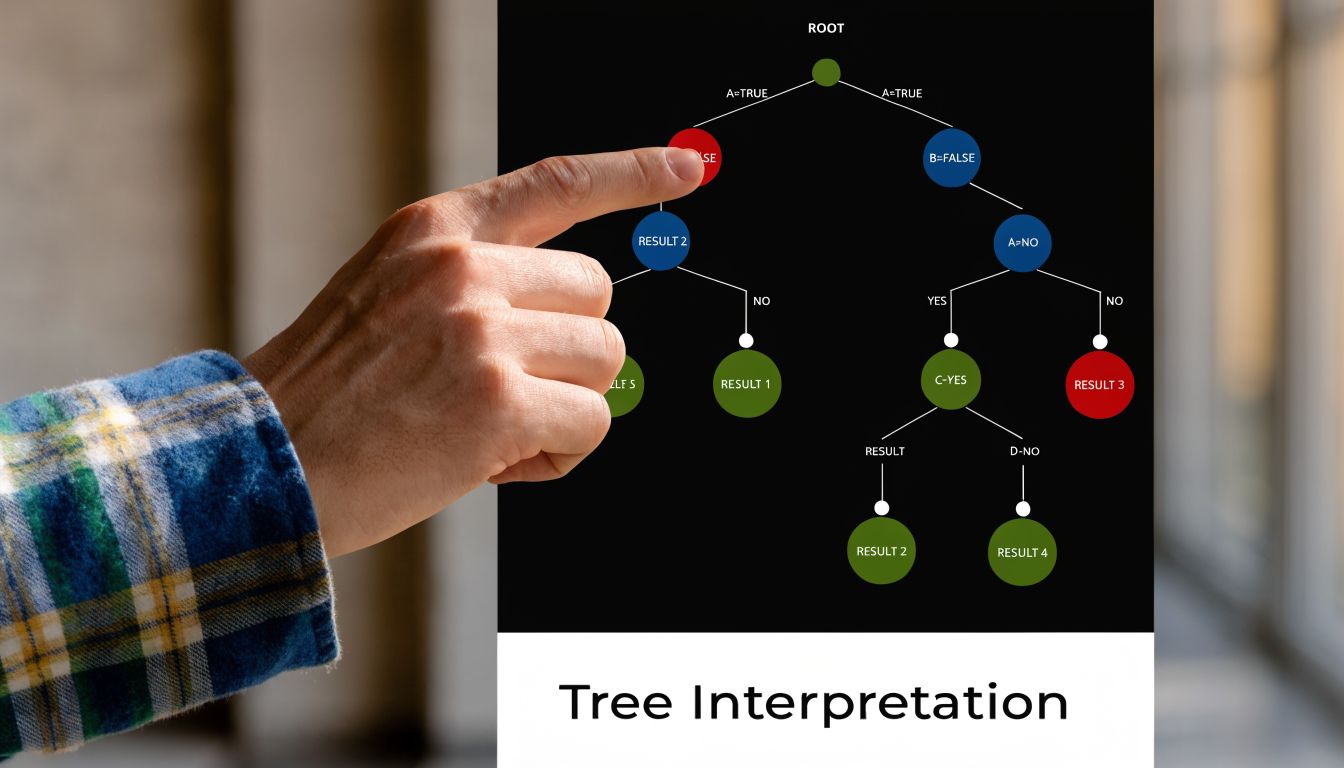
Plot the tree so you can actually read it
If you built your model with rpart, this is the easiest next step:
library(rpart.plot)

rpart.plot(tree_model)
That single plot gives you a visual map of the model’s logic. Each split asks a question. Each branch represents one answer. Each terminal leaf gives a final prediction.
Read one path at a time. Suppose the tree first splits on ContractType, then on MonthlyCharges. In plain language, that branch might say something like:
- Customers with a month-to-month contract go one way.
- From that group, customers with higher monthly charges go another way.
- The final leaf predicts a higher chance of churn.
That’s already useful. Even before you obsess over metrics, you’re learning which variables the model treats as important decision points.
How to interpret a branch like a story
Try translating each path into an if-then rule.
For example:
- If contract type is month-to-month
- and monthly charges are high
- then churn is more likely
That translation step is where many beginners level up. You stop seeing the tree as code output and start seeing it as a decision system.
The tree is telling you which combinations matter, not just which single variables matter on their own.
That distinction is important. A scatterplot might show one variable at a time. A decision tree shows how variables interact in sequence.
Why pruning matters so much
Overfitting is the main villain here. A tree can become so detailed that it captures random quirks in the training data instead of general patterns. When that happens, it often performs worse on new data.
One practical summary from this DataCamp tutorial on decision trees in R notes that success rates can drop 15-25% on test versus train data without pruning. The same source describes a common pruning workflow: grow a full tree, use plotcp() to inspect the complexity parameter, and trim the model. In that process, trees can shrink from 50+ nodes to around 11, improving generalizability without giving up much accuracy.
Here’s how that looks:
full_tree <- rpart(
  Churn ~ .,
  data = train_data,
  method = "class",
  control = rpart.control(cp = 0)
)

plotcp(full_tree)
The plotcp() output helps you spot a good tradeoff between complexity and performance. Then prune:
pruned_tree <- prune(full_tree, cp = 0.01)
rpart.plot(pruned_tree)
The exact cp value depends on your model. The point isn’t to memorize one number. The point is to choose a tree that generalizes better and reads more clearly.
A short visual walkthrough can help when this clicks slowly:
Bigger isn’t better
A smaller tree often gives you stronger insight. That can feel backwards at first. You might worry that pruning “throws away” information. Sometimes it does remove detail, but it often removes the wrong kind of detail. It cuts branches that only help on the training set.
A pruned tree is easier to explain, easier to trust, and usually better for real decisions. If you’re building a churn model for a team, they’ll act on a compact rule set long before they act on a tangled diagram with too many tiny branches.
Is Your Model Any Good? Evaluation and Next Steps
Once your tree is built and pruned, the next question is simple: does it hold up on unseen data? At this stage, many beginner projects transition into real projects. Prediction without evaluation is just optimism.

Start with predictions on the test set
For a classification tree, generate predictions like this:
pred_class <- predict(pruned_tree, test_data, type = "class")
Then compare predictions with the true labels. A confusion matrix helps organize what the model got right and wrong. It shows correct positives, correct negatives, and the two kinds of mistakes.
In beginner-friendly terms:
- Accuracy asks how often the model was right overall.
- Precision asks how reliable positive predictions were.
- Recall asks how many actual positive cases the model caught.
Those metrics matter in different ways depending on the problem. If you’re flagging fraud, missing true positives may be more costly than raising extra alerts. If you’re predicting customer churn, you may prefer catching more at-risk users even if some flagged customers wouldn’t have churned.
Judgment call: A “good” score depends on the cost of being wrong, not just the percentage in a report.
Tuning is part of evaluation
A tree doesn’t become reliable just because you ran rpart(). Hyperparameters shape how the model grows. In R, rpart.control() lets you adjust settings like minsplit and cp, which are central to how complex or conservative the tree becomes.
Benchmarks summarized in this discussion of decision tree tuning in R show that, after pruning, regression trees on datasets like Boston Housing can reach R-squared values of 0.75-0.85, and classification models can achieve ROC-AUC values of 0.82-0.92. I wouldn’t treat those as promises for your dataset. I would treat them as a reminder that tuning often moves a tree from “rough draft” to “seriously useful.”
A basic tuned model might look like this:
tuned_tree <- rpart(
  Churn ~ .,
  data = train_data,
  method = "class",
  control = rpart.control(minsplit = 20, cp = 0.01)
)
When a simple tree is enough
A single decision tree is often enough when:
- You need interpretability: People must understand the decision path.
- You’re exploring patterns: The project is partly about discovery, not just raw predictive power.
- You want a baseline: Trees make great first models before trying more advanced methods.
When performance matters more than transparency, you might later explore Random Forests or Gradient Boosting. Those methods often improve predictive strength, but they usually give up some of the plain-English clarity that makes a beginner decision tree so valuable.
Final practical moves
Before you wrap your project, do three things:
- Save the model so you don’t need to retrain it every time.
- Document the key branches in plain language.
- Test on new rows to see how predictions behave outside your original examples.
For saving:
saveRDS(pruned_tree, "pruned_tree_model.rds")
For loading later:
loaded_tree <- readRDS("pruned_tree_model.rds")
That’s the full project loop. You prepared the data, built the tree, trimmed the excess, interpreted the branches, and checked whether the model earns your trust.
A good r project decision tree doesn’t just predict. It teaches you how to think like a data scientist.
If you’re learning AI and want more practical guides that stay readable for beginners, YourAI2Day is a solid place to keep exploring. It brings together AI news, tools, and approachable insights for people who want useful understanding, not just hype.