Difference Between GitHub and GitLab: 2026 Guide
A lot of AI teams hit the same pause point early.
You’ve got a repo to create, a model experiment to track, a small API to expose, maybe a Docker image to build, and a deployment target waiting in the cloud. Then someone asks a simple question that turns into a bigger one: should we use GitHub or GitLab?
That choice affects much more than where code lives. It shapes how your team reviews changes, automates training and deployment jobs, handles security checks, manages containers, and collaborates when the model team and product team start stepping on each other’s toes.
For beginners, the platforms can look almost identical. Both host Git repositories. Both support code review. Both can run CI/CD pipelines. Both can work for AI products. The difference between github and gitlab shows up once your workflow stops being “just code” and becomes “code plus models plus containers plus environments plus compliance.”
Your AI Project's First Big Decision GitHub or GitLab
A new AI startup usually starts with a small stack.
One repo holds the app. Another holds model training code. A third might appear for shared prompts, eval scripts, or deployment configs. Very quickly, the platform you pick becomes the place where engineering habits form.
If your team is still getting oriented, it helps to look at a live product example of GitHub and see how people position it in the broader AI tooling context. That matters because many AI founders aren’t only choosing a Git host. They’re choosing the hub their team will touch every day.
For a beginner-friendly grounding in how AI teams generally ramp up, this primer on https://yourai2day.com/getting-started-with-ai/ is also useful before you lock in process decisions too early.
Why AI teams feel this choice more than typical web teams
A normal SaaS app can live with a basic repo and a simple deployment workflow.
An AI product often can’t. You’re dealing with heavier builds, experiment scripts, container images, secrets, batch jobs, staging environments, and security questions that show up early if customer data is involved.
That changes the evaluation criteria.
You’re not only asking:
- Where do we store code
- How do we review pull requests or merge requests
- Which UI feels easier
You’re also asking:
- How painful will pipeline setup be
- Do we need built-in security from day one
- Will this platform get in the way when our ML workflow gets messy
- Can non-specialists in a small startup keep it running
Pick the platform that matches your operating style, not the one with the prettiest landing page.
For many AI startups, GitHub feels easier at the beginning. GitLab often feels stronger once the team wants more of the software lifecycle in one place.
That’s the trade-off through the rest of this comparison.
Understanding the Core Philosophies of Each Platform
The biggest difference between github and gitlab isn’t a single feature. It’s product philosophy.
GitHub grew around collaboration and social coding. GitLab grew around the idea that DevOps tooling should live inside one platform.
GitHub is built around ecosystem gravity
GitHub pioneered social coding in 2008, was acquired by Microsoft in 2018 for $7.5 billion, and now has the largest developer community, according to Kinsta’s comparison at https://kinsta.com/blog/gitlab-vs-github/.
That history explains a lot.
GitHub tends to work like a strong core plus a large surrounding ecosystem. You get repository hosting, code review, and automation through GitHub Actions, then you extend outward with marketplace tools and external services as needed.
For AI teams, that often means flexibility:
- use one tool for model registry
- another for monitoring
- another for scanning
- another for deployment approvals
That modularity can be great. It can also become a pile of tabs, permissions, and integration glue.
GitLab is built around platform cohesion
GitLab was founded in 2011 and had evolved into a full DevSecOps platform by 2014, offering free self-hosting and lifecycle support from planning to monitoring, according to the same Kinsta source. By March 2017, GitLab had 100,000 users including IBM, Sony, and NASA.
That background shows GitLab’s intent clearly. It isn’t trying to be only the place where code sits. It wants to be the operational system around the code.
A GitLab-first team often ends up with fewer moving parts because more of the workflow is native. That usually appeals to teams that want a tighter operating model, especially when security and release management matter.
The practical difference in day-to-day work
Here’s the plain-English version.
| Platform | Default mindset | Best fit |
|---|---|---|
| GitHub | Assemble your stack from a strong core plus integrations | Teams that want flexibility, broad community support, and lots of third-party options |
| GitLab | Use one opinionated platform for most of the delivery lifecycle | Teams that want consistency, fewer tool handoffs, and built-in DevSecOps |
Practical rule: If your team likes choosing best-of-breed tools, GitHub usually feels natural. If your team wants fewer decisions and tighter defaults, GitLab usually feels calmer.
Neither philosophy is automatically better.
A small AI team building fast prototypes may prefer the looser GitHub model because it’s easier to plug in whatever service looks useful this week. A security-conscious team deploying internal AI assistants or regulated workflows may prefer GitLab because the platform already assumes you care about more than code hosting.
The Ultimate Feature Showdown for AI Teams
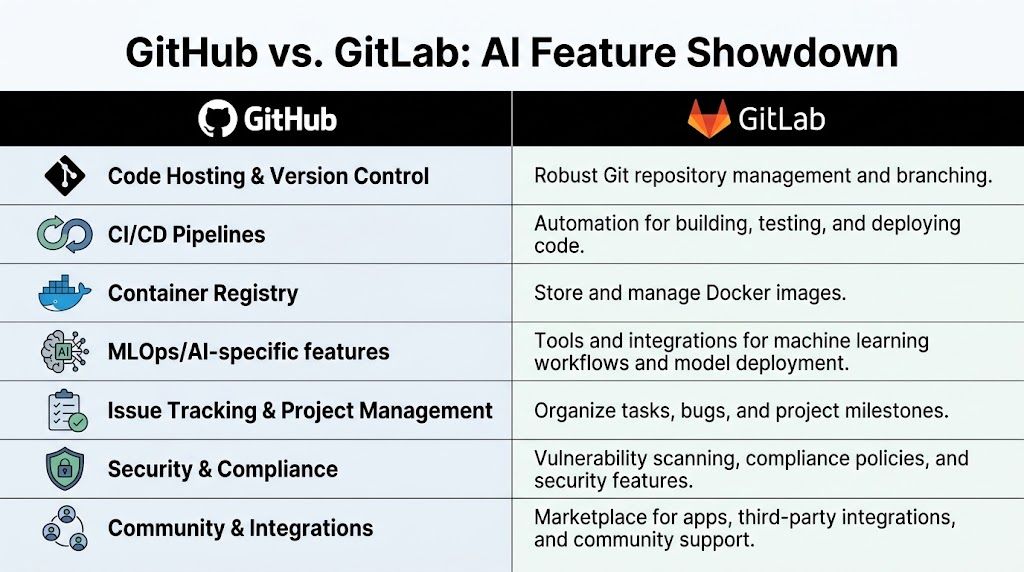
Here’s the quick scan view first.
| Area | GitHub | GitLab |
|---|---|---|
| Core approach | Modular, marketplace-driven | Integrated DevSecOps platform |
| Free CI/CD | 2,000 CI/CD minutes per month for private repositories | 400 CI/CD minutes per month |
| Container registry | Unlimited storage, 500 MB download bandwidth limit per user per month | 5 GB storage limit per project, 10 GB download limit per project per month |
| Automation ecosystem | Over 10,000 Marketplace actions | Built-in tools including Auto DevOps |
| Planning tools | Simpler labels and milestones | Native epics, sub-tasks, swimlanes, burndown charts |
| Security posture | Strong, but often extended through add-ons | Native SAST, DAST, container scanning |
| Typical AI fit | Rapid prototyping, broad integrations, flexible pipelines | Tighter production workflows, integrated security, fewer tool hops |
If you work on AI code regularly, this broader guide to https://yourai2day.com/ai-for-code/ adds useful context around how coding workflows are changing around automation.
CI and CD for training and deployment workflows
For many AI teams, CI/CD is the first place the platform difference becomes obvious.
GitHub’s free tier is more generous for private work. GitHub provides 2,000 CI/CD minutes per month for private repositories and unlimited storage for container registries, while GitLab offers 400 CI/CD minutes per month and a 5 GB storage limit per project for its registry, according to Contentful’s comparison at https://www.contentful.com/blog/gitlab-vs-github/.
That matters if your startup is running lots of builds for API services, inference containers, eval jobs, or preprocessing scripts.
GitHub also has over 10,000 Marketplace actions from the same Contentful source. In practice, this means you can often find an existing action for common tasks such as:
- building Docker images
- authenticating to cloud providers
- running Python test suites
- posting deployment updates to chat tools
- publishing package artifacts
GitLab approaches this differently. It leans on built-in CI/CD and Auto DevOps. That usually means less hunting around for components and fewer third-party workflow pieces to audit.
GitHub gives you more prebuilt Lego bricks. GitLab gives you more of the building already assembled.
For AI teams, GitHub often wins when you need highly customized workflows, especially if your stack crosses multiple runtimes, tools, and operating environments. GitLab often wins when you want pipelines that are easier to reason about inside one platform.
Security and DevSecOps
Security gets ignored until the first customer questionnaire arrives.
Then it becomes urgent.
GitLab’s strongest argument is built-in DevSecOps. GitLab includes native SAST, DAST, and container scanning, and the 2024 Gartner Magic Quadrant for DevOps Platforms ranks GitLab highest for DevOps platforms, according to https://ruby-doc.org/blog/gitlab-vs-github-the-ultimate-2025-comparison/.
That matters for AI products because model-serving systems often touch sensitive data, internal prompts, API keys, and deployment surfaces that need regular review.
GitHub can absolutely support a secure workflow. But its pattern is more modular. Teams often add security capabilities through premium features or external tooling.
That modularity is fine if your team already has security tooling standards. It’s less fine when you’re a small company and nobody wants to become the part-time integration engineer for six separate products.
Container registries and deployment flow
AI products commonly package inference services, worker jobs, vector-processing tasks, or evaluation runners into containers.
GitHub’s unlimited storage for container registries is attractive for fast-moving teams that create many images. GitLab’s registry has a 5 GB storage limit per project, while offering a 10 GB download limit per project per month compared with GitHub’s 500 MB download bandwidth limit per user per month, based on the same Contentful comparison.
The practical effect is simple.
If your team pushes lots of container variants, GitHub’s storage can feel more forgiving. If your workflow revolves around project-level distribution patterns, GitLab’s registry model may fit better, but you need to watch storage discipline more closely.
Project planning for AI work
AI teams often underestimate planning complexity.
At first, it’s “just train and deploy.” Later it becomes:
- data prep tasks
- evaluation criteria
- safety review items
- feature flags
- rollback plans
- model version coordination
GitLab has native issue-tracking structures such as epics, sub-tasks, swimlanes, and burndown charts, according to Kinsta’s comparison cited earlier. GitHub’s planning model is simpler.
That makes GitHub easier to adopt quickly. It also means more complex delivery programs may outgrow the built-in planning faster.
If your AI team is still small and mostly shipping one product, GitHub’s lighter issue model may be enough. If you’re coordinating platform, product, data, and security work together, GitLab’s built-in planning tools often feel closer to how the work is happening.
AI-specific extensibility
Here, generic comparisons often fall short.
GitHub’s AI story is dominated by Copilot. It’s useful, polished, and familiar to a lot of developers. GitLab’s angle is broader platform extensibility around AI workflows.
According to Strapi’s comparison at https://strapi.io/blog/gitlab-vs-github-devops-platform-comparison, GitLab’s native support for custom LLMs via GitLab Duo and its eight bundled security scans can reduce context switches by 25%. The same source notes GitHub’s main AI offering, Copilot, at $10/user/month, is powerful but less extensible for teams building proprietary AI toolchains.
That distinction matters if your company wants to do more than autocomplete code.
A startup building internal AI agents may care about how AI capabilities connect with security scanning, planning, and deployment workflows. In that situation, GitLab’s more open-core posture can be appealing.
A team that wants strong coding assistance inside a familiar ecosystem may lean toward GitHub faster.
For AI businesses, the question isn’t “which one has AI.” The better question is “where do AI capabilities sit in the rest of our delivery system.”
What works and what doesn’t
A blunt practitioner summary helps more than marketing language.
GitHub tends to work well when:
- You’re prototyping fast and want easy access to a broad ecosystem
- You need lots of CI minutes on the free tier for private repos
- Your team already uses external services for monitoring, scanning, and deployment
- Hiring matters and you want the most familiar workflow for developers
GitHub tends to work less well when:
- You want fewer moving parts and don’t want to stitch together a lot of integrations
- Security needs to be more native
- Your team gets slowed down by tool sprawl
GitLab tends to work well when:
- You want one platform covering planning, pipelines, scanning, and delivery
- Security and governance matter early
- You expect more operational complexity as the AI product matures
- You’d prefer opinionated defaults over endless marketplace choices
GitLab tends to work less well when:
- You want maximum ecosystem breadth
- You rely on lots of community-built automation pieces
- Your early-stage team needs the most generous free CI allocation
Comparing Hosting Models and Pricing Tiers
Hosting and pricing hold greater significance than is often acknowledged.
The wrong platform choice doesn’t usually fail on day one. It fails six months later, when your pipelines get heavier, security reviews begin, or a customer asks where your development platform is hosted.

If cloud deployment patterns are still new territory for your team, this guide on https://yourai2day.com/deployment-in-cloud-computing/ is a useful companion to the platform decision.
Cloud-first is easier, but self-hosting changes the math
For most early AI startups, a hosted service is the obvious choice. You don’t want to spend precious time maintaining your source platform when you should be shipping product.
GitHub.com and GitLab.com both make sense in that stage.
The equation changes when your company starts caring about stricter internal controls, data location, dedicated runners near internal infrastructure, or tighter oversight of the full software lifecycle. That’s where GitLab’s long-standing self-hosting orientation becomes attractive.
GitLab’s platform identity has always been more comfortable with end-to-end control. That matters for AI companies working with internal documents, sensitive model pipelines, or enterprise buyers who ask hard questions about process.
Pricing isn’t just price
A cheap plan can still be expensive if your team has to bolt on multiple extra tools.
GitLab’s argument on paid tiers is that native DevSecOps features can justify the cost. GitLab offers built-in SAST, DAST, and container scanning, and the 2024 Gartner Magic Quadrant ranks GitLab highest for DevOps platforms. The same ruby-doc comparison says this integrated approach can reduce integration overhead by 30-50% for enterprise teams, especially in regulated industries: https://ruby-doc.org/blog/gitlab-vs-github-the-ultimate-2025-comparison/
That doesn’t automatically make GitLab the right financial choice for everyone.
For a tiny AI startup, GitHub may still be the cheaper path in practice because the free tier is friendlier for private repo CI usage and the ecosystem lets you add only what you need.
For a more mature business, GitLab may cost less operationally because fewer things need to be connected, reviewed, and maintained.
A practical buying lens
Use this checklist before you decide.
- Pick hosted first if your team is small, moving quickly, and doesn’t have strict internal compliance pressure yet.
- Consider self-hosting if customer requirements, internal governance, or network proximity to private infrastructure are becoming real constraints.
- Favor GitHub on budget-sensitive prototypes when free CI capacity and broad ecosystem support matter most.
- Favor GitLab for controlled delivery environments when native scanning, lifecycle coverage, and platform consistency save staff time.
The invoice is only part of the cost. The bigger expense is the time your team spends maintaining workflow decisions you didn’t realize you were making.
Evaluating the Ecosystem and Governance Features
A development platform is never just the product itself.
It’s also the ecosystem around it, the permissions model inside it, and the amount of operational discipline it either encourages or forces on your team.

GitHub is like building a custom PC
GitHub’s ecosystem is its biggest advantage.
If your team wants choice, GitHub is usually the more comfortable place to be. The marketplace model gives you many ways to assemble workflows around code review, cloud delivery, notifications, scanning, and team automation.
That’s especially appealing for AI teams that already live across many services. You might keep code in one place, run experiments elsewhere, deploy through a cloud-native path, and attach extra controls only where needed.
That flexibility is real. So is the overhead.
Every add-on introduces a maintenance question. Someone has to choose it, configure it, review permissions, update it, and decide what happens when it stops fitting the workflow.
GitLab is closer to buying an integrated machine
GitLab’s ecosystem story is less about abundance and more about reduction.
You get fewer “which app should we install” conversations because more capabilities sit inside the platform already. For growing AI businesses, that can be a relief. Teams spend less time inventing a toolchain and more time working inside one.
This matters when governance starts becoming operational instead of theoretical.
A small startup can survive with informal process for a while. Once multiple engineers, data practitioners, and product stakeholders are touching the same release train, governance stops being bureaucracy. It becomes release hygiene.
Governance is where growing teams notice the gap
The flashy comparison usually focuses on CI/CD and AI assistants.
The stickier difference often shows up in approval flows, permission boundaries, and how much control the platform gives leads and admins as the team scales.
GitLab generally feels more structured because so much of the lifecycle sits under one roof. That can make policy enforcement and workflow consistency easier.
GitHub often feels lighter and more familiar, which is helpful for speed, but governance may rely more on a combination of repository settings, organizational conventions, and external service policies.
Which ecosystem model works better
It depends on your operating style.
| Need | Better fit |
|---|---|
| Maximum third-party choice | GitHub |
| Fewer vendor handoffs | GitLab |
| Fast experimentation with many external tools | GitHub |
| Cleaner operational governance inside one platform | GitLab |
Teams that love tinkering usually enjoy GitHub longer. Teams that are tired of stitching tools together usually appreciate GitLab sooner.
For AI startups, this often comes down to discipline.
If you have senior platform people who can manage a modular stack well, GitHub can be excellent. If you want governance to emerge from the platform itself instead of from tribal knowledge, GitLab often gives you a stronger baseline.
Analyzing Performance and Migration Hurdles
Performance differences between GitHub and GitLab are real, but they matter differently depending on your workflow.
If your team clones repositories constantly for fresh environments, onboarding, or CI setup, one pattern matters. If your developers push and pull all day in active iteration, another pattern matters.
Git operations in practice
In a 2020 benchmark, GitHub was faster on git clone with an average of 0.784s versus GitLab’s 1.362s. GitLab was slightly faster on git push and git pull, according to Josh Sherman’s benchmark at https://joshtronic.com/2020/03/16/speed-comparison-github-vs-gitlab-2020/.
For AI teams, the practical interpretation is straightforward.
- Clone speed matters more when spinning up new workspaces, runners, or clean build contexts.
- Push and pull speed matter more when developers are iterating continuously on code, configs, and pipeline definitions.
That means GitHub has a small edge for fresh setup moments, while GitLab has a slight edge in the more repetitive daily sync cycle.
What this means for AI repositories
AI repos can behave differently from lightweight application repos.
You may have larger dependency trees, more frequent pipeline edits, and more orchestration around training and deployment jobs. Small differences in Git operations won’t make or break the platform choice, but they do shape the feel of day-to-day work.
If your team pushes changes far more often than it creates fresh clones, GitLab’s slight push and pull advantage is more relevant than GitHub’s faster clone speed.
Migration is usually harder than teams expect
Moving between platforms is possible. It’s just rarely clean.
The repository itself is the easy part. The hard part is everything around it:
- pipeline definitions
- secrets handling
- runners
- approvals
- issue structures
- release habits
- security workflows
- container publishing conventions
GitHub Actions and GitLab CI/CD don’t map one-to-one in spirit, even when both use YAML. A team migrating from GitHub to GitLab often simplifies some workflow pieces but has to rethink assumptions built around marketplace actions. A team moving the other direction often gains flexibility but has to recreate native behaviors with add-ons or custom workflow logic.
My usual advice is simple: migrate only when the current platform is actively slowing the business, not because the other one looks cleaner on paper.
Which Is Right for Your AI Project A Decision Framework
The right answer depends on the kind of AI team you are, not on which platform wins internet arguments.

Choose GitHub if speed and ecosystem breadth matter most
GitHub is usually the easier recommendation for:
- solo AI builders
- early-stage startup teams
- open-source model and tooling projects
- teams that want maximum integration choice
Its biggest strengths are familiarity, ecosystem depth, and a generous free private CI allocation. If your team is experimenting often, trying different deployment tools, and doesn’t want an opinionated platform shaping every process decision yet, GitHub is a strong default.
It’s also easier to hire into. Many developers already know the workflow.
Choose GitLab if you want one tighter operating system
GitLab makes more sense for:
- AI startups selling into security-conscious customers
- teams that want built-in scanning and lifecycle tools
- businesses trying to reduce tool sprawl
- companies that expect governance requirements to grow quickly
According to Strapi’s comparison, GitLab’s native support for custom LLMs via GitLab Duo and its eight bundled security scans can reduce context switches by 25%, while GitHub’s Copilot is priced at $10/user/month and is less extensible for proprietary AI toolchains: https://strapi.io/blog/gitlab-vs-github-devops-platform-comparison
That’s a meaningful distinction for companies building internal AI systems, customer-facing copilots, or regulated automation flows where AI doesn’t live in isolation from security and delivery.
A quick scenario-based recommendation
| Team type | Better fit | Why |
|---|---|---|
| Solo AI researcher | GitHub | Easier community access, simpler discovery, stronger free private CI tier |
| Fast-moving AI startup | GitHub early, GitLab later if complexity rises | Start flexible, then consolidate if tool sprawl becomes painful |
| Security-focused AI company | GitLab | Native DevSecOps and tighter lifecycle control |
| Enterprise AI division | GitLab in many cases | Better fit when governance, integrated scanning, and self-hosting posture matter |
If you want an additional practitioner-style outside perspective before deciding, this ultimate decision-making guide for GitLab vs GitHub is worth reading alongside your own workflow requirements.
A short explainer can also help if your team wants a second format before choosing:
My practical recommendation
If you’re a new AI startup with limited process maturity, start with GitHub unless you already know security and lifecycle control are going to be first-order concerns.
If your team is already feeling pain from scattered tooling, handoffs, or compliance pressure, choose GitLab sooner rather than later.
That’s usually the cleanest way to think about the difference between github and gitlab.
Frequently Asked Questions
Can a team use both GitHub and GitLab together
Yes. Some teams keep public or open-source work on GitHub and use GitLab for internal delivery workflows. That can work, but it adds complexity. If you go hybrid, define clearly which platform owns code review, automation, and release history.
Which platform is easier for beginners
For most beginners, GitHub feels easier to approach. The interface is familiar to more developers, and the surrounding community is larger. GitLab is still beginner-friendly, but it tends to make more sense once you want a broader operational workflow in one place.
Which is better for agile AI teams
If your agile process is lightweight, GitHub is usually enough. If your team needs richer built-in planning structures, GitLab tends to support that style better.
Is GitHub or GitLab better for AI deployment
It depends on the workflow. GitHub is great for flexible experimentation and broad integration options. GitLab is stronger when you want deployment, scanning, and lifecycle controls to live in one system.
Should you switch later if you chose wrong
Only if the pain is persistent. Migration is possible, but it’s rarely trivial. Fix your workflow first. Then decide whether the platform is the problem.
If you’re comparing AI tools, deployment workflows, and practical platform choices for real teams, YourAI2Day is a solid place to keep learning. It covers AI news, tools, and implementation topics in a way that’s useful for both beginners and businesses trying to make smarter decisions.