
Top 12 Hubs to Find the Latest AI Tools in 2025
It feels like a new AI tool launches every minute, right? One day you've mastered a workflow, and the next, a game-changing app everyone's talking about completely changes the game. Keeping up is more than a full-time job, especially if you're a business owner, an entrepreneur, or just someone curious trying to figure out which of the latest AI tools are genuinely useful versus which are just passing hype.
That overwhelming feeling of "AI FOMO" (Fear Of Missing Out) is exactly what this guide is designed to solve. We've done the heavy lifting for you, sifting through the endless noise to create a definitive resource. But instead of just giving you another temporary list of apps that will be outdated next month, we’re showing you where the pros go to discover what's new, effective, and worth your time.
Think of this as your master key to the world of AI discovery. We'll explore the curated directories, massive software marketplaces, and developer-centric hubs that serve as the launchpads for today's most innovative AI solutions. For each platform, we provide a clear overview, practical examples, screenshots, and direct links so you can find precisely what you need, whether you're automating a simple task, enhancing your creative process, or building a complex enterprise-level application. Let's cut through the clutter and find the right tool for you.
1. Product Hunt
Product Hunt isn't an AI tool itself, but rather the premier launchpad and discovery platform where many of the latest AI tools make their debut. Think of it as a daily leaderboard for new tech. Every day, makers and startups submit their new products, and the community votes, comments, and discusses them. This dynamic makes it an invaluable resource for anyone wanting to stay on the bleeding edge of AI innovation.
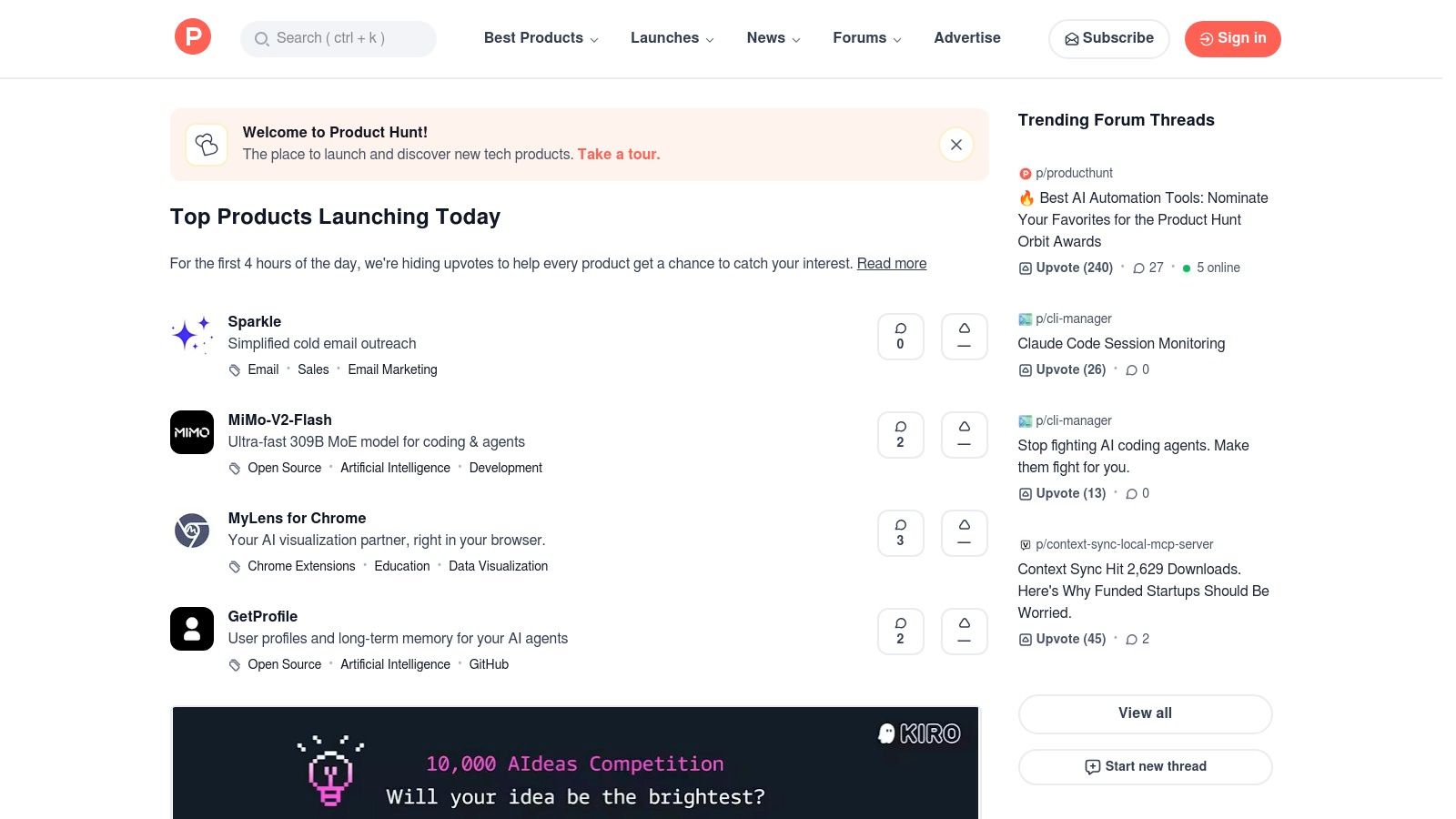
The platform's strength lies in its real-time, community-driven curation. You get an immediate sense of what's generating buzz, complete with direct feedback from early adopters. It’s an authentic, unfiltered look into the AI landscape, far from polished marketing campaigns.
Key Features & User Experience
Navigating Product Hunt is straightforward. Its clean interface prioritizes the daily list of new products, making discovery feel like a treasure hunt.
- Daily Leaderboard: See what's trending right now based on community upvotes.
- Topic Filters: Easily narrow your search to just "Artificial Intelligence" to filter out the noise.
- Community Discussions: Dive into the comments section on any product page to see real user questions, feedback, and praise. This is often where you'll find the most honest insights.
- Direct Access: Every listing includes a direct link to the product's official website for immediate access.
How to Use It Effectively
To get the most out of Product Hunt, use the "Artificial Intelligence" topic filter to create a personalized feed of AI-only launches. Follow makers of tools you admire to get notified of their future projects. Pay close attention to the discussions; they often reveal hidden limitations or standout use cases that aren't mentioned in the official description. For more details on what's trending, you can see how Product Hunt is shaping the latest artificial intelligence applications on YourAI2Day.
Expert Opinion: "Product Hunt is my go-to for serendipitous discovery," says tech blogger Maria Chen. "I don't go there looking for a specific solution. I go there to see what problems people are solving with AI that I haven't even thought of yet. That's where the real innovation is."
Pros & Cons
| Pros | Cons |
|---|---|
| Highly Current: See tools the day they launch. | Popularity Bias: High votes don't always mean high quality. |
| Community-Vetted: Get instant social proof and feedback. | Variable Info: Product descriptions can sometimes be sparse. |
| Excellent for Discovery: Find niche tools you wouldn't see elsewhere. | Requires Daily Check-in: The best finds are time-sensitive. |
Pricing: Free to browse and participate.
2. Futurepedia
If Product Hunt is the daily launchpad, Futurepedia is the massive, ever-expanding encyclopedia for the latest AI tools. It’s one of the largest and most comprehensive AI tool directories available, listing thousands of platforms across dozens of categories. For anyone feeling overwhelmed by the sheer volume of new AI, this site provides a structured way to explore what’s out there, from niche copywriting assistants to powerful video generators.
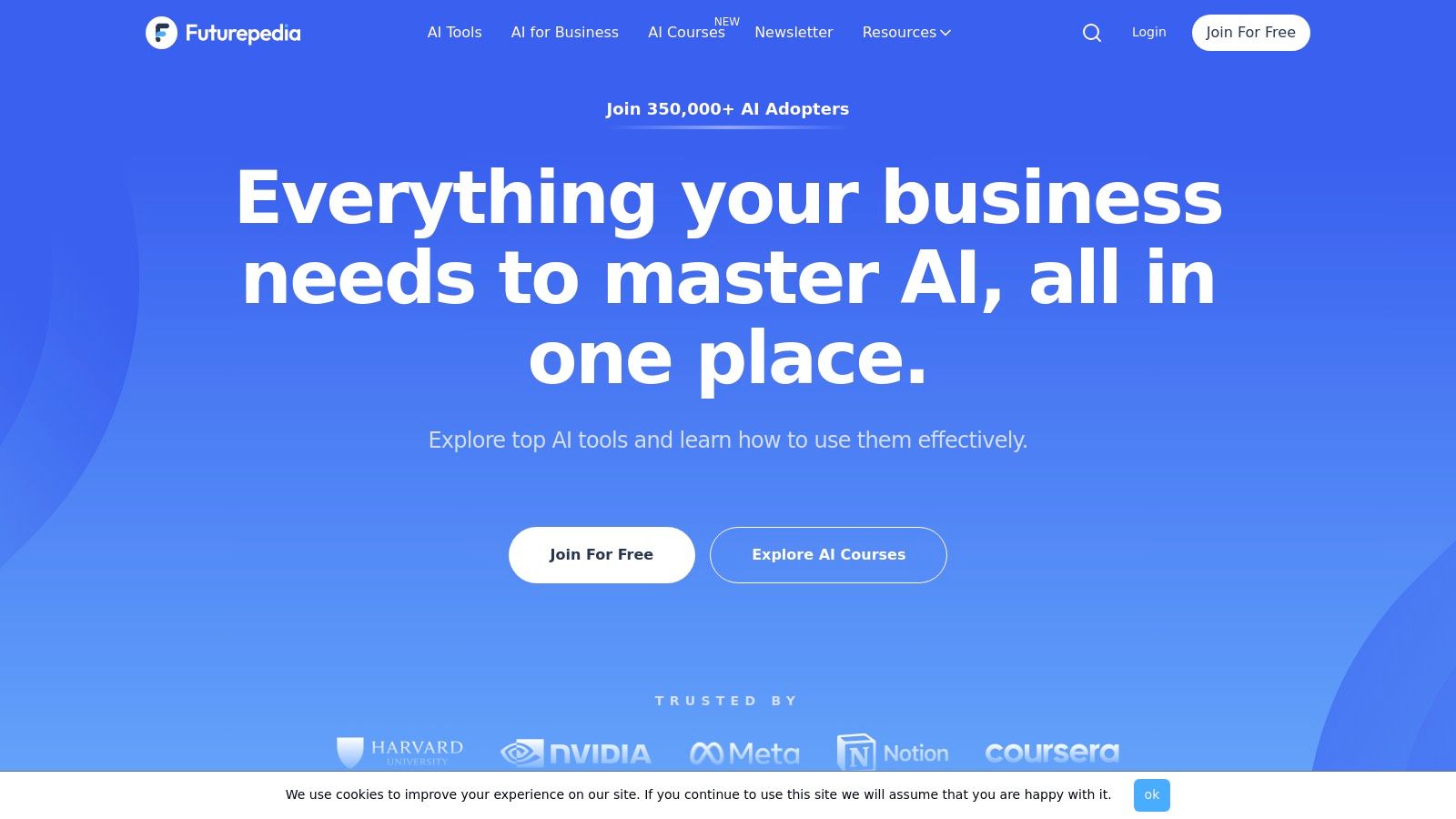
The platform’s core value is its sheer breadth. Unlike platforms focused only on brand-new launches, Futurepedia aims to be an exhaustive library. This makes it an ideal starting point for beginners who want to understand the different types of AI tools available for a specific task or industry.
Key Features & User Experience
Futurepedia's interface is designed for discovery. It feels less like a social feed and more like a well-organized catalog, making it easy to methodically search for a solution to a specific problem.
- Extensive Categories: Search over 2,500 tools organized into 50+ categories like "Image Generation," "Productivity," and "Code Assistant."
- Powerful Filtering: Sort tools by what’s new, popular, or verified, and filter by pricing models (e.g., free, freemium, paid).
- Editorial Content: The site includes in-depth reviews, comparisons, and "how-to" guides that add context to the listings.
- Submission Portal: Makers can submit their new tools, ensuring the directory stays current with recent developments.
How to Use It Effectively
Start by browsing the category most relevant to your needs. Use the filters to narrow down the options; for example, filter for "Freemium" tools in the "Marketing" category to find low-cost options to test. Let’s say you need an AI to create music for your podcast intro. You can go to Futurepedia, select the "Music" category, and instantly see a dozen options to try. Don't just look at the tool listing-check out the site's blog and guides. For those just starting, learning how to use these platforms is key; discover a great overview of how to use AI tools on YourAI2Day.
Pros & Cons
| Pros | Cons |
|---|---|
| Comprehensive Coverage: A massive directory of AI tools. | Variable Quality: The quality and utility of listed tools can vary. |
| Easy to Navigate: Excellent categorization and filtering. | Outdated Info: Pricing or features on external sites may change. |
| Includes Learning Resources: Helpful guides and reviews. | Less Community Focus: Lacks the user discussion of platforms like Product Hunt. |
Pricing: Free to browse.
3. G2
While Product Hunt is about the launch, G2 is about the long-term, real-world performance of software. It’s a massive B2B software marketplace where you can find latest AI tools that have been rigorously tested and reviewed by verified users. Think of it as TripAdvisor, but for business software, providing the crucial social proof needed before making a significant investment.
Its power comes from a massive database of authentic, in-depth user reviews and data-driven scoring. G2 helps you move past marketing hype and understand how an AI tool actually performs for businesses similar to yours. It’s an essential stop for anyone making a serious purchasing decision in the AI space.
Key Features & User Experience
G2 is built for comparison and due diligence, with a clean, data-rich interface that helps you quickly evaluate options. Its grid system and filters are powerful tools for analysis.
- Verified User Reviews: Read detailed feedback from actual users, often including what they like, dislike, and the business problems they're solving.
- Category Grids: View visual quadrants that rank AI tools based on market presence and user satisfaction, helping you quickly identify industry leaders.
- Side-by-Side Comparisons: Select multiple tools and compare their features, pricing, and ratings head-to-head in a detailed breakdown.
- Advanced Filtering: Narrow down your options by company size, industry, user rating, and specific features to find the perfect fit for your needs.
How to Use It Effectively
Start by navigating to the main "Artificial Intelligence Software" category and then drill down into subcategories like "AI Chatbots" or "AI Code Generation." Use the filters to match tools to your company’s scale, for instance, filtering for solutions popular with "Small Business." Pay close attention to recent reviews to get the most current perspective on a tool's capabilities and support quality.
Expert Opinion: "Never make a B2B software purchase without checking G2," advises small business consultant David Lee. "The marketing site tells you the dream, but G2 reviews tell you the reality. I once avoided a costly AI sales platform because reviewers consistently mentioned its poor integration capabilities—something the vendor's site never highlighted."
Pros & Cons
| Pros | Cons |
|---|---|
| Trustworthy User Reviews: High volume of verified, in-depth feedback. | Lead-Generation Focus: Expect prompts to contact vendors for demos or pricing. |
| Excellent Comparison Tools: Powerful filters and side-by-side views. | Enterprise Bias: Some categories may favor larger, more established solutions. |
| Buyer-Oriented Scoring: Helps in making confident procurement decisions. | Review Volume Varies: Newer or niche tools may have fewer reviews. |
Pricing: Free to browse reviews and compare software.
Visit G2
4. Capterra
While not a direct source of AI tools, Capterra is a comprehensive software marketplace that serves as a powerful research hub for businesses looking to adopt the latest AI tools. It specializes in providing detailed comparisons and verified user reviews, making it an essential first stop for small and mid-sized businesses (SMBs) needing to evaluate software before making a purchase. The platform excels at translating complex AI solutions into practical business terms.
Its true value lies in its structured, comparison-focused approach. Instead of just discovering new tools, Capterra helps you vet them against established competitors, understand their feature sets, and gauge their suitability for specific business needs, all in one place.
Key Features & User Experience
Capterra's interface is designed for efficient business software evaluation, helping users quickly create a shortlist of potential AI vendors. It’s less about discovery and more about informed decision-making.
- Detailed Category Filters: Start in the "Artificial Intelligence Software" category and drill down with filters for features, pricing models, and business size.
- Side-by-Side Comparisons: Select multiple tools and view their features, pricing, and ratings in a convenient comparison matrix.
- Verified User Reviews: Read in-depth reviews from actual business users, often providing insights into implementation, customer support, and real-world performance.
- Pricing Snapshots: Many listings provide clear pricing information or ranges, helping you quickly assess budget fit without visiting multiple vendor sites.
How to Use It Effectively
To get the most out of Capterra, use its comparison tool to evaluate at least three different AI solutions side-by-side. Pay close attention to the user reviews from companies of a similar size and industry to yours, as their experiences will be most relevant. Don't just look at the overall rating; read the reviews to understand the context behind the scores and identify any recurring issues or praises.
Practical Example: A small e-commerce shop owner could use Capterra to find an AI-powered customer service chatbot. They can filter for "Small Business" and "E-commerce" industries, then compare the top three options side-by-side to see which one integrates best with Shopify and has the most positive reviews regarding ease of setup.
Pros & Cons
| Pros | Cons |
|---|---|
| Excellent for SMBs: Content and reviews are tailored to business needs. | Pricing Not Always Transparent: Some vendors hide pricing behind a "request a quote" button. |
| Structured Comparisons: Feature matrices make it easy to see differences. | Lead Generation Focus: You may need to provide contact info to get full details. |
| Verified Reviews: Builds trust and provides authentic user feedback. | Less Suited for Niche Tools: Focuses more on established commercial software. |
Pricing: Free to use for research and comparison.
Visit Capterra
5. OpenAI (ChatGPT + App Directory)
OpenAI's official platform is the direct gateway to ChatGPT, one of the most foundational and latest AI tools shaping the industry. This isn't just a place to chat with an AI; it's a comprehensive ecosystem for both casual users and enterprise-level developers. It serves as the central hub for accessing OpenAI's powerful language models, managing subscriptions, and extending capabilities through a growing app directory.

What makes the platform essential is its direct access to the most advanced models like GPT-4o. While other tools build on OpenAI's technology, this is the source. It offers a clean, user-friendly interface for conversations and a backend for developers to integrate the API into their own applications, making it a versatile resource for any AI enthusiast.
Key Features & User Experience
The user experience is minimalist and conversation-focused, ensuring the technology remains the star of the show. Whether on web or mobile, the interface is intuitive and quick to master.
- Tiered Access: Offers a range of plans from a capable free version to paid tiers (Plus, Pro) with access to the latest models, higher usage limits, and advanced features like DALL-E 3 image generation.
- ChatGPT App Directory: Expand ChatGPT's functionality by integrating third-party tools directly within the chat interface for tasks like creating diagrams, searching academic papers, or planning travel.
- Developer API: Provides usage-based API access for developers to build their own AI-powered applications.
- Business & Enterprise Plans: Tailored solutions for organizations requiring enhanced security, admin controls, and higher-throughput access.
How to Use It Effectively
To maximize your experience, explore the App Directory to find tools that fit your specific workflow, turning ChatGPT into a customized productivity hub. For those new to conversational AI, mastering the art of the prompt is crucial; you can find powerful examples of prompts on YourAI2Day to unlock more accurate and creative responses. Developers should start with the free API credits to experiment before committing to larger projects.
Practical Example: A student can use the standard ChatGPT to brainstorm an essay outline. By enabling the "Consensus" app from the directory, they can then ask it to search for and summarize five academic papers on their topic, complete with citations, all within the same chat window.
Pros & Cons
| Pros | Cons |
|---|---|
| Top-tier models: Direct access to the most advanced AI features. | Plan and feature limits: Best features are locked behind subscriptions. |
| Wide third-party app ecosystem: Extends functionality significantly. | API costs can be high: Metered usage can become expensive for developers. |
| Robust business and enterprise options: Scalable for organizational needs. | Free tier can be slow: Popularity sometimes leads to slower responses. |
Pricing: Free plan available. Paid plans like ChatGPT Plus start at $20/month. API is pay-as-you-go.
6. Anthropic (Claude.ai)
Anthropic's Claude.ai is the official home for the Claude family of AI models, a direct competitor to OpenAI's ChatGPT. It stands out by focusing on producing helpful, harmless, and honest AI responses. This platform serves as both a user-friendly web application for direct conversation and a gateway for developers to access its powerful API. It's quickly become one of the latest AI tools revered for its sophisticated reasoning and long-context capabilities.
The platform’s core strength is the quality of its conversational AI, which often feels more natural and nuanced in creative and analytical tasks. For professionals and developers, Claude's ability to process and summarize massive documents (like research papers or legal contracts) in a single prompt is a game-changing feature that sets it apart.
Key Features & User Experience
The Claude.ai interface is minimalist and focused on the chat experience, making it highly accessible for beginners while offering advanced features for power users.
- Claude Web App: A clean, conversational interface that includes features like "Projects" to organize different chat threads and collaborate with team members.
- Large Context Windows: The models can handle enormous amounts of text (up to 200K tokens), allowing you to analyze entire books or codebases at once.
- API Access: Developers can integrate Claude models into their own applications with transparent, token-based pricing clearly listed on the.
- Tiered Subscriptions: Offers free access, along with Pro, Team, and Enterprise plans that provide higher usage limits, advanced features, and enhanced security.
How to Use It Effectively
To maximize Claude's potential, take full advantage of its large context window. Instead of feeding it small chunks of a document, upload the entire file and ask complex, summary-based questions. For teams, using the "Projects" feature helps keep conversations organized and focused on specific tasks, preventing clutter. Developers should review the API documentation for model-specific strengths, like using Claude 3 Haiku for speed and Opus for deep reasoning.
Practical Example: A legal assistant can upload a 150-page contract as a PDF and ask Claude, "Summarize the key obligations for 'Party A' and identify any clauses related to termination." Claude can read the entire document at once and provide a precise, context-aware answer in seconds.
Pros & Cons
| Pros | Cons |
|---|---|
| Strong reasoning and writing quality: Excels at nuanced and creative text generation. | Regional Availability: Some features and model access can vary by location. |
| Large context windows: Ideal for in-depth analysis of long documents. | API costs require monitoring: Pay-as-you-go pricing can add up quickly with heavy use. |
| Enterprise-grade security: Offers robust security and administration for business users. | Free tier has usage limits: Heavy users will need to subscribe for consistent access. |
Pricing: Free tier available; Pro plan at $20/month; Team and Enterprise pricing available on request. API is pay-as-you-go.
Visit Anthropic (Claude.ai)
7. Google AI Studio (Gemini API)
Google AI Studio is the go-to web-based playground for developers and enthusiasts looking to access and build with Google's powerful Gemini family of models. It serves as a direct, hands-on portal to one of the most advanced AI ecosystems available, allowing you to prototype and test prompts in your browser before integrating them into your applications via the Gemini API. It’s an essential stop for anyone wanting to build with the latest AI tools from Google.
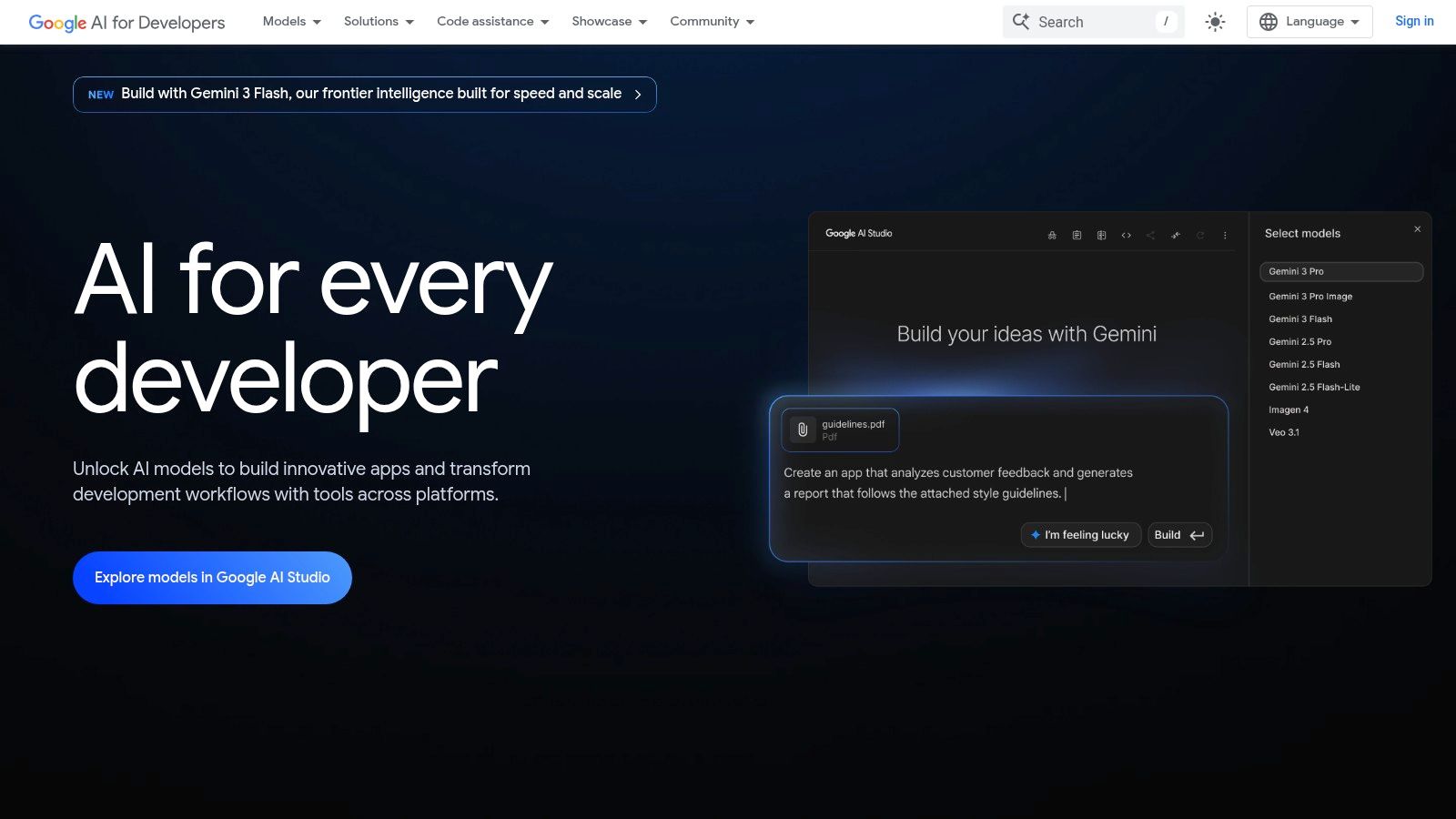
The platform’s major advantage is its accessibility and directness. It demystifies the process of using a state-of-the-art API by providing a clean, interactive environment where you can experiment with text, image, and multimodal inputs without writing a single line of code initially. This makes it incredibly beginner-friendly while still offering the power that seasoned developers need.
Key Features & User Experience
Google AI Studio is designed for rapid iteration. Its interface is clean and focused, encouraging you to jump right in and start experimenting with different models and prompts.
- Web Playground: An interactive interface to chat with Gemini models, tweak parameters like temperature, and see how the AI responds in real-time.
- Prompting Modes: Choose between freeform, structured, and chat prompts to tailor your interaction for specific tasks like creative writing or conversational flows.
- Get Code Functionality: Once you’ve perfected a prompt, the studio generates the necessary code snippets in Python, Go, Node.js, and other languages to drop directly into your project.
- Generous Free Tier: A significant free quota of API calls is available, making it perfect for personal projects, learning, and prototyping without any initial cost.
How to Use It Effectively
Start by creating a new prompt in the playground. Test how the Gemini Pro and Gemini Pro Vision models handle your specific use case, whether it's summarizing text or analyzing an image. Use the "Get Code" button to grab your API key and the ready-made code. For more complex projects, AI Studio provides a clear path to scale up using Google Cloud's Vertex AI platform.
Practical Example: A marketing professional can upload a product photo to the playground and use the prompt, "Write three Instagram captions for this image, targeting a millennial audience. Include relevant hashtags." They can test different prompts and images until they find a style they like, then use the "Get Code" button to build a small app that automates this for their whole team.
Pros & Cons
| Pros | Cons |
|---|---|
| Generous free tier for prototyping. | Some features are in preview and may have rate limits. |
| Excellent for beginners to test prompts. | Billing can be split between Studio and Google Cloud. |
| Tight integration with the Google Cloud ecosystem. | Advanced features require moving to Vertex AI. |
Pricing: Free to start with a generous API call limit; pay-as-you-go pricing applies afterward.
8. Hugging Face
Hugging Face has become the definitive open-source hub for the AI community. It's less a single tool and more of a massive, collaborative platform where developers and researchers share and discover thousands of pre-trained models, datasets, and demo applications. For anyone looking to build with AI, it is an essential starting point and one of the most important places to find the latest AI tools and components.
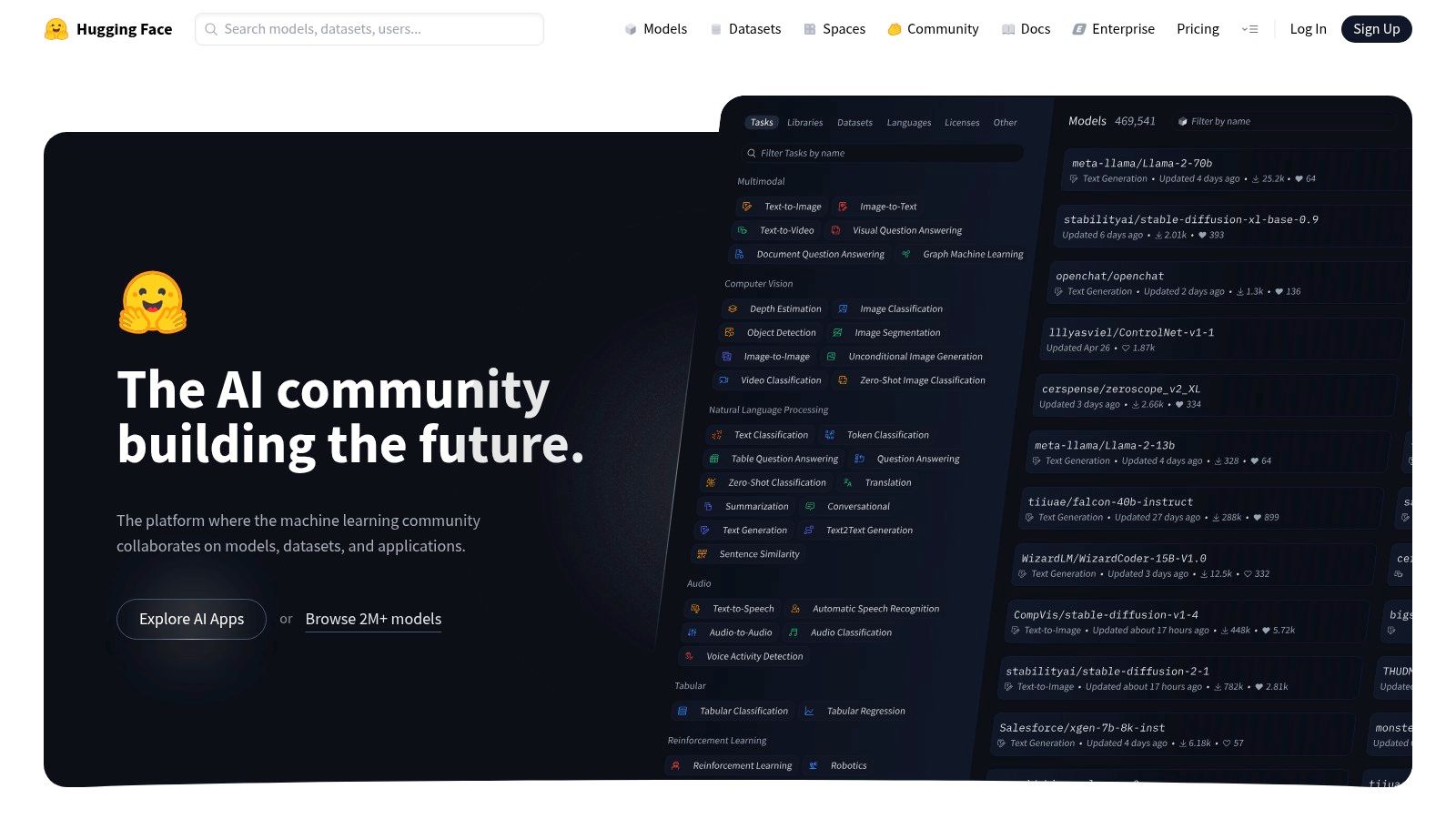
The platform’s power comes from its open and accessible nature. It democratizes AI by providing the building blocks-models for everything from text generation to image recognition-that anyone can download, fine-tune, or deploy. It is the go-to resource for hands-on experimentation and integration.
Key Features & User Experience
Navigating Hugging Face is like browsing a vast library. You can easily search for models based on task, library, or language, making it simple to find exactly what you need for a project.
- Model Hub: A comprehensive repository with thousands of pre-trained models ready for use.
- Spaces: Interactive app demos built by the community, allowing you to test models directly in your browser without any setup.
- Datasets Hub: Access to a huge collection of datasets for training and evaluating your own models.
- Transformers Library: A powerful and popular Python library that simplifies the process of using state-of-the-art models.
How to Use It Effectively
Start by exploring Spaces to get a feel for what different models can do. When you find a model you like in the Hub, check its "Model Card" for detailed information on its intended use, limitations, and licensing. For developers, the Transformers library is the fastest way to integrate these models into your own applications with just a few lines of code.
Expert Opinion: "Hugging Face is the GitHub of AI," notes AI researcher Dr. Anya Sharma. "If you want to understand where the technology is truly heading, you don't look at polished product announcements. You look at the models being shared, forked, and fine-tuned on Hugging Face. It’s the engine room of the entire open-source AI movement."
Pros & Cons
| Pros | Cons |
|---|---|
| Vast Selection: Unparalleled access to open-source models. | Varying Licenses: Terms of use differ from one model to another. |
| Strong Community: Excellent documentation and community support. | Can Be Overwhelming: The sheer number of options can be daunting for beginners. |
| Easy to Test: Spaces make it simple to try models instantly. | Hosted Costs: Using their paid inference endpoints can become expensive. |
Pricing: Free for community access and browsing. Paid plans are available for private models and managed compute/inference.
9. AWS Marketplace (Machine Learning category)
For businesses already operating within the Amazon Web Services ecosystem, the AWS Marketplace is a goldmine for discovering and deploying production-ready latest AI tools and models. Instead of building from scratch, you can browse a vast catalog of pre-trained machine learning algorithms and AI solutions from trusted vendors, deploying them directly into your AWS environment with a few clicks. It's like an app store specifically for enterprise-grade AI.
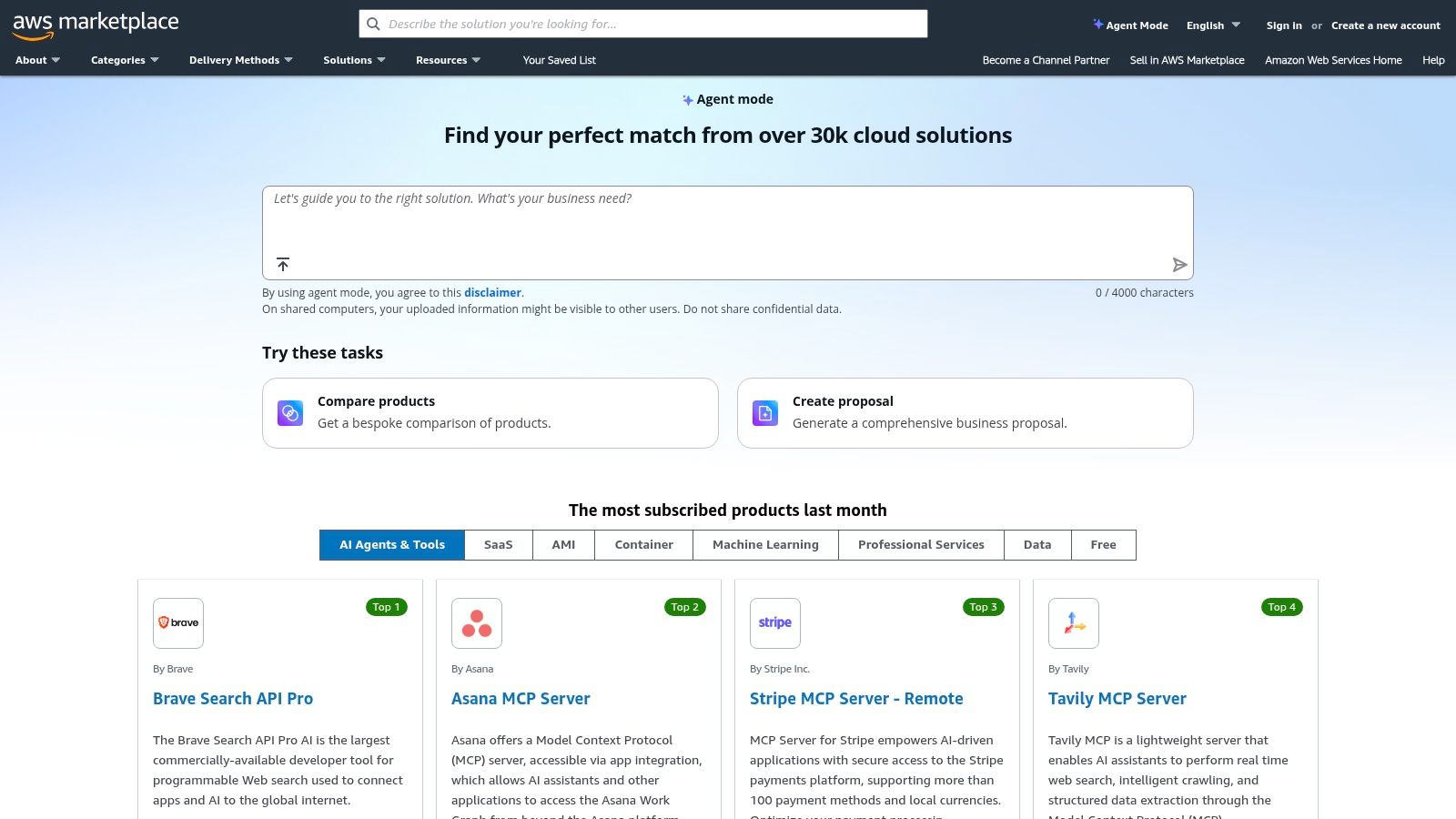
The marketplace's core advantage is its seamless integration with AWS services and billing. This streamlines procurement and ensures that the tools you subscribe to meet AWS's security and compliance standards, removing significant friction for corporate development and IT teams looking to implement new AI capabilities quickly and safely.
Key Features & User Experience
Navigating the marketplace feels familiar to anyone who has used an online store, but with a focus on technical deployment and documentation.
- Ready-to-Deploy Models: Find algorithms and model packages optimized for Amazon SageMaker, AWS's machine learning platform.
- Integrated Billing: All software subscription costs are consolidated into your existing monthly AWS bill, simplifying accounting.
- Comprehensive Documentation: Each listing includes detailed usage instructions, pricing information, and often sample notebooks to get you started.
- Click-to-Subscribe Workflows: The subscription and deployment process is highly automated, reducing setup time from weeks to minutes.
How to Use It Effectively
Start by filtering the marketplace for the "Machine Learning" category to see relevant AI solutions. Before subscribing, thoroughly review the documentation and sample notebooks provided on the product's detail page. This is crucial for understanding how the model works and estimating the underlying AWS resource costs (like compute and storage) that will be incurred in addition to the software fee.
Practical Example: A financial services company can use the AWS Marketplace to find a pre-trained fraud detection model. Instead of spending months building their own, they can subscribe to a vendor's model, deploy it to their SageMaker environment, and start running transaction data through it within a single afternoon, with all costs neatly appearing on their monthly AWS bill.
Pros & Cons
| Pros | Cons |
|---|---|
| Enterprise-Friendly Procurement: Simplifies purchasing and billing. | Requires an AWS Account: Not accessible for users outside the AWS ecosystem. |
| Security and Compliance: Tools are vetted for AWS environments. | Compound Costs: You pay for both the software and the AWS resources it uses. |
| Straightforward Deployment: Deep integration with services like SageMaker. | Can Be Overwhelming: The sheer number of options requires technical evaluation. |
Pricing: Varies by product; typically includes a software subscription fee plus charges for underlying AWS resource usage.
Visit AWS Marketplace (Machine Learning)
10. Microsoft Azure Marketplace
For businesses already integrated into the Microsoft ecosystem, the Azure Marketplace is an essential hub for deploying powerful AI solutions. It’s less of a single tool and more of a massive, curated catalog of enterprise-grade AI and machine learning applications from Microsoft and its partners. This makes it one of the most direct ways for companies to find, purchase, and deploy the latest AI tools directly into their existing cloud infrastructure.

The platform's main advantage is its seamless integration with Azure. You can deploy everything from specialized VM images like NVIDIA AI Enterprise to sophisticated SaaS applications and robotic process automation (RPA) bots, all tied to your organization's existing Azure billing. This eliminates procurement headaches and streamlines the process of adding new AI capabilities to your tech stack.
Key Features & User Experience
Navigating the marketplace feels familiar to anyone who has used an app store, but with an enterprise focus. The experience is designed for quick evaluation and deployment.
- Vast AI & ML Category: Explore a deep catalog with sub-categories for everything from machine learning platforms to cognitive services and bots.
- Click-to-Deploy Solutions: Many offerings are available as ready-to-launch VM images or SaaS applications, drastically reducing setup time.
- Integrated Billing: All purchases and usage costs are consolidated into your company's main Azure bill, simplifying expense management.
- Trusted Partner Ecosystem: Access certified applications from hundreds of vetted technology partners, ensuring reliability and support.
How to Use It Effectively
Start by browsing the "AI + Machine Learning" category and use the filters to narrow down solutions by publisher, pricing model, or operating system. Before deploying, carefully review the pricing details for both the application fee and the underlying Azure resource costs (compute, storage) to get a full picture of the total cost of ownership. The reviews and ratings from other enterprise users are invaluable for assessing a tool's real-world performance.
Expert Opinion: "The value of the Azure Marketplace isn't just the software; it's the trust," says IT director Sarah Jenkins. "When I deploy a solution from the marketplace, I know it's been vetted to work within my Azure environment. It saves my team countless hours of security reviews and integration testing."
Pros & Cons
| Pros | Cons |
|---|---|
| Seamless for Azure Users: Perfect for organizations already using Microsoft cloud services. | Requires Azure Subscription: Not accessible without an existing Azure account. |
| Broad Partner Ecosystem: Huge selection of ready-to-deploy enterprise solutions. | Additional Cloud Costs: App fees are separate from underlying compute/storage charges. |
| Quick Deployment & Billing: Streamlines procurement and technical setup. | Can Be Overwhelming: The sheer number of options can be hard to navigate. |
Pricing: Varies by product; requires an Azure subscription. Cloud usage fees apply.
Visit Microsoft Azure Marketplace
11. Chrome Web Store (AI extensions collection)
One of the fastest ways to integrate the latest AI tools into your daily routine is by enhancing the tool you use most: your browser. Google's Chrome Web Store features a curated collection specifically for generative AI extensions, offering a direct pipeline to add powerful capabilities like text summarization, email drafting, and research assistance right into your workflow. It's less about a single destination app and more about upgrading your existing internet experience.
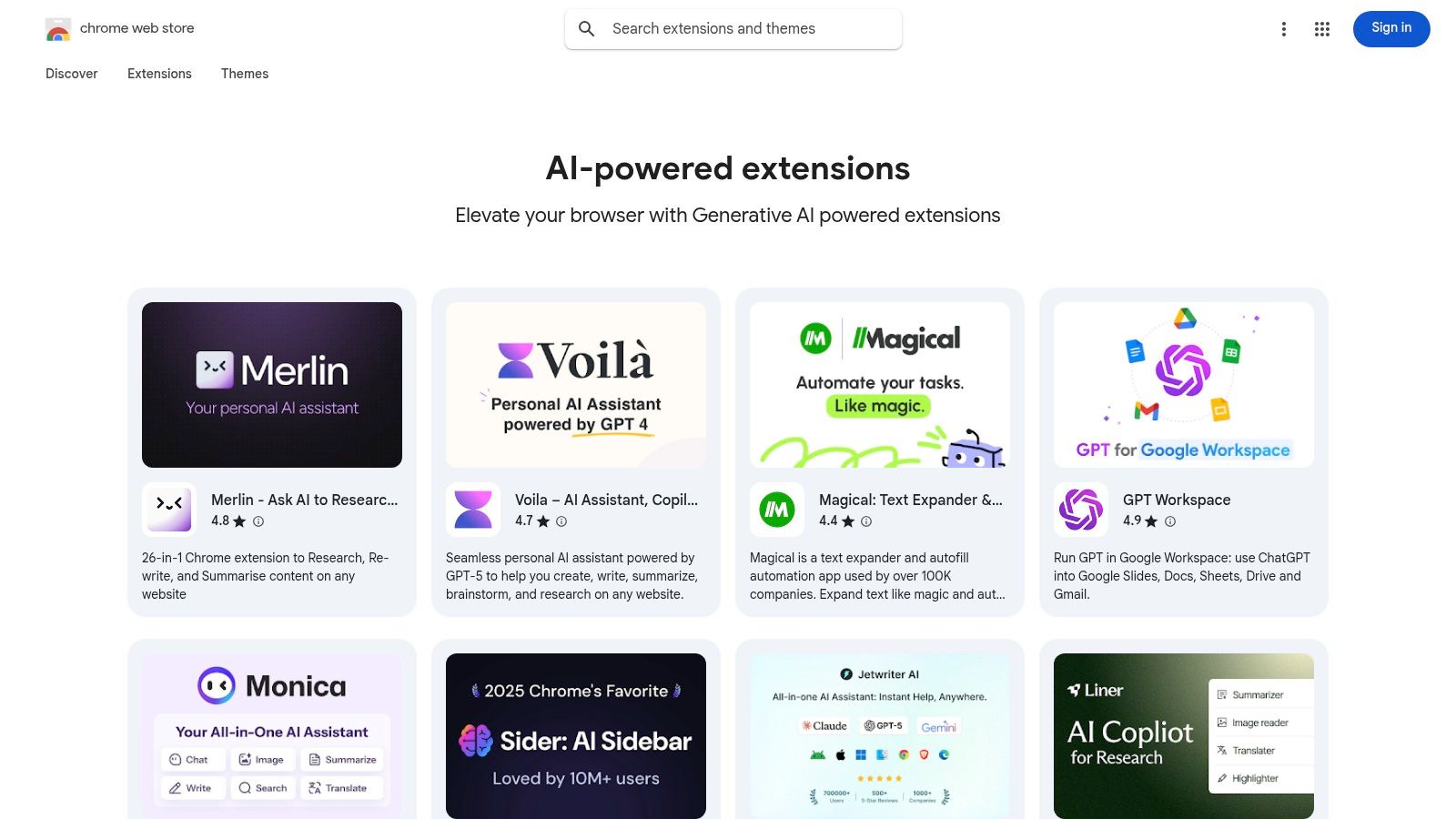
The real advantage here is seamless integration. Instead of switching between tabs to access a specific AI, these extensions bring the functionality to you, whether you're in Gmail, Google Docs, or browsing a news article. This makes it an incredibly accessible entry point for beginners looking to experiment with AI-powered productivity.
Key Features & User Experience
Navigating the AI collection is simple, feeling much like any other app store. You can quickly assess an extension's value through community feedback before committing to an install.
- Curated AI Collection: A dedicated section makes it easy to find relevant, AI-powered browser tools without sifting through thousands of other extensions.
- One-Click Installation: Adding a new AI capability is as simple as clicking "Add to Chrome," with updates handled automatically in the background.
- User Ratings & Reviews: Leverage community feedback to gauge an extension's quality, usefulness, and reliability before installing.
- Permission Transparency: The store clearly lists what data and permissions an extension requires, helping you make informed security decisions.
How to Use It Effectively
To find the best tools, start by reading the most recent reviews, not just the overall rating, as AI technology and extension quality can change quickly. Always review the permissions an extension asks for; if a simple summarizer wants access to all your browsing data, it's worth questioning. Start with highly-rated extensions from reputable developers to see how they fit into your day-to-day tasks.
Practical Example: While browsing a long news article, you can click an AI summarizer extension icon in your toolbar. A small pop-up appears with a bullet-point summary of the article, saving you ten minutes of reading. Another extension could help you draft a reply to an email in Gmail with a single click, suggesting three different tones.
Pros & Cons
| Pros | Cons |
|---|---|
| Integrates into Your Workflow: AI help is available on any webpage. | Varying Quality: The quality and safety of extensions can differ greatly. |
| Easy Discovery & Installation: Find and install new tools in seconds. | Security Risks: Must carefully review permissions and developer reputation. |
| Wide Variety of Utilities: Find tools for writing, research, coding, and more. | Potential for Distraction: Too many extensions can slow down your browser. |
Pricing: Free for most extensions, with many offering optional paid premium features.
Visit Chrome Web Store (AI extensions collection)
12. GitHub (ai-tools topic)
For those with a more technical inclination, GitHub is the undisputed frontier for discovering the latest AI tools, often long before they have a polished website or a marketing budget. The ai-tools topic acts as a living, breathing index of open-source projects. This is where you find the raw, foundational code for AI agents, automation frameworks, prompt engineering utilities, and other developer-centric innovations.
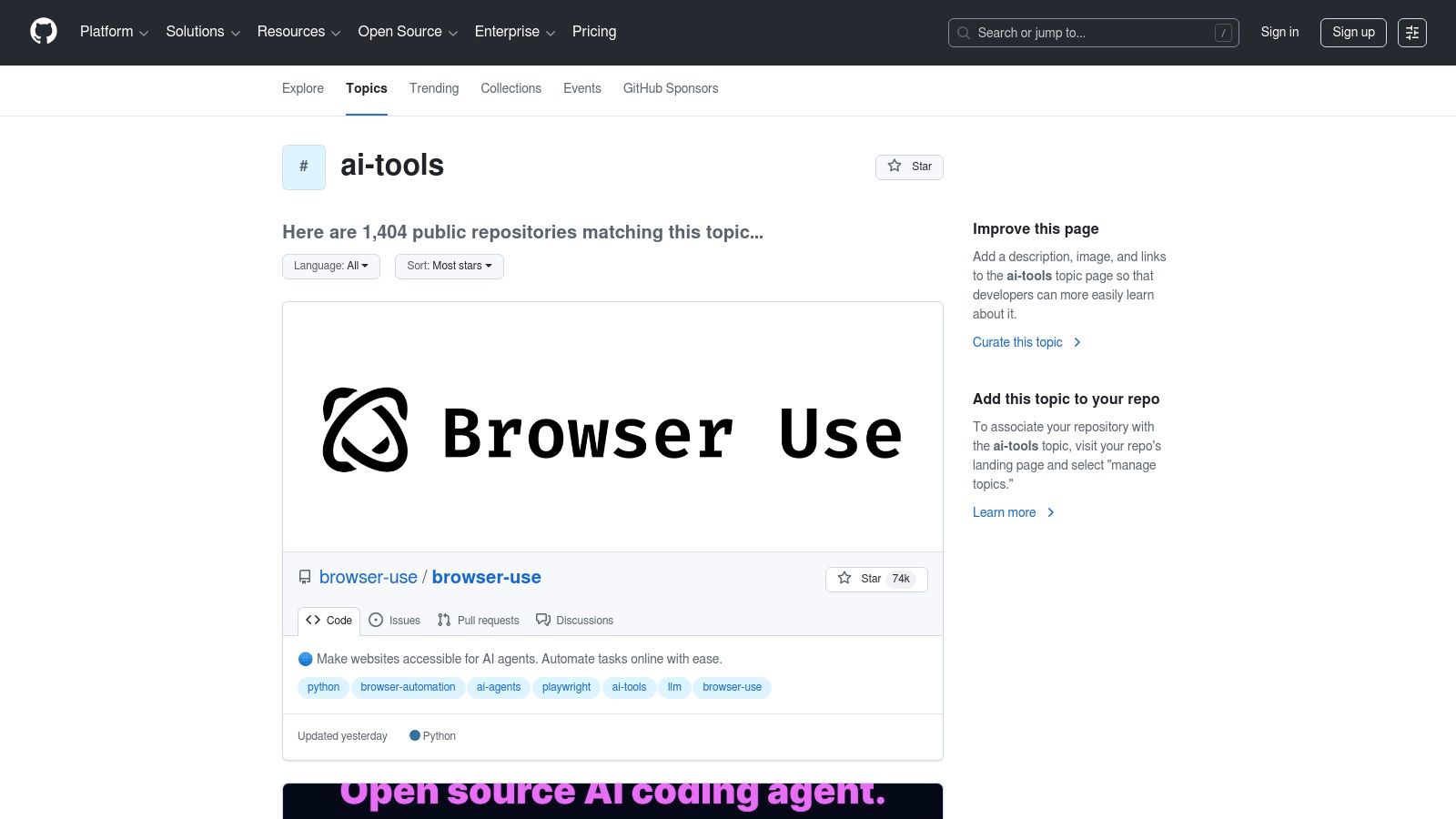
Unlike curated launchpads, GitHub provides direct access to the source code, offering unparalleled transparency. You can see a project's momentum by its commit history and community engagement, giving you a true sense of its viability and potential. It's the go-to place for developers and tinkerers who want to get their hands dirty with experimental tech.
Key Features & User Experience
Navigating GitHub's topic pages is a straightforward experience for anyone familiar with the platform, focused on project repositories.
- Repository Tagging: The
ai-toolstopic conveniently groups relevant projects, making discovery simple and targeted. - Activity Metrics: Quickly gauge a project's popularity and health by looking at its stars, forks, and recent commit activity.
- Issues & Pull Requests: Dive into the "Issues" tab to see what problems users are facing or what features are being requested, offering a real-world view of a tool's current state.
- Direct Code Access: Clone or download the source code directly to run, modify, or integrate the tool into your own projects.
How to Use It Effectively
To find the most promising tools, sort the ai-tools topic page by "Most stars" to see what's popular or by "Recently updated" to find the newest and most active projects. Always read the README.md file thoroughly for installation instructions and usage details. For a beginner-friendly approach, look for projects with comprehensive documentation and a high number of closed issues, which suggests an active and responsive maintainer.
Practical Example: A developer wants to create a customer service bot that can search their company's internal documents. Instead of starting from scratch, they can find an open-source "Retrieval-Augmented Generation" (RAG) framework on GitHub. By following the README.md, they can download the code, connect it to their documents, and have a working prototype in hours, not weeks.
Pros & Cons
| Pros | Cons |
|---|---|
| Earliest Access: Find new open-source tools before anyone else. | Technical Barrier: Often requires developer skills or CLI usage. |
| Completely Transparent: See the code, contributions, and issues. | Varying Stability: Projects can be experimental and lack support. |
| Free to Use & Modify: Most projects are open-source and free. | Requires Self-Hosting: You usually need to run the tools yourself. |
Pricing: Free to browse, clone, and contribute.
Top 12 AI Tools Resources Comparison
| Platform | Core features (✨) | Quality & trust (★ / 🏆) | Value & pricing (💰) | Target audience (👥) | Best use / USP (🏆) |
|---|---|---|---|---|---|
| Product Hunt | ✨ Daily launches, AI topic filters, upvotes | ★★★★☆ — community signal | 💰Free to browse; links to vendors | 👥Makers & early adopters | 🏆Fast trend discovery & maker updates |
| Futurepedia | ✨ 2,500+ curated AI tools, reviews & guides | ★★★☆☆ — broad but variable quality | 💰Free; some listings may be outdated | 👥Researchers & broad discoverers | 🏆Comprehensive tool catalog & learning guides |
| G2 | ✨ Verified user reviews, category grids & comparisons | ★★★★★ — large volume of trusted reviews | 💰Free browsing; vendor lead flows | 👥Procurement teams & buyers | 🏆Buyer-oriented rankings for purchasing |
| Capterra | ✨ Feature matrices, SMB filters, pricing snapshots | ★★★★☆ — SMB-focused reviews | 💰Free; pricing snapshots vary | 👥SMBs & shortlisters | 🏆Quick SMB-centric comparisons |
| OpenAI (ChatGPT + Apps) | ✨ ChatGPT apps, App Directory, usage API | ★★★★★ — top-tier models & updates | 💰Free + Plus/Pro/Business; metered API | 👥Individuals, devs & enterprises | 🏆Leading LLM ecosystem & integrated apps |
| Anthropic (Claude.ai) | ✨ Claude web app, Projects, token-based API | ★★★★☆ — strong reasoning, long context | 💰Pro/Team/Enterprise; metered API | 👥Writers, teams & enterprises | 🏆High-quality reasoning & long-context chats |
| Google AI Studio (Gemini) | ✨ Playground, multimodal models, Gemini API | ★★★★☆ — low-latency tiers, evolving | 💰Free quotas + pay-as-you-go | 👥Developers & Google Cloud users | 🏆Multimodal models + Cloud integration |
| Hugging Face | ✨ Model hub, datasets, Spaces & SDKs | ★★★★★ — open-source community trust | 💰Free tier; hosted inference paid | 👥Developers & researchers | 🏆Fast model experimentation & demos |
| AWS Marketplace (ML) | ✨ Model packages, SageMaker deploy, procurement | ★★★★☆ — enterprise-vetted listings | 💰Paid via AWS billing; subscription fees | 👥Enterprises & procurement teams | 🏆Enterprise procurement & AWS deployment |
| Microsoft Azure Marketplace | ✨ VM images, SaaS AI apps, partner solutions | ★★★★☆ — enterprise-ready partners | 💰Paid via Azure billing; contracts | 👥Azure-centric orgs & IT teams | 🏆Partner ecosystem & quick deploy |
| Chrome Web Store (AI) | ✨ Generative-AI extensions, one-click install | ★★★☆☆ — ratings vary by extension | 💰Many free; in-app upgrades common | 👥Casual users & productivity seekers | 🏆Instant browser AI integrations |
| GitHub (ai-tools) | ✨ Repos, stars, issues, early-stage tools | ★★★★☆ — cutting-edge, variable stability | 💰Free to browse; self-host costs apply | 👥Developers & contributors | 🏆Earliest access to open-source innovations |
Your Journey with AI Starts Here
Navigating the vast and ever-expanding universe of artificial intelligence can feel overwhelming, but as we've explored, you're not on this journey alone. The landscape of the latest AI tools is not just a collection of software; it's a dynamic ecosystem supported by vibrant communities, marketplaces, and repositories. From the cutting-edge product launches on Product Hunt to the comprehensive enterprise solutions on AWS and Azure, the resources we've covered are your gateways to innovation.
The core takeaway is this: there is no single "best" place to find AI tools. The ideal resource depends entirely on your specific goals. A developer looking for a specialized, open-source model will find their treasure trove on GitHub or Hugging Face, while a marketing manager seeking a vetted, user-reviewed CRM integration will find more value in G2 or Capterra. This diversity is the ecosystem's greatest strength.
Key Takeaways for Your AI Exploration
We've covered a lot of ground, so let's distill the most crucial points. Remember that the AI space is defined by rapid iteration. A tool that is a category leader today might be disrupted by a new open-source project tomorrow.
- Community is Your Compass: Platforms like Product Hunt and Futurepedia are more than just directories; they are communities. Pay attention to the discussions, upvotes, and comments. This is where you'll find honest feedback and discover emerging trends before they hit the mainstream.
- Context Matters Most: A five-star rating on Capterra for an enterprise tool is meaningless if you're a solopreneur. Always filter your search through the lens of your own needs: What is your budget? What is your technical skill level? What specific problem are you trying to solve?
- Don't Just Adopt, Integrate: The most powerful use of AI isn't about replacing your current workflow, but enhancing it. Think about how a tool from the Chrome Web Store can augment your research process, or how a model from Hugging Face can be integrated into an existing application you're building.
How to Choose Your First (or Next) AI Tool
Feeling ready to dive in? Excellent. Here’s a simple, actionable framework to guide your selection process and ensure you find a tool that delivers real value.
- Define a Micro-Problem: Don't start by searching for "the best AI for business." Instead, get specific. Are you trying to "summarize meeting transcripts into bulleted action items" or "generate five social media post variations from a single blog article"? A clear problem statement is your best filter.
- Start with Low-Commitment Tools: Before you sign up for an expensive annual subscription, explore free trials, freemium models, or open-source alternatives. Use platforms like Google AI Studio or the free tiers of OpenAI and Anthropic to experiment without financial risk. This lets you understand the capabilities of modern AI firsthand.
- Validate with Real-World Use Cases: Read reviews, but more importantly, look for demos, tutorials, and case studies. Can you find a video of someone using the tool for a purpose similar to yours? Seeing the tool in action is far more valuable than reading a curated list of features on a marketing page.
- Consider the Ecosystem: Does the tool integrate with software you already use, like Slack, Google Drive, or HubSpot? A tool that fits seamlessly into your existing tech stack will provide a much greater return on investment by minimizing friction and saving you time.
The era of artificial intelligence is not a distant future; it is happening right now, with practical tools that can transform your productivity, creativity, and operational efficiency. The journey from AI-curious to AI-proficient begins with a single step: experimentation. Pick one resource from our list, find one tool that piques your interest, and spend thirty minutes exploring what it can do. You might just be surprised by how quickly you can achieve powerful results.
Keeping up with the firehose of the latest AI tools can be a full-time job. At YourAI2Day, we do the hard work for you, curating, testing, and explaining the most important developments in AI so you can stay ahead. Visit us at YourAI2Day to subscribe to our newsletter and get practical AI insights delivered straight to your inbox.