Is AI Safe to Use? A Beginner’s Guide to Navigating the Risks and Rewards
So, is AI safe to use? It's a fantastic question, and the honest answer is, it's a bit complicated. The better answer is that its safety depends almost entirely on how you use it.
Think of it like getting behind the wheel of a brand-new, powerful car. It can get you where you need to go faster and more efficiently than ever, but you wouldn't just jump in and floor it without learning the controls first, right? AI is the same. It's an incredible tool, but knowing how to handle it safely is what separates a smooth ride from a potential accident. This guide is your friendly driver's manual for navigating AI with confidence.
Your Quick Guide to Using AI Safely
It feels like every week there’s a new AI tool making headlines, promising to write your emails, generate stunning images, or even help you plan your next vacation. From fun chatbots to serious business software, AI is quickly weaving itself into the fabric of our daily lives.
But with all this excitement comes a very fair question: is any of this actually safe?
The truth is, an AI's safety isn't something that's just built into the technology. It’s a mix of how it was designed, what kind of data it learned from, and—this is the big one—how we, the users, choose to interact with it. You are a critical part of the safety equation.
As the creators of ChatGPT, OpenAI, have put it, building safe AI is a step-by-step process. It requires learning from how people use it in the real world and making improvements as we go.
"The most important thing is to give people access to these tools and let them, society, and the world co-evolve with it. I think it would be a huge mistake to not give people access to this technology, but to try to develop it in a secret lab and then drop a perfectly formed thing on the world." – Sam Altman, CEO of OpenAI
This philosophy is key. Safety isn't a feature you can just switch on; it's a process we all participate in. To get you started, let's break down the main things you need to be aware of.
AI Safety at a Glance: Key Considerations
This table gives you a quick rundown of the big-picture safety concerns. Think of it as your pre-flight checklist before you start playing with a new AI tool. Each row breaks down a risk, what it actually means in simple terms, and the easy question you should be asking yourself.
| Safety Aspect | What It Means in Simple Terms | Key Question to Ask |
|---|---|---|
| Data Privacy | How your personal information is collected, used, and protected when you use an AI tool. | "Am I sharing sensitive info here that I wouldn't want posted on a public bulletin board?" |
| Accuracy & Bias | Whether the AI gives correct answers and avoids unfair prejudice based on the data it was trained on. | "Could this AI’s answer be wrong or reflect a biased viewpoint from the internet?" |
| Security | How well the tool is protected from hackers and other malicious uses. | "Is this tool from a company I trust, or is it a random app I just found?" |
Keep these three pillars in mind—privacy, accuracy, and security—and you're already on your way to using AI much more safely and effectively. In the sections that follow, we'll dive deeper into each of these areas.
What Are the Real-World Risks of AI?
When you hear "AI risk," it's easy to jump to science fiction scenarios—robots taking over or a superintelligence outsmarting all of humanity. While those make for great movies, the actual dangers of AI are far more down-to-earth and are already part of our daily lives. The question "is AI safe to use" isn't about some distant, dystopian future; it's about the tools we're all using on our phones and laptops right now.
Let's cut through the hype and talk about four very real concerns you could run into today. These aren't just abstract ideas; they have real-world consequences.
1. Privacy Violations and Data Exposure
One of the biggest and most immediate risks revolves around your personal information. Every time you chat with an AI, especially a free one, you’re feeding it data. That data is often used to train the model further, which means your conversations might not be as private as you think.
A practical example? Imagine you're a small business owner and you copy-paste a list of your top clients' contact information into a public AI chatbot, asking it to draft a marketing email. That sensitive client data is now on the AI company's servers and could potentially be seen by developers or even surface in another user's query.
This is a huge area of concern. To really get a handle on the specifics, you can learn more about the key artificial intelligence privacy concerns in our detailed guide.
2. Spreading Misinformation and Amplifying Bias
AI models learn by consuming unimaginable amounts of text and images from the internet. The problem? The internet is a messy place, filled with our own human biases, mistakes, and flat-out lies. An AI doesn't have a moral compass; it just finds and repeats patterns from its training data.
This creates two massive problems:
- Algorithmic Bias: An AI can accidentally bake in and even amplify harmful societal biases. For example, if you ask an AI image generator to create a picture of a "CEO," it might overwhelmingly produce images of men because its training data (photos from the internet) reflects historical gender imbalances in those roles.
- Convincing Falsehoods: Generative AI can produce text, images, and videos ("deepfakes") that look incredibly real but are completely made up. Scammers can spin up fake news articles or impersonate public figures, making it tougher than ever to tell what's real and what's not.
"The biggest problem is not that AI will become self-aware and turn against us," says Dr. Rumman Chowdhury, a leading AI ethicist. "The problem is that it’s reflecting the biases of the society that built it. We have to be very careful that we are not building systems that perpetuate the harms of the past."
3. Next-Generation Cybersecurity Threats
On one hand, AI can help bolster digital defenses. On the other, it hands cybercriminals some incredibly powerful new weapons. Scammers are already using AI to write highly personalized phishing emails that are much harder to spot than the old, typo-ridden messages we're used to seeing. An AI can craft an email that perfectly mimics the tone of your boss, a coworker, or your bank.
Beyond that, AI can be used to generate malicious code or find weaknesses in software systems with alarming speed. This opens the door to a whole new level of cyber threats that most of us just aren't ready for.
The International AI Safety Report, a joint effort by experts from 30 nations, explicitly warns that as AI's reasoning abilities get better, it dramatically increases cybersecurity risks by helping bad actors plan and execute more sophisticated attacks.
4. Unreliability and "Confident" Inaccuracies
Perhaps the most subtle danger of all is an AI's unearned confidence. AI models are known to "hallucinate," which is a friendly way of saying they confidently make things up and present them as fact. An AI can invent historical dates, cite academic papers that don't exist, or create fake legal precedents, all while sounding completely authoritative.
For example, a student asking an AI for sources for a research paper might get a beautifully formatted list of articles that look completely real but were entirely fabricated by the AI. If the student doesn't check each source, they'll end up citing fiction. This becomes a serious safety issue when people rely on that information for important decisions.
How Different AI Tools Affect Your Safety
When we talk about whether AI is safe, it’s a bit like asking if all vehicles are safe. You wouldn't treat a go-kart and a freight train the same way, would you? Their risks are worlds apart. The same logic applies to artificial intelligence.
Not all AI tools are created equal, and knowing the difference is the first step to using them responsibly. The AI that queues up your next song on Spotify is fundamentally different from a tool like ChatGPT that can write an essay or a block of code. It’s a common mistake for beginners to lump them all together, but their safety concerns are completely distinct.
Simple AI vs. Complex AI
Most of the AI you encounter day-to-day is pretty simple and built for one specific job. Take your email’s spam filter. Its mission is incredibly narrow: look at an email and decide if it’s junk.
What’s the biggest risk there? It might accidentally bury an important message in your junk folder. Annoying, for sure, but a fairly low-stakes problem. This kind of AI just follows a set of rules; it doesn't create anything new.
Now, think about a more complex, general-purpose AI, like a chatbot or an image generator. These are generative models, and as the name suggests, they generate brand-new content. That creative power is what opens up a whole different can of worms when it comes to safety.
A generative AI could be used to:
- Create harmful content: From convincing misinformation to deepfakes, the potential for misuse is significant.
- Leak sensitive data: If you feed it personal or company information, that data could be absorbed into its training and pop up in someone else’s results down the line.
- Produce biased outputs: These models learn from the vast, messy internet, so they can easily pick up and amplify existing societal biases in their responses.
This hierarchy of risks is critical to grasp. The main categories of risk you'll run into with more advanced AI tools are pretty clear.
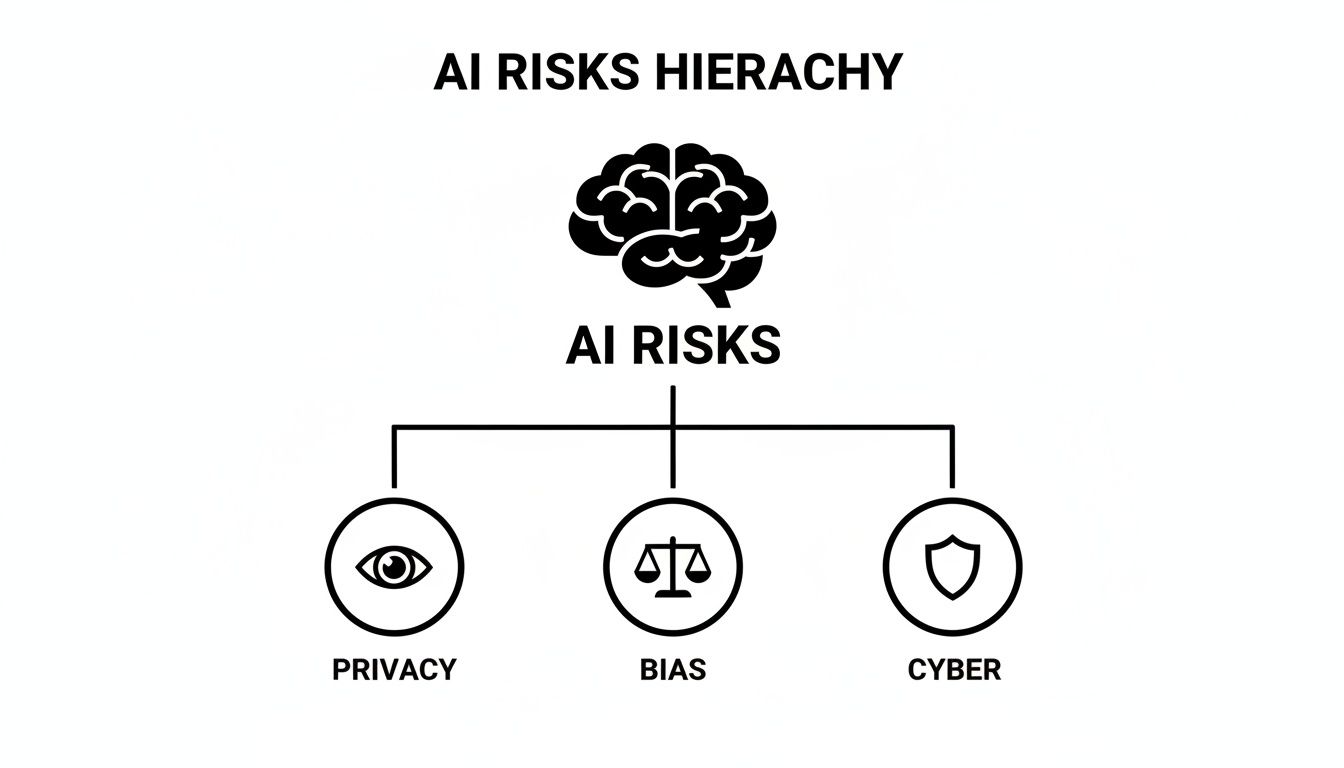
As the diagram shows, the core risks of advanced AI—privacy, bias, and cyber threats—all branch out from the central technology. Each one presents its own set of challenges.
Comparing AI Types and Their Safety Risks
To make this crystal clear, let’s compare a few common AI tools you probably use every day. You’ll see that the context of how you use a tool dramatically changes its safety profile.
A one-size-fits-all approach to AI safety just doesn't work. The table below breaks down different types of AI, where you might see them, and the primary safety issues to watch out for.
| Type of AI | Common Examples | Primary Safety Concern |
|---|---|---|
| Recommendation Engines | Netflix movie suggestions, Amazon product recommendations. | Manipulation: The AI can create "filter bubbles," limiting your exposure to diverse content and subtly influencing your choices. |
| Predictive Text | Your phone’s keyboard autocomplete, Gmail's Smart Reply. | Privacy Leakage: It may suggest sensitive information from past conversations if not designed carefully. |
| Generative Chatbots | ChatGPT, Google Gemini, Claude. | Misinformation & Data Exposure: Can confidently provide false information or absorb and reuse sensitive data you input. |
| AI Image Generators | Midjourney, DALL-E, Stable Diffusion. | Harmful Content & Copyright: Potential for creating deepfakes, biased imagery, or infringing on intellectual property. |
This isn't just theory; it has real-world consequences, especially when the stakes are high.
As software engineer Miguel Grinberg points out, you can't just blindly trust what an AI gives you. He notes, "I'm always the responsible party for the code I produce, with or without AI. Taking on such a large risk is nuts."
He’s absolutely right. This gets to a core principle of AI safety: you are ultimately accountable for how you use the output, regardless of the tool.
Understanding these distinctions is empowering. It helps you move from a vague fear of "AI" to a practical awareness of the specific tool in front of you. Once you recognize that a spam filter and an image generator pose entirely different challenges, you can adjust your behavior and make smarter, safer choices every single day.
Practical Steps to Use AI Tools Safely

Knowing the potential pitfalls of AI is one thing, but actively protecting yourself is what really matters. This is where we get practical. Think of this section as your personal safety manual for the AI world—a hands-on toolkit with simple advice you can start using today.
The good news? You don't need to be a tech wizard to use these tools more securely. It mostly comes down to a healthy dose of common sense, much like you wouldn't share your bank password with a stranger.
Your Quick Safety Checklist Before Using Any AI
Before you dive into a new AI tool, it pays to run through a quick mental checklist. Making this a habit can save you a world of trouble down the road.
- Who made this? Is the tool from a well-known company like Google or OpenAI, or an anonymous developer with no track record? When in doubt, stick with trusted sources.
- What data does it want? Read the prompts carefully. If an image editor app suddenly asks for access to all your phone contacts, that’s a massive red flag.
- What’s the privacy policy? I know, nobody reads these. But just take 30 seconds to skim for keywords like "train," "share," or "third parties." It’s a quick way to see how your data might be used.
- Am I entering sensitive info? This is the golden rule. If you wouldn't want it on a public billboard, don't paste it into a free AI chatbot.
This simple four-step process forces a moment of pause and critical thinking, which is your single best defense.
Essential Tips for Personal AI Use
When you're using AI for personal projects, schoolwork, or just for fun, a few key habits can make a huge difference. The central theme here is mindfulness—simply paying attention to what you share and what you trust.
First and foremost, be a data minimalist. Treat your personal information like cash. Don't hand over sensitive details like your home address, financial data, or confidential work documents. For example, instead of asking, "Here is my full resume, please rewrite it for a job at 123 Main Street," try a more generic prompt like, "Rewrite this resume sample for a project manager role."
Next, always double-check the facts. As we mentioned, AIs can "hallucinate." If you ask an AI for historical facts, legal advice, or health information, you absolutely must verify the answers with reliable sources, whether that’s an academic journal, an official government page, or an actual medical professional.
"A critical part of using AI safely is remembering that you are always the one in control," says AI researcher Dr. Kate Crawford. "The AI is a tool, not an oracle. Your judgment and skepticism are your most powerful assets."
Finally, take a moment to customize your privacy settings. Many AI services, like ChatGPT, now allow you to turn off chat history and prevent your conversations from being used for training. It’s a small click that makes a big difference.
Safeguards for Small Businesses
For businesses, the stakes are even higher. A single employee's misstep can lead to a data breach or legal trouble. The solution is to create simple, clear guidelines for your team.
Start by creating a straightforward AI usage policy. This doesn't need to be a 50-page legal document. A simple one-pager outlining what’s okay and what isn’t can work wonders. For instance, explicitly forbid employees from entering customer data, internal financial figures, or secret company plans into public AI tools.
This isn't just a hypothetical concern. A recent ECRI report on the Top 10 Health Technology Hazards ranked AI as the number one hazard, citing risks from using unvetted systems. This concern is mirrored across industries, with employees worried about accuracy and data privacy. You can see why AI topped the health technology hazards list on ECRI's website.
When vetting AI vendors, prioritize those who prioritize security. Ask them directly about their data encryption, security certifications (like SOC 2 or ISO 27001), and where your data is stored. For a deeper look at this, explore our guide on AI security best practices.
Who Is Responsible for AI Safety?
Your personal habits are a huge part of the puzzle, but they’re not the whole story. You can control how you use these tools, but the companies building them and the governments trying to regulate them have a massive part to play. So, is AI safe to use? The answer also depends on who is held accountable when things go wrong.
Let’s zoom out and look at this bigger picture. You're not alone in wanting safer AI. A whole ecosystem of developers, regulators, and watchdog groups is wrestling with this challenge.
The Role of AI Developers
First and foremost, the buck stops with the creators. When a company releases an AI model, they are responsible for how it was built, the data it was trained on, and the safeguards meant to prevent misuse. This is often called responsible AI development.
So, what does that actually look like? It boils down to a few key commitments:
- Transparency: Companies need to be upfront about their model's limitations. Hiding these details makes it impossible for users to spot potential biases or weaknesses.
- Testing and Red Teaming: Before a public release, developers must rigorously test for vulnerabilities. This includes "red teaming," where experts are paid to actively try and break the AI to find security holes or trick it into generating harmful content.
- Accountability: When an AI tool causes harm, the company needs a clear plan to fix it and make sure it doesn't happen again.
Unfortunately, in the mad dash to release the next big thing, these safety measures can sometimes take a backseat.
The recent Summer AI Safety Index from the Future of Life Institute exposed just how big the gaps are among leading AI companies. The report found that many safety guardrails were surprisingly easy to bypass and noted that companies had no credible plans to manage catastrophic risks. You can dive into the complete findings in the AI Safety Index report.
The image below, taken from that report, shows the safety scores for several top AI labs. It reveals a wide and pretty concerning gap in their preparedness.
This visual makes it painfully clear: even the biggest names in AI have a long way to go before their systems are truly robust.
Governments and Global Regulation
As AI gets more powerful, governments around the world are finally stepping in. They’re not just watching from the sidelines anymore; they're actively drafting laws to hold companies accountable and protect consumers like you.
The most significant is the European Union's AI Act. It's one of the first truly comprehensive attempts to regulate artificial intelligence.
The EU AI Act is structured like a risk pyramid. It sorts AI tools into categories based on their potential for harm—from minimal risk (like a spam filter) to unacceptable risk (like social scoring systems, which are banned outright). High-risk applications, such as AI used in hiring, face strict rules on transparency and accuracy.
Other countries are forging their own paths. The United States has leaned on executive orders and voluntary commitments from major AI companies, pushing them to prioritize safety. At the same time, nations are starting to collaborate on global standards to make sure AI is developed ethically across borders.
These regulations aren't about stopping innovation. They're about building guardrails so that as this technology races forward, it does so in a way that is safe, fair, and ultimately benefits everyone.
Finding a Balanced Approach to AI
So, after all that, let's get back to the core question: is AI safe to use? As you've probably gathered, there's no simple "yes" or "no." It’s a lot like asking if the internet is safe—it really comes down to what you're doing, which sites you're visiting, and how aware you are of the environment.
The best approach is to be an informed optimist. This isn't about ignoring the very real risks we've discussed. It’s about embracing the incredible potential AI has to make us more creative and productive, while also respecting its power and using it with our eyes wide open.
This balance is a responsibility that falls on all of us.
The Four Pillars of Smart AI Use
When you think about your own personal AI safety strategy, it helps to build it on four solid pillars. Keeping these in mind will let you navigate the AI world with much more confidence.
- Understand Your Tool: Not all AI is created equal. The AI that builds your Spotify playlist is worlds away from an AI generating legal advice. Always consider the context and what's at stake.
- Protect Your Data Fiercely: Treat your personal and professional information like gold. Be extremely cautious about entering sensitive data into public AI models.
- Think Critically, Always: Never blindly accept what an AI tells you. It's best to think of it as a brilliant assistant that can still get things wrong. Your job is to be the final checkpoint—verify its facts and question its logic.
- Support Broader Oversight: Individual actions are key, but they're only part of the solution. We also need to think about the bigger picture. This means supporting companies that are transparent about their safety practices and advocating for smart, sensible regulation.
Ultimately, using AI safely is an active process, not a passive one. It requires curiosity, a healthy dose of skepticism, and the willingness to stay engaged with how these powerful tools are evolving.
By adopting these habits, you’re not just protecting yourself. You're joining a growing community that’s pushing for a safer and more responsible AI future for everyone. To get a full picture of this dynamic, it’s helpful to understand the full spectrum of AI benefits and risks that we're all navigating today.
Got Questions About AI Safety? We've Got Answers.
Even after getting the lay of the land, you probably have a few specific questions bouncing around in your head. That's completely normal! When it comes to something as important as your data and safety, the details matter.
Let's dive into some of the most common questions we hear and get you some straightforward, friendly answers.
Can I Trust AI With My Personal Information?
The short answer? You should be very, very careful. Most of the popular AI tools you can use for free are designed to learn from your conversations. This means your prompts and the information you provide might be reviewed by human developers or used to train the model for future users.
Think about it this way: if you're a therapist and you ask a public AI chatbot to help you summarize patient session notes, that incredibly sensitive data is now on someone else's servers. You've lost control over it.
A good rule of thumb is to treat every public AI chat window as if it's a postcard—not a sealed letter. Never paste in sensitive information like passwords, Social Security numbers, financial data, or secret company plans unless you're using a specific business-grade version of the tool that explicitly guarantees data privacy.
How Can I Spot an AI-Generated Deepfake?
It's getting harder, but for now, you can often catch deepfakes by looking for small, strange mistakes. The illusion often breaks down in the fine details.
- Weird visual glitches in images: Look for hands with six fingers, mismatched earrings, text that looks like gibberish, or backgrounds that are strangely blurry and distorted.
- Awkwardness in video: Pay attention to how people move. Do they blink too much or not at all? Are their facial movements stiff and unnatural? Does the audio sync perfectly with their lip movements?
- Robotic audio: AI-generated voices can still sound a bit flat or have a strange rhythm. They often lack the subtle emotional tone of a real person's speech.
When it comes to text, your best tool is a healthy dose of skepticism. Be on high alert for content designed to make you angry or fearful. If you see something that seems too wild to be true, check it against a few trusted news organizations before you even think about sharing it.
What Is the Most Important Thing I Can Do to Stay Safe?
If you do just one thing, make it this: stay in the driver's seat. Don't ever treat an AI as a perfect, all-knowing expert. Think of it more like a brilliant but sometimes unreliable intern who needs constant supervision.
The tool might generate the words, code, or images, but the person at the keyboard is always the one in charge. You are the one who fact-checks, refines, and ultimately decides what to do with the AI's output.
Whether you're using it to draft a simple email or explain quantum physics, the final responsibility for its accuracy, fairness, and ethical use falls squarely on your shoulders. This mindset—seeing yourself as the human expert guiding the tool—is the single most powerful safeguard you have. It’s what allows you to use AI to your advantage without falling for its flaws.
At YourAI2Day, our mission is to give you the practical knowledge you need to use artificial intelligence safely and confidently. Keep exploring our guides and resources to stay ahead of the curve. Learn more at YourAI2Day