
How to Build an AI: A Beginner’s Friendly Guide
Ever wondered how to build an AI? Let's pull back the curtain. Building an AI really just comes down to a clear, repeatable process. First, you define a specific problem you want it to solve. Next, you gather the right data to train it. Finally, you choose and build a model that can actually learn from that data. It's much more about following a structured plan than it is about being some kind of coding genius.
Before we dive deep into the technical steps, let's get a bird's-eye view of the entire journey. Think of it as a roadmap that takes you from a simple idea to a fully functional AI system.
Core Stages of Building an AI
| Stage | What It Involves | Key Objective |
|---|---|---|
| 1. Problem Definition | Clearly articulating the question the AI will answer or the task it will perform. | To create a focused project scope and define success criteria. |
| 2. Data Collection | Gathering, cleaning, and labeling the raw information the model will learn from. | To build a high-quality, relevant dataset that fuels the AI. |
| 3. Model Selection | Choosing the right algorithm or architecture (e.g., neural network, decision tree). | To match the model's capabilities with the complexity of the problem. |
| 4. Training | Feeding the data into the model so it can learn patterns and relationships. | To develop the model's ability to make accurate predictions. |
| 5. Evaluation | Testing the model's performance on unseen data to measure its accuracy. | To validate that the AI works reliably and meets the initial goal. |
| 6. Deployment & Monitoring | Integrating the model into a live application and keeping an eye on its performance. | To deliver real-world value and ensure it continues to work as expected. |
This table lays out the fundamental workflow we'll be exploring. Each stage builds on the last, turning an abstract goal into a tangible tool. Now, let's get started with the most crucial part: the beginning.
Your First Steps in Building an AI
Ever felt like building an AI was some far-off concept reserved for massive tech companies? Let's bring that idea right back down to earth. Kicking off your first AI project is an exciting journey, and it all begins with a simple, foundational question: what problem am I actually trying to solve? This is, without a doubt, the most important step because it gives your entire project a clear direction.
An AI without a well-defined purpose is just a complicated algorithm going nowhere. Instead of trying to build a generic, all-knowing assistant, start with something small and specific.
- A practical example: You could build an AI that sorts customer feedback into "positive," "negative," and "neutral" buckets.
- Another idea: How about an AI that predicts which plants in your garden need watering based on local weather data and soil moisture readings?
These kinds of focused goals are perfect for getting your feet wet. The history of AI is filled with moments where this type of narrow, practical research led to huge breakthroughs. Back in the 1980s AI boom, for instance, this focus led to the development of convolutional neural networks—the same technology that now powers modern image recognition. You can explore the fascinating history of AI and its key milestones to see how far we've come.
Defining Your Project Scope
Once you've locked in a problem, you have to figure out what data will help you solve it. Data is the fuel for any AI model. For our customer feedback example, your dataset would be thousands of customer reviews, each one carefully labeled with its sentiment. This method of learning from pre-labeled examples is a core concept in machine learning, a major field within AI. To get a better handle on these terms, our guide comparing deep learning vs. machine learning is a great place to start.
A piece of advice from the trenches: "Beginners often get paralyzed trying to find the 'perfect' dataset. My advice? Just start with what's available and accessible. A smaller, cleaner dataset is almost always more valuable for learning the ropes than a massive, messy one." – AI Developer & Mentor
This handy visualization breaks down the simple, three-stage process for getting your AI project off the ground.
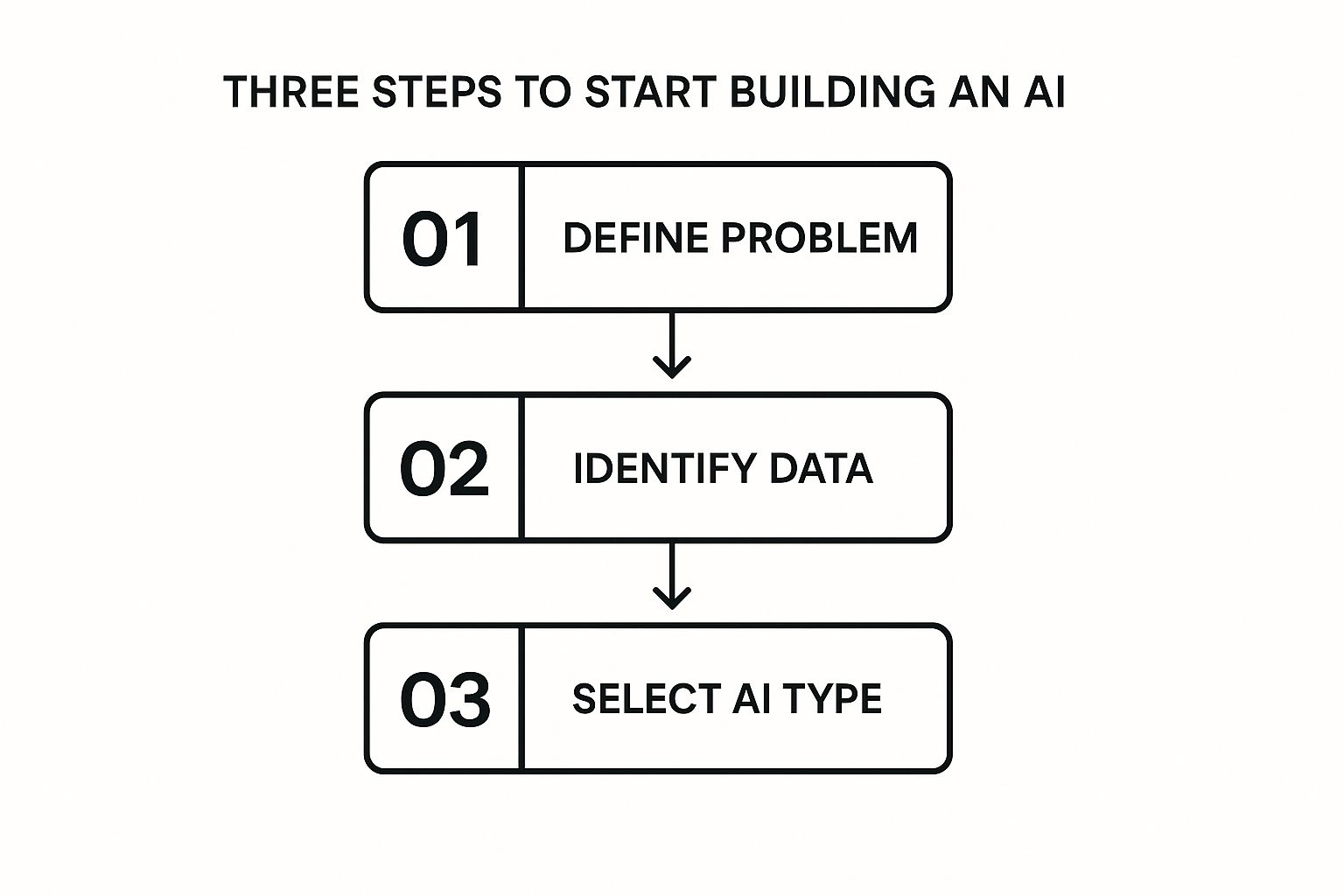
As you can see, a sharp problem definition naturally informs your data needs and the type of AI you'll ultimately build. It creates a logical and efficient path from your initial idea straight through to execution.
Finding and Preparing Your Data

If building an AI is like baking a cake, then your data is the flour, sugar, and eggs. Without high-quality ingredients, even the best recipe is going to fall flat. Think of your data as the textbook from which your AI learns. If that book is full of errors and nonsense, your AI will learn all the wrong lessons.
This is the point where a lot of people get stuck, but sourcing data is actually more accessible than you might think. You don't need a massive, private dataset to get your feet wet. In fact, grabbing a pre-made public dataset is one of the best ways to learn the ropes.
Where to Find Good Data
Your first stop should be the treasure troves of public data available online. These platforms are built for practice, learning, and even serious research, offering cleaned and organized datasets on almost any topic you can imagine.
Here are a few fantastic places to start your search:
- Kaggle: This is the go-to spot for anyone getting into data science. It hosts thousands of datasets, from cat and dog images to movie reviews and financial data. It's essentially a playground for AI projects.
- Google Dataset Search: Think of this as a search engine specifically for data. It indexes datasets from all over the web, making it incredibly easy to find information related to your project.
- UCI Machine Learning Repository: A classic resource that’s been around for years. It offers a huge range of datasets that have been cited in countless research papers.
But what if your project needs something more specific? Don't be afraid to get your hands dirty and collect your own. For a practical example, if you want to build an AI to identify different types of coffee beans, you could just start taking pictures of beans from local cafes. The key is to start with a scope you can actually manage.
Expert Opinion: "The quality of your data directly determines the quality of your AI. It’s often said that data scientists spend 80% of their time cleaning and preparing data. This isn't just a boring chore; it's the most critical step in ensuring your model has a fair chance to learn correctly. Garbage in, garbage out isn't a cliché—it's the first law of machine learning."
What Makes Data "Good"?
Finding data is one thing; understanding what makes it "good" is another. It’s not just about getting a ton of it—it's about quality and relevance. A million blurry, mislabeled pictures of plants are far less useful than a thousand clear, correctly identified ones.
A high-quality dataset usually checks these boxes:
- Relevance: The data actually relates to the problem you're trying to solve.
- Completeness: It has very few missing values or gaps.
- Accuracy: The information and its labels are correct. No glaring errors.
- Consistency: The data is formatted uniformly (e.g., all dates are in the
MM/DD/YYYYformat).
Let's be real: finding a perfect dataset is rare. Almost every collection of data needs a bit of a spa day—a process we call data cleaning or preprocessing. This is the non-negotiable step that turns messy, raw information into a pristine resource your model can actually use.
The Essential Art of Data Cleaning
Data cleaning can feel tedious, but trust me, skipping this part will cause massive headaches later. An AI model is very literal; it will learn from any errors, duplicates, or inconsistencies you feed it.
Imagine you're building an AI to predict house prices. If some prices are in USD, others in EUR, and a few are just typos, your model will be hopelessly confused.
Here are the common cleaning tasks you’ll find yourself doing:
- Handling Missing Values: You'll have to decide whether to remove rows with missing data or fill them in using a logical method, like using the average value of that column.
- Removing Duplicates: Identical entries can skew your model's learning, so it’s crucial to find and delete them.
- Correcting Errors: This is where you fix typos and standardize categories. For example, changing "USA," "U.S.A.," and "United States" to a single, consistent format.
- Standardizing Formats: Make sure all your data points follow the same rules, like converting all text to lowercase or ensuring measurements all use the same units.
Investing your time here ensures your AI learns from a clean, reliable source of truth. It sets you up for success when you get to the really exciting part: training the model.
Choosing Your First AI Model and Tools

Okay, you've wrangled your data into shape. Now for the fun part: picking your AI model and the tools to build it. This is where many beginners feel a little overwhelmed, but it's simpler than it looks. It all comes down to matching the right tool to the job you've already defined.
Think of an AI model as a specialized brain you're about to train. Just like in the real world, different brains are good at different things. Your task is to pick the brain best suited for your specific problem.
Matching Models to Your Goals
For most projects you'll tackle early on, the choice boils down to two main categories. Getting this right from the start saves a ton of headaches later.
-
Regression Models: Grab one of these when your goal is to predict a number on a continuous scale. A practical example would be forecasting next quarter's sales, estimating a house price based on its features, or predicting the temperature for tomorrow. The model learns patterns from past data to make a numerical guess.
-
Classification Models: This is your go-to for sorting things into buckets. For example, is an email spam or not? Is a customer review positive, negative, or neutral? The model’s job is to assign a specific label to new data it hasn’t seen before.
You can dive deeper into the fascinating history of AI and its key milestones to appreciate just how far we've come from early rule-based systems to the flexible learning models we have today.
Your Essential AI Toolkit
Once you know the type of model you need, it's time to pick the software to build it. The AI world has largely standardized on one language: Python. Its clean syntax and massive library support make it the undisputed king for machine learning.
Within the Python ecosystem, a few key frameworks do all the heavy lifting. These toolkits handle the complex math and optimization behind the scenes, letting you focus on the logic of your model.
Expert Tip: "Don't get trapped in 'analysis paralysis' here. The absolute best way to learn is by doing. Pick a framework that seems interesting, dive in with a small project like a movie review classifier, and you'll quickly figure out what clicks for you. Your first project is about learning, not perfection."
To help you decide, let's look at the two biggest players in the game.
TensorFlow vs. PyTorch: A Friendly Comparison
TensorFlow and PyTorch are both incredible, open-source libraries that can power just about any AI project you can dream up. The "which is better" debate is endless, but for a newcomer, it really boils down to your personal coding style and what feels most intuitive.
Popular AI Frameworks for Beginners
| Framework | Best For | Learning Curve | Key Feature |
|---|---|---|---|
| TensorFlow | Production-ready models, scalability, and easy deployment with tools like TensorFlow Serving. | Moderate. Keras, its high-level API, makes it very beginner-friendly. | Strong industry adoption and a mature ecosystem for putting models into the real world. |
| PyTorch | Researchers, rapid prototyping, and projects that require more flexibility and a more "Pythonic" feel. | Gentle. Its syntax closely resembles standard Python, making it intuitive for developers. | Dynamic computation graphs, which make debugging easier and experimentation more fluid. |
So, what does that actually mean for you? If you want to get a standard model up and running quickly for a real-world application, TensorFlow (specifically with its Keras API) is a fantastic starting point. It provides a clear, structured path.
On the other hand, if you prefer a more flexible, hands-on coding experience that feels less like a framework and more like writing normal Python, you'll probably feel right at home with PyTorch. If you're curious about how these tools are becoming even more integrated, check out our piece on the new Apps SDK for ChatGPT.
Ultimately, you can't go wrong. Both have huge support communities and endless tutorials. My honest advice? Just pick one and build something. The practical experience you'll gain is worth far more than weeks spent reading comparison articles.
How to Train Your AI Model

This is where the magic really happens. You’ve gathered your data and picked a model—now it’s time to let your AI actually learn. The training process is all about feeding your pristine data to the model and letting it discover the hidden patterns on its own. It's less about you writing complex math formulas and more about guiding a discovery process.
I like to think of it like teaching a dog a new trick. You show it a command (the input data), it tries to perform the action (the model's prediction), and you give it a treat when it gets it right (the learning algorithm). After enough repetition, the dog—and your AI—gets much better at giving you the right outcome.
But you can't just throw all your data in at once and hope for the best. You need a solid strategy. The single most important part of training a reliable AI is splitting your dataset into three distinct piles.
Splitting Your Data for Success
Imagine you’re studying for a big exam. If you only memorize the exact questions from a single practice test, you’re setting yourself up for failure when the real exam asks different questions about the same topics. Your AI model faces the exact same problem.
To avoid this, we always split our data:
- Training Set (The Textbook): This is the biggest slice of the pie, usually 70-80% of your total data. The model chews on this set over and over again to learn the fundamental patterns.
- Validation Set (The Quizzes): This smaller piece, around 10-15%, acts as a periodic quiz during the training process. It helps you check the model's progress and tune its settings without ever touching the final exam questions.
- Testing Set (The Final Exam): This last 10-15% is locked away and only used once, right at the very end. This is your final, unbiased test to see how well the model truly performs on brand-new, unseen data.
This separation is non-negotiable. Seriously. It's the only way you can be confident that your model has genuinely learned the underlying concepts and isn't just "memorizing" the training examples.
Expert Insight: "When a model performs perfectly on training data but completely bombs on the test set, that’s a classic case of ‘overfitting.’ It means the model learned the noise and quirks of the training data, not the general patterns you actually care about. Your validation set is the first and best defense against this common pitfall."
Tuning the Dials with Hyperparameters
Once you kick off the training, you'll hear the term hyperparameters a lot. Don't let the fancy name intimidate you. They're just the settings you control to influence how the model learns. Think of them as the dials and knobs on your AI training machine.
While there can be dozens, a few key ones you'll always encounter are:
- Learning Rate: This is arguably the most important dial. It controls how big of a "step" the model takes when adjusting itself after a mistake. If it's too high, it's like overcorrecting a car's steering wheel—you'll just swerve wildly. If it's too low, training will take forever.
- Epochs: One epoch is simply one full pass through the entire training dataset. The number of epochs is how many times your model gets to study all the material. Too few, and it won't learn enough. Too many, and you risk overfitting.
- Batch Size: Instead of showing the model every data point one by one, we usually show it a small group, or "batch." The batch size dictates how many examples the model sees before it updates its internal knowledge.
Finding the right mix of these settings is more of an art than a science, and it almost always involves some experimentation. You’ll use the performance on your validation set as your guide, tweaking the dials until your model's "quiz scores" are as high as they can be. This iterative loop—train, validate, tune, repeat—is the very heart of building a truly effective AI.
How Good Is Your AI, Really? Checking Its Performance
You've done the heavy lifting and trained your model. That’s a huge step, but the real question is: does it actually work? This is where evaluation comes in. It’s the process of putting your AI through its paces to see if it learned what you were trying to teach it.
It's one thing for a model to spit out an answer; it's another thing entirely to know that answer is right. Think of this as the final exam after a long semester of learning. This is where you move past guesswork and start measuring performance with cold, hard numbers. This step is what separates a neat experiment from a genuinely useful tool.
Accuracy Isn't the Whole Story
When people first start out, they almost always look at accuracy first. It’s easy to understand: what percentage of the time did the model get it right? It's a decent starting point, but relying on accuracy alone can be a huge mistake, especially when your data is unbalanced.
Here's a practical example: imagine you're building an AI to spot a rare manufacturing defect that only happens 1% of the time. A lazy model could just predict that every single product is perfect. It would be 99% accurate, which sounds fantastic on paper. But in reality, it's completely useless because it never finds the one thing you actually care about.
This is exactly why we have to dig deeper with metrics that tell the full story.
The Precision vs. Recall Trade-Off
To get a much clearer picture, you need to get your head around two crucial ideas: precision and recall. Let's stick with our factory defect example to break this down.
-
Precision asks: "Of all the items my AI flagged as defective, how many were actually defective?" High precision means your model isn't crying wolf. A low-precision model creates a ton of false positives—flagging good products as bad—which wastes everyone's time.
-
Recall asks: "Of all the truly defective items out there, how many did my AI actually catch?" High recall means your model is a great detective. A low-recall model leads to false negatives—letting bad products slip through the cracks, which could be a disaster for customers.
In the real world, you're almost always forced to choose between the two. Is it worse to waste time inspecting a few good products (prioritizing recall) or to let a faulty one ship to a customer (prioritizing precision)? The right answer completely depends on your project's goal.
Watch Out for the Overfitting Trap
One of the sneakiest problems you'll run into is overfitting. This is when your model gets an A+ on the training data it's already seen but completely bombs when faced with new, unfamiliar data. It’s like a student who memorized the answers for a practice test but never actually learned the concepts.
"Overfitting is a classic sign that your model has learned the noise and random quirks in your training data instead of the underlying patterns. This is precisely why we lock a 'testing set' away and only use it once at the very end. It's the ultimate, unbiased exam to see if your AI is ready for the real world." – Machine Learning Engineer
To combat overfitting, you've got a few solid options:
- Get More Data: The more varied examples your model sees, the harder it is for it to just memorize everything.
- Simplify Your Model: Sometimes, a less complex architecture is less likely to get hung up on irrelevant details.
- Use Regularization: This is just a formal term for techniques that penalize a model for becoming too complex, gently pushing it to find simpler, more generalizable patterns.
This whole cycle of testing, measuring, and tweaking is what transforms a basic algorithm into a reliable, powerful tool. This process is also critical for ensuring fairness and rooting out unwanted biases. For a deeper dive on that topic, our guide on defining and evaluating political bias in LLMs shows just how important a thorough, multi-faceted evaluation really is.
Putting Your AI Into the Real World
https://www.youtube.com/embed/vA0C0k72-b4
So, you've trained an AI model. That's a huge milestone, and you should definitely feel proud of that. But a model that just lives on your laptop isn't doing much good for anyone. The real magic happens when you get it out into the world so people—or other applications—can actually use it.
This whole process is called deployment, and it’s how you turn your private experiment into a public utility.
It might sound like something reserved for senior software engineers, but you don't need a deep engineering background to make it happen. There are plenty of accessible ways to get your model online, even if your "public" is just a few friends or early users.
Creating a Doorway with an API
Before we jump into the "how," let's talk about the core concept: the API, or Application Programming Interface.
Think of an API as a well-defined front counter for your AI. A user sends a request with their data (like a product review), and your API routes it to the model. The model then does its thing—predicts the sentiment as "positive"—and the API sends that result back. It’s a clean, predictable doorway that hides all the messy kitchen work happening behind the scenes.
Build Your Own Simple Web App
One of the most satisfying ways to see your model in action is to build a simple web app around it. This gives people a visual, hands-on way to interact with your creation. Python micro-frameworks are perfect for this job.
- Flask: This is my go-to recommendation for anyone starting out. It’s incredibly lightweight and designed for simplicity, letting you get a working web API up and running with just a handful of Python code. You can easily build a basic webpage with a form, let a user type in some text, and watch your model spit out a sentiment score in real time.
Jumping in and building a simple Flask app is an incredible learning experience. It forces you to understand how web requests and responses work, putting you in the driver's seat.
A Personal Tip: "Your first deployment doesn't need to be a masterpiece. Seriously. The goal is just to get something working. A bare-bones, unstyled webpage that successfully calls your model is a massive victory and a solid foundation you can always improve later. Don't let perfect be the enemy of done."
Use Cloud Services for an Easier Path
If the idea of setting up and managing your own server gives you a headache, you're in luck. Cloud platforms offer a fantastic alternative. Services from providers like Amazon Web Services (AWS) and Google Cloud have tools built specifically for hosting and serving machine learning models.
These platforms handle the heavy lifting for you—server maintenance, security, and especially scaling. This means that if your app suddenly gets popular, it can handle the extra traffic without you having to manually provision more servers. Most operate on a "pay-as-you-go" model, which keeps costs down for small projects.
So which path should you choose? Here’s a quick breakdown.
| Deployment Method | Pros | Cons |
|---|---|---|
| DIY Web App (e.g., Flask) | Total control over everything. Great for learning the fundamentals. Free to run on your own machine. | You're on the hook for server setup, maintenance, and security. |
| Cloud Platform (e.g., AWS) | Scales automatically. Highly reliable with managed infrastructure and built-in monitoring tools. | Can have a steeper learning curve initially. Incurs costs as you use it. |
Both are completely valid ways to learn how to build an AI from start to finish. I often suggest starting with a simple Flask app to really understand the mechanics. Once you have that down, transitioning to a cloud service will teach you how to deploy models in a professional, scalable environment.
The most important thing is to take this final step. Get your work out there and let it see the light of day.
A Few Common Questions You're Probably Asking
As you get your feet wet with AI, a few questions always seem to surface. Let's tackle them head-on, almost like a quick FAQ session, so you can clear up any confusion and build with confidence.
How Much Math Do I Really Need to Know?
Honestly, probably not as much as you've been led to believe. When you're just starting out and working with modern libraries like TensorFlow or PyTorch, you absolutely don't need a Ph.D. in mathematics. These incredible frameworks do all the heavy lifting—the complex calculus and linear algebra—for you.
What you do need is a good intuitive grasp of some core ideas. Understanding what an average is, or what a matrix represents, will definitely help you understand your model's behavior. But you can pick these concepts up as you go. Focus on the why—why the model is making certain decisions—not on deriving the formulas from scratch.
My Two Cents: "Think of it this way: you don't need to be a mechanical engineer to be a great driver. Today's AI development is far more about applied science than it is about theoretical math. If you can get the logic behind prepping your data and judging your results, you're more than ready to start."
What's the Best Programming Language to Use?
This one’s easy: Python is the undisputed king of AI and machine learning. It’s not even a contest. The syntax is clean and readable, making it a fantastic entry point for newcomers. But its real strength is the vast ecosystem of libraries built specifically for this kind of work.
- NumPy and Pandas: These are your go-to tools for wrangling and manipulating data.
- Scikit-learn: A workhorse for all the classic, foundational machine learning models.
- TensorFlow and PyTorch: The heavy hitters for deep learning and building sophisticated neural networks.
Sure, other languages like R or C++ have their niche uses in AI, but if you're starting out, betting on Python is the safest and smartest move you can make.
Can I Build an AI Without Having Any Data?
Building a completely custom AI model from the ground up without data is pretty much impossible. Think of data as the textbook your model studies—without it, it can't learn a thing. But that doesn't mean you're out of luck if you don't have a massive, unique dataset of your own.
You've got a couple of fantastic workarounds. The most popular is using pre-trained models. For example, you can take a model that's already been trained by Google on millions of images and then "fine-tune" it with a much smaller set of your own specific data, like pictures of different types of flowers from your garden. This approach, known as transfer learning, is a game-changer and saves an incredible amount of time.
Another option is to explore the thousands of high-quality public datasets available on sites like Kaggle or Google Dataset Search. You can often find exactly what you need to get a project off the ground.
At YourAI2Day, our mission is to make the world of AI feel less intimidating and more accessible. For more guides, news, and practical tools to help you on your journey, see what else we have to offer at https://www.yourai2day.com.