The 12 Best AI Video Generators for 2026: A Creator’s Guide
Hey there! Welcome to the new era of video creation. Feeling like you need to be a Hollywood director just to make a quick social media clip? Think again. Whether you're a marketer needing a quick ad, a filmmaker exploring wild new visual styles, or an entrepreneur creating training videos, AI video is no longer science fiction; it's your new, super-helpful creative partner. The real challenge isn't if you can create a video from a simple text prompt, but which tool is the right one for you. With so many options popping up, it's easy to feel a bit lost.
This guide is here to cut through the noise and give you a clear, friendly look at the 12 best AI video generators out there right now. We've spent hours tinkering and testing these tools to give you the real scoop, helping you go from a spark of an idea to a finished video, fast.
In this roundup, you'll find:
- Honest reviews with practical pros and cons for each platform.
- Specific use-case recommendations to match the right tool to your project.
- Pricing breakdowns to help you find an option that fits your budget.
- Direct links and screenshots so you can see the platforms in action.
Our goal is simple: to help you choose the perfect AI video generator with confidence. Many leading Script to Video AI platforms now let creators effortlessly turn written concepts into compelling videos, and we'll cover the top contenders that excel at this and more. Let’s dive in and turn your ideas into motion, one prompt at a time.
1. Runway
Runway positions itself as a full-blown creative suite, making it one of the best AI video generators for professionals and teams who need more than just a simple text-to-video tool. Think of it as an all-in-one content creation hub. It bakes its powerful Gen-3 Alpha model right into a video editor, so you can generate a clip and immediately start trimming it, adding effects, or mixing in other AI-generated assets without ever leaving the platform.
What makes Runway special is its workflow-first design. You can go from a text prompt like "a cinematic shot of a lone astronaut walking on a shimmering, crystalline planet" to a fully edited short film using its suite of tools. For beginners, the credit system can be a little tricky to grasp at first, as different actions use up different amounts of credits. However, once you get the hang of it, it's a pretty clear way to manage your usage. A friendly tip: learning how to write detailed prompts is your superpower here. A quick read on what is prompt engineering can seriously level up your results.
Key Features & User Experience
- Pricing: Starts with a free plan (125 one-time credits). Paid plans begin at $12/user/month for 625 credits.
- Best For: Creative professionals, filmmakers, and marketing teams needing an integrated production environment.
- Pros: Powerful suite of integrated tools, high-quality video models, and a vibrant creative community.
- Cons: The credit system can be confusing at first, and the free plan is quite limited.
Website: https://runwayml.com/pricing
2. Luma AI – Dream Machine
Luma AI’s Dream Machine has quickly become a fan favorite for anyone chasing stunning realism and smooth motion, making it one of the best AI video generators for high-quality short clips. It's fantastic at turning both text and images into lifelike videos with incredible detail. Plus, it's super accessible, with a clean web interface and an iOS app, so you don't need a beast of a computer to make something beautiful.
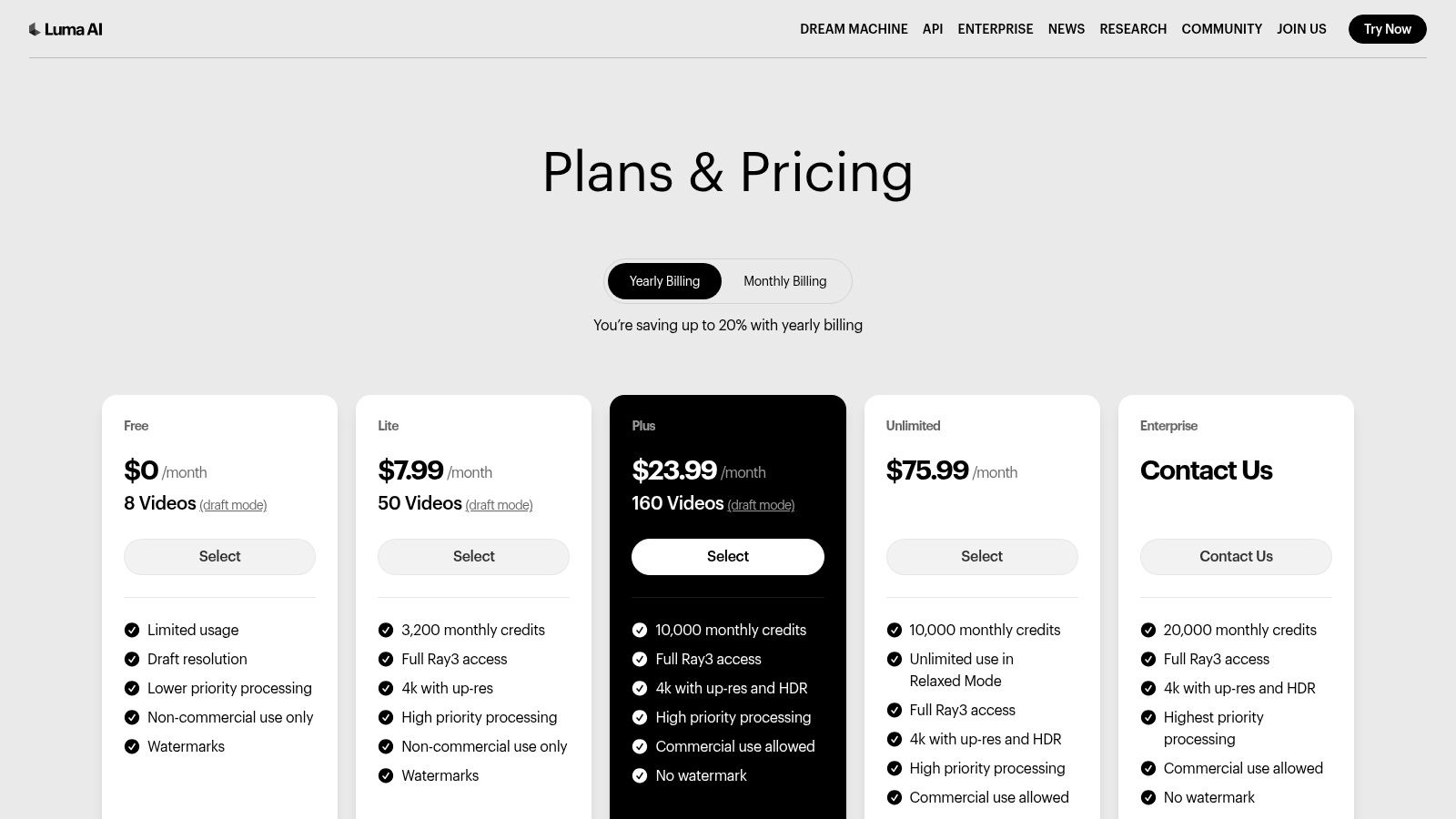
What truly makes Dream Machine shine is its focus on cinematic quality. You can generate quick previews in "Draft" mode to test ideas, then switch to "High-Quality" for your final masterpiece. As an expert content editor, I love this feature. It saves a ton of credits and time by letting you iterate quickly before committing to a full render. The credit system is also very straightforward, which is a breath of fresh air. For those new to the tech, understanding a bit about what is generative AI can help you appreciate the magic happening behind these amazing visuals.
Key Features & User Experience
- Pricing: Starts with a free plan (30 generations/month). Paid plans begin at $29.99/month for 400 generations.
- Best For: Artists, social media creators, and filmmakers needing photorealistic short clips with dynamic camera motion.
- Pros: State-of-the-art realism and motion, clear pricing with credit top-up options, and accessible via web and iOS.
- Cons: Clip duration is limited to short sequences (around 5-10 seconds), and lower-tier plans have watermarks and non-commercial restrictions.
Website: https://lumalabs.ai/pricing?utm_source=openai
3. Pika
Pika is a playground for creators, making it one of the best AI video generators if you're all about speed, experimentation, and creating stylized, eye-catching short videos. It's a quick, browser-based tool that lets you choose from different models (like "Turbo" for speed or "Pro" for quality) and play with a bunch of unique effects. It's perfect for whipping up a cool clip for your social media feed or just trying out a wild creative idea.
What sets Pika apart is its collection of hands-on tools. For example, the "Modify Region" feature lets you change just one part of your video—like swapping a coffee cup for a teacup without regenerating the whole scene. This creative-first approach encourages you to play around and gives you a surprising amount of artistic control without needing to open up complicated editing software. A word to the wise: Pika is evolving fast, so pricing and plan details can change. It's always best to check the latest info directly in the app.
Key Features & User Experience
- Pricing: Offers a free plan with initial credits. Paid plans are available, but details can be sparse and subject to change, so checking in-app is recommended.
- Best For: Social media creators, artists, and anyone needing to produce stylized, short-form video content quickly.
- Pros: Extremely fast generation cycles, unique creative tools for in-video modification, and an active, engaged user community.
- Cons: The platform and its pricing structure evolve rapidly, which can be confusing for new users.
Website: https://pika.art
4. HeyGen
HeyGen has found its sweet spot, becoming one of the best AI video generators for creating polished, professional presentations led by an avatar. Instead of generating artsy cinematic scenes, HeyGen is a master at turning your scripts into videos for business communications, training modules, and marketing materials. Its magic lies in making realistic AI avatars speak your words, so you can create tons of consistent content without ever needing a camera, crew, or studio.
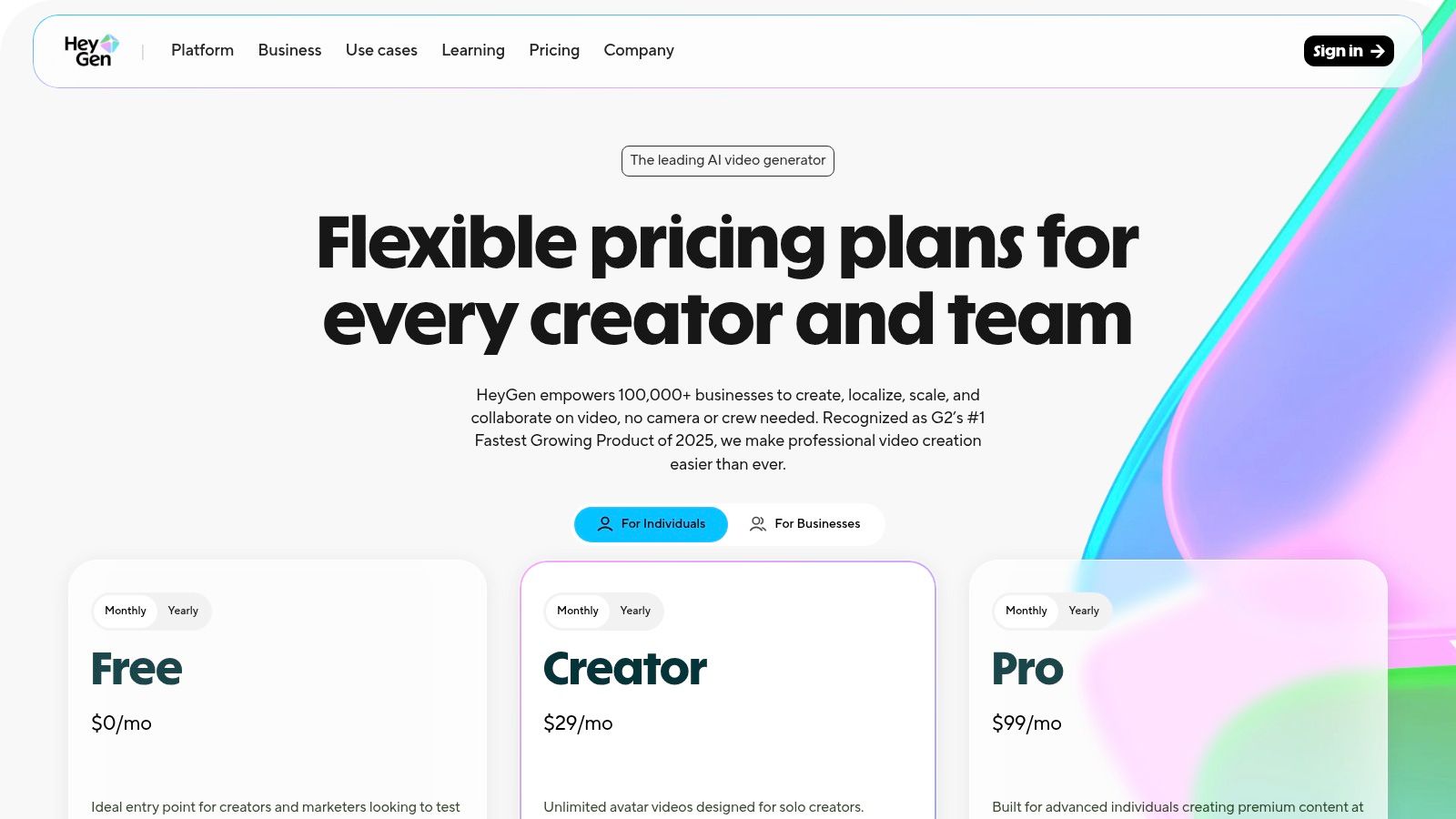
The real game-changer with HeyGen is its focus on localization. Imagine you record one training video, and then with a few clicks, you can deploy it across the globe in over 175 languages, using a clone of your own voice. It's an incredible time-saver for global teams. The platform is super straightforward, with a huge library of stock avatars and templates to get you started in minutes. In my experience editing client videos, a tool like this can reduce production costs for corporate training by over 70%. While there's a credit system to learn, it clearly separates video minutes from other features, giving you transparent control over your spending.
Key Features & User Experience
- Pricing: Free plan available (1 minute, 0.5 credits). Paid plans start at $24/month for 10 credits and 15 minutes of video.
- Best For: Corporate training, marketing teams, sales enablement, and businesses needing to localize video content efficiently.
- Pros: Excellent for creating professional avatar-led videos, powerful translation and dubbing features, and enterprise-ready security options.
- Cons: The heavy focus on avatars limits its use for creative or cinematic projects, and the credit system can feel complex initially.
Website: https://www.heygen.com/pricing
5. Synthesia
Synthesia is another powerhouse in the corporate world and one of the best AI video generators for educational and business content. Like HeyGen, its strength is turning scripts into slick videos featuring lifelike AI avatars. This makes it an amazing tool for creating training materials, internal updates, and product explainers without the hassle of a traditional video shoot. It's built for efficiency, especially for businesses that need to pump out lots of instructional videos.
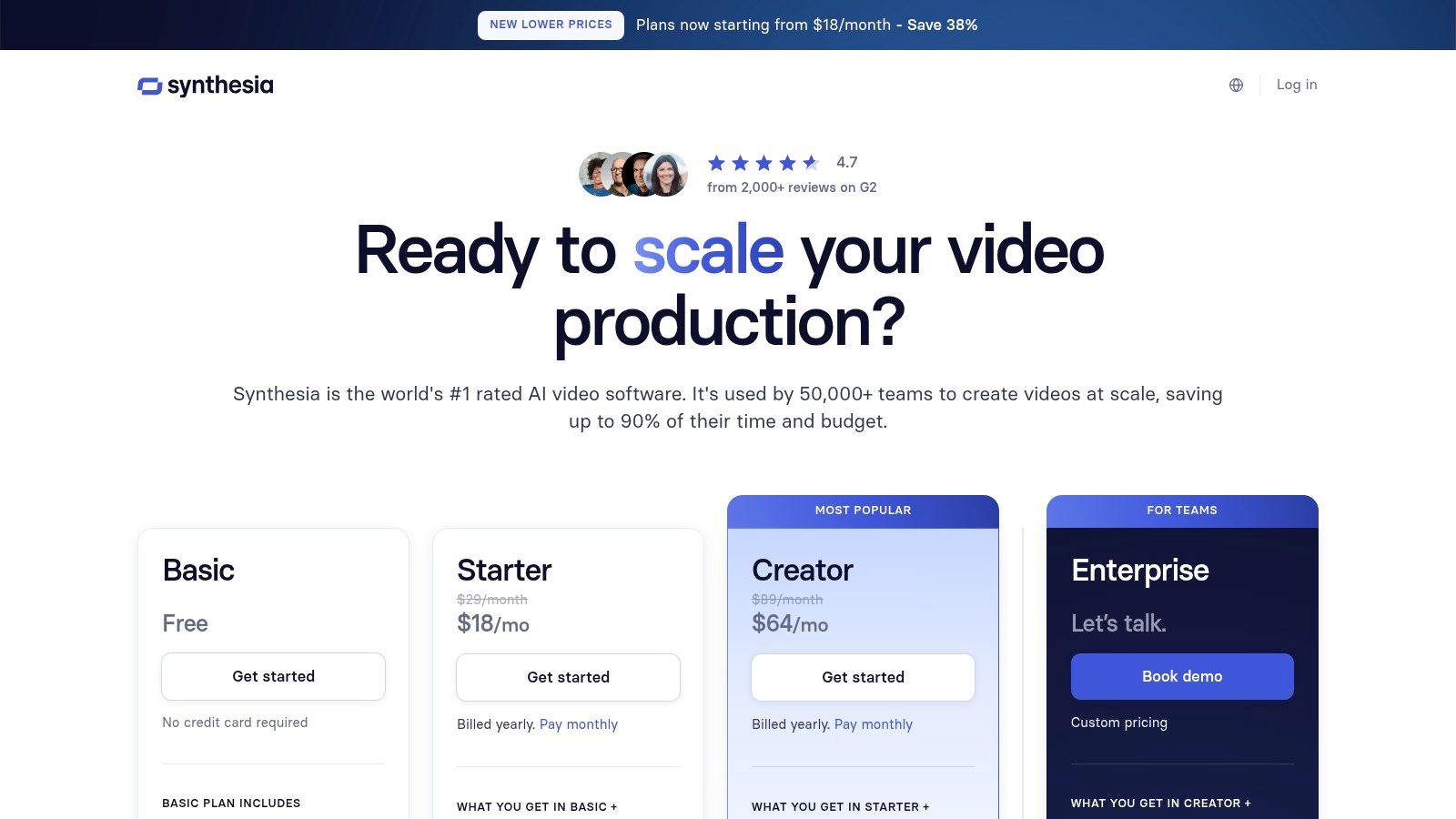
What makes Synthesia a top choice for big companies is its enterprise-ready features and fantastic avatar quality. With a library of over 180 stock avatars and support for more than 120 languages, making content for a global audience is a breeze. A practical example? A company's HR department can create a single onboarding video and instantly translate it for new hires in their Berlin, Tokyo, and Mexico City offices. The platform's template-driven workflow also makes it easy to keep all your videos looking consistent and on-brand. The credit system is simple, tying usage directly to video minutes, which makes budgeting super easy for businesses.
Key Features & User Experience
- Pricing: Starts with a Personal plan at $22/month for 10 minutes of video. Enterprise plans are custom-priced.
- Best For: Businesses, L&D departments, and marketing teams creating training, onboarding, and how-to videos.
- Pros: Highly polished avatar quality, strong enterprise-grade features (SSO, brand kits), and an intuitive, template-based interface.
- Cons: The avatar-first model limits creative scene generation, and the credit system can feel restrictive for high-volume production needs.
Website: https://www.synthesia.io/pricing
6. Adobe Express – Generate Video
Adobe brings its legendary creative power into the AI game with Generate Video, a feature baked right into Adobe Express. This makes it one of the best AI video generators for marketers, small business owners, and anyone already comfortable in the Adobe world. It's not a standalone tool, but a powerful part of a larger design platform. This means you can generate a video clip from text and immediately drop it into a branded social media template, presentation, or webpage.
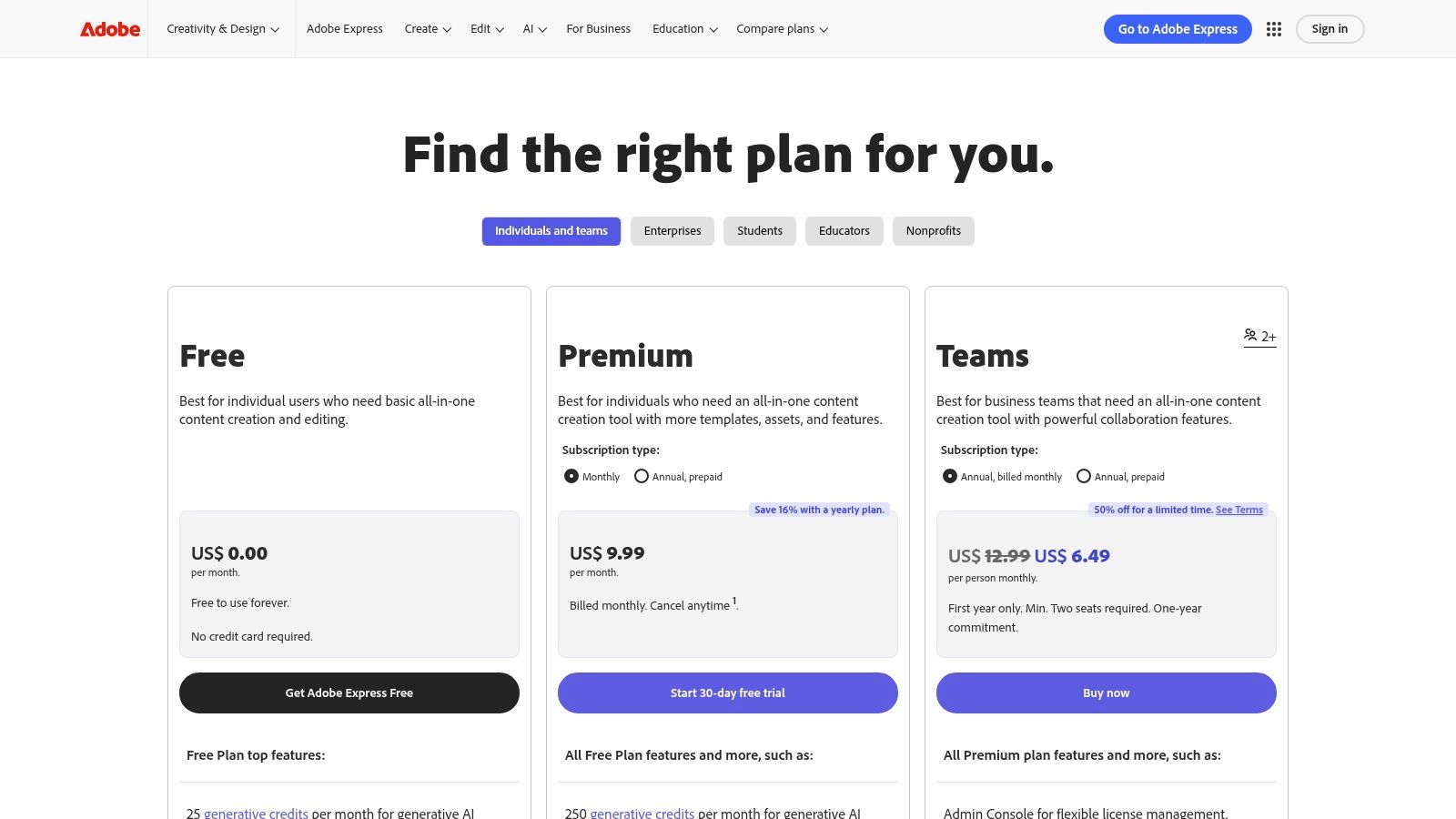
The biggest win for Adobe Express is its seamless workflow. You can use a huge library of templates, Adobe Stock photos and videos, and your own brand kits to build around your AI-generated clips. It's perfect for creating consistent, on-brand marketing content without needing professional video editing skills. For instance, a local bakery could type "steaming croissant on a rustic wooden table, morning light," generate a 4-second clip, and pop it into an Instagram Story template with their logo in under five minutes. The platform uses a generative credit system, so you'll just need to keep an eye on your usage, especially on the free plan.
Key Features & User Experience
- Pricing: Free plan includes 25 generative credits per month. The Premium plan starts at $9.99/month for 250 credits and access to all premium features.
- Best For: Marketers, social media managers, and small businesses needing an all-in-one tool for quick, branded content creation.
- Pros: Deep integration with the Adobe Creative Cloud ecosystem, access to a massive library of templates and stock assets, and an intuitive user interface.
- Cons: Generated clips are currently short, and the credit system limits high-volume creation on lower-tier plans.
Website: https://www.adobe.com/express/one-plans
7. Canva – Magic Media / Magic Video
Canva has cleverly woven AI video generation right into its super-popular design platform, making it one of the best AI video generators for just about anyone who needs to make content quickly—especially marketers, social media managers, and small businesses. Its Magic Media tool lets you create short clips from a text prompt and instantly use them in a design. This saves you from having to jump between different apps, making the whole process incredibly smooth.
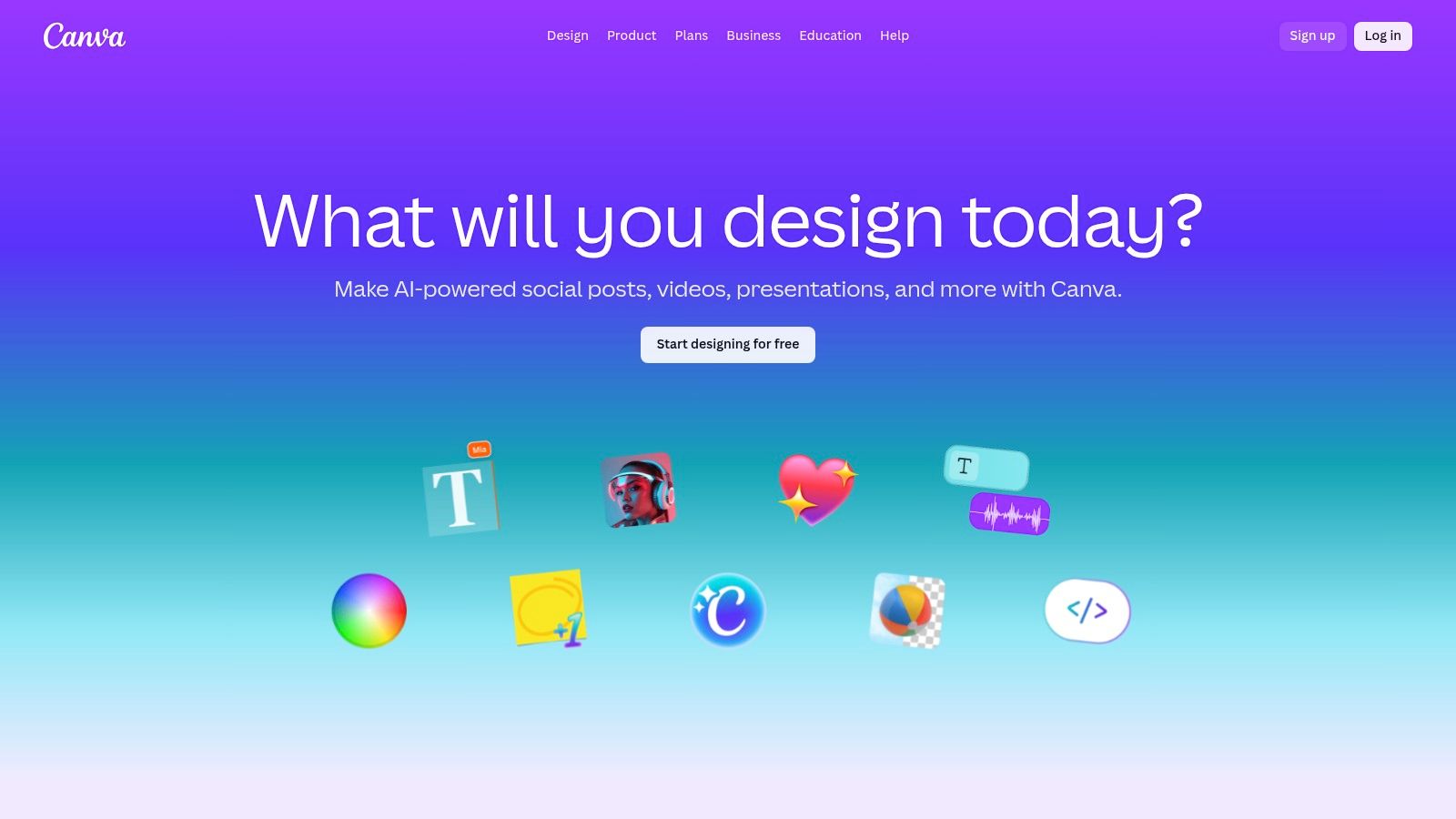
What makes Canva so special is that it's an all-in-one creative hub. You're not just making a video; you're making it inside a project that already has your brand's fonts, colors, and logos ready to go. For paid users, the video quality is getting a nice boost from Google's powerful Veo 3 model. While it's not as complex as dedicated video tools, it's unbeatable for making polished, on-brand content in a flash. From a beginner's perspective, this is probably the easiest tool on the list to get started with. The user experience is so intuitive, it's perfect for people who have zero video editing experience.
Key Features & User Experience
- Pricing: Free plan with limited AI credits. Paid plans with more features and credits start at $14.99/month for one person.
- Best For: Social media managers, small businesses, and individuals needing fast, branded video content without a steep learning curve.
- Pros: Extremely easy to use, seamless integration with a full design suite, and excellent for maintaining brand consistency.
- Cons: Generated video clips are short, and advanced AI video controls are limited compared to specialized platforms.
Website: https://www.canva.com
8. Descript
Descript offers something a little different, blending powerful, text-based video editing with a growing set of AI tools. It's not a pure text-to-video generator like some others here. Instead, think of it as an all-in-one AI studio where you edit your recordings and create new content in the same place. This makes it one of the best AI video generators for podcasters, teachers, and marketers who work with videos that are heavy on dialogue.
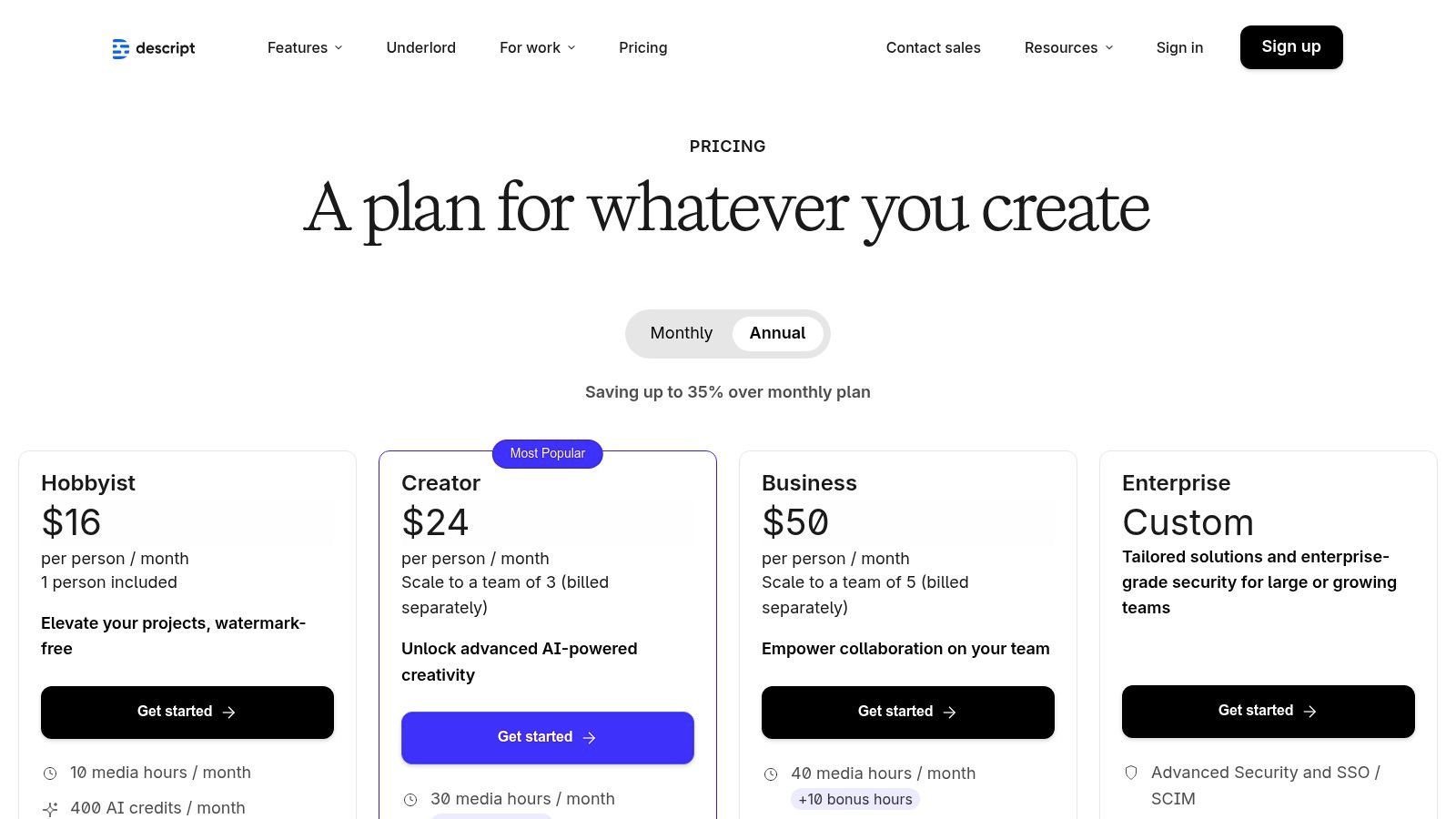
The magic of Descript is its script-first workflow. You edit your video by simply editing the text transcript—it's as easy as editing a Word doc! The AI "Underlord" can automatically remove all your "ums" and "ahs," fix your eye contact so you're always looking at the camera, and make your audio sound like it was recorded in a professional studio. As an editor, I find this workflow revolutionary. The ability to seamlessly edit existing footage and generate new bits (like a cloned voiceover for a quick correction) is a huge time-saver. For a deeper look at similar tools, you can explore the best AI video editing software available today.
Key Features & User Experience
- Pricing: Free plan available. Paid plans start at $12/editor/month for 10 hours of transcription.
- Best For: Podcasters, course creators, and marketing teams focused on dialogue-heavy video production.
- Pros: Intuitive transcript-based editing, powerful AI audio/video enhancement tools, and a seamless workflow for editing and generating.
- Cons: Not a cinematic text-to-video engine, and generation capabilities are tied to plan-specific credit limits.
Website: https://www.descript.com/pricing
9. Kapwing
Kapwing is a fantastic choice and one of the best AI video generators for creators who live and breathe social media and need to create content fast. It's a browser-based platform that combines a user-friendly video editor with AI generation smarts. Instead of building its own AI model from scratch, Kapwing gives you access to several top models, like Google's VEO and Pika, through its AI assistant. This means you can generate a clip and immediately drop it into a project for editing.
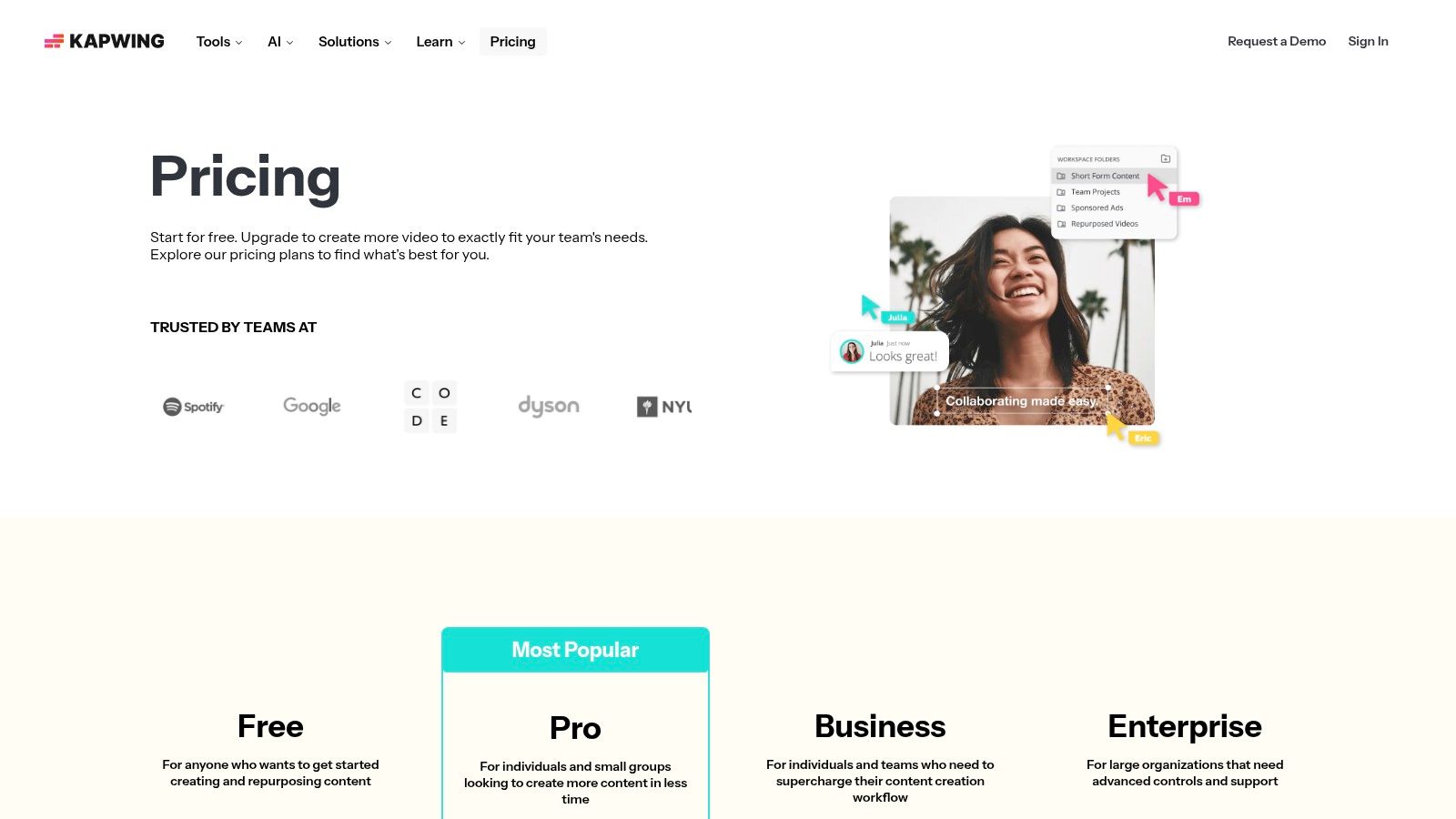
What makes Kapwing so useful, especially for social media managers, is how easy it makes repurposing content. Let's say you generate a cool video clip. You can then instantly resize it for TikTok, Instagram Reels, and YouTube Shorts, add auto-generated subtitles, and slap on your brand's logo, all in a few clicks. The platform's strength is this all-in-one workflow. The credit system is easy to understand, but if you plan on generating a lot of clips, you'll probably need a paid plan or to buy extra credits.
Key Features & User Experience
- Pricing: Free plan with watermarks and export limits. The Pro plan is $16/user/month (billed annually) for watermark-free 4K exports and more credits.
- Best For: Social media managers, content creators, and marketing teams needing to quickly create and repurpose video assets.
- Pros: Excellent repurposing tools and a user-friendly editor, competitive Pro plan pricing, and multi-model access for diverse outputs.
- Cons: The free plan is quite restrictive with watermarks and limited features, and heavy AI users may find the credit allowance on the Pro plan insufficient.
Website: https://www.kapwing.com/pricing
10. VEED
VEED builds AI generation right into its popular online video editor, making it one of the best AI video generators for people who want a smooth process from idea to finished product. Instead of making a clip and then having to import it into another editor, VEED lets you create AI video from text prompts directly inside your project. This is perfect for making marketing assets or social media content where you want to add captions, logos, and background music right away.
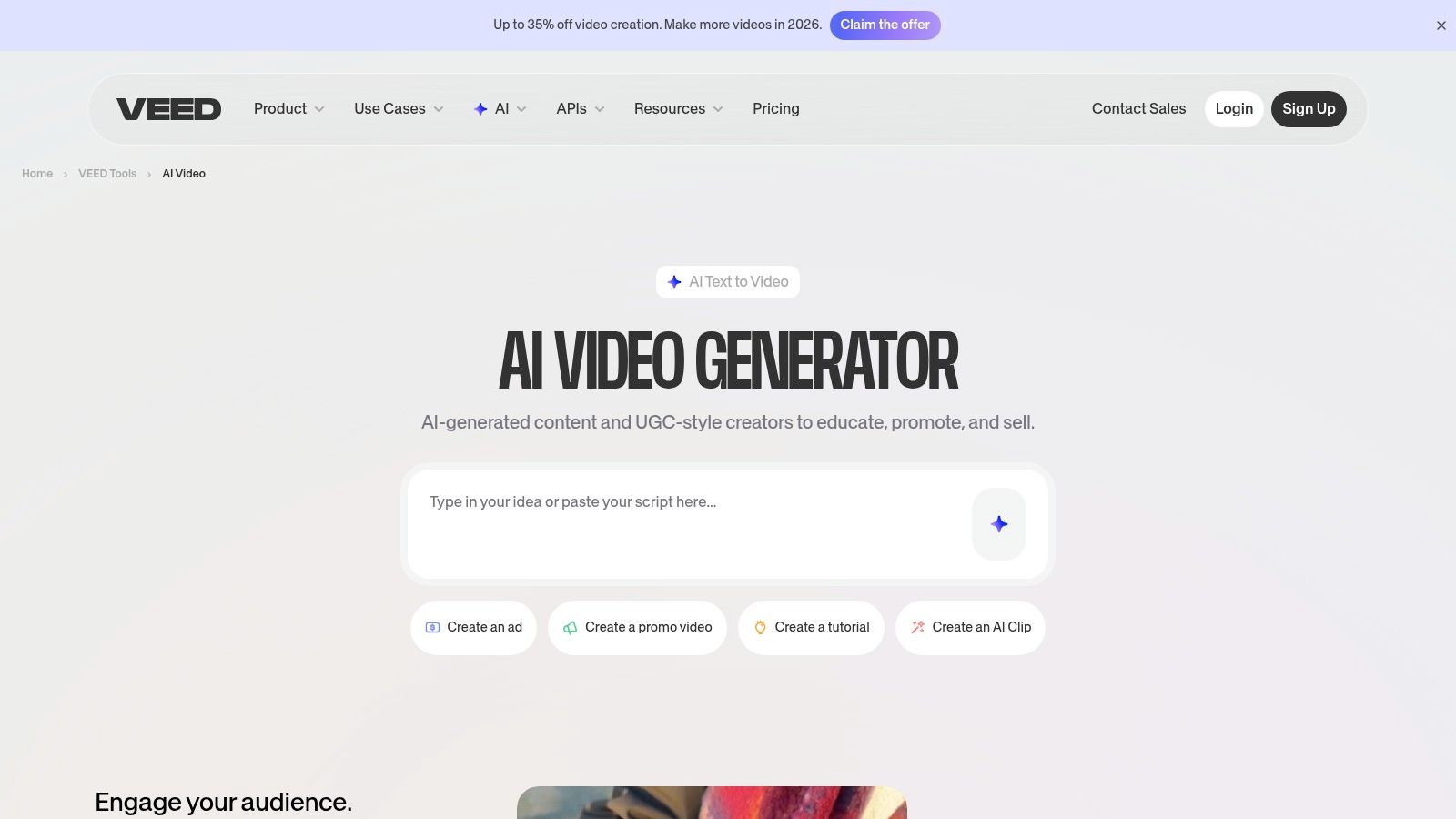
A cool and unique thing about VEED is its flexibility. It lets you choose between different AI models (like Google’s Veo 3 or PixVerse) right in the generation panel. This gives you more control over the visual style and lets you balance video quality with how many credits you want to spend. While checking out what VEED can do, you might also want to compare it with other VEED alternatives to make sure you're finding the perfect tool for your needs. Just be aware that the credit system can be a bit confusing at first, so it’s a good idea to see how much a generation will "cost" before you click the button.
Key Features & User Experience
- Pricing: Free plan with limited features (no AI generation). Paid plans with AI credits start at $12/user/month.
- Best For: Marketers, educators, and social media managers who need an all-in-one editor and generator.
- Pros: Smooth pipeline from prompt to fully edited video, multi-model flexibility for different styles, and a rich set of editing tools.
- Cons: The free plan does not include AI video generation, and the credit system can be unclear for new users.
Website: https://www.veed.io/tools/ai-video/ai-video-generator
11. D-ID
D-ID has mastered a very specific and powerful skill, making it one of the best AI video generators for creating incredibly realistic talking avatars. Instead of generating whole scenes, D-ID's magic is in animating a still image—whether it's a stock photo, one of their preset avatars, or even your own face—and making it talk based on a script or an audio file. It's amazing at creating natural-looking lip-sync and expressions, making it perfect for creating digital presenters, AI customer service agents, or educational content in multiple languages.
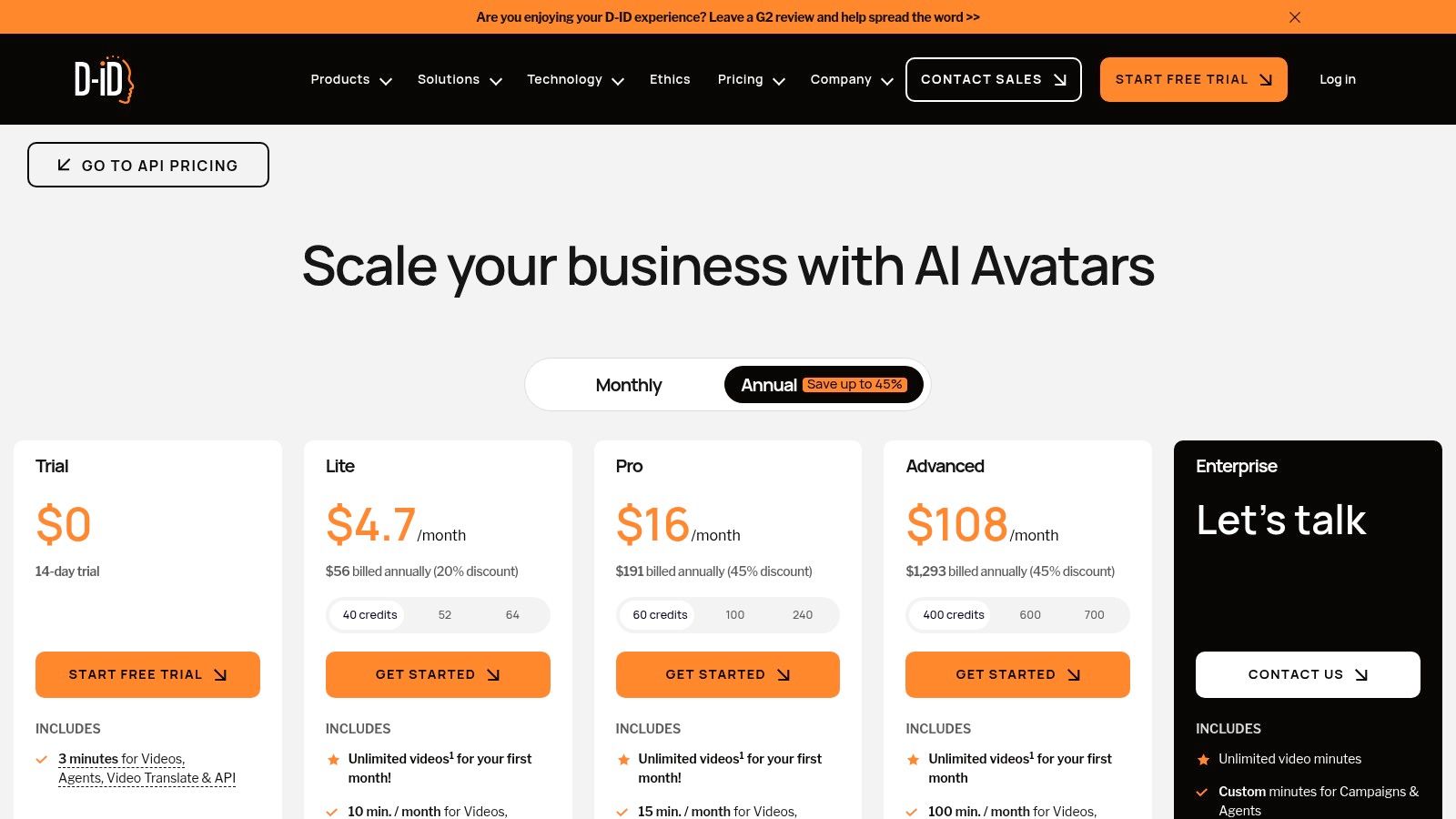
What makes D-ID stand out is its focus on human-centric AI video. While other tools are chasing cinematic shots, D-ID is all about believable face-to-camera communication. For a practical example, a museum could use it to animate a portrait of a historical figure, letting them "tell" their own story to visitors. The platform's Creative Reality™ Studio is super easy to use: just upload a photo, pick a voice, and generate your video in minutes. It's good to know how their credit system works: video credits are based on minutes, but each generation rounds up to the nearest 15-second block, which can make very short clips a bit less cost-effective.
Key Features & User Experience
- Pricing: Free trial with 5 minutes of credits. Paid plans start at $4.70/month for 10 minutes of video.
- Best For: Corporate training, customer service bots, educational content, and any application needing a realistic digital presenter.
- Pros: Exceptional lip-sync and avatar realism, dedicated API for developers, and a clear stance on ethical AI usage.
- Cons: Not suited for general text-to-video scene generation; the 15-second rounding on credits can be inefficient for short clips.
Website: https://www.d-id.com/pricing/
12. Colossyan
Colossyan is laser-focused on a specific, powerful purpose: creating professional avatar-led videos for corporate training and education. Instead of generating artistic scenes, it helps businesses produce high-quality instructional content easily and at scale. This makes it one of the best AI video generators for teams that need to create onboarding materials, compliance training, or internal announcements without the cost and hassle of a real video shoot.
The secret sauce for Colossyan is its set of features built for big businesses. The platform can auto-translate your videos into over 70 languages with a single click—a lifesaver for global companies. For training professionals, the ability to create interactive videos with quizzes that can be exported for any Learning Management System (LMS) is a huge deal. It turns passive video watching into active learning. Plus, the higher-tier plans offer unlimited video generation, which takes away the stress of counting credits and is a major win for teams creating content in bulk.
Key Features & User Experience
- Pricing: Starts with a 14-day free trial. Paid plans begin at $28/month for 5 minutes of video generation.
- Best For: Corporate L&D departments, HR teams, and businesses creating training and educational content at scale.
- Pros: Excellent for scalable eLearning, unlimited minutes on higher tiers, and strong integration with corporate systems (LMS, SSO).
- Cons: Avatar-focused design isn't suited for creative or marketing video, and key features like branching scenarios are locked behind higher-tier plans.
Website: https://www.colossyan.com/pricing
Top 12 AI Video Generators — Feature & Pricing Comparison
| Platform | Core features ✨ | Quality ★ | Price/Value 💰 | Target 👥 | USP 🏆 |
|---|---|---|---|---|---|
| Runway | Gen-4/4.5 models, Aleph editor, upscaling, performance capture | ★★★★★ | 💰 $$ credit-based; transparent seconds→credits | 👥 Creators & production teams | 🏆 Integrated multi-model editing + production workflows |
| Luma AI – Dream Machine | Ray series (Draft/HQ), 4K up-res, HDR, web/iOS | ★★★★★ | 💰 $$$ credits; clear pricing tables | 👥 Users seeking high realism & motion | 🏆 High-fidelity 4K/HDR short clips |
| Pika | Pika 2.5/2.2, Pikascenes/Pikatwists effects, fast cycles | ★★★★☆ | 💰 $$ variable credits; shifting plans | 👥 Short-form creators & experimenters | 🏆 Rapid generation + creative effects |
| HeyGen | 500+ stock avatars, translations, voice cloning, API | ★★★★☆ | 💰 $$ subscription + monthly credits | 👥 Marketing, localization, training teams | 🏆 Avatar-led multilingual dubbing & cloning |
| Synthesia | Large avatar library, templates, enterprise controls (SSO, analytics) | ★★★★☆ | 💰 $$$ subscription + credits | 👥 Enterprises for training & internal comms | 🏆 Polished avatar quality + brand/security features |
| Adobe Express – Generate Video | Firefly Generate Video, templates, Creative Cloud integration | ★★★★☆ | 💰 $$ generative credits per plan | 👥 Marketers & small teams | 🏆 Cross-app assets → pro tool workflow |
| Canva – Magic Media / Magic Video | Magic Video, templates, Veo 3 short clips, brand kits | ★★★☆☆ | 💰 $ affordable subscription tiers | 👥 Social creators & small teams | 🏆 Fast, template-driven branding & publishing |
| Descript | Transcript-based editor, AI co-editor, voice cloning | ★★★★★ | 💰 $$ plans + media-hour/credit accounting | 👥 Podcasters, educators, marketers | 🏆 Seamless edit/regenerate + voice cloning |
| Kapwing | Kai assistant, multi-model access, templates & repurposing tools | ★★★★☆ | 💰 $–$$ Pro; watermark removal on paid | 👥 Social creators & repurposers | 🏆 Strong repurposing workflow + multi-models |
| VEED | In-editor T2V panel, model/style selection, rich timeline editor | ★★★★☆ | 💰 $$ credits; AI on paid plans | 👥 Marketers & training creators | 🏆 Smooth prompt→timeline→brand output |
| D-ID | Photo→talking-avatar, realistic lip-sync, Studio & API plans | ★★★★☆ | 💰 $$ minutes-based (15s rounding) | 👥 Explain ers, support agents, multilingual presenters | 🏆 High-fidelity lip-sync & emotional expressions |
| Colossyan | Stock/custom avatars, branching/interactive videos, SCORM export | ★★★★☆ | 💰 $$$ Business/Enterprise (unlimited minutes option) | 👥 Corporate L&D & training teams | 🏆 Interactive/branching scenarios + LMS exports |
Choosing Your Creative Partner: Final Thoughts on AI Video
Whew! We've covered a lot of ground, exploring twelve of the best AI video generators out there. From the stunningly cinematic Runway and Luma AI to the super-professional corporate tools like HeyGen and Synthesia, it's crystal clear that there's no single "best" platform for everybody. The real magic is finding the tool that clicks with your creative vision, your skill level, and your specific goals.
It might seem like a lot to choose from, but this variety is what makes the industry so exciting. What felt like sci-fi just a few years ago is now right at your fingertips in a web browser, empowering everyone to make amazing video content without a Hollywood budget.
How to Choose the Right AI Video Generator
Okay, so how do you pick? It just comes down to being honest about what you need. Before you sign up for anything, ask yourself a few simple questions:
- What am I actually making? Are you creating artistic short films, snappy social media ads, or professional training videos? A tool like Pika is awesome for creative, stylized clips, while a platform like Colossyan is built from the ground up for making educational content.
- What's my budget? The good news is that many of these tools have great free plans or trials. Use them! Play around and get a feel for the quality and workflow before you spend any money. Your budget will decide if you can get fancy features like 4K video, custom avatars, or more advanced controls.
- How tech-savvy am I? Be honest! Platforms like Canva and Adobe Express are designed to be incredibly easy for beginners. On the other hand, a tool like Runway offers more professional features that might take a bit longer to learn but give you much more creative freedom.
- Do I need it to look real or artistic? For photorealistic talking heads for corporate videos, Synthesia and D-ID are the champs. If you're going for surreal, dreamy, or stylized visuals, generators like Luma AI and Pika will be your new favorite toys.
Key Takeaways and Next Steps
The most important thing to remember is to experiment and have fun! The world of AI video is changing every day, with new features and better models popping up all the time.
Your next step should be to get your hands dirty. Pick two or three generators from our list that sound like a good fit, and just spend an hour playing with each one. Start a free trial, follow a tutorial, and try to make a simple video. This hands-on experience will tell you more than any review ever could. See how fast it is, how easy it is to use, and how well the AI understands what you're asking it to do.
Ultimately, you're looking for a tool that feels less like complicated software and more like a creative partner. The right AI video generator will boost your creativity, not replace it. It will handle the boring technical stuff, freeing you up to focus on the most important part: telling your story.
The world of AI is moving at lightning speed, and staying on top of the latest tools and breakthroughs is a full-time job. To get curated news, expert insights, and practical guides on generators like these delivered straight to your inbox, subscribe to YourAI2Day. We track the trends so you can focus on creating.