12 Best AI Project Management Tools for 2025
Hello there, project managers, team leads, and anyone who's tired of wrestling with endless spreadsheets and Gantt charts! Let's be honest, managing complex projects can feel like spinning plates. But what if you had a smart assistant that could predict risks, handle the boring stuff for you, and even draft your status updates? This is exactly where artificial intelligence (AI) comes in, completely changing the game for how teams get work done.
We’re about to dive deep into the best AI project management tools available right now. This isn't just another list copied from a marketing brochure. We're giving you practical, down-to-earth reviews based on how these tools actually work in the real world. Think of this as a friendly chat where we explore how each platform can solve common headaches, from figuring out who should do what, to predicting if you'll hit that deadline.
Whether you're just dipping your toes into AI or you're a tech pro looking for an edge, this guide is for you. We’ve included screenshots and direct links for each platform to help you see them in action. Our goal is simple: to help you find the perfect tool to make your projects smarter, faster, and way less stressful. Let's find the right fit for your team.
1. ClickUp
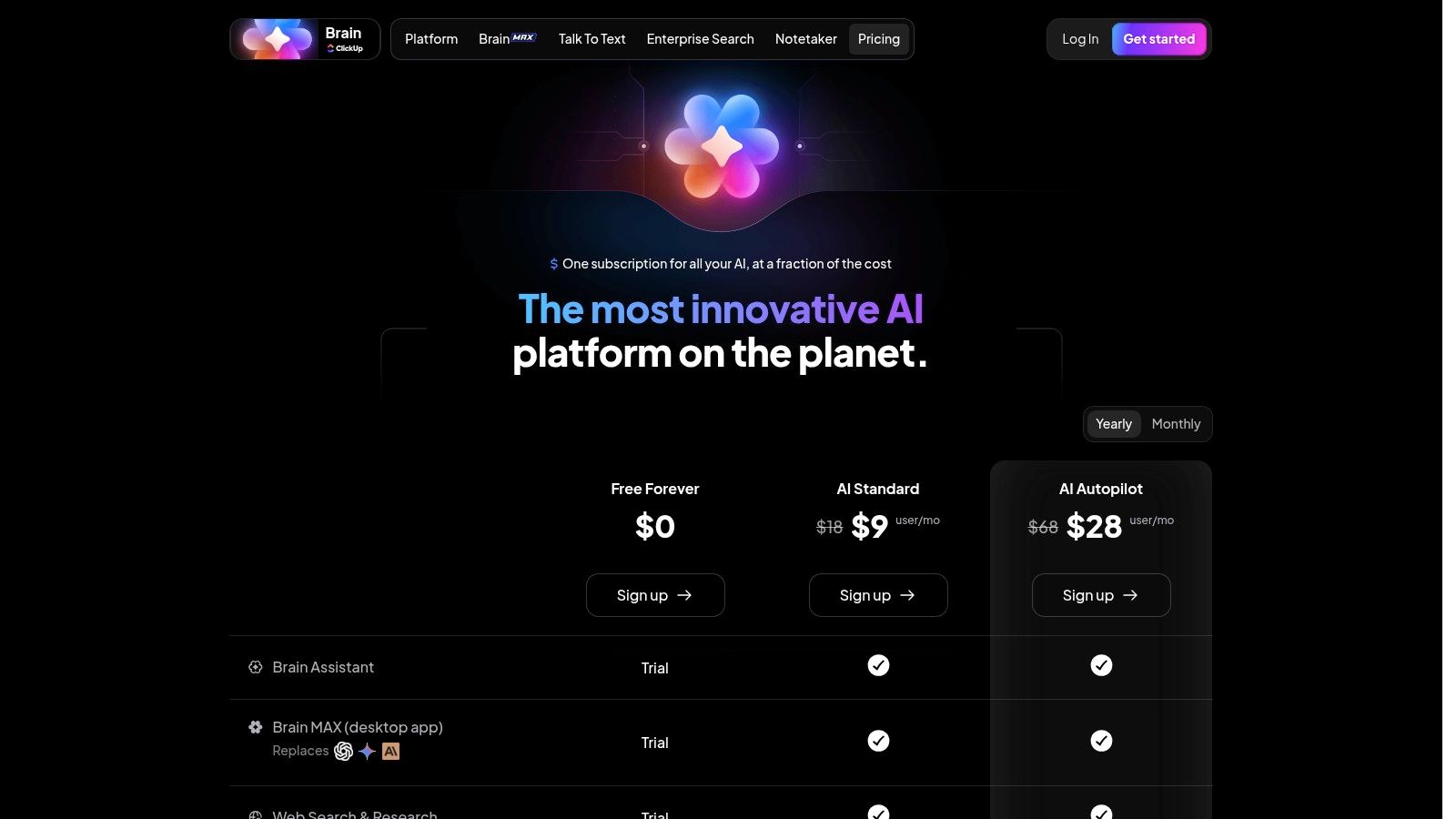
ClickUp calls itself the "one app to replace them all," and its built-in AI tool, ClickUp Brain, makes a strong case for it to be one of the best AI project management tools. Instead of just tacking on AI as a feature, ClickUp has woven it right into how you manage projects. This means you can instantly create project summaries, pull action items out of meeting notes, or even generate an entire project plan from a single sentence.
What's really cool is its set of AI "tools" designed for different jobs, like a project manager, marketer, or engineer. This means you can ask the AI to write a task description in the style of an agile user story or draft a marketing campaign outline. It’s like having a specialized assistant who already knows your job, living right where you work.
Key Features & Use Case
- AI Knowledge Manager: Ask questions about any document, task, or conversation in your workspace. Practical Example: You can ask, "What was the final decision on the Q3 budget?" and get an instant, sourced answer without digging through old chat logs.
- AI Project Manager: Automatically generates subtasks, status updates, and reports. It can look at all your active tasks and point out which ones are falling behind or need your immediate attention.
- AI Writer for Work: Helps you write emails, documents, and social media posts directly inside ClickUp Docs, saving you from switching between apps.
Pricing & Implementation
ClickUp Brain is available as a paid add-on to any of its plans, starting at $5 per member per month. Getting started is easy, but to really get the most out of it, your team should make a habit of using the AI in your daily routines. A great tip is to start by using the AI summary feature on a few complex projects to see its value right away.
Expert Opinion: According to project management consultant Sarah Gibbons, "The true power of ClickUp Brain lies in its context-awareness. Because it lives within your entire work ecosystem, it can pull information from tasks, docs, and goals to provide uniquely relevant assistance that standalone AI tools simply can't match."
Pros:
- Deeply integrated AI tools for specific PM tasks
- Centralizes all work, reducing the need for other apps
- Role-based AI tools provide tailored assistance
Cons:
- Can be overwhelming for new users due to its vast feature set
- AI features are a paid add-on and may require purchasing extra credits
Website: https://clickup.com/brain/pricing
2. Asana
Asana has been a leader in work management for years, and by adding Asana AI, it has secured its spot among the best AI project management tools. Instead of a dramatic overhaul, Asana has smartly placed AI features where they can help the most. Things like smart summaries, smart fields, and AI-powered rules help teams cut down on busywork and get insights faster, all within a platform many people already know and love.
What makes Asana's approach special is its focus on clarity and keeping everyone aligned on goals. The AI helps turn long, messy project discussions into clear action items and gives you instant status updates for all your projects. This is perfect for organizations that need a bird's-eye view of everything that's happening without getting bogged down in tiny details.
Key Features & Use Case
- Smart Summaries: Instantly get the highlights of long task comment threads or entire projects, making it easy to catch up quickly after a day off.
- Smart Editor: Helps you polish your writing within tasks, making sure your communication is clear, concise, and has the right tone for your audience.
- Smart Rules: Use plain English to create powerful automations. Practical Example: You can tell it, "When a task is moved to the 'Complete' section, post a celebration message in the #wins Slack channel." No coding needed!
Pricing & Implementation
Asana AI is part of its paid plans, starting from the Advanced tier at $24.99 per user per month (billed annually). Getting started is smooth because the AI features feel like a natural part of the platform. A great way to begin is by using the smart summary feature on a few active projects to show your team how much time it can save.
Expert Opinion: As noted by tech analyst Mark Chou, "Asana's strength is in its structured approach to work. The AI enhances this by removing communication friction and automating routine check-ins, allowing leaders to focus more on strategic goals and less on manual follow-ups. It excels at keeping large teams aligned."
Pros:
- Mature ecosystem with extensive templates and integrations
- Strong portfolio and goal tracking for cross-team collaboration
- Clean and intuitive user interface
Cons:
- Most AI features are only available in higher-priced tiers
- AI usage is subject to credit limits depending on the plan
Website: https://asana.com/pricing
3. monday.com Work Management
monday.com makes project management a very visual and easy-to-understand experience, which is why it's one of the best AI project management tools for teams that love clarity and simplicity. Its monday AI assistant is built right in, helping you automate tasks, generate content, and even create complex formulas just by typing what you want. It's fantastic at turning your words into real work.
What makes monday.com shine is how friendly its AI is. You don't need to be a tech wizard to use it. The AI can help you write emails to stakeholders, summarize long task updates, or automatically sort incoming requests, making high-level project management easy for everyone on the team.
Key Features & Use Case
- AI Assistant: Automates task creation, drafts emails, and generates summaries right on your boards. Practical Example: You can ask it to "create a task for each marketing deliverable mentioned in my last email," and it will automatically fill out your board for you.
- AI-Powered Automations: Builds complex workflows without any code. You can set up a rule that uses AI to analyze the tone of customer feedback and automatically assign it to the right team member.
- Content and Formula Generation: Helps create project content and builds complex formulas for your board columns from simple instructions, which is a huge help for non-technical users.
Pricing & Implementation
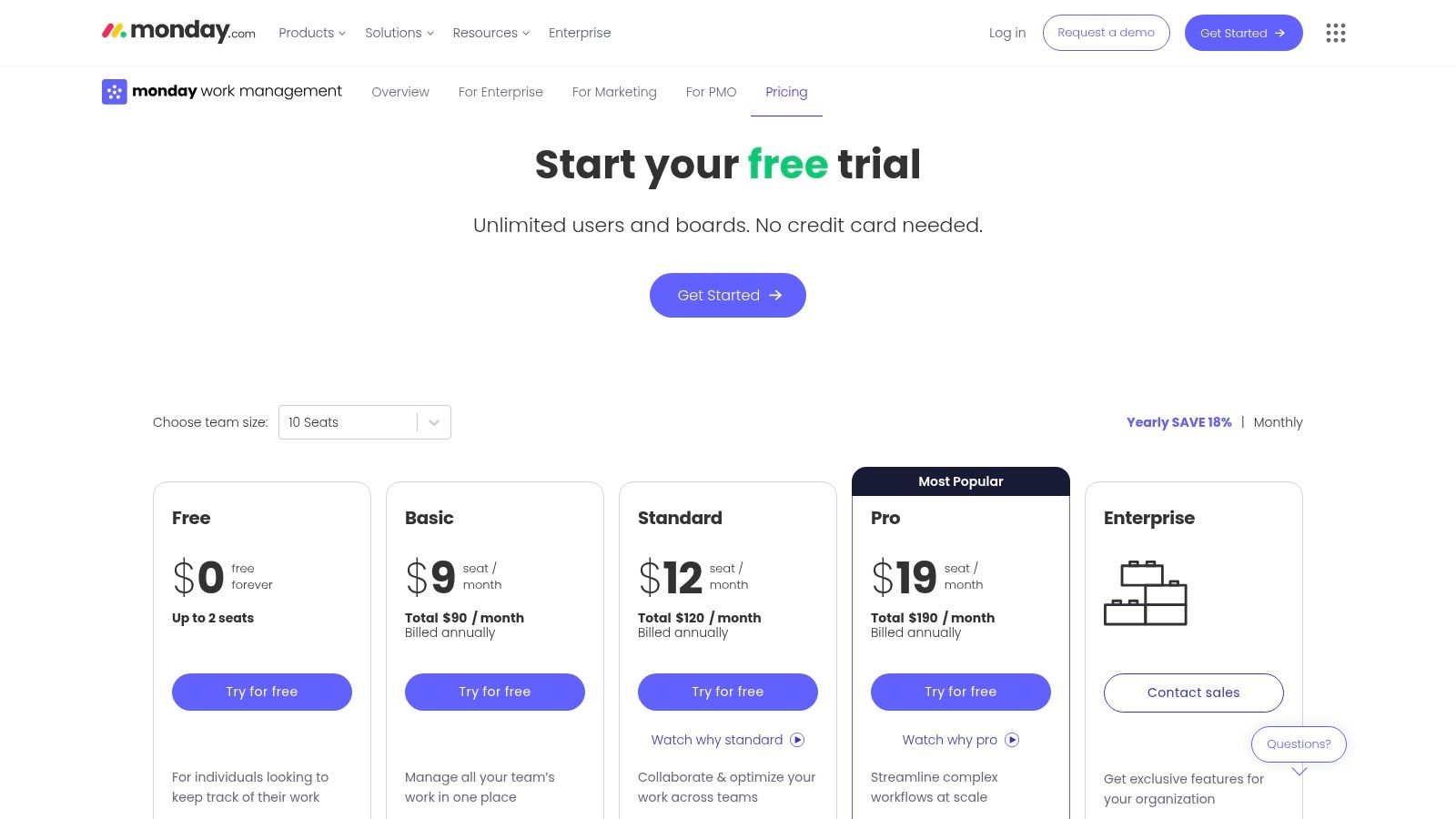
monday AI is available on various plans, and usage is often based on a credit system. Paid plans start at $9 per seat per month (billed annually). It's incredibly user-friendly to get started; try creating a simple board and using the AI assistant to add tasks to see its power instantly.
Expert Opinion: Agile coach David Miller says, "monday.com's strength is its visual-first approach combined with no-code AI. It democratizes AI for project management, allowing non-technical managers to build powerful, intelligent workflows that would otherwise require specialized skills."
Pros:
- Highly intuitive and visual interface
- Scalable from simple task lists to complex, cross-departmental workflows
- AI features are easy for beginners to adopt
Cons:
- Advanced AI and automations can become costly with add-ons and higher-tier plans
- Some specialized features are split across different monday.com products (e.g., CRM, Dev)
Website: https://monday.com/work-management/pricing
4. Atlassian Jira Software
Jira, the giant of the agile development world, has supercharged its platform with Atlassian Intelligence, making it a must-have for technical teams looking for one of the best AI project management tools. Instead of being a separate feature, its AI is designed to make existing workflows even better, helping developers and project managers work faster. You can now use plain English to find complex issues or ask the AI to break down a big project into smaller, more manageable tasks.
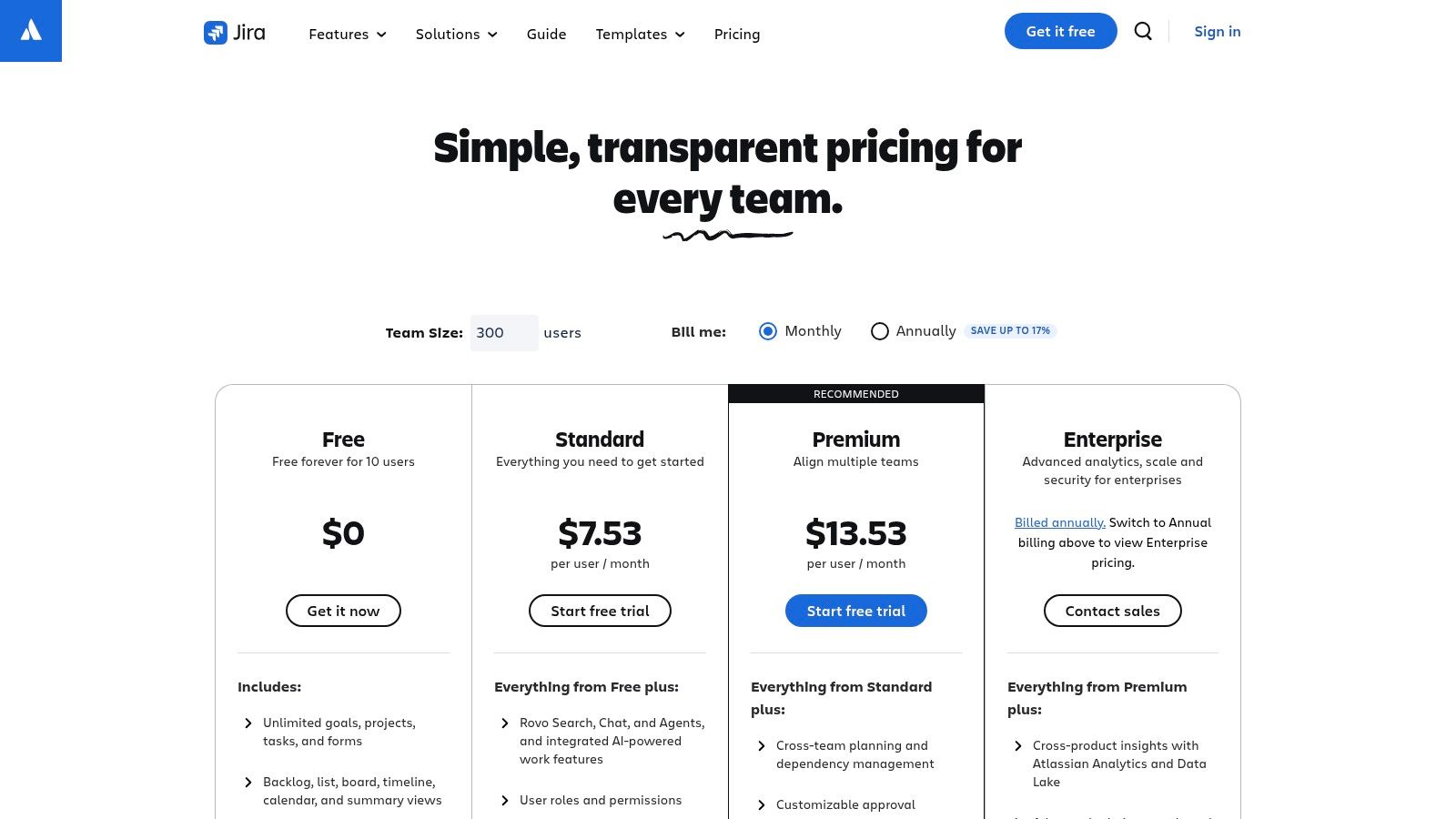
What makes Jira’s AI so powerful is how deeply it's connected to other Atlassian tools. It can summarize long comment threads on a ticket, write test plans in Confluence based on a Jira issue, or even suggest automation rules from a simple request. It’s built to smooth out the process of turning ideas into structured work for technical teams.
Key Features & Use Case
- Natural Language to JQL: You can ask questions like, "Show me all high-priority bugs in the current sprint assigned to me," and the AI will translate it into the correct Jira Query Language (JQL), saving a ton of time.
- AI-Assisted Work Breakdown: Give the AI a goal, like "launch a new mobile app login screen," and it will suggest a list of subtasks and user stories to get you started.
- Intelligent Content Generation: Summarize long issue descriptions and comment threads to get up to speed quickly or draft responses to stakeholder questions directly from a ticket.
Pricing & Implementation
Atlassian Intelligence is being rolled out across Cloud plans (Standard, Premium, and Enterprise) at no extra cost for a limited time. For existing Jira users, the new features appear right in the interface, making it easy to adopt. If you're new to Jira, it's best to get comfortable with the core agile practices first, then use the AI to enhance your workflows.
Expert Opinion: For software teams already committed to the Atlassian suite, Jira’s AI is a powerful and logical enhancement. According to a lead engineer at a major tech firm, "The AI-powered JQL search alone is a game-changer for both new and experienced users who need to find specific information quickly without mastering a complex query language."
Pros:
- Best-in-class for software development and agile teams
- Strong, seamless integration within the Atlassian ecosystem (Confluence, etc.)
- Natural language features lower the barrier to entry for complex searches
Cons:
- Can have a steep learning curve for non-technical users
- AI capabilities vary by plan and are not available for government clouds
Website: https://www.atlassian.com/software/jira/pricing
5. Wrike
Wrike's AI is like an intelligent co-pilot for complex projects, making it a great choice for larger teams and companies that need advanced control. Its "Work Intelligence" suite is designed to automate routines, predict project risks, and give you actionable advice, making it one of the best AI project management tools. Instead of just generating text, Wrike's AI focuses on efficiency by analyzing project data to warn you about potential delays or budget issues before they happen.
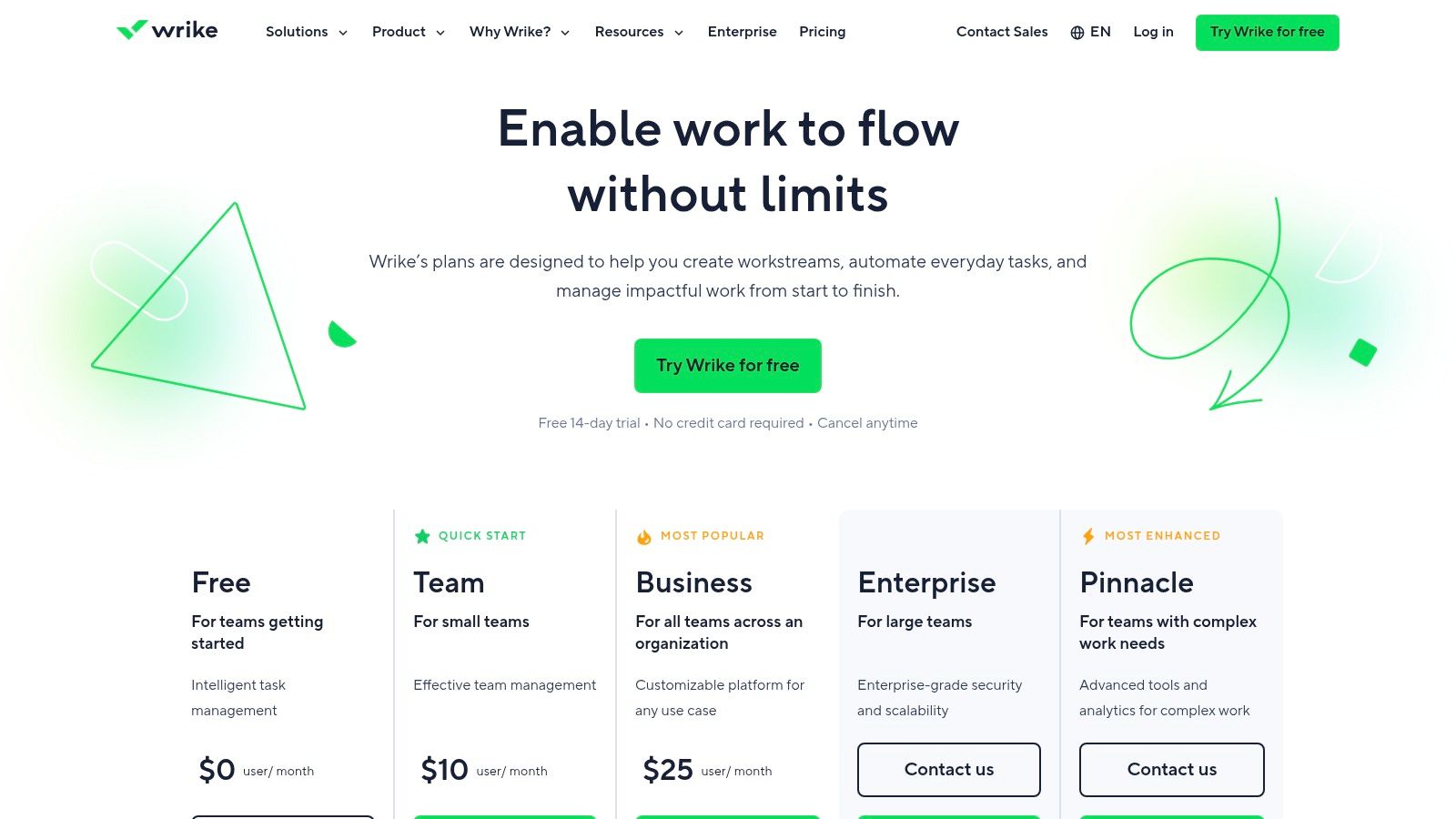
This platform is particularly good for large-scale management. The AI can suggest who should take on a task based on their skills and workload, automate approval processes, and even create project briefs using your custom templates. It’s built for organizations that need to handle big, complex projects while keeping everything consistent and under control.
Key Features & Use Case
- AI Risk Prediction: The system actively scans projects to find potential risks, like resource conflicts or tasks that are likely to miss their deadlines, so managers can step in early.
- AI-Powered Automation: Suggests and creates automation rules to handle repetitive tasks. Practical Example: It might notice you always assign tasks to the team lead for review and suggest a rule to do it automatically. This is a great real-world application of concepts like robotic process automation.
- Smart Search & Recommendations: Quickly find the right documents, tasks, or conversations across your entire workspace and get AI-driven suggestions for what to do next.
Pricing & Implementation
Wrike has a free plan, but its AI features are mostly in the Business, Enterprise, and Pinnacle plans, which start at $24.80 per user per month. Setting it up is more involved than with simpler tools, as you'll want to configure custom workflows and dashboards to really unlock the AI's power.
Expert Opinion: As an enterprise project manager puts it, "Wrike’s AI is less of a creative partner and more of a strategic advisor. Its strength is in analyzing the massive amounts of data in a large company to provide predictive insights that a human project manager would struggle to find."
Pros:
- Strong enterprise governance and security features
- Excellent for PMOs and teams needing deep reporting
- Proactive risk prediction and intelligent automation
Cons:
- Can be overly complex for small teams or simple projects
- Core AI features are reserved for higher-priced tiers
Website: https://www.wrike.com/price/
6. Smartsheet
Smartsheet takes a familiar spreadsheet-style layout and supercharges it with powerful AI, making it one of the best AI project management tools for teams that are comfortable with grids. Instead of a chatbot, its AI focuses on helping you analyze data and create content right inside your sheets. You can generate complex formulas with simple text commands or create summaries of your project data without ever leaving your workspace.
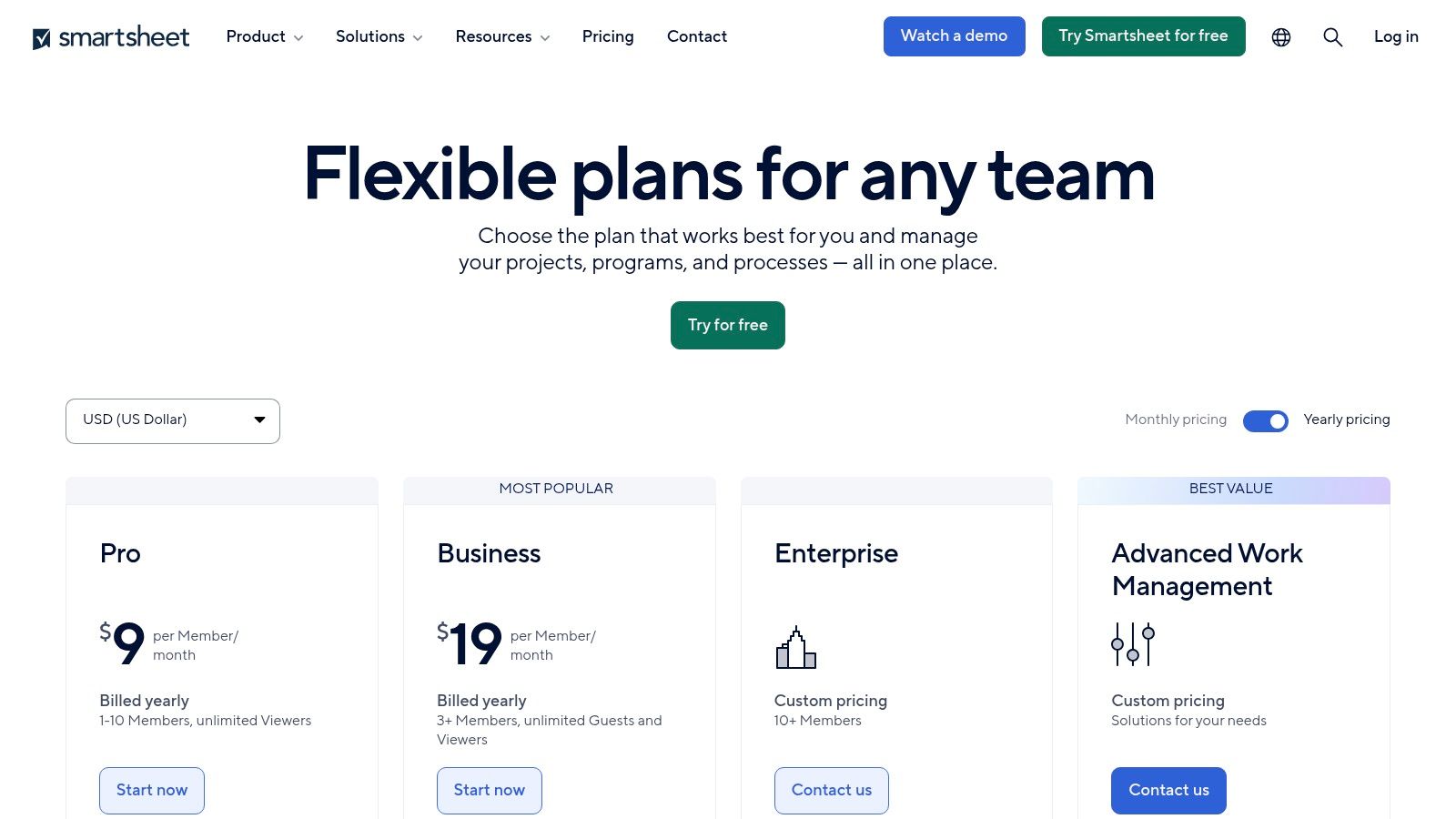
What makes Smartsheet a standout is its ability to use AI across large-scale company portfolios. Its AI tools are built with security in mind, allowing organizations to automate reporting and get insights from huge datasets safely. This makes it perfect for managing large programs and complex, data-heavy projects.
Key Features & Use Case
- AI-Powered Formula Generation: Simply describe the calculation you need in plain English, and the AI will write the correct Smartsheet formula. Practical Example: "Sum the budget column for all tasks assigned to Jane Doe in Q4."
- Text & Summary Generation: Automatically analyze rows of data to create summaries, write project updates, or draft emails based on the content in your sheet.
- Enterprise-Grade Connectors: Seamlessly pull data from systems like Jira and Salesforce to use for AI analysis and reporting, creating a single source of truth.
Pricing & Implementation
Smartsheet's AI tools are mainly available for Enterprise plan customers. Pricing is custom, so you'll need to contact their sales team. It works best for teams already using Smartsheet for project tracking. A good way to start is by using the AI formula generator to replace manual calculations and then move on to summarizing project status sheets.
Expert Opinion: An operations director for a large retailer commented, "Smartsheet's AI shines by reducing the barrier to entry for complex data analysis. You no longer need to be a formula wizard to unlock deep insights from your project data, which democratizes portfolio management for the entire team."
Pros:
- Familiar and intuitive spreadsheet-like interface
- Strong enterprise governance and powerful integrations
- AI simplifies complex formula creation and data analysis
Cons:
- The most powerful AI features are reserved for expensive Enterprise plans
- Numerous add-ons for features like portfolio management can significantly increase costs
Website: https://www.smartsheet.com/pricing
7. Notion
Notion is a super flexible workspace where your documents, databases, and project management tools all live together. Its Notion AI feature is built right in, turning it into one of the best AI project management tools for teams that rely heavily on documentation. Instead of just managing tasks, Notion lets you generate project briefs, summarize meeting notes, and even translate content right next to your project boards and timelines.

What's special about Notion is how its AI enhances its flexible, building-block nature. You can use AI to automatically fill in database fields, brainstorm ideas for a project, or create first drafts of documents, making it amazing for knowledge-focused work. This close link between creating content and managing tasks is where its AI is most powerful. You can learn more about its impressive content features in this guide.
Key Features & Use Case
- AI-Assisted Writing & Summarization: Instantly draft project plans, summarize long documents, or check grammar on any Notion page. This is perfect for creating project charters or meeting recaps.
- AI Database Autofill: Automatically fill in properties in your project database based on the page content. Practical Example: It can pull key dates or stakeholders from a brief and add them to your task list automatically.
- Integrated Project Management: Use AI to generate tasks or ideas for timelines, boards, and calendars, helping you move from brainstorming to execution faster.
Pricing & Implementation
Notion AI is included in the Business and Enterprise plans. It's also available as a $10 per member per month add-on for Free and Plus plans. Since the AI is built-in, getting started is seamless. A good way to try it out is by using the "Summarize" or "Find action items" feature on an existing project page to see how useful it is.
Expert Opinion: "Notion's AI excels where project management meets knowledge management," says content strategist, Maria Lane. "For teams whose projects live and die by the quality of their documentation, the ability to generate, summarize, and organize that information with AI inside the same tool is a game-changer."
Pros:
- Highly flexible, building-block approach suits any workflow
- Excellent for projects tightly coupled with documentation
- AI is seamlessly integrated into the core writing experience
Cons:
- Full AI access for new users requires a Business plan or a paid add-on
- Its flexibility can lead to complex setups that require careful planning
Website: https://www.notion.so/pricing
8. Airtable
Airtable is basically a powerful database that looks and feels like a friendly spreadsheet. Its Airtable AI features make it one of the best AI project management tools for teams that work with a lot of data. Instead of just adding a chatbot, Airtable lets you create special "AI fields" in your databases. This allows you to summarize long notes, categorize feedback, or translate text automatically for every single entry in your project.
What makes Airtable unique is its structured approach to AI. You can build powerful, repeatable automations. Practical Example: "When a new user feedback form is submitted, use AI to summarize the key points, figure out if the feedback is positive or negative, and assign a category tag." This is perfect for teams that need to process a lot of structured information without doing it all by hand.
Key Features & Use Case
- Airtable AI Fields: Create custom fields in your tables that can summarize, translate, or categorize data from other fields. For example, you can automatically generate a short project brief by pulling from task descriptions and goal fields.
- AI-Powered Automations: Trigger AI actions based on specific events. You could automatically draft a reply email whenever a new support ticket is analyzed as "negative."
- AI in Interfaces: Build interactive dashboards and reports for stakeholders that use AI. You can create an interface that lets non-technical users ask questions about project data in plain English.
Pricing & Implementation
Airtable AI is a paid add-on for users on the Team, Business, or Enterprise plans. It uses a credits system, where you get a certain number of credits per user and can buy more if needed. It's best suited for those comfortable with database logic. A great starting point is to add an AI summary field to an existing project tracker to see its value in distilling complex info.
Expert Opinion: According to workflow automation specialist, Ben Collins, "Airtable's strength is its systematic application of AI. It’s not about one-off questions; it's about building intelligent, automated systems. For workflows that are highly structured and repeatable, Airtable’s AI can create efficiency that other, more chat-based tools can't easily replicate."
Pros:
- Excellent for building custom, data-heavy project management workflows
- Powerful automation and integration ecosystem
- Structured AI implementation for scalable processes
Cons:
- AI is a paid add-on, unavailable on the Free or Plus plans
- Credit usage can be unpredictable and may require purchasing more packs
Website: https://airtable.com/pricing/ai
9. Linear
Linear is a super-fast issue and project tracker built for software teams, and its new AI features have earned it a spot among the best AI project management tools. Instead of a generic AI assistant, Linear's AI focuses on smoothing out specific, often annoying, development workflows, like analyzing project progress and handling new requests. The AI feels like a natural part of its efficient, no-nonsense design.
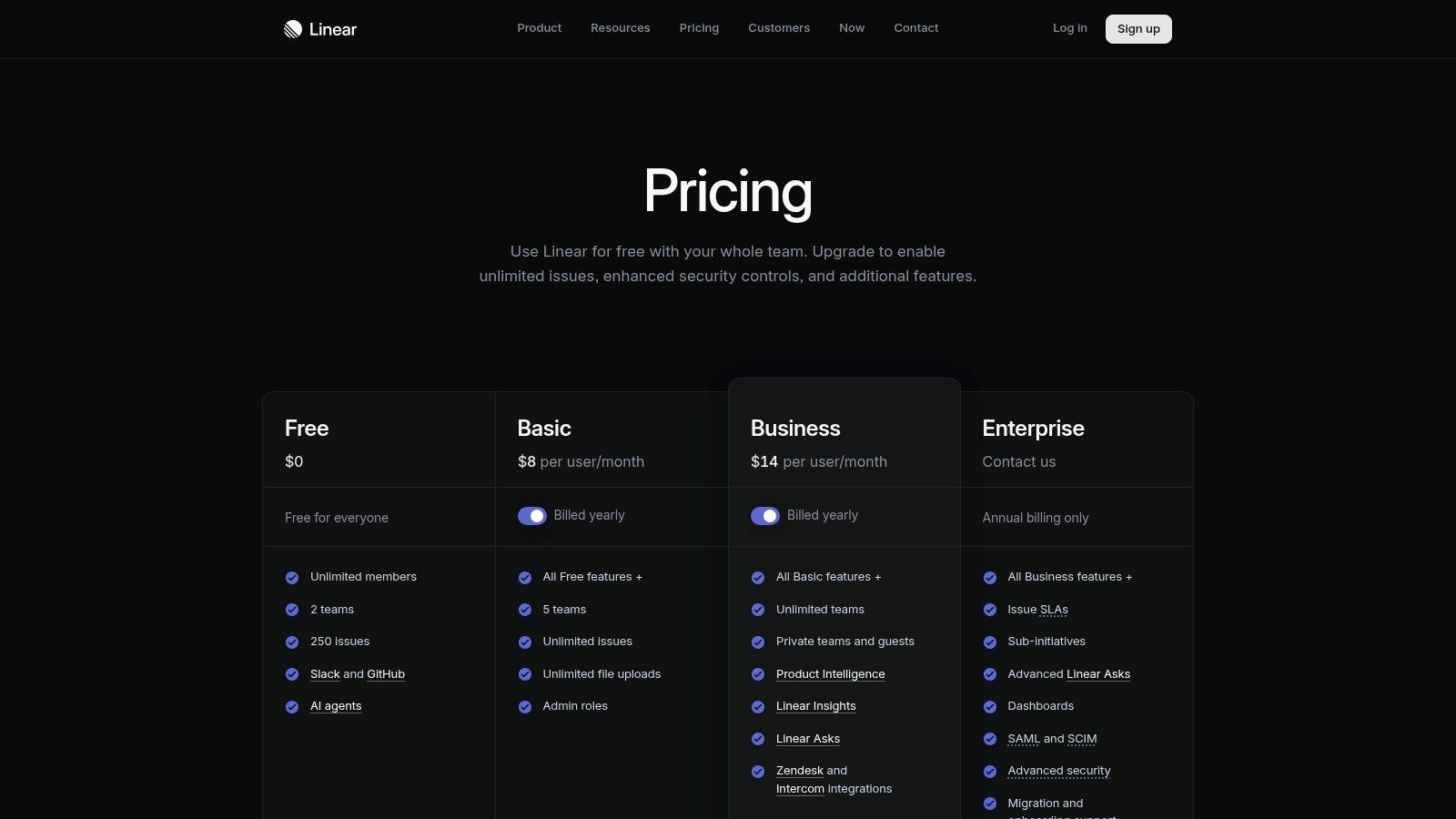
What makes Linear different is its focus on improving existing processes rather than replacing them. For example, its AI can help automatically sort bug reports submitted via Slack or summarize the progress of a development cycle without anyone having to do it manually. It’s designed to cut down on administrative work, so engineers and managers can focus on building and shipping products.
Key Features & Use Case
- Linear Asks: An AI-powered intake form you can put anywhere. Practical Example: A user can submit a vague bug report like "the login page is broken," and the AI will ask follow-up questions to create a perfectly detailed, actionable issue for the team.
- Linear Insights: Provides AI-driven analysis of project health and team speed. It can automatically flag projects that are falling behind or point out bottlenecks in your development process.
- Automated Triage: Connects with Slack, Zendesk, and Intercom to intelligently sort and prioritize incoming issues, assigning them to the right team or project automatically.
Pricing & Implementation
Linear offers a free plan for small teams. Paid plans start at $10 per user per month (Standard) and go up to $19 per user per month (Plus) for advanced features like Linear Insights. Getting started is simple for teams familiar with agile or scrum, as Linear is built around concepts like cycles and sprints.
Expert Opinion: "Linear’s AI doesn’t try to do everything. It excels because it focuses entirely on the software development lifecycle," says a senior product manager at a fast-growing startup. "The AI-powered triage is a game-changer for teams drowning in support tickets and bug reports from various channels."
Pros:
- Extremely fast and streamlined user experience
- AI features are purpose-built for software development workflows
- Easy adoption for teams already using agile methodologies
Cons:
- Less configurable compared to heavyweight project management suites
- Advanced AI and analytics are gated on the higher-priced tier
Website: https://linear.app/pricing
10. Motion
Motion takes a unique approach by using AI to automatically plan your day. Instead of just giving you a to-do list, Motion's algorithm schedules your tasks right into your calendar, finding the best time to work on them based on priority and deadlines. This makes it one of the best AI project management tools for individuals and small teams who feel overwhelmed by scheduling. It's like having a personal assistant who makes sure your most important work gets done.
What makes Motion a standout is its dynamic rescheduling. If a surprise meeting comes up, the AI instantly reorganizes your entire task list to fit it in, all without you having to do anything. This focus on automated time-blocking is perfect for professionals who need to protect their focus time while juggling a constantly changing workload.
Key Features & Use Case
- AI Task Planner: Automatically schedules tasks from your project lists into your calendar as blocked-off time. Practical Example: If you add a task "Draft Q4 Report" and estimate it will take 3 hours, Motion finds an open slot in your calendar for it.
- Intelligent Calendar: Combines your tasks and meetings into one view, so you don't get double-booked and your schedule is optimized for deep work.
- Automated Prioritization: Helps you decide what's most important, and the AI builds your daily plan around those priorities, so you're always working on the right thing.
Pricing & Implementation
Motion offers plans for individuals and teams, starting at $19 per user per month (billed annually). Getting started is incredibly fast: just connect your calendar and start adding tasks. The key to success is to trust the AI to build your schedule. A good tip is to enter all your tasks for a week, set their priorities, and let Motion handle the planning.
Expert Opinion: "Motion excels at solving the 'when' of project management, not just the 'what,'" explains productivity expert James Clear. "For professionals whose biggest challenge is finding time to execute tasks, its auto-scheduling is a game-changer that traditional PM tools don't address."
Pros:
- Excellent for time-boxed planning and maintaining focus
- Automates the tedious process of daily scheduling
- Fast setup ideal for solo users and small teams
Cons:
- Less suited for complex, multi-layered portfolio management
- Reliance on auto-scheduling may not fit every work style
Website: https://www.usemotion.com/pricing
11. Forecast
Forecast is a powerful platform made specifically for service-based businesses like agencies. It combines resource, project, and financial management into one place. Its AI capabilities make it a unique choice among the best AI project management tools by focusing on what matters most for billable teams: profitability, resource planning, and project delivery. The AI works in the background to predict project budget issues, suggest the best person for a task based on their skills and availability, and give you insights into how all your projects are doing.
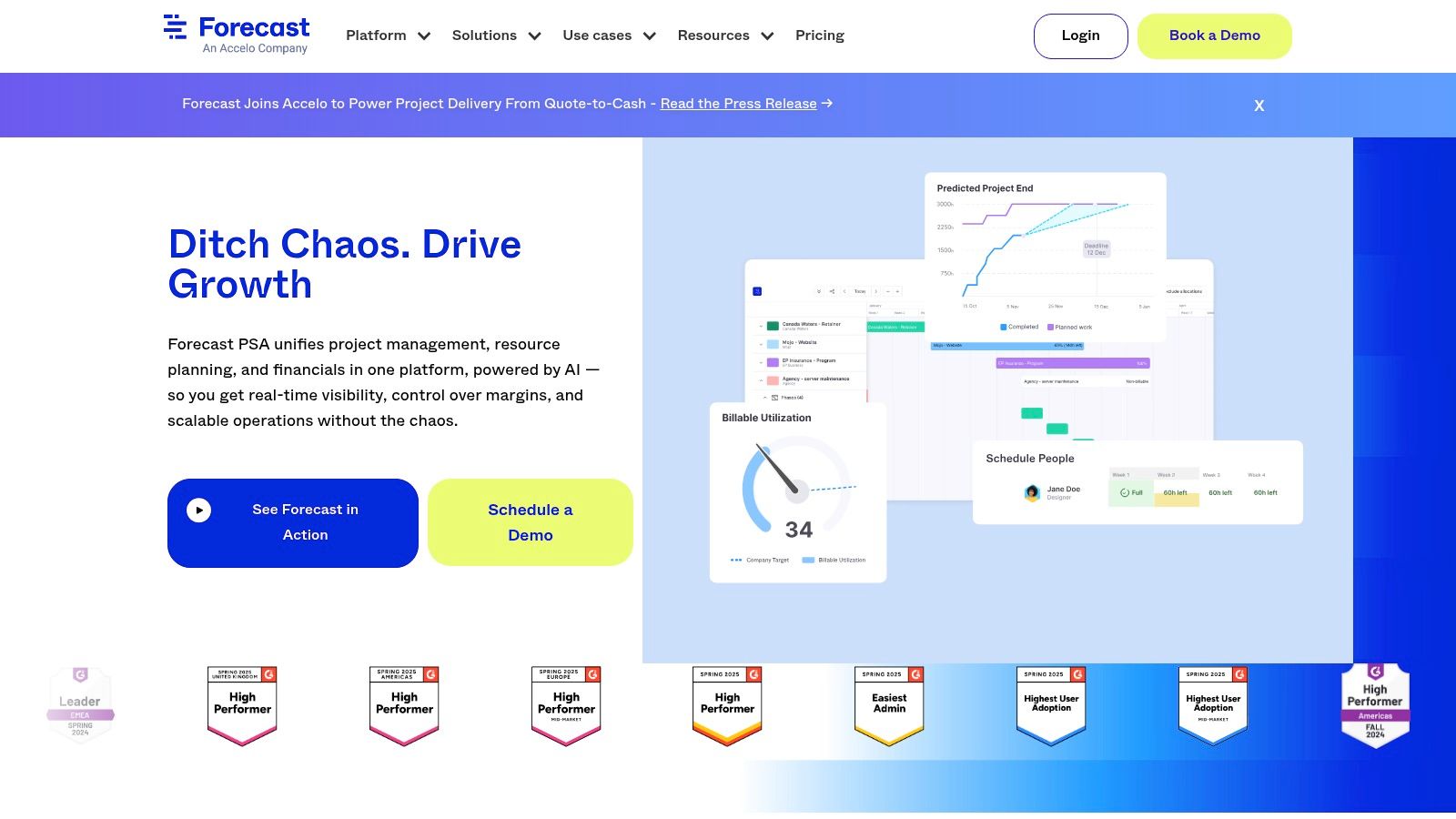
What makes Forecast special is its financial-first approach. Instead of just managing tasks, its AI helps you manage the entire project from a profitability standpoint. It answers critical questions like, "Are we on budget?" and "Who is our most profitable client?" by connecting every task and timesheet directly to your bottom line.
Key Features & Use Case
- AI-Powered Resource Matching: Automatically suggests the best team member for a new task based on their skills, availability, and role. This saves managers hours of manual planning.
- AI Risk Prediction (Nova Insights): The AI engine analyzes project data to warn you about potential budget overruns and timeline delays before they become serious problems.
- Unified Financials: Connects time tracking, budgeting, and invoicing to give you real-time profitability dashboards for every project and client.
Pricing & Implementation
Forecast’s pricing is mostly available through custom quotes based on your team's size and needs, with plans generally starting from $34 per seat per month. Setting it up is more involved than lighter tools, as it requires you to input your financial data, roles, and project details. A good first step is to import one or two key projects to see how the AI gives you immediate financial and resource insights.
Expert Opinion: A managing partner at a digital agency states, "Forecast's AI is less about generative text and more about predictive analytics for business operations. Its ability to connect team member allocation directly to profit margins is a game-changer for any agency or consultancy focused on maximizing billable efficiency."
Pros:
- Excellent for billable teams, agencies, and PMOs
- Unified view of people, projects, and profitability
- Predictive AI helps avoid budget and timeline issues
Cons:
- Pricing is quote-based and less accessible for small teams
- Heavier implementation process compared to simpler tools
Website: https://www.forecast.app/
12. Height
Height calls itself an autonomous project management platform, using AI to automate boring updates and streamline team coordination. It stands out among the best AI project management tools because its AI works in the background, making it feel less like a feature and more like a core part of the system. Its AI can automatically update project statuses, spot dependencies between tasks, and even run your daily stand-up meetings by gathering updates for you.

What makes Height so appealing is its balance between powerful automation and user-friendliness. While some competitors lock their best AI features behind expensive plans, Height includes many of its core AI capabilities in its lower-tier plans. This makes it a great choice for startups and teams that want to adopt AI without a huge upfront cost.
Key Features & Use Case
- Autonomous Project Updates: Height AI watches task activity to automatically update project statuses, saving managers from having to chase people for updates. Practical Example: If all the subtasks in a "Design" phase are completed, the AI can move the main task to "In Review" on its own.
- AI-Assisted Triage: Automatically categorizes new bug reports or feature requests, assigns them to the right team, and adds the right labels, speeding up the intake process significantly.
- Smart Task Refinement: Generates clear subtasks and requirements from a brief task description, making sure everyone knows what needs to be done from the start.
Pricing & Implementation
Height offers a generous free tier for up to 10 members. Paid plans with more advanced features start at $6.99 per member per month. Getting started is pretty simple thanks to its clean interface. A good way to begin is by connecting it to your team chat (like Slack) and letting the AI help with daily stand-ups to see its immediate impact.
Expert Opinion: "Height’s 'set it and forget it' approach to AI is its greatest strength," says a founder of a growing tech startup. "Instead of requiring constant prompting, its automations work silently to keep projects on track, which is a huge productivity gain for teams that just want technology to get out of the way."
Pros:
- Many core AI features are available on every plan
- Generous free tier makes it highly accessible
- Focuses on practical, background automation
Cons:
- Newer platform, so its integration ecosystem is smaller
- May lack some of the advanced enterprise controls of legacy tools
Website: https://height.app/pricing
Top 12 AI Project Management Tools Comparison
| Product | Core Features & AI Capabilities | User Experience & Quality ★★★☆☆-★★★★★ | Value & Pricing 💰 | Target Audience 👥 | Unique Selling Points ✨ |
|---|---|---|---|---|---|
| ClickUp | AI project summaries, prioritization, automation agents | ★★★★☆ | Moderate, some AI features need add-ons | Teams needing all-in-one workspace | Deep native AI in project workflows 🏆 |
| Asana | Smart task summaries, portfolio & goal tracking | ★★★★☆ | Paid plans for AI; credit limits | Cross-team collaboration | Mature ecosystem with extensive templates ✨ |
| monday.com | AI assistants, automations, multiple views | ★★★★☆ | Add-ons increase cost | Businesses scaling workflows | Visual boards + multi-product suite |
| Atlassian Jira | Natural language search, AI task generation | ★★★★☆ | Varies by plan, gov. clouds excluded | Software dev teams | Best for software dev; strong ecosystem 🏆 |
| Wrike | AI risk prediction, resource planning, dashboards | ★★★★☆ | Higher-tier plans for full AI | Large teams, PMOs | Enterprise governance & reporting |
| Smartsheet | AI formulas, portfolio mgmt, strong integrations | ★★★☆☆ | Enterprise plans for AI | Spreadsheet users & enterprises | Spreadsheet-style PPM with AI features |
| Notion | AI writing, summarization, meeting notes | ★★★★☆ | Business+ plans for AI | Knowledge workers & docs-centric | Flexible, all-in-one workspace |
| Airtable | AI fields, automations, credits-based model | ★★★☆☆ | Paid add-ons, credit monitoring | Data-driven teams | Strong custom workflows & integrations |
| Linear | AI-assisted workflows, triage, analytics | ★★★★★ | Higher tiers unlock advanced AI | Software teams | Extremely fast UX, streamlined workflows |
| Motion | AI task & calendar planner, prioritization | ★★★☆☆ | Seat bundles affect price | Individuals, SMBs | Auto time-blocking & prioritization |
| Forecast | AI resource matching, risk insights, financials | ★★★★☆ | Custom quotes, less freemium | Billable teams, PMOs | Unified project & financial visibility |
| Height | Autonomous updates, AI stand-ups, multi-view boards | ★★★☆☆ | Generous free tier & lower tiers | Cross-functional teams | AI features on all plans + free tier availability |
Your Next Move: Choosing the Right AI Co-Pilot for Your Team
So, we've explored the exciting new world of AI-powered project management and looked at a dozen awesome platforms. From all-in-one tools like ClickUp and monday.com to specialized helpers like Motion and Linear, one thing is clear: AI is no longer a futuristic idea but a real, practical co-pilot for successful teams. The days of manual task tracking are over; the era of smart, automated workflows is here.
The biggest takeaway isn't that one tool is the absolute best. Instead, finding the best AI project management tools is a personal journey that depends on your team's specific needs, style, and biggest frustrations. The "best" tool for you is the one that fits into your daily routine and actually solves the problems that are slowing you down.
From Frustration to Function: A Practical Selection Framework
Before you make a choice, take a moment to think about your team's main pain points. This is the most important step in making a smart decision. Think about these common situations:
- If your team is buried in administrative work: Look at tools like Asana or ClickUp. Their AI assistants are great at automating status updates, creating summaries, and pulling action items from meeting notes, which can free up hours every week for more important work.
- If figuring out who does what and when is a constant headache: Platforms like Wrike and Forecast are built for this. Their predictive AI can help you spot potential problems and assign team members more effectively, preventing burnout and keeping projects on budget.
- If your development team needs to speed up their sprints: Jira Software and Linear offer AI features designed specifically for agile workflows. Think automated bug sorting, smart sprint planning, and helpful suggestions that can accelerate your development cycles.
- If your biggest problem is scattered information and disconnected systems: Consider tools like Notion or Airtable. Their AI can connect your project documents, wikis, and task lists, creating a single, intelligent hub of information for your entire organization.
Your Actionable Next Steps
It's natural to feel a bit overwhelmed by all the options. The key is to move from thinking to doing. Don't try to test all twelve tools at once. Based on your team's needs, pick two or three top contenders that seem like the best fit.
Most of these platforms offer free trials or generous free plans. Use them! Create a small, simple pilot project and invite a few team members to try the tool out with you. This hands-on experience is incredibly valuable. Pay attention not just to the flashy AI features, but to the overall feel of the tool. Is it easy to use? Does it make things simpler or more complicated? The goal of AI is to make your work easier, not to add another complex system to your plate.
Ultimately, adopting an AI project management tool is about more than just efficiency; it's about giving your team the focus to do what they do best. It's about empowering them to spend less time on tedious tasks and more time on creative problem-solving and innovation. The right AI co-pilot doesn't just manage tasks—it unlocks potential.
Ready to stay ahead of the curve? The world of AI tools is expanding every day. For the latest reviews, in-depth guides, and expert insights on how artificial intelligence is transforming the workplace, explore YourAI2Day. We provide the resources you need to find and implement the perfect AI solutions for your business. Visit us at YourAI2Day to continue your journey.