The 12 Best AI Productivity Apps to Supercharge Your Workflow in 2025
Feeling like your to-do list is a hydra? Tackle one task, and two more pop up in its place. Hey, we've all been there! The great news is that we're living in a golden age of artificial intelligence, and it's not just for sci-fi movies anymore. The best AI productivity apps are here to act as your personal assistant, creative sidekick, and data wizard, all rolled into one powerful package.
Think of these tools as a way to automate the boring stuff, like summarizing long meetings, drafting those emails you've been putting off, and organizing complex projects. This frees you up to focus on the big-picture work that really moves the needle. But with a new AI tool launching what feels like every five minutes, how do you find the ones that are actually worth your time and money? We've done the heavy lifting for you, cutting through the noise to bring you a friendly, straightforward guide.
This list dives into 12 top-tier options, from huge app stores like Apple's to specialized heroes like Superhuman and Otter.ai. For each one, you'll find a simple summary, practical examples of how to use it, expert insights, and clear screenshots to help you pick the perfect AI co-pilot for your needs. Forget endless searching; your guide to getting more done starts now. Let’s explore the platforms and apps that will help you work smarter, not harder.
1. Apple App Store
For anyone in the Apple ecosystem, the App Store isn't just a marketplace; it's a super helpful starting point for discovering the best AI productivity apps. Instead of you having to wade through endless search results online, Apple’s team does the hard work, creating collections like “AI Helpers” and “Best Productivity Apps” that highlight top-notch, vetted tools. As tech writer Jane Smith puts it, "Apple's curation is its superpower. It provides a trusted filter in a very noisy market, which is incredibly valuable for beginners."
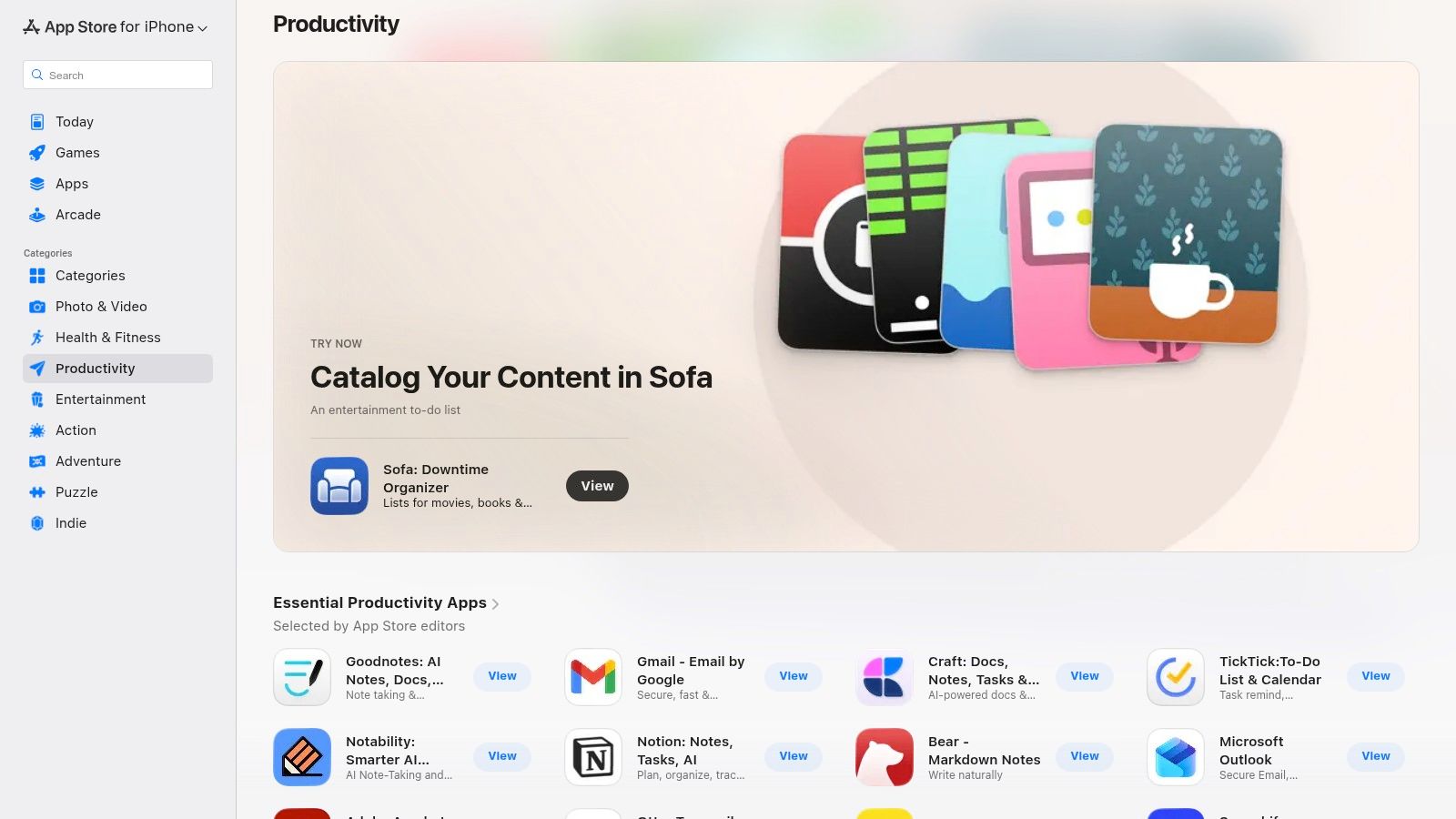
The user experience is incredibly smooth. Finding, buying, and managing subscriptions is all handled through your Apple ID, which keeps billing simple and makes it easy to see what you're spending. Plus, you get the peace of mind that comes with Apple’s strict privacy and security review process, so you can feel confident that the apps you download meet high standards for protecting your data.
Key Details & User Experience
| Feature | Details |
|---|---|
| Primary Use Case | Discovering and managing high-quality, vetted AI productivity apps for your iPhone, iPad, or Mac. |
| Best For | Apple users looking for a trusted, secure, and easy way to find and subscribe to new tools. |
| Pricing Model | Varies by app: Free, one-time purchase, or in-app subscriptions managed via Apple billing. |
| Platform | iOS, iPadOS, macOS |
Practical Example: Instead of just searching "AI," try browsing the "Apps" tab on the App Store and look for editorial collections. You might find a featured roundup of "AI-Powered Note-Takers" that introduces you to an amazing app you would have never found on your own. It’s like getting a personal recommendation from an expert.
Link: Apple App Store Productivity Section
2. Google Play Store
For the millions of Android users out there, the Google Play Store is the main gateway to a huge world of the best AI productivity apps. Because it's so open, you'll find everything from AI-powered note-takers and schedulers to advanced transcription tools, often before they even land on other platforms. The store’s biggest strength is its sheer size and the power of user reviews, which help you see what's popular through Top Charts and detailed feedback.

The whole experience is built around making it easy to find and try new things. Managing your apps, updates, and subscriptions is all done through your Google Account, and you can pay with Google Pay, credit cards, or gift cards. While the quality can be a bit more mixed than on curated platforms, the review and rating system is a lifesaver. Productivity consultant Mark Chen advises, "On Google Play, user reviews are your best friend. Look for apps with a high number of recent, positive reviews to find the hidden gems." Plus, Google's simple refund process means you can try new apps with very little risk.
Key Details & User Experience
| Feature | Details |
|---|---|
| Primary Use Case | Finding, installing, and managing a massive variety of AI productivity apps on the Android platform. |
| Best For | Android users who want the biggest selection of tools and rely on other users' opinions to make choices. |
| Pricing Model | Varies by app: Free with ads, one-time purchase, or in-app subscriptions managed via Google Play billing. |
| Platform | Android, ChromeOS, Wear OS |
Practical Example: When you find an app that looks interesting, scroll down to the "What's New" section. If you see that the developers are frequently pushing updates with new AI features or bug fixes, that's a fantastic sign that the app is actively supported and getting better all the time.
Link: Google Play Store Productivity Section
3. Chrome Web Store
The Chrome Web Store can turn your browser into a productivity beast, making it one of the easiest places to find the best AI productivity apps. Instead of downloading separate programs, you can install powerful browser extensions that plug right into your daily workflow. Google even curates official collections of AI extensions, pointing you to tools for specific jobs like improving your writing, summarizing long articles, or automating repetitive tasks.

Its biggest perk is convenience. With just one click, you can add AI features to the web apps you already use every day, like Gmail, Notion, or Trello, without ever having to switch tabs. This means you can get AI help right where you need it, instead of copying and pasting text into another tool. While you should always be mindful of extension permissions, the huge number of high-quality free options makes this the perfect playground for experimenting with AI.
Key Details & User Experience
| Feature | Details |
|---|---|
| Primary Use Case | Finding and installing AI-powered browser extensions to make your web-based tools even better. |
| Best For | Anyone who spends most of their day in a browser and wants to add a little AI magic to their favorite websites. |
| Pricing Model | Varies by extension: Many are free or have a free version, with paid upgrades for more powerful features. |
| Platform | Any Chromium-based browser (Google Chrome, Microsoft Edge, Brave, etc.) |
Practical Example: Let's say you're a student researching a topic. You can install an AI summarizer extension. Then, instead of reading a 20-page article, you can click a button to get the key points in seconds, saving you a massive amount of time.
Link: Chrome Web Store AI Productivity Collection
4. Google Workspace Marketplace
For teams already living in the Google ecosystem (think Docs, Sheets, and Gmail), the Workspace Marketplace is the most direct way to level up with the best AI productivity apps. Instead of adding another separate tool to your list, this marketplace lets you find add-ons that work directly inside the apps you already use every day. Its real strength is how it supercharges familiar tools, which means less time learning new software and more time getting things done.
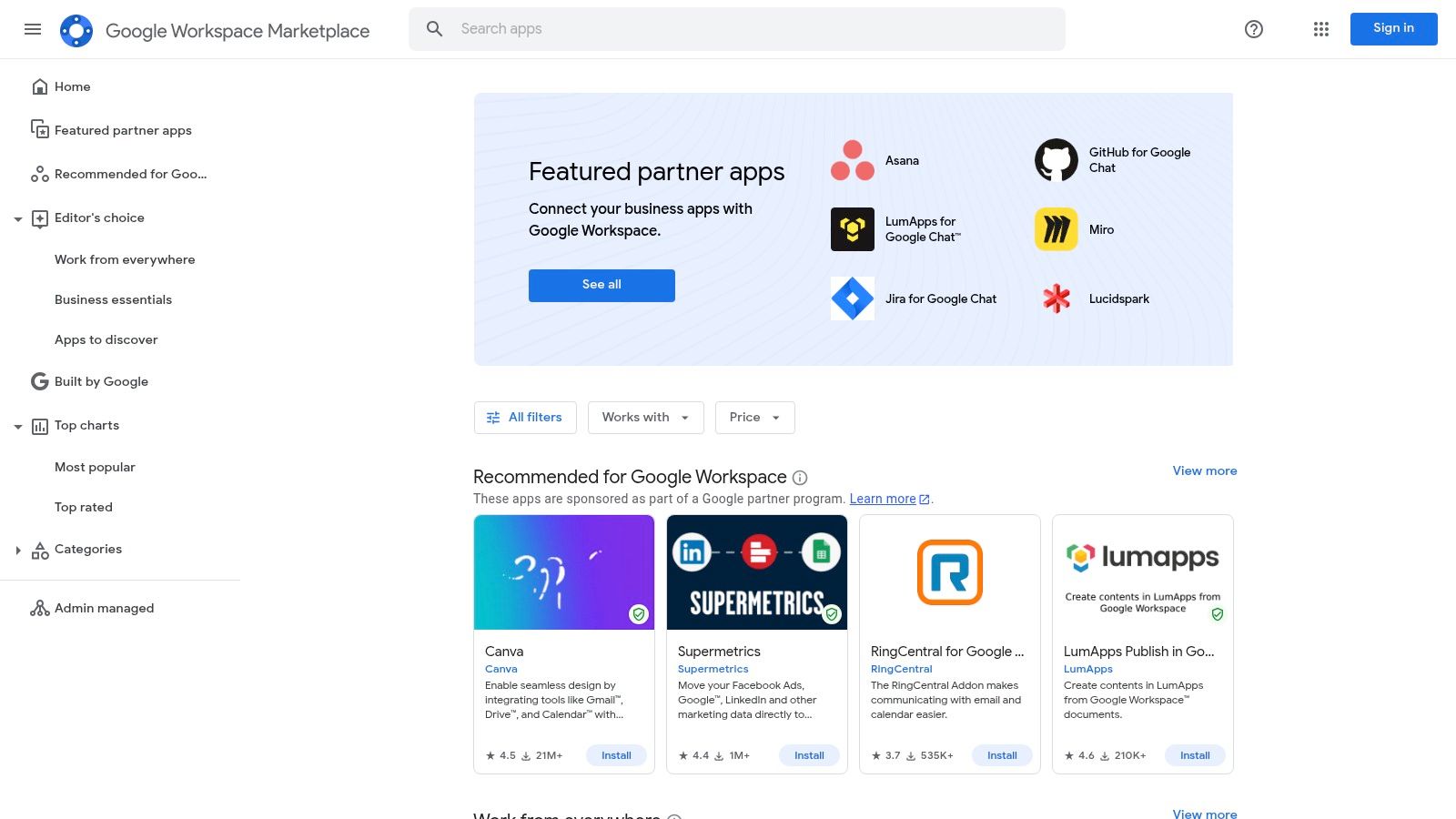
The experience is all about seamless integration. You can install an AI writing assistant as a sidebar in Google Docs, add a formula generator to Sheets that does the hard math for you, or automate email summaries in Gmail without ever leaving your window. For businesses, managers can deploy approved apps to the whole company, making sure everyone has the same great tools and everything stays secure.
Key details & User Experience
| Feature | Details |
|---|---|
| Primary Use Case | Finding and using AI add-ons that plug directly into Google Docs, Sheets, Slides, Gmail, and Drive. |
| Best For | Businesses and individuals who use Google Workspace and want to add AI features without the hassle of switching apps. |
| Pricing Model | Varies by add-on: Free, freemium, or paid subscriptions. Some may require a separate account with the developer. |
| Platform | Web (within Google Workspace apps) |
Practical Example: Imagine you're in Google Sheets trying to figure out a complicated formula. Instead of searching online, you can use an AI add-on. Just type what you want to do in plain English, like "Find the average of all the sales from last month," and the AI will write the correct formula for you.
Link: Google Workspace Marketplace
5. Microsoft AppSource
For businesses that run on Microsoft 365, AppSource is the go-to marketplace for finding the best AI productivity apps that fit right into your workflow. It's more than just an app store; it's a business-focused hub where you can find AI-powered add-ins for tools you use daily like Outlook, Teams, Word, and Excel. Its biggest advantage is the tight integration and IT-friendly setup, making sure any new tool you add meets your company's security rules from the get-go.
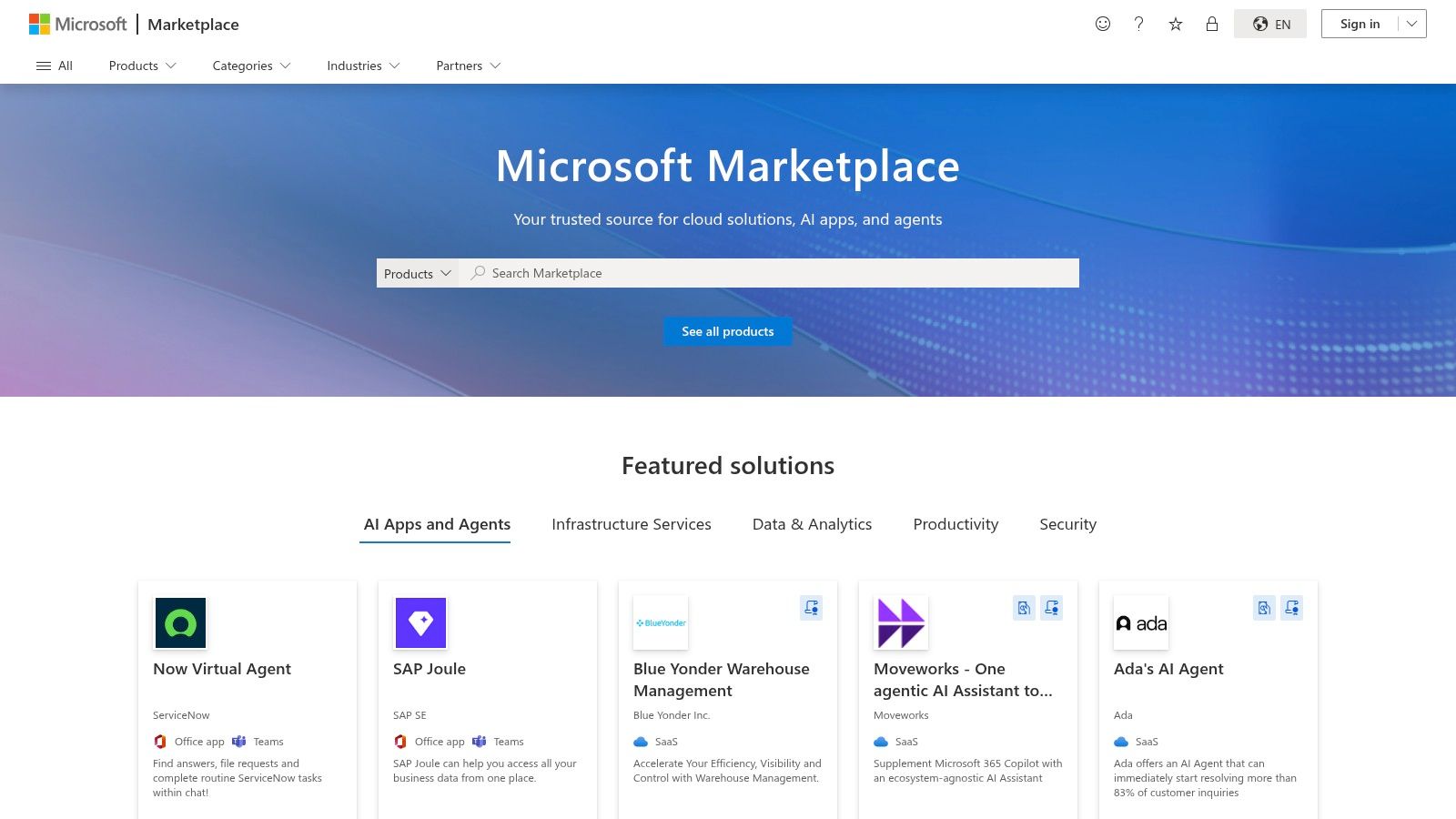
The experience is designed for teams. An IT admin can easily deploy a useful add-in to the entire company. Each app listing clearly explains what data it needs access to, which is super important for keeping everything secure. According to enterprise software analyst David Lee, "AppSource provides the guardrails that businesses need. It ensures that the AI tools employees use are not just productive, but also secure and compliant." This helps teams adopt new AI tools without any friction.
Key Details & User Experience
| Feature | Details |
|---|---|
| Primary Use Case | Discovering and deploying vetted AI add-ins that work directly inside Microsoft 365 apps like Teams, Outlook, and Excel. |
| Best For | Businesses and IT managers who want to enhance their Microsoft 365 suite with secure, compliant AI tools. |
| Pricing Model | Varies by app: Many are free with premium options, while others require separate licenses and subscriptions. |
| Platform | Microsoft 365 (Windows, macOS, Web) |
Practical Example: You can add an AI assistant to Outlook that helps you write better emails. As you type a reply, it can suggest more professional phrasing, check your tone, or even draft a complete response based on the original message, saving you tons of time every day.
Link: Microsoft AppSource
6. Product Hunt
If you love being the first to try the latest and greatest tech, Product Hunt is your playground. It’s the best place to find the best AI productivity apps before they become famous. It’s a community-driven site where new tech products, especially AI tools, are showcased every single day. Instead of waiting for a "best of" list, you get a front-row seat to innovation. The real magic is the community; you can see what people are voting for, read honest comments, and even ask the creators questions directly.
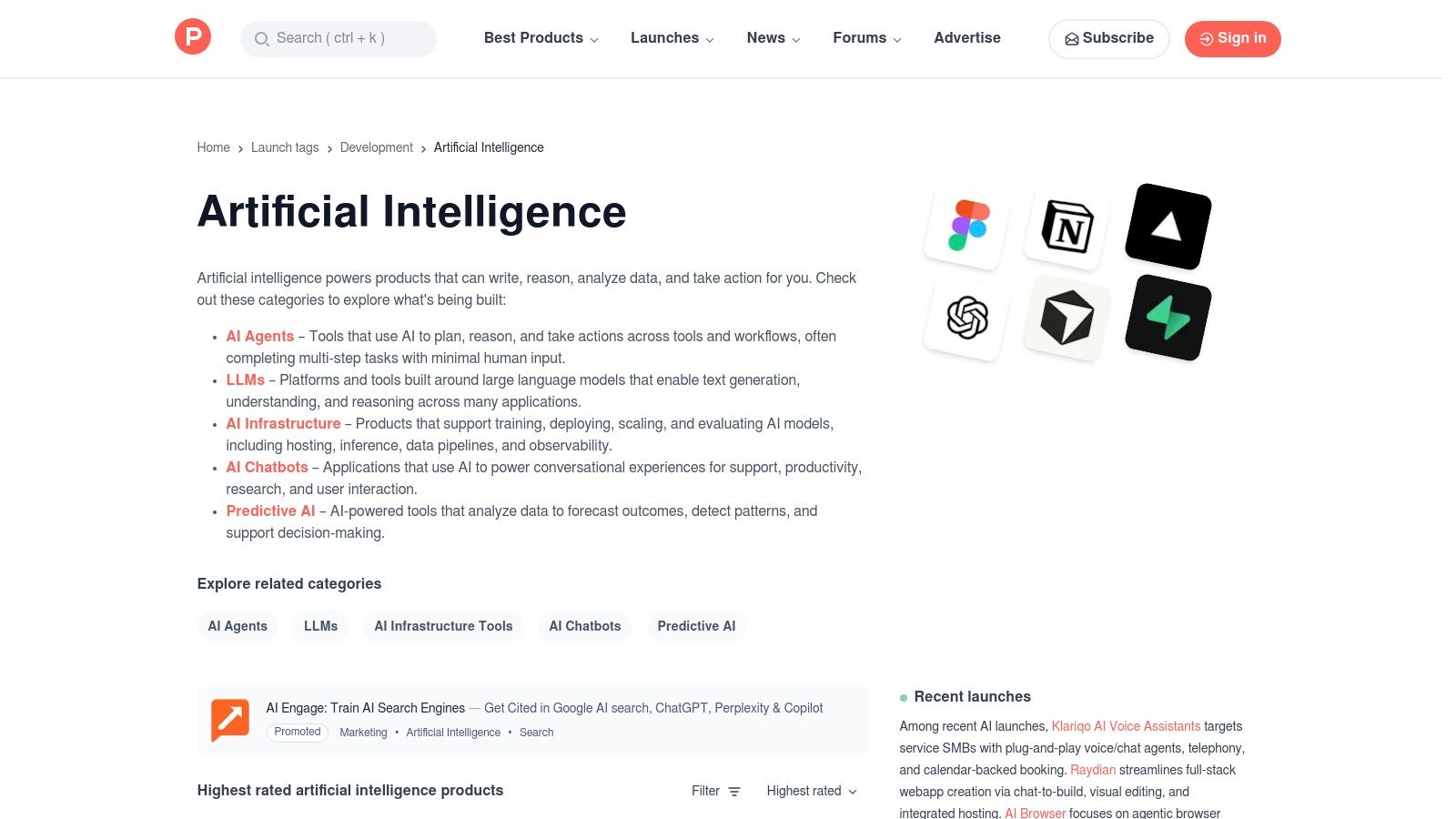
The experience feels like flipping through a daily tech newspaper where you can chat with the people who made the headlines. You can filter for "Artificial Intelligence" to see what's trending, read the discussions to see if people actually like the tool, and click right over to the official website to try it out. While some launches are still in early stages, the open feedback from the community is an amazing way to spot genuinely useful and cool new tools.
Key Details & User Experience
| Feature | Details |
|---|---|
| Primary Use Case | Discovering and checking out newly launched AI productivity tools through community votes and direct feedback. |
| Best For | Tech lovers and early adopters who are excited to find cutting-edge AI apps before everyone else. |
| Pricing Model | Varies by product. Product Hunt is free to browse; pricing is set by the individual companies on their own sites. |
| Platform | Web |
Practical Example: You might be scrolling through Product Hunt and find a brand-new AI app that turns your messy, handwritten notes into a clean, organized digital document just by taking a photo. You can read what other early users think and ask the founder, "Does it work with sticky notes?" right there in the comments.
Link: Product Hunt – Artificial Intelligence Topic
7. G2
When you're ready to get serious and want to hear from real users, G2 is the place to go. Instead of just one person's opinion, G2 collects thousands of verified user reviews for the best AI productivity apps, giving you an honest look at how these tools actually work in the real world. Its key feature is the "G2 Grid," a chart that shows you which software is a true leader based on user satisfaction and market presence, making it easy to see who's on top.
The platform boils down countless reviews into simple pros and cons, helping you quickly see if a tool lives up to its marketing hype. It’s an invaluable resource for creating a shortlist of options and making a final decision you can feel good about, based on data from people just like you. For an even wider look at what’s available, you can explore the latest AI tools on yourai2day.com.
Key Details & User Experience
| Feature | Details |
|---|---|
| Primary Use Case | Comparing AI productivity software using verified user reviews, rankings, and reports. |
| Best For | Professionals and teams who need to compare different tools based on real-world feedback and data. |
| Pricing Model | Free to browse reviews and category leaders; some detailed reports might ask for a business email. |
| Platform | Web |
Practical Example: Let's say your small business needs a new AI writing tool. On G2, you can filter the "AI Writing Assistant" category to only show products that are highly rated by other small businesses. This helps you ignore the expensive enterprise tools and focus on the ones that are a perfect fit for your team and budget.
Link: G2 AI Writing Assistant Category
8. Setapp
For Mac lovers, Setapp offers a "Netflix for Apps" model that’s a fantastic and budget-friendly way to get the best AI productivity apps. Instead of buying tools one by one, a single monthly subscription unlocks a curated library of over 260 premium Mac and iOS applications. The real draw here is the incredible value: you get access to a bunch of high-quality AI tools—like note-takers, writing assistants, and code helpers—for one flat fee.
The platform makes finding great apps easy with its "AI Toolkit" collection, which handpicks the top AI-powered apps from its catalog. This takes the guesswork out of finding reliable tools and lets you experiment with different apps without having to buy each one. The experience is super smooth, with a single installer that manages all your apps and updates, making it a powerful, all-in-one productivity hub for anyone in the Apple world.
Key Details & User Experience
| Feature | Details |
|---|---|
| Primary Use Case | Accessing a large, curated library of premium Mac/iOS apps, including many AI tools, for one monthly fee. |
| Best For | Mac and iOS users who use multiple premium apps and want a cost-effective way to try out new AI productivity tools. |
| Pricing Model | Subscription-based, starting from $9.99/month. A 7-day free trial is available. |
| Platform | macOS, iOS |
Practical Example: You can use the 7-day free trial to solve a specific problem. For instance, if you need to create a presentation, you could try an AI-powered mind-mapping tool from Setapp to brainstorm ideas and an AI writing assistant to polish your speaker notes, all without paying a dime upfront.
Link: Setapp AI Apps
9. Notion (Notion AI)
Notion has transformed from a fan-favorite all-in-one workspace into a true powerhouse among the best AI productivity apps by building Notion AI right into its core. AI isn't just an add-on here; it's woven directly into your notes, documents, and projects. This native integration is its secret sauce, letting you draft content, summarize long meeting notes, or create a list of action items without ever leaving your page. It keeps your thoughts and tasks all in one place.
Using it feels natural and easy. Just highlight some text or type /ai to get a menu of commands, from improving your writing to translating text or explaining a complicated topic. For teams, Notion AI acts like a collaborative partner, helping to create clear documentation and streamline project management. "The real magic of Notion AI is context," says productivity expert Laura Mae Martin. "It understands your existing documents, making its suggestions and summaries incredibly relevant and useful."
Key Details & User Experience
| Feature | Details |
|---|---|
| Primary Use Case | Drafting, summarizing, and organizing information directly within an all-in-one workspace. |
| Best For | Teams and individuals who want to keep all their work in one place and use AI to improve their documents, notes, and projects. |
| Pricing Model | Notion AI is available as an add-on to all plans (including Free) for $8 per member/month billed annually. |
| Platform | Web, Windows, macOS, iOS, Android |
Practical Example: Use Notion AI's "Summarize" feature on a page where you collect all your meeting notes. In one click, it creates an instant executive summary of all recent discussions. This is perfect for sending out a weekly update to your boss without making them read through pages of text.
Link: Notion AI
10. ClickUp (ClickUp AI)
For teams already juggling complex projects, ClickUp AI brings powerful artificial intelligence right into a familiar workspace, so you don't have to deal with yet another tool. Instead of sending your data off to a separate AI app, ClickUp puts AI help right where you're working: in your tasks, documents, and comments. This seamless integration is its core strength, making it one of the best AI productivity apps for combining project management and AI into a single, tidy platform.
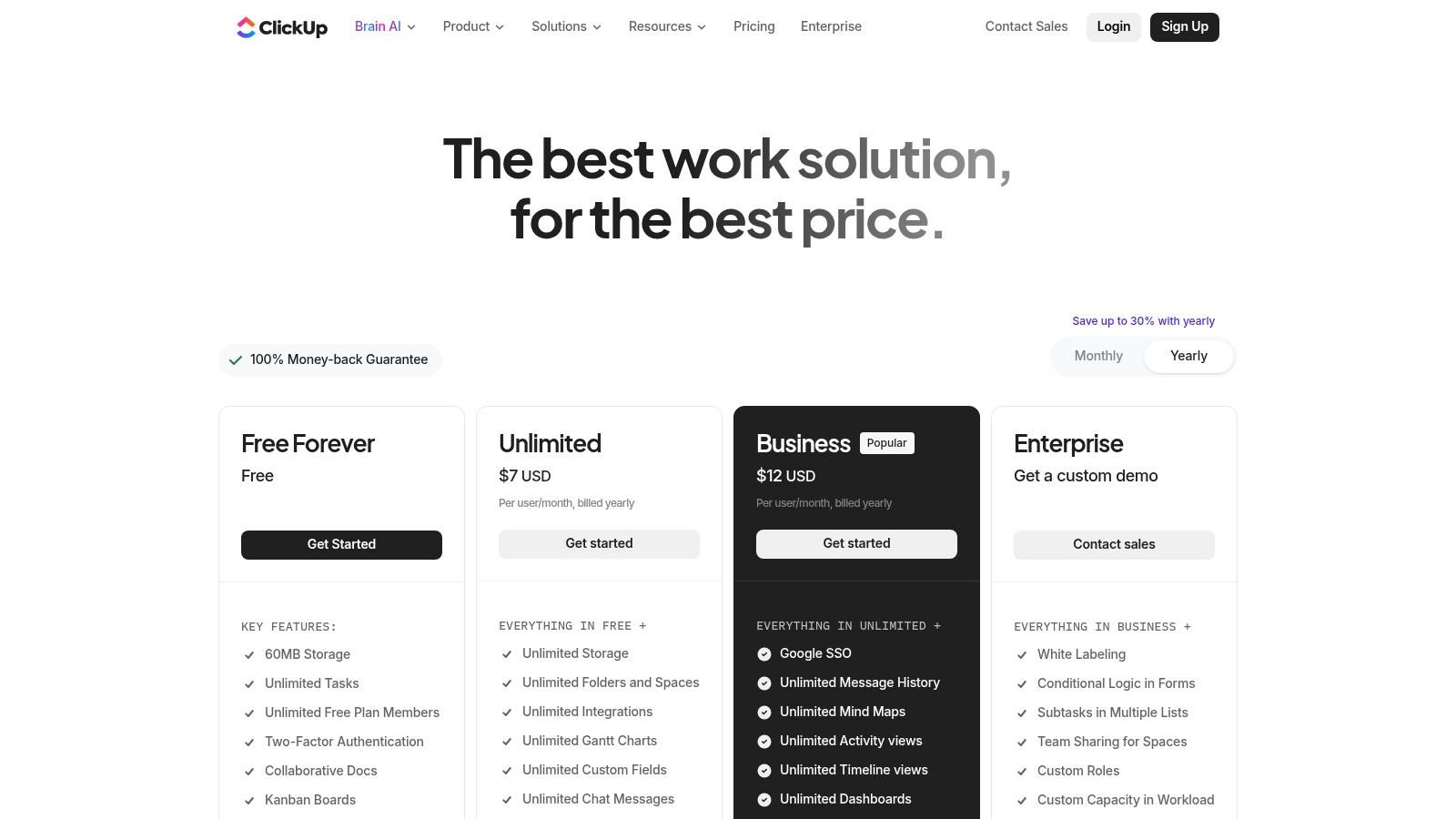
The user experience is built for getting things done faster. You can instantly summarize long comment threads to catch up, generate action items from meeting notes, or draft project updates without ever leaving your task list. While the platform has a ton of features that can take a little time to learn, its ability to grow with you from a simple to-do list to a full-blown management system with powerful AI makes it a fantastic choice for ambitious teams.
Key Details & User Experience
| Feature | Details |
|---|---|
| Primary Use Case | Adding AI to project management for summaries, content creation, and automating tasks. |
| Best For | Teams who want to build AI directly into their project management platform to save time and reduce app-switching. |
| Pricing Model | Paid plans required for full features. ClickUp AI is a paid add-on, priced per member per workspace. |
| Platform | Web, Windows, macOS, iOS, Android |
Practical Example: Use the AI Project Manager to kickstart a new project. Instead of staring at a blank screen, give it a simple prompt like "Create a marketing plan for our new app launch." The AI will build a structured starting point with tasks and timelines that you can then edit and assign to your team. This can save you hours of setup time.
Link: ClickUp AI
11. Superhuman
Superhuman takes a different approach by bundling several tools into a single, unified AI productivity suite. It moves beyond single-purpose apps by combining an advanced writing assistant, a collaborative document editor, a super-fast email client, and a clever cross-app AI assistant called Superhuman Go. This all-in-one approach is its key advantage, as it aims to be the central hub for your daily work, not just another tool in your digital toolbox.
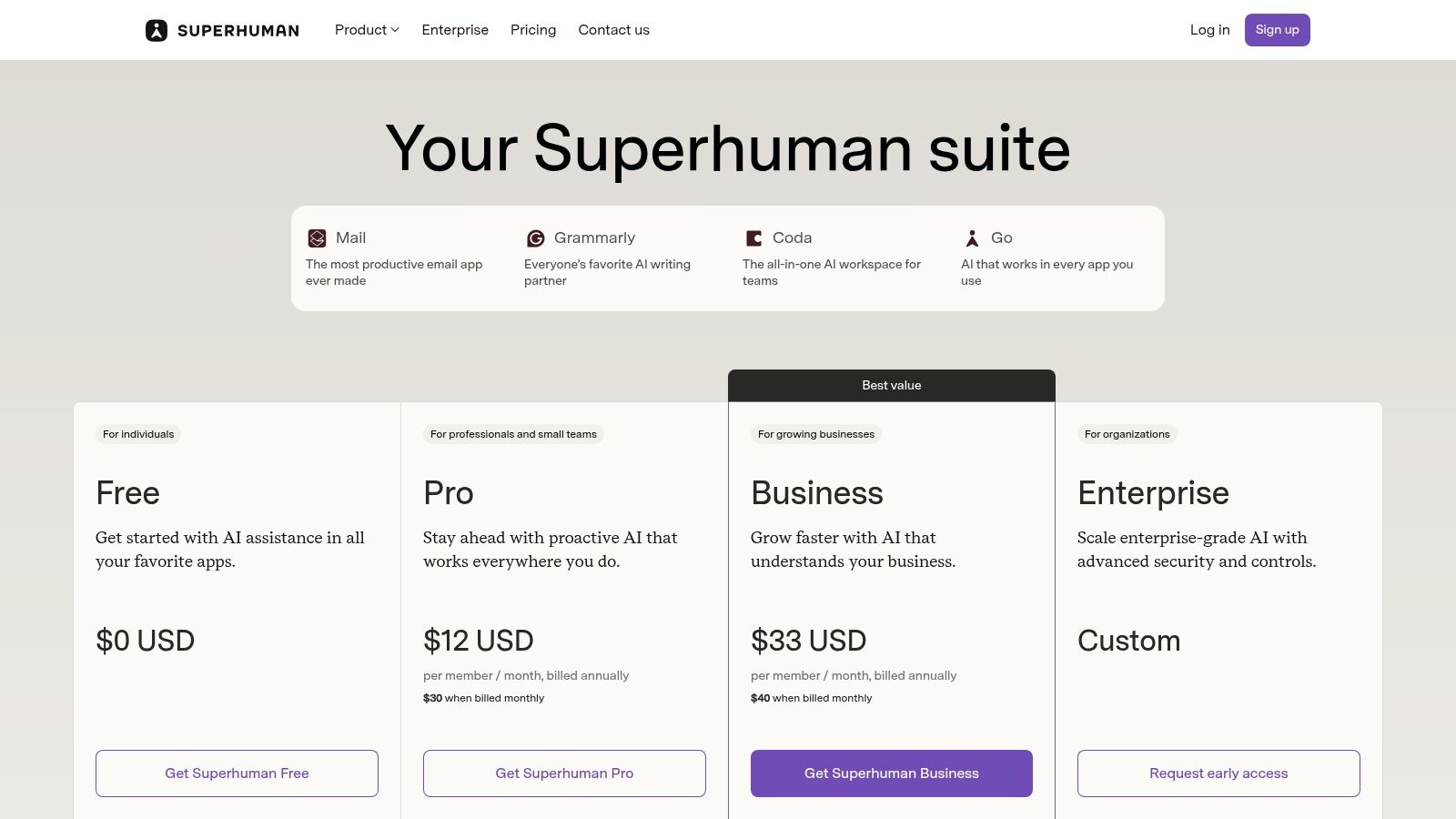
The experience is all about speed and efficiency, and Superhuman Go is the star of the show. You can call up this AI assistant in almost any app or website to draft replies, summarize content, or brainstorm ideas without switching contexts. "The goal is to eliminate friction," says Rahul Vohra, Superhuman's founder. "When your AI assistant can follow you from your email to your browser to your documents, you stay in the flow." This single-subscription model also simplifies your software spending, which is great for anyone looking to declutter their digital life.
Key Details & User Experience
| Feature | Details |
|---|---|
| Primary Use Case | An all-in-one AI suite for writing, email management, document collaboration, and system-wide AI assistance. |
| Best For | Individuals and teams who want to replace multiple separate apps with a single, integrated subscription. |
| Pricing Model | Bundled plans with Free, Pro, and Business tiers to cover writing, docs, email, and the AI assistant. |
| Platform | Web, Desktop (macOS, Windows), Mobile (iOS, Android), Browser Extensions |
Practical Example: Instead of just using Superhuman for email, try calling up Superhuman Go on a news website to summarize a long article or in a Slack chat to help you draft a quick, professional response. This helps you build the habit of using its AI magic everywhere and get the most value out of the unified system.
Link: Superhuman Plans
12. Otter.ai
For anyone who dreads taking notes in meetings, Otter.ai is an absolute game-changer. This tool acts like a personal assistant that joins your calls on Zoom, Google Meet, or Microsoft Teams and types out everything that's said in real time. But its real magic happens after the meeting. Otter’s AI generates a short summary, identifies the key takeaways, and automatically pulls out a list of action items, turning a one-hour call into a document you can scan in two minutes.

This focus on automating the post-meeting mess is what makes it one of the best AI productivity apps you can get. Instead of trying to remember who said what or deciphering your messy scribbles, you get a searchable transcript that's linked to the audio. This means you can quickly find specific moments, share important clips with colleagues, and make sure no important task gets forgotten. The user experience is clean and designed to make your meeting notes genuinely useful.
Key Details & User Experience
| Feature | Details |
|---|---|
| Primary Use Case | Automatically transcribing meetings, creating summaries, and pulling out action items. |
| Best For | Professionals, teams, and students who want to stop taking manual notes and have searchable, actionable records of their meetings. |
| Pricing Model | Free tier available with limited transcription minutes; Paid plans (Pro, Business) offer more minutes and advanced features. |
| Platform | Web, iOS, Android, plus integrations for Zoom, Google Meet, and Microsoft Teams. |
Practical Example: Before a meeting with a new client, you can use the "Custom Vocabulary" feature in Otter's settings. Add the client's name, their company's name, and any specific project terms. This helps train the AI to recognize them correctly, which dramatically improves the accuracy of your transcription right from the start.
Link: Otter.ai Pricing Plans
Top 12 AI Productivity Apps Comparison
| Item | Core features ✨ | UX / Quality ★ | Value & Pricing 💰 | Target audience 👥 | Standout / USP 🏆 |
|---|---|---|---|---|---|
| Apple App Store | ✨ Curated iOS apps & editorial AI collections | ★★★★★ | 💰 Paid & in‑app subs; Apple billing & family sharing | 👥 iPhone/iPad users, consumers, pros | 🏆 Strong curation, privacy & seamless purchases |
| Google Play Store | ✨ Massive Android catalog; rankings & device filters | ★★★★ | 💰 Free/freemium focus; easy trials & refunds | 👥 Android users, broad consumer base | 🏆 Large selection & rapid updates |
| Chrome Web Store | ✨ Browser extensions for AI writing, summarizers, automation | ★★★★ | 💰 Mostly freemium; quick one‑click installs | 👥 Web users, power‑users, admins | 🏆 Augments web apps without switching tools |
| Google Workspace Marketplace | ✨ Add‑ons integrated into Docs/Sheets/Gmail; domain deploy | ★★★★ | 💰 Many free/paid add‑ons; admin billing notes | 👥 Teams & orgs using Google Workspace | 🏆 Deep Workspace integration & domain controls |
| Microsoft AppSource | ✨ M365 add‑ins, Teams bots, enterprise metadata | ★★★★ | 💰 Enterprise purchasing; some paid licenses | 👥 Microsoft 365 orgs, IT admins | 🏆 Enterprise compliance & central deployment |
| Product Hunt | ✨ Community launches, maker Q&As, trending AI tools | ★★★ | 💰 Discovery platform; pricing varies by vendor | 👥 Early adopters, makers, investors | 🏆 Early access to cutting‑edge launches |
| G2 | ✨ Verified reviews, category rankings & grid reports | ★★★★ | 💰 Helps shortlist vendors; some gated reports | 👥 Buyers, procurement, product researchers | 🏆 Peer validation & side‑by‑side comparisons |
| Setapp | ✨ Curated Mac/iOS app subscription with AI Toolkit | ★★★★ | 💰 Single subscription unlocks many premium apps | 👥 Mac/iOS users needing multiple apps | 🏆 Cost‑effective all‑in‑one Mac subscription |
| Notion (Notion AI) | ✨ Notes/docs/databases with native AI drafting & summaries | ★★★★ | 💰 Freemium; AI features on paid tiers | 👥 Teams, knowledge workers, individuals | 🏆 Centralized workspace to reduce app sprawl |
| ClickUp (ClickUp AI) | ✨ Project mgmt + AI assistants, docs, automation | ★★★★ | 💰 Freemium; AI add‑ons billed workspace‑wide | 👥 PMs, teams, enterprises | 🏆 Combines PM tooling with AI at scale |
| Superhuman | ✨ Integrated writing, email client & cross‑app AI assistant | ★★★★ | 💰 Bundled plans (Free→Pro→Business) | 👥 Individuals & teams seeking unified tools | 🏆 Cross‑app AI + bundled productivity suite |
| Otter.ai | ✨ Real‑time transcription, AI summaries & meeting agents | ★★★★ | 💰 Free tier; tiered per‑seat plans for teams | 👥 Meeting‑heavy teams, journalists, researchers | 🏆 Accurate meeting transcripts & action‑item extraction |
Choosing Your AI Co-Pilot: What's Next?
Jumping into the world of AI productivity apps can feel both exciting and a little overwhelming. We've just walked through a friendly list of platforms and specialized tools, from the massive app stores to focused powerhouses like Otter.ai and Notion. If there's one big takeaway, it's this: there is no single "best" AI productivity app for everyone. The real secret is finding the right tool (or combination of tools) that fits your unique way of working.
A couple of key ideas have popped up. First, how well a tool plays with others is super important. An AI app that doesn't connect smoothly with the tools you already use, like Google Workspace or Microsoft 365, can create more headaches than it solves. Second, sometimes a specialized tool is better than a jack-of-all-trades. While all-in-one platforms like Notion and ClickUp are awesome, a dedicated tool that does one thing perfectly, like Otter.ai for meetings, can give you the biggest win right away.
From Discovery to Daily Driver: Your Action Plan
So, what should you do now? The key is to start experimenting. Trying to change your entire digital life over a weekend is a recipe for disaster. Instead, take it one step at a time.
-
Identify Your Biggest Time-Waster: Before you download anything, take five minutes to think. What’s the one task that always drains your energy or takes way too long? Is it writing reports? Taming your inbox? Keeping track of who's doing what after a meeting? Pinpoint that one specific pain point.
-
Pick One Tool to Try: Look back at the list above and choose just one tool that seems like a good solution for your problem. If meetings are your nightmare, give Otter.ai's free plan a shot. If your projects are a mess, explore the AI features in a free version of ClickUp or Notion.
-
Give It a Real Test Drive: Don't just sign up and forget about it. Use the tool every day for a week. Really try to make it part of your routine. Ask yourself some honest questions: Is this actually saving me time? Is it easy to use, or am I wasting time trying to figure it out? What are its flaws, and can I live with them?
-
Decide and Repeat: At the end of the week, make a call. If you love it, great! Consider upgrading if you need to. If it's not a good fit, no worries. Just ditch it and try another one. This process of trying and learning is how you build a set of AI tools that truly works for you.
Final Considerations for Implementation
As you start using the best AI productivity apps, keep a few things in mind. Start with low-stakes tasks to get comfortable with the tech without risking an important deadline. Always remember that AI is an assistant, not a replacement for your own brain—so keep a human in the loop to double-check its work.
Finally, remember that the AI world is changing at lightning speed. The perfect tool for you today might be old news in six months. The goal isn’t to find a forever solution, but to stay curious and keep improving. By starting small and focusing on your real-world problems, you can turn these powerful apps from a list in an article into an essential part of your daily toolkit, freeing you up to focus on the creative and important work that really matters.
The world of AI tools is vast and changes daily. To stay ahead of the curve with the latest reviews, hands-on guides, and expert insights on the best ai productivity apps, make YourAI2Day your go-to resource. We do the research so you can focus on building your future. Explore more at YourAI2Day.