
12 Best AI Tools for Productivity to Use in 2025
Feeling overwhelmed by your to-do list? You're not alone. The daily grind of emails, meetings, and project management can feel endless, leaving little room for the strategic work that truly drives results. But what if you had an intelligent assistant to handle repetitive tasks, brainstorm creative ideas, and summarize dense documents? That’s exactly where the latest generation of AI tools for productivity comes in, acting as a powerful new teammate for professionals, entrepreneurs, and anyone looking to reclaim their time.
This guide moves beyond generic recommendations. We're diving deep into the 12 best platforms and resources that are genuinely transforming workflows in 2025. You'll get more than just a name; we provide a comprehensive look at how these tools solve specific, real-world problems. Whether you need to automate complex processes, refine your writing, or simply manage your projects more efficiently, the right AI solution is here.
Our goal is to help you find the perfect fit for your specific needs. Each entry includes:
- A breakdown of key features and practical use cases.
- Honest insights into potential limitations and implementation tips.
- Direct links and screenshots to give you a clear view before you commit.
We've done the research so you can stop searching and start doing. Let's explore the essential AI tools for productivity that will help you work smarter, not harder, and supercharge your daily routine.
1. OpenAI — ChatGPT
OpenAI’s ChatGPT is often the first touchpoint for anyone exploring AI tools for productivity, and for good reason. It acts as a powerful, general-purpose assistant capable of handling a vast range of tasks, from drafting emails and summarizing long documents to brainstorming marketing campaigns and even writing code. Its conversational interface makes it incredibly accessible, even for absolute beginners. You can simply type a question or command and get a human-like response in seconds.
For many, ChatGPT becomes a daily partner. Instead of staring at a blank page, you can ask it to generate a first draft of a blog post. If you're struggling with a complex spreadsheet, you can upload the file and ask it to analyze the data, create charts, or identify key trends. This versatility is its greatest strength, making it a foundational tool before you even explore more specialized platforms.
Key Features and Use Cases
- Content Creation: Quickly generate outlines, articles, social media posts, and scripts. Practical Example: Stuck on a marketing email? Ask ChatGPT, "Write three subject lines for an email promoting a 20% discount on our new productivity software. Keep them under 50 characters and use an urgent but friendly tone."
- Data Analysis: Upload CSVs or Excel files and ask questions in plain English. For example, "Analyze this sales data and show me the top-performing product by region for Q3."
- Custom GPTs: Available on paid plans, you can build your own specialized chatbots trained on your specific documents or instructions without any coding. Imagine creating a "Company Policy GPT" that answers new employee questions instantly.
- Voice and Image Capabilities: Use the mobile app to have spoken conversations or take a picture of something and ask questions about it, which is great for on-the-go brainstorming.
Pricing and Access
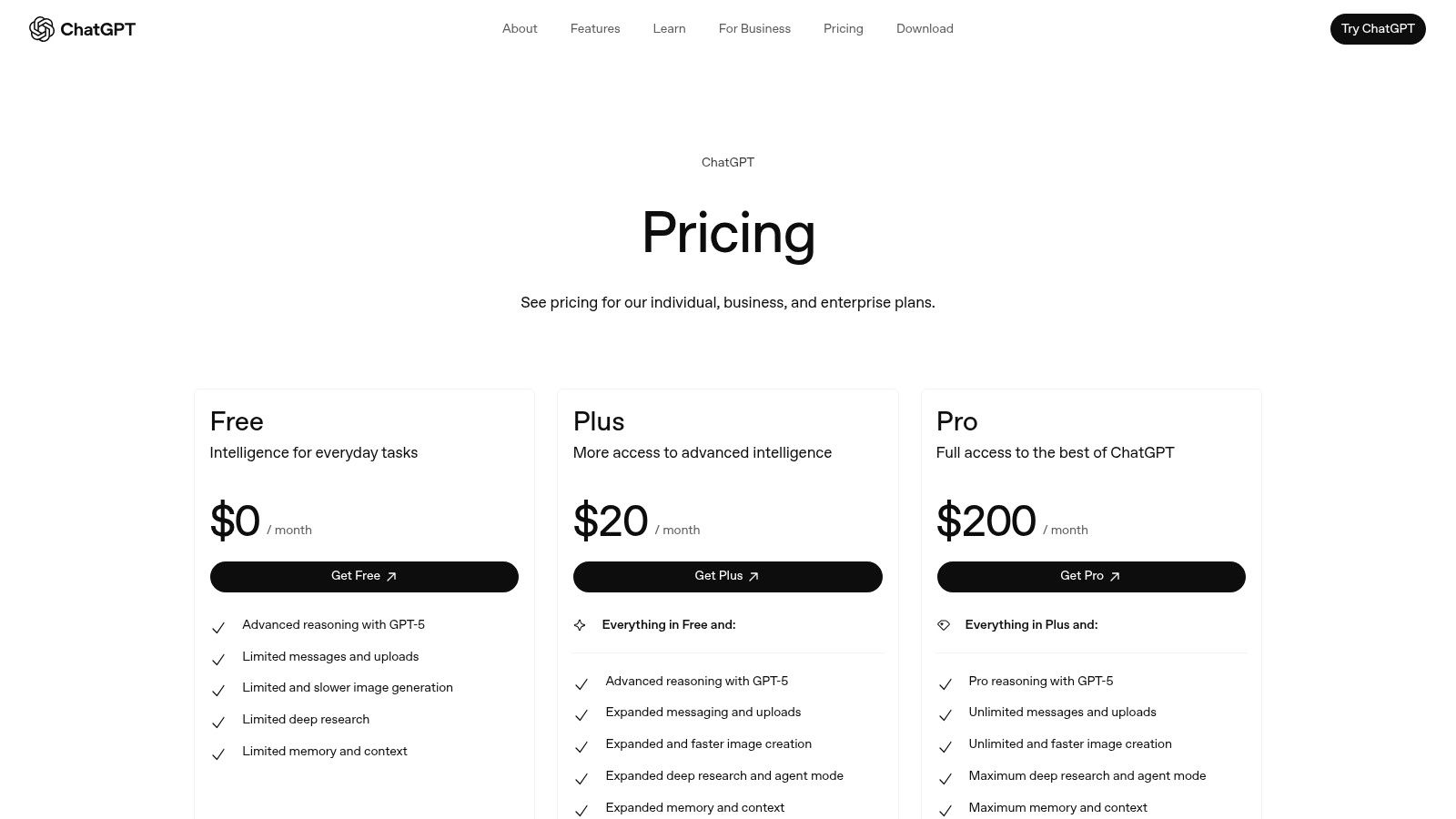
While the free version is quite capable, the real power for productivity lies in the paid tiers. ChatGPT Plus offers access to the latest models (like GPT-4), higher usage limits, and advanced features like data analysis and Custom GPTs. For businesses, Team and Enterprise plans add crucial admin controls, higher security, and collaborative workspaces.
- Pros: Extremely versatile, easy to start using, and offers a robust free version.
- Cons: The most powerful features are behind a paywall, and team/enterprise pricing can add up.
Website: https://openai.com/chatgpt/pricing/
2. Microsoft 365 with Copilot
For businesses already operating within the Microsoft ecosystem, Copilot is less of a new tool and more of a superpower upgrade to the apps your team uses every day. Instead of being a separate destination, Microsoft has embedded its AI directly into Word, Excel, PowerPoint, Outlook, and Teams. This deep integration is its core advantage, allowing you to leverage AI without ever leaving your workflow.
Imagine drafting a project proposal in Word and asking Copilot to instantly turn it into a 10-slide PowerPoint presentation, complete with speaker notes. Or, picture joining a Teams meeting late and having Copilot provide a real-time summary of everything you missed. By bringing AI to familiar applications, Microsoft 365 with Copilot lowers the barrier to entry and makes AI-powered productivity immediately accessible to millions of users.
Key Features and Use Cases
- Integrated App Assistance: Get AI help directly within the Office suite. Practical Example: In Outlook, use Copilot to "Coach" your email draft. It will analyze your tone, clarity, and emotional impact, suggesting improvements before you hit send, preventing misunderstandings with clients.
- Meeting and Email Management: Copilot in Teams can transcribe meetings, identify action items, and summarize long email threads in Outlook to catch you up in seconds.
- Data Analysis in Excel: Use natural language to ask questions about your data. For example, "Create a pivot table showing sales by quarter and highlight any trends" without needing to remember complex formulas.
- Copilot Studio: For more advanced needs, you can build custom AI agents and automations that connect to your business data, though this feature often has metered usage.
Pricing and Access
Accessing Copilot requires an underlying Microsoft 365 Business Standard or Business Premium license, with Copilot Pro or Copilot for Microsoft 365 available as a paid add-on. This makes it a natural fit for organizations already invested in the platform. The licensing can be complex, but it offers enterprise-grade security, admin controls, and compliance.
- Pros: Seamless integration into widely used business apps, and consolidated purchasing for existing Microsoft customers.
- Cons: Requires a specific Microsoft 365 subscription to start, and the licensing matrix can be confusing to navigate.
Website: https://www.microsoft.com/en-us/microsoft-365/copilot/pricing
3. Google Workspace (Gemini built-in)
For teams already embedded in Google’s ecosystem, the integration of Gemini AI directly into Workspace is a game-changer for productivity. Instead of switching between apps, AI assistance is available right where you work: drafting emails in Gmail, generating text in Docs, or organizing data in Sheets. This native integration removes the friction of adopting a new tool, making powerful AI features feel like a natural extension of the software you use every day.
The primary advantage is context. When you ask Gemini to summarize a long email thread in Gmail or create a presentation from a Google Doc, it understands the surrounding information. This makes it an incredibly efficient assistant for anyone looking to streamline their daily digital tasks without leaving their primary work environment.

Key Features and Use Cases
- Writing Assistance: Use "Help me write" in Docs and Gmail to draft, rewrite, or brainstorm content. Practical Example: In Gmail, you can ask it to "formalize this draft" to instantly turn a few quick bullet points into a professional, well-structured email to your boss.
- Meeting Summarization: In Google Meet, Gemini can take notes for you and generate a summary with action items, ensuring no key decisions are lost.
- Data Organization: In Sheets, you can use natural language prompts to create tables, generate formulas, and classify data, saving you from complex formula-writing.
- Enterprise-Grade Security: A key differentiator is that Gemini for Workspace inherits Google's robust security and compliance certifications (like SOC/ISO), providing peace of mind for businesses handling sensitive data.
Pricing and Access
Gemini is bundled as an add-on to most Google Workspace Business and Enterprise plans, simplifying procurement for organizations. This approach integrates the cost and management directly into your existing subscription. While there's no free tier for the integrated features, this model is built for teams who need administrative controls and security from day one.
- Pros: Seamless integration with core Workspace apps, strong security posture, and simplified billing for existing customers.
- Cons: Pricing updates have increased per-user costs, and some plans (like Education/nonprofit) may have different availability.
Website: https://workspace.google.com/
4. Notion (Notion AI in Business+)
Notion has evolved from a favorite note-taking app into a powerful all-in-one workspace where your documents, projects, and databases live together. The integration of Notion AI transforms this connected hub into an intelligent assistant. Instead of simply storing information, you can now use AI to interact with it, making it one of the most cohesive ai tools for productivity for teams that want a single source of truth.
The real advantage is context. When you ask Notion AI to summarize a project, it doesn't just pull from one document; it can synthesize information from meeting notes, project tasks, and related wiki pages. This creates a deeply integrated workflow where AI assists you directly within your existing knowledge base, eliminating the need to constantly switch between different applications.
Key Features and Use Cases
- Integrated Writing Assistant: Highlight any text to have AI improve writing, fix grammar, translate, or change the tone. Practical Example: Use the "Make shorter" command on your messy meeting notes to instantly create a concise, bulleted summary to share with stakeholders who missed the call.
- AI-Powered Databases: Automatically fill database properties based on content. For example, you can create a "Project Summary" column that AI populates by reading the linked project brief document.
- Q&A on Your Workspace: Ask questions about any content in your Notion space. You can ask, "What were the key decisions from last week's marketing sync?" and Notion AI will find the answer from your meeting notes.
- Meeting Note Automation: Connect your calendar and let Notion AI automatically generate summaries, action items, and next steps from your meetings, saving significant administrative time. As Notion pushes towards more advanced capabilities, you can learn more about its agentic AI rebuild.
Pricing and Access
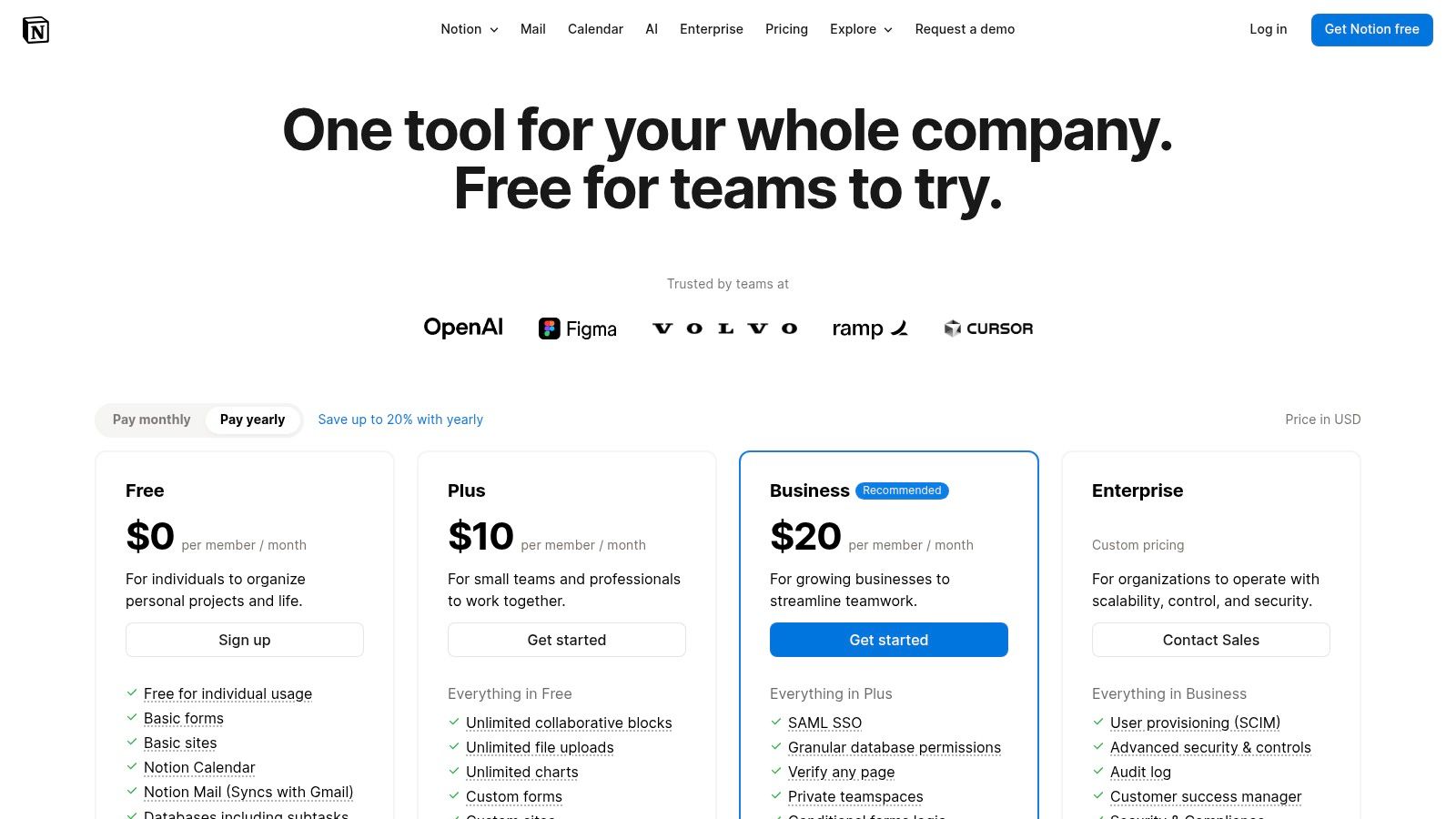
Notion AI is available as an add-on to any Notion plan, including the free one. However, for teams, its full potential is unlocked on the Business or Enterprise plans, which provide better security, admin controls, and SSO integration. The AI add-on is priced per user, per month.
- Pros: Combines knowledge management and project execution with a powerful, context-aware AI.
- Cons: The most robust AI features are tied to Business+ plans, and some users have noted friction when migrating between plans.
Website: https://www.notion.com/pricing?utm_source=openai
5. Zapier (Automation + AI Agents)
Zapier has long been the gold standard for connecting apps and automating repetitive tasks without writing a single line of code. It's the digital glue that holds thousands of business workflows together, from automatically saving email attachments to a cloud drive to creating a new project task whenever a form is submitted. Now, with the integration of AI, Zapier transforms these simple automations into intelligent operations.
Where it truly shines as one of the top AI tools for productivity is by allowing you to embed AI decision-making directly into your workflows. You can create "Zaps" that trigger an AI agent to analyze incoming data, summarize text, or even decide the next step in a process. This moves beyond simple "if this, then that" logic and introduces a layer of cognitive ability to your everyday business systems, making it a cornerstone for anyone serious about AI automation.
Key Features and Use Cases
- Massive Integration Library: Connect over 7,000 applications, including CRMs, project management tools, and communication platforms. Practical Example: Create a "Zap" where every time a customer fills out your website's contact form, Zapier automatically sends the text to an AI action that drafts a personalized reply, then creates a draft email in your Gmail for you to approve and send.
- AI-Powered Zaps: Use built-in AI actions to summarize emails, draft responses, format text, or classify incoming support tickets before they are assigned to a human agent.
- Zapier Agents: Create autonomous AI agents that can browse the web, access live data sources, and perform multi-step tasks. For example, you could build an agent to monitor competitor pricing and update a Google Sheet automatically.
- Conditional Logic (Paths): Create sophisticated workflows that perform different actions based on specific conditions, adding a layer of smart decision-making to your automations.
Pricing and Access
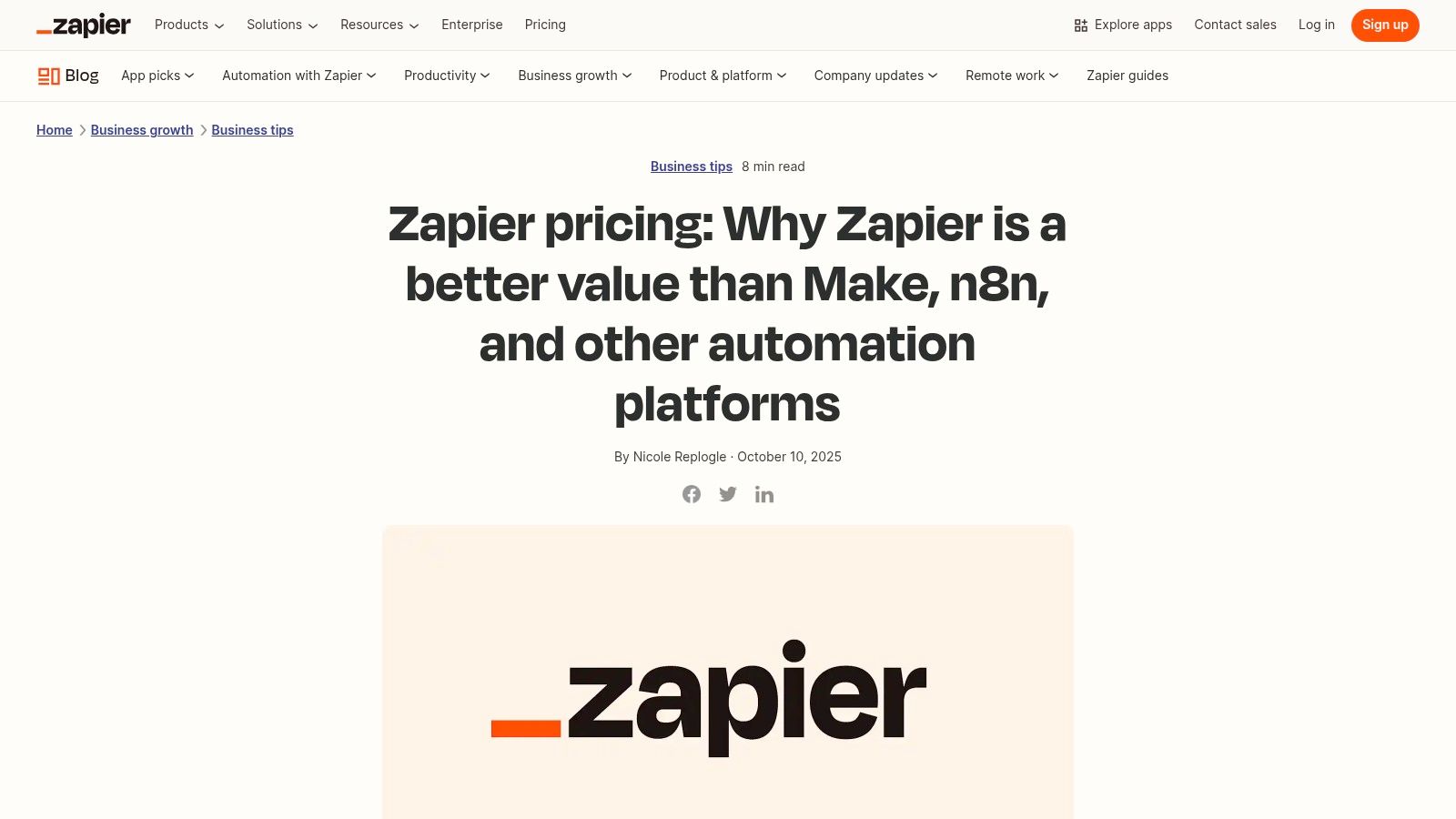
Zapier offers a free tier perfect for experimenting with simple, two-step Zaps. As your needs grow, paid plans like Starter, Professional, and Team unlock more complex features, a higher number of tasks per month, and faster update times. Company plans offer enterprise-grade security, dedicated support, and advanced admin controls.
- Pros: Unmatched number of app integrations, mature and user-friendly interface for non-technical users.
- Cons: Costs can escalate quickly as your task usage increases, and enterprises should perform due diligence on security policies.
Website: https://zapier.com/blog/zapier-pricing?utm_source=openai
6. Grammarly
While many AI tools for productivity focus on generating entirely new content, Grammarly excels at refining the content you’ve already created. It has evolved far beyond a simple spell-checker into a comprehensive AI writing partner that helps you communicate more effectively and professionally. Its strength lies in its seamless integration, working across your browser, email client, and desktop apps to provide real-time suggestions on everything from grammar and clarity to tone and conciseness.
This low-friction approach makes it a staple for anyone who writes regularly. Instead of pasting text into a separate app, Grammarly works where you do, catching embarrassing typos in a critical email or suggesting a more confident tone for a business proposal. For many professionals, it's an indispensable safety net that enhances the quality of every written communication, making it a foundational productivity tool.
Key Features and Use Cases
- Real-Time Writing Assistance: Get instant feedback on spelling, grammar, punctuation, and clarity directly within Gmail, Google Docs, Slack, and more. Expert Opinion: “The real magic of Grammarly isn’t just catching typos,” says content strategist Maria Vance. “It's the tone detector. It has saved me from sending emails that sounded unintentionally harsh countless times. For a beginner, this is like having a communication coach looking over your shoulder.”
- AI-Powered Rewrites: Highlight a clunky sentence and let Grammarly suggest multiple ways to rephrase it for better impact, fluency, or conciseness. This is perfect for overcoming writer's block on a single tricky sentence.
- Generative AI Ideation: The GrammarlyGO feature can help you brainstorm ideas, compose quick replies, or generate short-form text like an email outline, directly within the application you're using.
- Plagiarism Checker: Included in paid plans, this feature ensures your work is original, which is crucial for academic papers, articles, and professional reports.
Pricing and Access
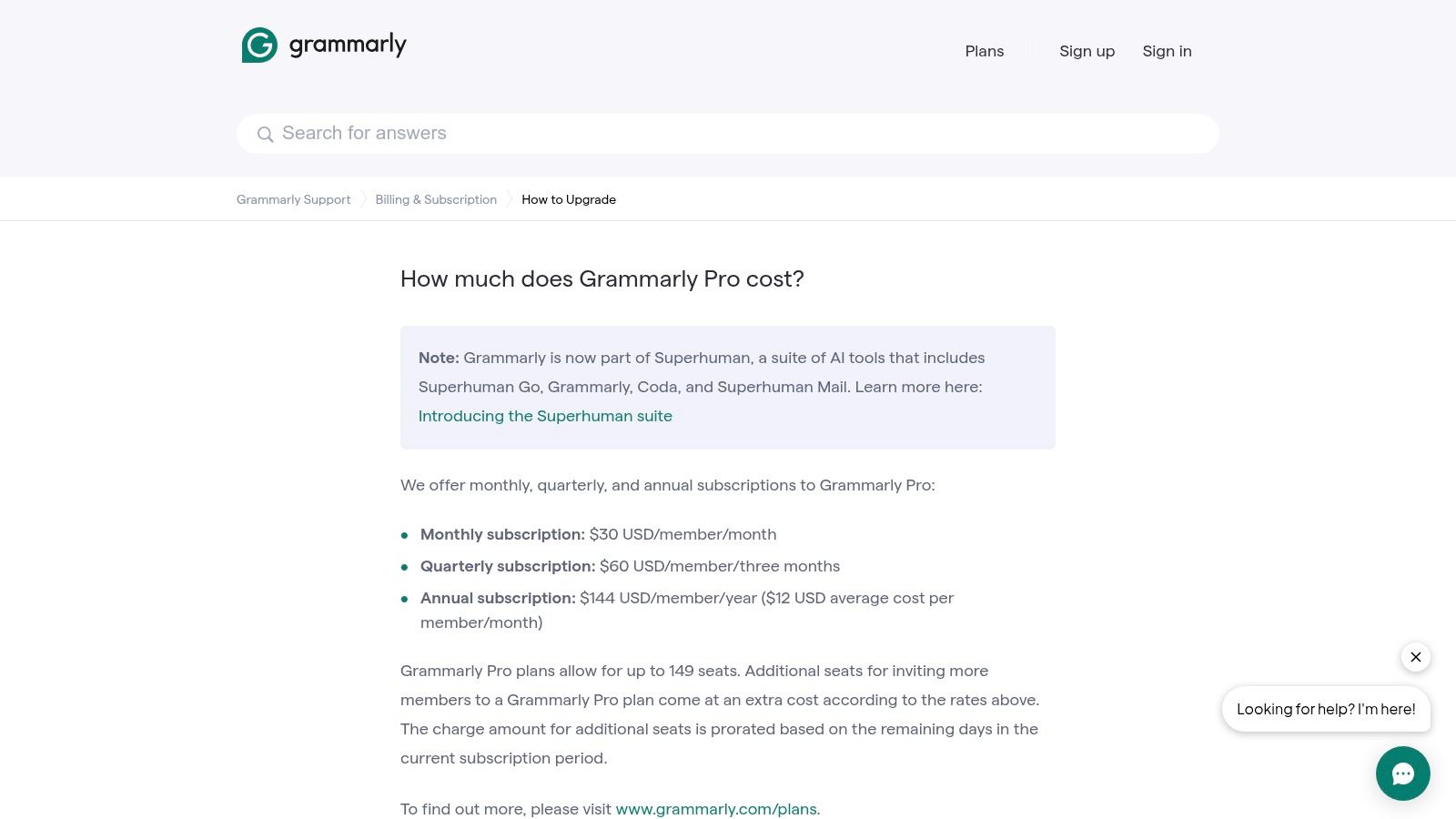
Grammarly offers a strong free version that covers basic grammar and spelling checks. For deeper insights and advanced features, you'll need a paid plan. Premium unlocks tone adjustments, full-sentence rewrites, and the plagiarism detector. For organizations, Business plans add style guides, brand tone management, and admin controls to ensure team-wide consistency.
- Pros: Excellent and seamless cross-app integration, and it's a mature, reliable product for core writing assistance.
- Cons: The most powerful generative AI features have usage limits, and plan features can change as the company rebrands its AI suite.
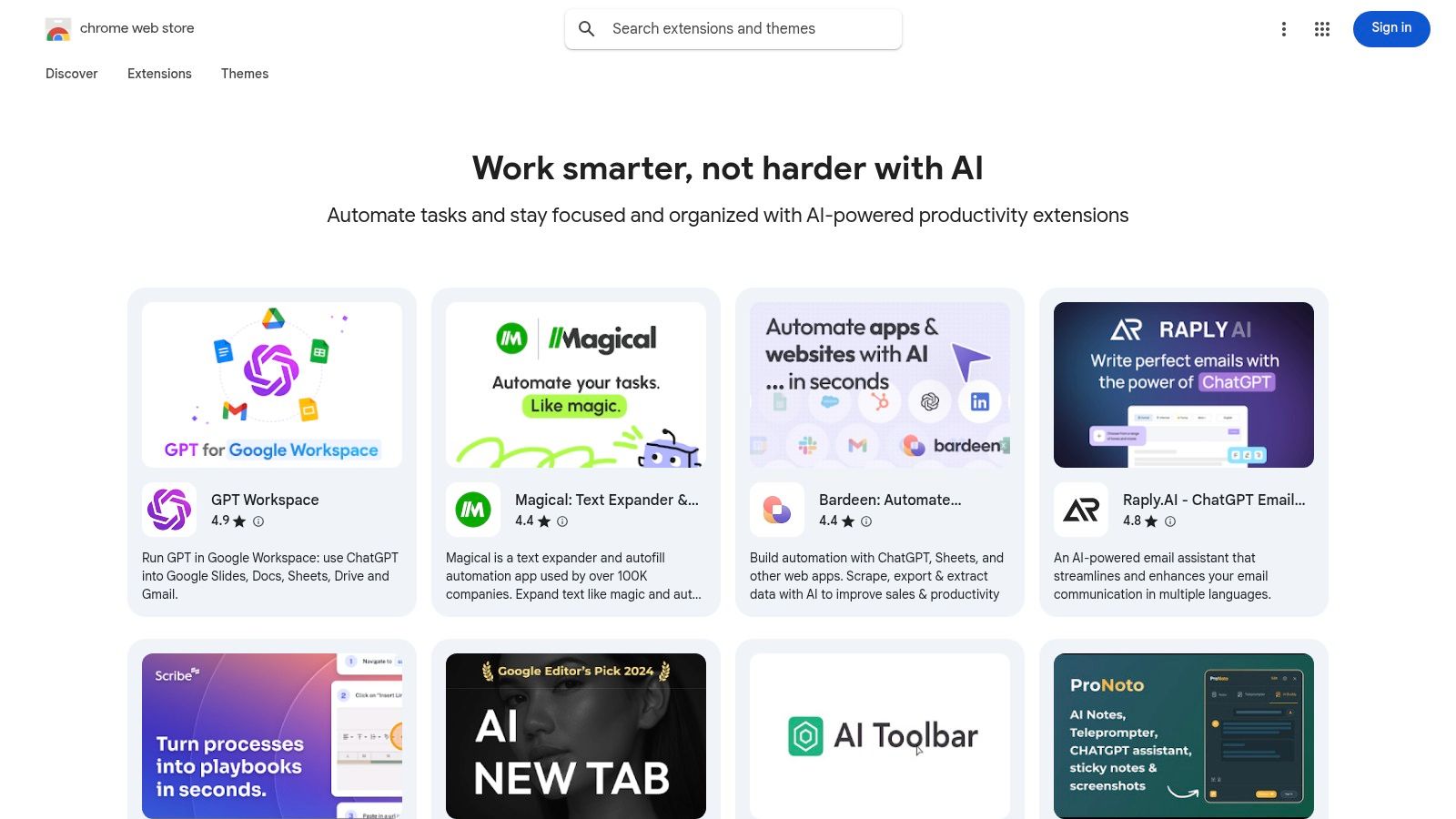
7. Chrome Web Store — AI Productivity Collection
Instead of committing to a single, all-encompassing platform, sometimes the best way to boost your productivity is by augmenting the browser you already use. The Chrome Web Store’s official "Work smarter with AI" collection is a curated gallery of AI-powered browser extensions designed to integrate directly into your daily workflow. It’s an excellent, low-risk way to experiment with different AI tools for productivity without leaving your current tabs.
This collection centralizes reputable extensions that can summarize articles, draft emails directly in Gmail, take meeting notes, or even act as a research assistant on any webpage. Because Google curates this list and it includes user ratings, you can more confidently find and install high-quality tools that solve specific problems, effectively building your own customized AI productivity suite right inside Chrome.
Key Features and Use Cases
- Curated and Vetted Extensions: The collection features extensions reviewed by Google and rated by the community, reducing the risk of installing low-quality or unsafe add-ons.
- Workflow Integration: Add AI capabilities directly into platforms like Google Docs, Gmail, and social media. Practical Example: Install an AI summarizer extension. The next time you see a long news article, just click the extension icon to get a few bullet points summarizing the key information. It’s a great way to stay informed without losing an hour of your day.
- Task-Specific Solutions: Find tools tailored for specific needs, such as AI-powered grammar checkers, text expanders for repetitive typing, or meeting transcribers that work with Google Meet.
- One-Click Installation: Easily add or remove tools from your browser to test what works best for you without complex setup processes. Many of these add-ons are included in lists of the best free AI tools.
Pricing and Access
Access to the Chrome Web Store and its collections is completely free. However, the extensions themselves have varying pricing models. Many offer a freemium structure with basic features available at no cost, while more advanced capabilities require a separate subscription to that specific tool's service. This à la carte approach allows you to only pay for the specific functionality you need.
- Pros: Fast and often free way to test AI helpers, huge variety of tools, and integrates directly into existing workflows.
- Cons: Quality and features vary widely between extensions, managing multiple subscriptions can become complex, and you must consider the data permissions each extension requires.
Website: https://chromewebstore.google.com/collection/ai_productivity?utm_source=openai
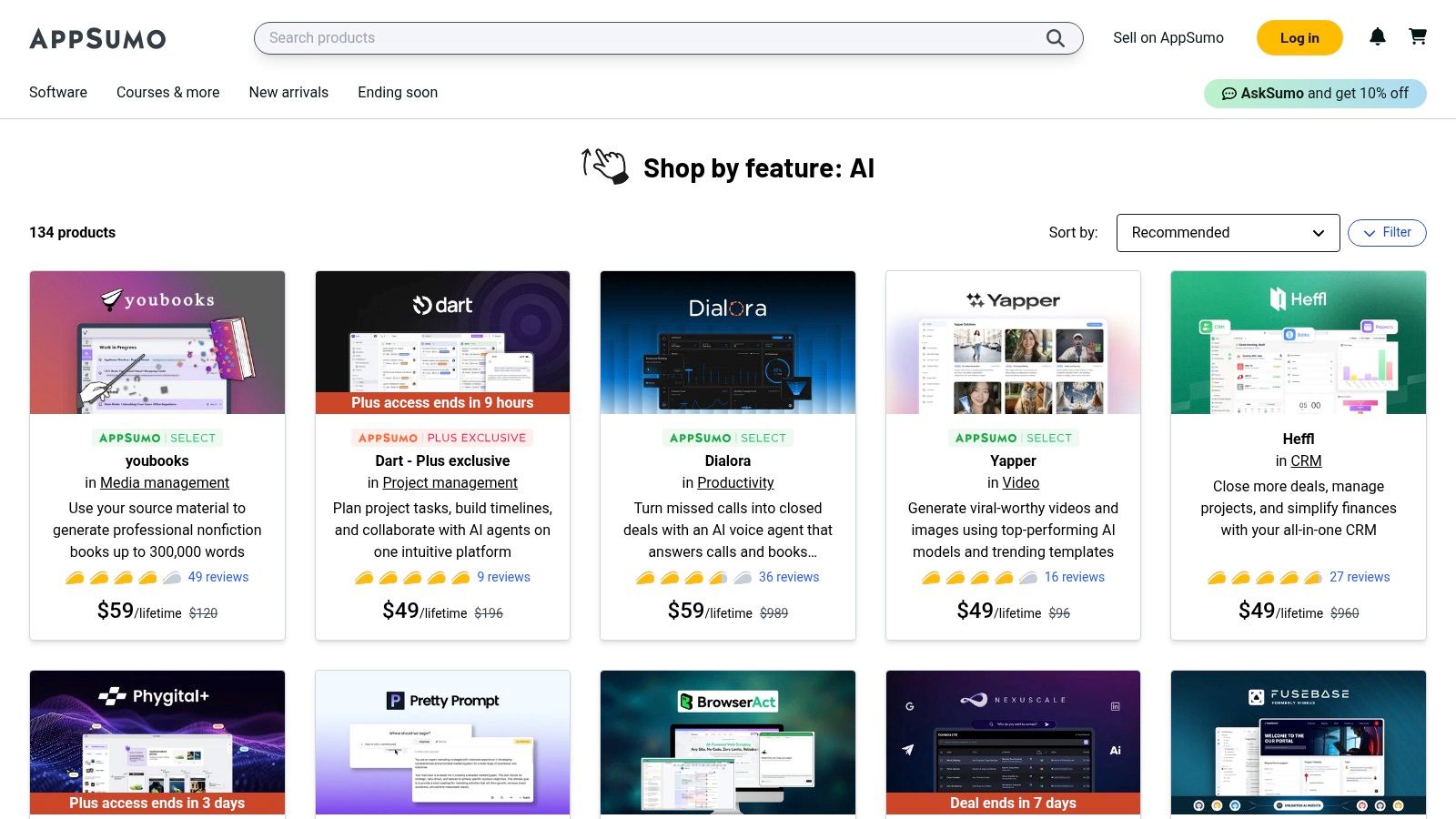
8. AppSumo — AI Deals Collection
While not a single tool, AppSumo’s AI Deals Collection is a goldmine for anyone looking to build a powerful productivity stack without breaking the bank. It's a marketplace where emerging AI software companies offer lifetime deals (LTDs) or heavily discounted annual plans. This makes it an essential stop for solopreneurs, small teams, and experimenters who want to test out various AI tools for productivity without committing to expensive monthly subscriptions.
The platform offers a constantly changing lineup of AI writers, summarizers, transcription services, and specialized agents. Instead of paying $20 per month forever for a tool, you might pay a one-time fee of $49 for lifetime access. This model allows you to affordably try niche tools that solve very specific problems, from creating video scripts to automating customer support responses.
Key Features and Use Cases
- Cost-Effective Tool Acquisition: Access a wide range of AI applications for a one-time fee, significantly lowering your long-term software costs. This is ideal for bootstrapping a new business or project.
- Discover Niche AI Solutions: Find specialized tools that aren't mainstream yet. For example, you might discover an AI tool that perfectly automates your podcast editing workflow or generates unique marketing angles for your specific industry.
- User Reviews and Vetting: Each deal features extensive reviews and questions from other users. Expert Opinion: “For anyone starting out, AppSumo is a treasure chest,” says small business consultant David Chen. “But you have to do your homework. Read the user reviews carefully. The community is very honest about what works and what doesn't. That feedback is priceless before you buy.”
- Generous Refund Policy: Most deals come with a 60-day money-back guarantee, giving you ample time to test if the tool truly fits your needs without any financial risk.
Pricing and Access
The main draw of AppSumo is its pricing model. Instead of recurring SaaS fees, you primarily find Lifetime Deals (LTDs) where a single payment grants you access to the tool forever. Prices vary but often range from $39 to $99 for a baseline plan. For more advanced features or higher usage limits, you can often "stack" codes by purchasing multiple deals.
- Pros: Huge potential for long-term savings, a fantastic way to discover and try new and innovative AI tools.
- Cons: The quality and support of tools can vary, and a lifetime deal might not always get the same feature updates as a standard subscription plan.
Website: https://appsumo.com/collections/features/ai?utm_source=openai
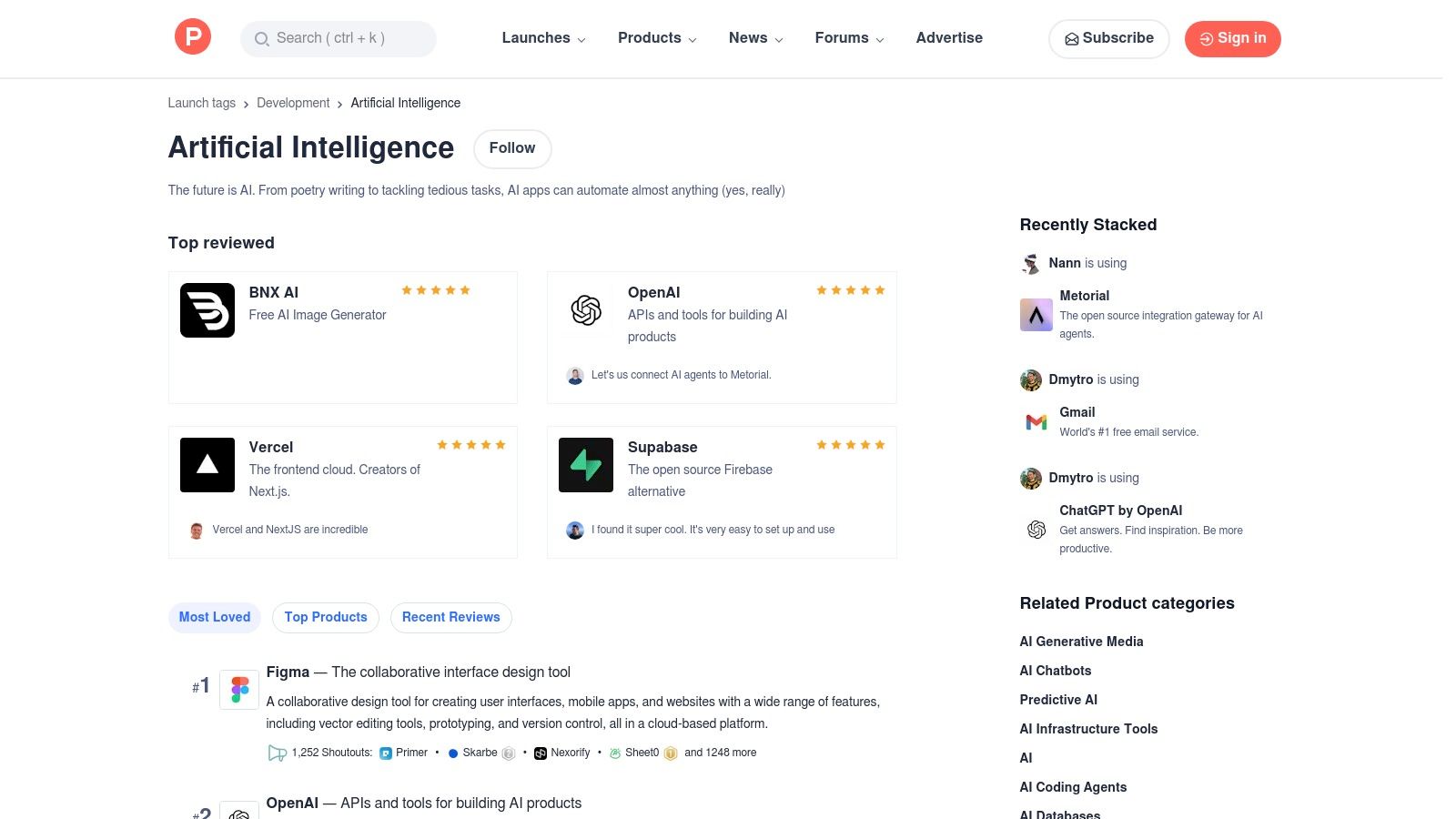
9. Product Hunt — Artificial Intelligence Topic
While not a tool itself, Product Hunt’s Artificial Intelligence topic is an indispensable resource for anyone looking to discover the next wave of AI tools for productivity. Think of it as a daily launchpad for new and trending AI apps, where a community of tech enthusiasts vets, discusses, and upvotes the most promising launches. This makes it the perfect place to find niche solutions before they become mainstream.
Instead of relying on curated lists, Product Hunt gives you direct access to what’s new today. You can see what developers are building, read real user feedback in the comments, and often interact directly with the makers. It’s an excellent way to stay ahead of the curve and find specific tools that solve unique problems, like an AI-powered meeting summarizer that just launched or a clever new prompt engineering assistant.
Key Features and Use Cases
- Daily AI Launches: Discover new AI tools as they are released, complete with descriptions, visuals, and links directly to the product. It’s a real-time feed of innovation.
- Community Feedback and Curation: Read authentic user comments, questions, and reviews to gauge a tool's usefulness and quality before you even click away. The upvote system helps surface the most popular and impactful tools.
- Niche Tool Discovery: Uncover highly specialized apps that larger platforms might not offer. Practical Example: Browse the page for five minutes a day with your morning coffee. You might discover a newly launched AI tool that creates presentation slides from a simple text prompt, solving a problem you didn't even know a tool could fix.
- Direct Maker Interaction: Many product creators actively participate in the comments on their launch day, answering questions and providing insights into their tool’s development and future.
Pricing and Access
Product Hunt is completely free to browse and use. The platform serves as a discovery engine, connecting you to the individual product websites where you can find specific pricing details. The value here is in the curated discovery, not direct access to the tools themselves.
- Pros: Excellent for discovering brand new and niche AI tools, and community feedback provides valuable social proof.
- Cons: It's a discovery platform, not a productivity tool itself, and many launches are from early-stage startups that may be experimental or unpolished.
Website: https://www.producthunt.com/topics/artificial-intelligence
10. G2 — Best AI Software 2025 and Category Pages
Instead of being a single tool, G2 is a powerful research hub that helps you find the right AI tools for productivity. Think of it as the ultimate buyer’s guide for B2B software, where you can compare hundreds of AI solutions based on verified user reviews, feature sets, and market presence. When you're ready to move beyond general-purpose tools and find specialized software for a specific business need, G2 is the place to start your search.
Navigating the crowded market of AI tools can be overwhelming, with every vendor claiming to be the best. G2 cuts through the marketing noise by providing a structured way to evaluate options. Its detailed category pages, like "AI Writing Assistants" or "AI Sales Assistants," allow you to see top players at a glance, read candid feedback from real users, and filter results based on what’s important to your business, such as company size or specific features.
Key Features and Use Cases
- Grid Rankings: Instantly see the market leaders in any AI software category based on user satisfaction and market presence. This is perfect for creating a shortlist of top contenders.
- Verified User Reviews: Gain insights from peers in similar industries or roles about their real-world experiences with a tool. Practical Example: You're looking for an AI chatbot for your website. On G2, you can filter reviews to only see those from other small businesses in the e-commerce industry. This gives you relevant insights from people facing the same challenges you are.
- Feature Comparisons: See a side-by-side breakdown of features for different tools, which helps you identify which platform truly meets your specific workflow requirements without visiting dozens of websites.
- "Best of" Lists: G2 compiles annual lists, like its "Best AI Software" awards, which are a great starting point for discovering popular and highly-rated solutions you might have otherwise missed.
Pricing and Access
G2 is a free resource for buyers and researchers. The platform makes money from software vendors who pay for enhanced profiles, advertising, and access to market intelligence. This means you can access all reviews and comparison data without a subscription. You do not purchase software on G2; it provides information and links directly to vendor websites.
- Pros: An invaluable free resource for market research and vetting tools, provides unbiased peer reviews, and helps you quickly compare features.
- Cons: Vendor listings can be commercially influenced (e.g., paid placements), and the sheer volume of information can sometimes be daunting.
Website: https://www.g2.com/best-software-companies/top-ai
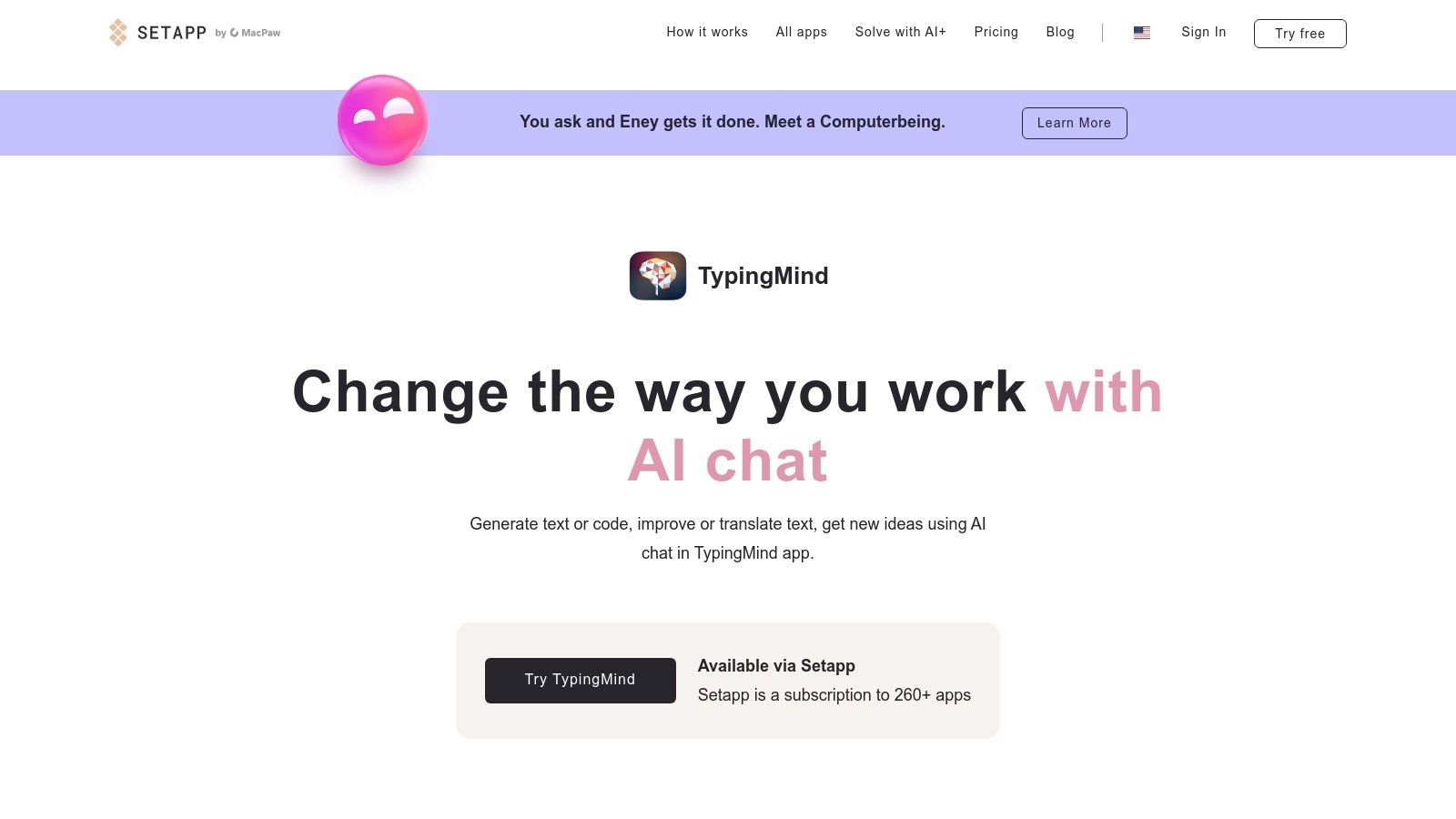
11. Setapp — Curated Mac/iOS App Subscription (with AI+ options)
Setapp takes a different approach to providing AI tools for productivity. Instead of being a single tool, it’s a subscription service for Mac and iOS users that bundles over 260 premium applications into one monthly fee. This is a game-changer for anyone who wants to experiment with multiple specialized AI apps without juggling dozens of separate subscriptions. Think of it as the "Netflix for Mac apps," with a growing collection of AI-powered software.
For those deeply integrated into the Apple ecosystem, Setapp provides a streamlined way to build a powerful productivity stack. The platform includes AI-enhanced writing assistants, PDF summarizers, meeting transcription tools, and more, all under one roof. Its genius lies in simplifying the discovery and payment process, letting you try out various AI solutions to see what sticks, all with a single, predictable bill.
Key Features and Use Cases
- Access to Multiple AI Apps: A single subscription gives you full access to apps like Ulysses (a writing app with integrated AI), Elephas (an AI writing assistant that works across all your apps), and NotePlan (a planner with AI assistance).
- Centralized Discovery and Billing: Instead of searching the web for new tools, you can browse Setapp’s curated collections. Practical Example: Use Setapp's own AI Assistant to find the right tool. You can ask it something like, "find me an app that can summarize long PDF reports," and it will recommend the best options from its library, which you can install instantly.
- Optional AI+ Add-On: For heavier AI usage within the apps, you can add AI credits to your plan. This is a great way to manage costs, as you only pay for the extra AI processing power you need across the platform. Some apps also support using your own OpenAI API key.
Pricing and Access
Setapp’s value proposition is its all-in-one pricing model. You pay a single monthly fee for access to the entire library of apps on your Mac, iPhone, and iPad. The core subscription unlocks all the applications, while the optional AI+ pack provides credits for advanced AI features.
- Pros: Incredible value if you use several of the included Mac/iOS apps, and it simplifies billing and software management.
- Cons: Only available for macOS and iOS users; some of the most powerful AI features still require extra credits or a personal API key.
Website: https://setapp.com/aiaas-offer?utm_source=openai
12. Amazon — Microsoft 365 (with Copilot) digital subscriptions
While not a direct AI tool developer, Amazon offers a highly convenient and often cost-effective way to access one of the most integrated AI ecosystems: Microsoft 365 with Copilot. For home and individual users, purchasing a Microsoft 365 Personal or Family digital subscription through Amazon simplifies the entire process. You get an instant-delivery digital code that you can redeem in your Microsoft account, often with the ease of Amazon's familiar checkout and renewal management.
This route is perfect for those already embedded in the Amazon ecosystem or looking for competitive deals. It makes upgrading to an AI-enhanced office suite incredibly straightforward. Once redeemed, your Microsoft account is upgraded, unlocking Copilot’s AI capabilities directly within Word, Excel, PowerPoint, and Outlook, turning your standard apps into powerful AI tools for productivity.
Key Features and Use Cases
- Convenient Access: Purchase and activate Microsoft 365, which includes Copilot AI, using your existing Amazon account and payment methods. The digital code is delivered almost instantly via email.
- Integrated AI Suite: Once activated, Copilot works inside your apps. Practical Example: Open a long Word document for a project proposal. Instead of rereading all 10 pages, you can ask Copilot, "Summarize this document into five key bullet points and list all action items." This takes seconds and gets you up to speed instantly.
- Simplified Subscription Management: Manage your renewal through Amazon's "Memberships & Subscriptions" page, which can be easier for those who consolidate their recurring payments.
- Competitive Pricing: Keep an eye out for discounts, especially during major sales events like Prime Day, which can make this one of the cheapest ways to get started with Copilot.
Pricing and Access
Pricing on Amazon for Microsoft 365 Personal (1 person) and Family (up to 6 people) 12-month subscriptions can fluctuate but is often competitive with Microsoft's direct pricing. The purchase provides a digital key for activation. The key distinction is that you are buying the subscription through a trusted retailer rather than directly from the software provider.
- Pros: Familiar and trusted checkout process, potential for discounts, and simplified billing for existing Amazon customers.
- Cons: Renewal pricing is subject to Amazon's policies, and Copilot benefits in a Family plan may have limitations per Microsoft's terms.
Top 12 AI Productivity Tools Comparison
| Product | Core features ✨ | UX & Quality ★ | Value & Pricing 💰 | Target audience 👥 | Standout / USP 🏆 |
|---|---|---|---|---|---|
| OpenAI — ChatGPT | Chat, voice, images, file uploads, custom GPTs ✨ | ★★★★★ Fast, polished | 💰 Free → Enterprise; per‑seat for teams | 👥 Individuals, SMBs, enterprises | 🏆 Broad multimodal ecosystem & custom GPTs |
| Microsoft 365 with Copilot | Copilot in Word/Excel/Teams, Copilot Studio ✨ | ★★★★☆ Integrated Office UX | 💰 $$ Enterprise / metered; licensing complex | 👥 Enterprises & Office‑centric orgs | 🏆 Deep app integration + enterprise compliance |
| Google Workspace (Gemini built-in) | Gemini in Docs/Gmail/Sheets, meeting AI ✨ | ★★★★☆ Seamless Workspace experience | 💰 $$ Bundled in Business/Enterprise plans | 👥 Organizations using Google Workspace | 🏆 Bundled AI with strong security certifications |
| Notion (Notion AI in Business+) | Docs, DBs, templates, AI notes & research ✨ | ★★★★☆ Unified knowledge/project UX | 💰 $–$$ Business+ for full AI features | 👥 Teams, product managers, knowledge workers | 🏆 Single hub for AI‑driven knowledge + workflows |
| Zapier (Automation + AI Agents) | 7,000+ integrations, Zaps, AI Agents ✨ | ★★★★☆ No‑code automation UX | 💰 $–$$; task limits may increase cost | 👥 Non‑technical teams, ops, SMBs | 🏆 Integration breadth + agentic automation |
| Grammarly | Real‑time suggestions, drafts, cross‑app apps ✨ | ★★★★☆ Reliable, low friction | 💰 $–$$ Pro & enterprise tiers | 👥 Writers, professionals, students | 🏆 Mature writing assistant across platforms |
| Chrome Web Store — AI Productivity Collection | Curated AI extensions, reviews, one‑click install ✨ | ★★★☆☆ Quality varies by extension | 💰 Mostly free trials; many separate subs | 👥 Browser users seeking quick AI add‑ons | 🏆 Fast, low‑cost way to trial browser AI tools |
| AppSumo — AI Deals Collection | Lifetime / discounted AI tool deals, reviews ✨ | ★★★☆☆ Deal‑dependent maturity | 💰 💸 One‑time deals; high short‑term value | 👥 Solopreneurs, small teams, bargain hunters | 🏆 One‑time pricing for diverse AI apps |
| Product Hunt — Artificial Intelligence Topic | Discovery hub, launches, community feedback ✨ | ★★★☆☆ Great for new/early‑stage finds | 💰 Free to browse; vendor pricing varies | 👥 Early adopters, makers, product scouts | 🏆 Community‑driven discovery of fresh tools |
| G2 — Best AI Software 2025 & Categories | Verified reviews, grid rankings, comparisons ✨ | ★★★★☆ Strong peer insights & vetting | 💰 Free research; purchase via vendor pages | 👥 Buyers, procurement, enterprise evaluators | 🏆 Verified reviews + category benchmarking |
| Setapp — Curated Mac/iOS App Subscription | 260+ Mac/iOS apps, AI+ credits option ✨ | ★★★★☆ Polished Mac/iOS experience | 💰 $$ Subscription; high value if many apps used | 👥 Mac/iOS power users, creatives | 🏆 Centralized billing + curated app bundle |
| Amazon — Microsoft 365 digital subscriptions | Instant digital codes for MS365 Personal/Family ✨ | ★★★☆☆ Retail checkout convenience | 💰 $ Competitive retail pricing; varies | 👥 Home users preferring Amazon checkout | 🏆 Familiar retailer purchase flow & fast delivery |
How to Choose the Right AI Tool for Your Workflow
We've explored a comprehensive landscape of AI tools for productivity, from foundational powerhouses like ChatGPT and Microsoft 365 with Copilot to curated discovery platforms like AppSumo and Product Hunt. The sheer volume of options can feel overwhelming, but the key isn't to adopt every tool. The goal is to strategically integrate the right tools that solve your unique challenges.
The journey from manual processes to an AI-augmented workflow is a marathon, not a sprint. Remember, the most effective tool is one that seamlessly fits into your existing habits and genuinely saves you time or mental energy.
A Practical Framework for Selection
Before you commit to a subscription or spend hours learning a new platform, take a step back. A little strategic thinking upfront will save you significant time and money down the road. Use this simple framework to guide your decision-making process.
-
Identify Your Biggest Bottleneck: Where do you lose the most time? Is it crafting initial email drafts, summarizing long reports, managing your calendar, or transcribing meeting notes? Pinpoint one or two major pain points. For example, if you spend an hour every day answering similar customer inquiries, a tool with text generation and automation features (like Zapier's AI agents) is a strong contender.
-
Start with Your Existing Ecosystem: The path of least resistance is often the most effective. If your entire team lives in Google Workspace, exploring Gemini's built-in capabilities is a logical first step. Similarly, if Microsoft Office is your daily driver, activating a Copilot trial makes more sense than migrating to a completely new system. Leveraging tools you already pay for is the ultimate productivity hack.
-
Define Your "Job to Be Done": Are you looking for a creative partner for brainstorming (like ChatGPT), a meticulous editor to polish your writing (like Grammarly), or an all-in-one project manager (like Notion AI)? Clearly defining the specific task you want AI to handle will narrow your search from dozens of options to just a few relevant ones.
Key Factors to Consider Before Implementation
Once you have a shortlist, evaluate your options based on these critical factors. This will help you find a sustainable solution rather than just a temporary fix.
-
Integration and Compatibility: How well does this tool play with the other software you use daily? A powerful AI tool that operates in a silo can create more work than it saves. Look for native integrations or compatibility with platforms like Zapier to ensure a smooth, interconnected workflow.
-
Learning Curve: Be honest about the time you can invest in learning a new system. Some tools, like the AI features in Microsoft 365, are designed to be intuitive extensions of familiar apps. Others, especially those with advanced automation, may require a more significant upfront time investment to unlock their full potential.
-
Scalability and Cost: Start with a free trial or a monthly plan whenever possible. As you validate the tool's usefulness, consider its long-term cost and whether it can scale with your needs. Think about future use cases. Will this tool support your team as it grows? Does the pricing model make sense for your budget?
The world of AI tools for productivity is expanding at an incredible pace. What seems revolutionary today will be standard tomorrow. Your best strategy is to remain curious, start small, and focus on incremental improvements. Pick one task, trial one tool, and measure the impact. By thoughtfully integrating AI, you're not just adopting new technology; you're intentionally designing a more efficient, creative, and fulfilling workday.
The AI landscape is constantly changing, with new tools and updates launching daily. To stay ahead of the curve and discover the next game-changing app for your workflow, subscribe to the YourAI2Day newsletter. We curate the latest news, in-depth reviews, and practical guides to help you navigate the future of productivity at YourAI2Day.