
The 12 Best AI Tools for Entrepreneurs to Scale Smarter in 2026
Hey there! If you're an entrepreneur, you know the drill. You're the CEO, the marketer, the salesperson, and the customer support team all rolled into one. It's a hustle, and the daily grind can feel overwhelming, leaving you with zero time for the big-picture thinking your business needs to grow. This is where the right AI tools for entrepreneurs come in. Think of them not as some sci-fi buzzword, but as a practical co-pilot ready to automate tasks, brainstorm creative ideas, and find efficiencies you never knew you had.
But let's be real: with a new AI tool launching every five minutes, how do you cut through the noise? It's easy to get lost in a sea of confusing feature lists and marketing hype. This guide is different. We’re skipping the fluff to give you a hands-on, strategic breakdown of the AI platforms that will actually work for your business right now. We'll show you exactly how to weave them into your daily workflow to save time, slash costs, and make smarter decisions.
This isn't just another list. For each tool, we’re giving you:
- Practical Use Cases: Real-world examples of how you, as an entrepreneur, can apply the tool today.
- Honest Pros and Cons: A balanced look at where each platform is a rockstar and where it falls a bit flat.
- Actionable Setup Tips: Quick advice to get you up and running without a frustrating learning curve.
- Transparent Pricing: A clear overview of free plans and paid options to fit your budget.
Our goal is simple: to help you build a powerful, yet manageable, AI toolkit that works for you. You'll find direct links and screenshots to guide you, turning abstract potential into tangible results. To stay ahead in this fast-moving space, check out resources like the best AI productivity tools discovery platforms that help you find cutting-edge solutions. Let’s dive in and find the right tools to fuel your growth.
1. The Smart Solopreneur Stack: Your AI-Powered Operations Blueprint
Instead of being a single piece of software, The Smart Solopreneur Stack is a complete operational blueprint designed for solo founders aiming for serious growth. It goes way beyond a simple list of ai tools for entrepreneurs by giving you a strategic framework. This guide from YourAI2Day shows you how to connect specific AI tools, automation platforms, and standard operating procedures (SOPs) into a smooth system that runs your business 24/7. It's perfect for anyone who wants to automate entire parts of their business—like marketing funnels, customer onboarding, and content creation—without having to hire a team.
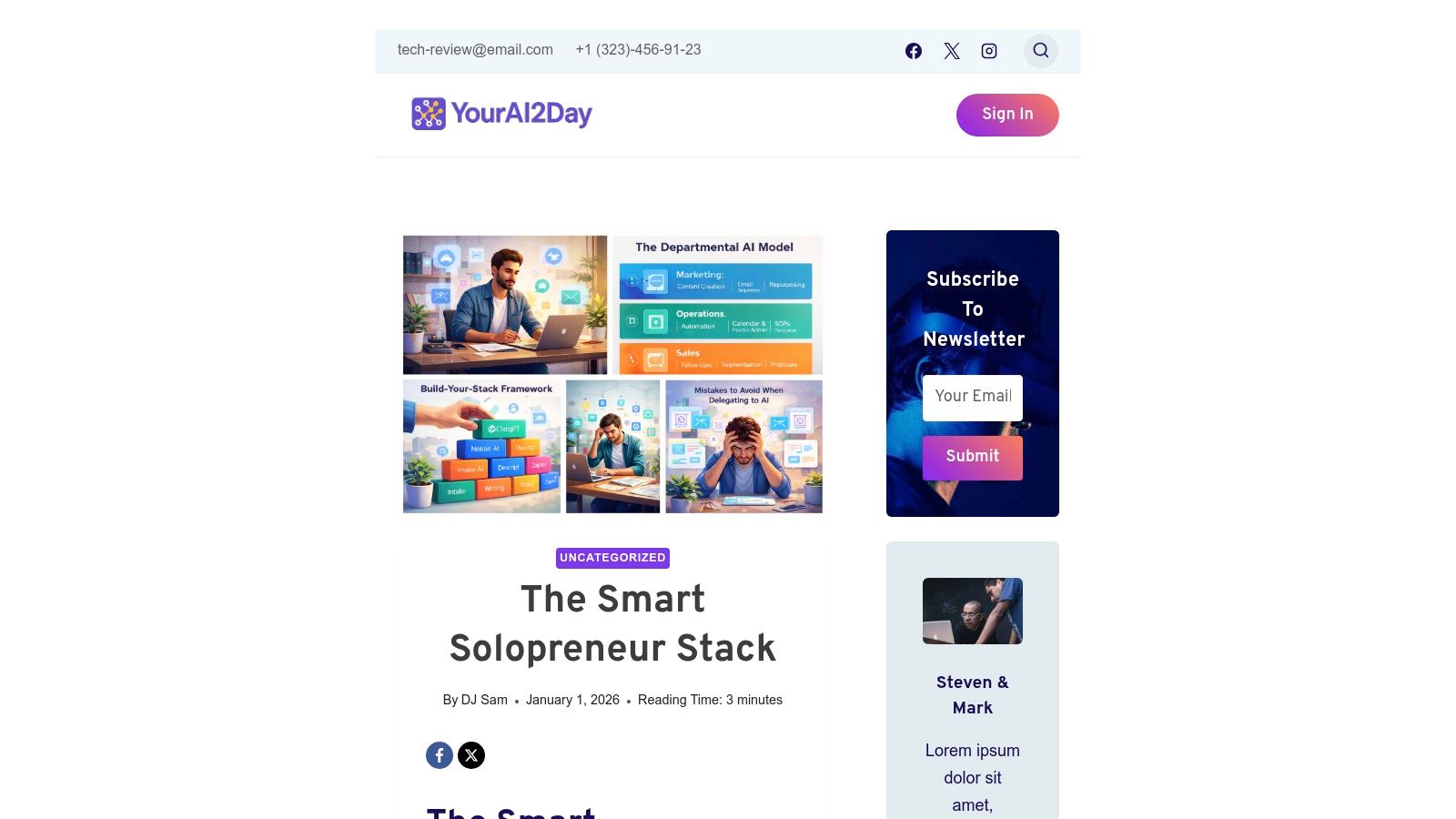
What makes this resource our top pick is its focus on getting things done. It doesn't just tell you what to use; it gives you the checklists, templates, and integration recipes to connect all the dots. The goal is to build a self-running operational engine that frees you up to focus on high-level strategy and building client relationships, rather than getting stuck in the weeds of daily tasks.
Core Strengths and Use Cases
- Automated Marketing & Sales: Imagine setting up a system where an AI agent nurtures leads through email, qualifies them based on their engagement, and even books discovery calls right into your calendar.
- Content Creation Engine: Use the included playbooks to link a content-generating AI with your social media scheduler. This lets you automatically create and schedule blog posts, tweets, and newsletters.
- 24/7 Operations: The Stack helps you build workflows that answer common customer questions, deliver your digital products, and manage project updates, even while you're asleep.
Practical Implementation
| Feature | Best For | Implementation Tip |
|---|---|---|
| Tool Curation & SOPs | Solopreneurs who feel overwhelmed by all the tool choices. | Start by identifying your most annoying, time-consuming task. Then, find the matching SOP in the Stack to automate it first. |
| Integration Blueprints | Founders who want their apps to talk to each other (e.g., CRM + email). | Use the included Zapier or Make.com templates as a starting point. Don't try to build the whole system at once; just automate one workflow at a time. |
| Scaling without Payroll | Freelancers, coaches, and small businesses wanting to grow revenue. | Focus on automating the lead-to-client onboarding process. This creates a seamless experience that doesn't need your manual input for every new customer. |
Expert Opinion: "The real power here isn't in any single AI tool, but in the orchestrated system," says Sarah Chen, a business automation consultant. "As an entrepreneur, your biggest asset is your time. This blueprint essentially allows you to clone yourself for operational tasks, giving you an almost unfair advantage against competitors still doing everything manually."
Pros:
- Replaces entire departmental workflows with automated systems.
- Provides practical, step-by-step SOPs and templates, so you're not just guessing.
- Dramatically lowers overhead by shifting work from people to systems.
Cons:
- Requires a real time investment upfront to get everything set up and learn the ropes.
- Creates a dependency on third-party tools, which means subscription costs and potential maintenance.
As you build your stack, it's crucial to understand the balance of automation. To explore this further, you can learn more about the benefits and risks of AI on yourai2day.com.
Access: The blueprint is available directly from the YourAI2Day website.
Link: The Smart Solopreneur Stack
2. OpenAI
You've probably heard of ChatGPT, right? Well, OpenAI is the company behind it, and their platform is a foundational tool for pretty much any entrepreneur. Beyond the free version everyone knows, its paid plans (Plus, Business, Enterprise) turn ChatGPT into a secure, collaborative workspace for your team. You can use it for a ton of things, from drafting marketing copy and creating a business plan to analyzing customer feedback and even writing some basic code for a new app idea.
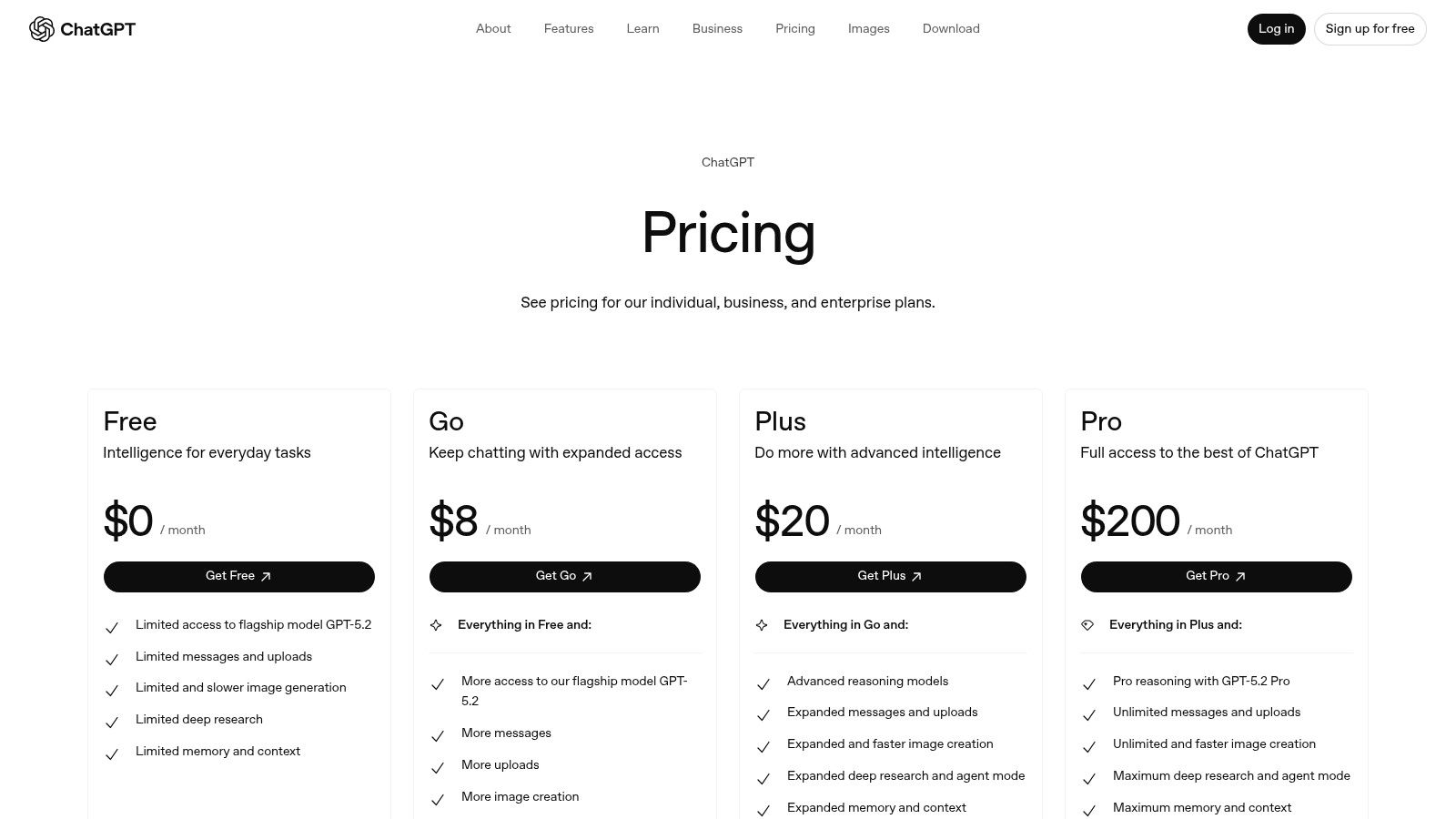
The Business plan is especially handy. It gives you admin controls, shared project spaces, and access to the latest models like GPT-4o for your whole team. This makes it one of the best AI tools for entrepreneurs who need something powerful right out of the box. You can even create custom GPTs tailored to your business, like a "Brand Voice Analyst" that checks copy or a "Customer Support Helper" that drafts replies to common questions.
Key Details & Use Cases
- Pricing: Starts with a Free plan. Paid tiers include Plus ($20/user/month) and Business (custom pricing), which adds administrative controls and higher usage limits.
- Ideal For: Quickly creating content, doing market research, summarizing long documents, and drafting initial customer support scripts.
- Practical Example: Ask it, "Generate 5 different subject lines for an email promoting our new productivity app to small business owners. Make them catchy and under 50 characters."
- Pros: Extremely versatile with a very low barrier to entry. The Business plan provides essential team management and security features.
- Cons: For advanced, multi-step automations, you'll probably need to connect it with other tools. The plan limits can be a bit confusing, so read the fine print.
Getting the most out of ChatGPT really depends on how you talk to it. Learn more about how to write effective AI prompts to get better results.
Website: https://openai.com/chatgpt/pricing
3. Microsoft 365 Copilot
If your business already runs on Microsoft apps, Copilot for Microsoft 365 is a total game-changer. It's not a separate app you have to open; it's an AI assistant that lives right inside Word, Excel, PowerPoint, Outlook, and Teams. It's like having a smart helper right there in your workflow, ready to summarize a long email thread in Outlook, draft a proposal in Word from a few bullet points, or create a whole PowerPoint presentation from a document.
Its biggest advantage is that it’s deeply connected to your company's data, all while being protected by Microsoft’s top-notch security. This means it can safely pull information from your internal files to give you relevant, context-aware help, making it one of the most powerful AI tools for entrepreneurs focused on productivity and data security. You can ask it to "summarize our Q3 sales report and create a 5-slide presentation on the key findings," and it will use your actual business data to do it.
Key Details & Use Cases
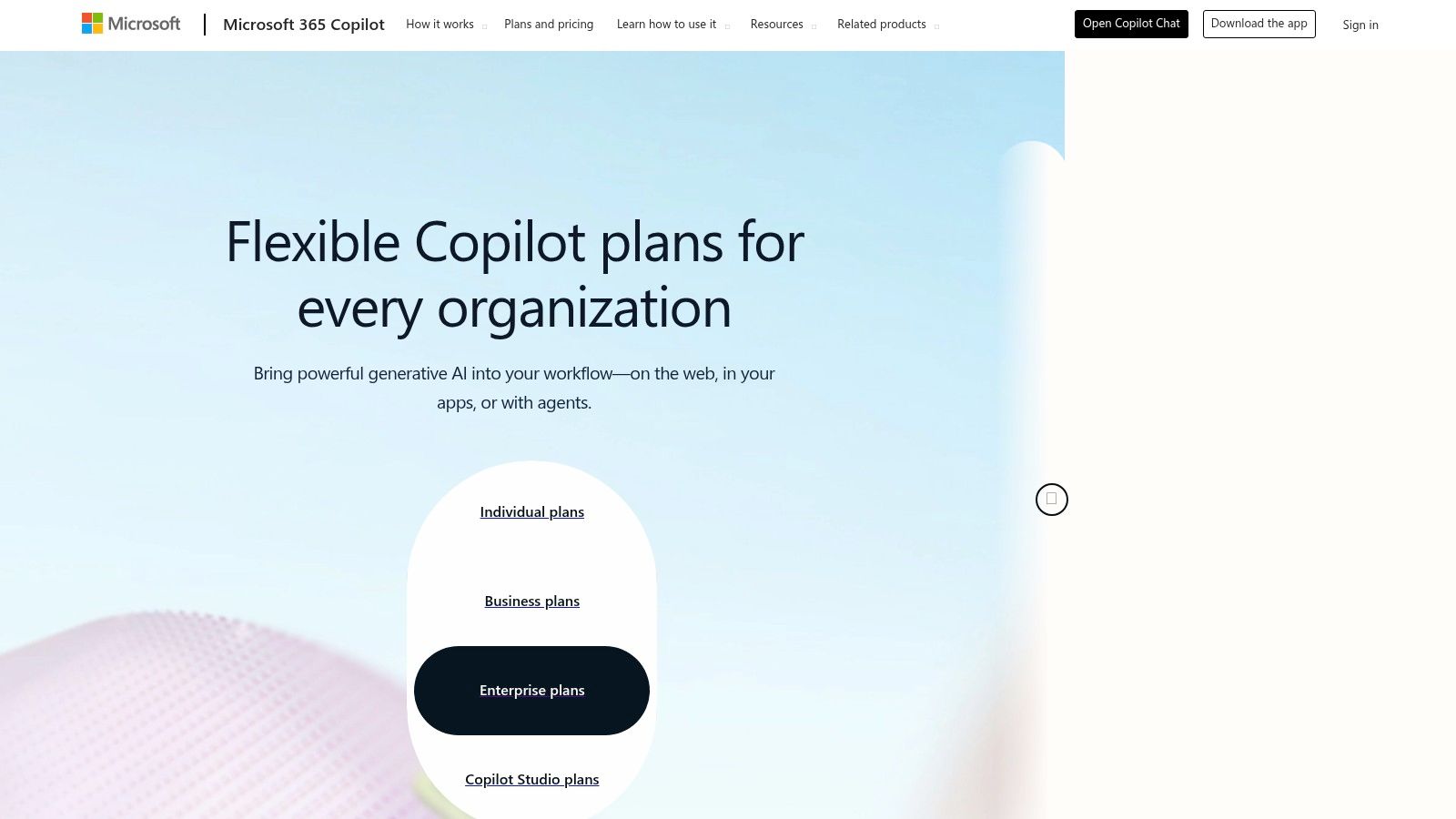
- Pricing: Requires an eligible Microsoft 365 Business Standard/Premium or Enterprise E3/E5 license, then costs an additional $30/user/month (annual commitment).
- Ideal For: Automating document creation, summarizing meetings and emails, analyzing data within Excel, and generating business presentations.
- Practical Example: In Teams, after a meeting, ask Copilot: "What were the main action items from this call and who is responsible for each?"
- Pros: Seamless integration with Microsoft 365 apps and your existing data. Strong enterprise-grade security, privacy, and admin controls.
- Cons: The total cost can be high, as it requires a separate Microsoft 365 subscription. It works best if your data is already well-organized within the Microsoft ecosystem.
Website: https://www.microsoft.com/en-us/microsoft-365/business/copilot-for-microsoft-365
4. Google AI Studio (Gemini API)
For entrepreneurs who are a bit more tech-savvy or want to build custom AI features, Google AI Studio is your direct access to the powerful Gemini family of models. Think of it as a developer's playground for experimenting with Google’s advanced AI. This makes it one of the most cost-effective AI tools for entrepreneurs who want to prototype new product features or create specialized internal tools without a huge upfront investment.
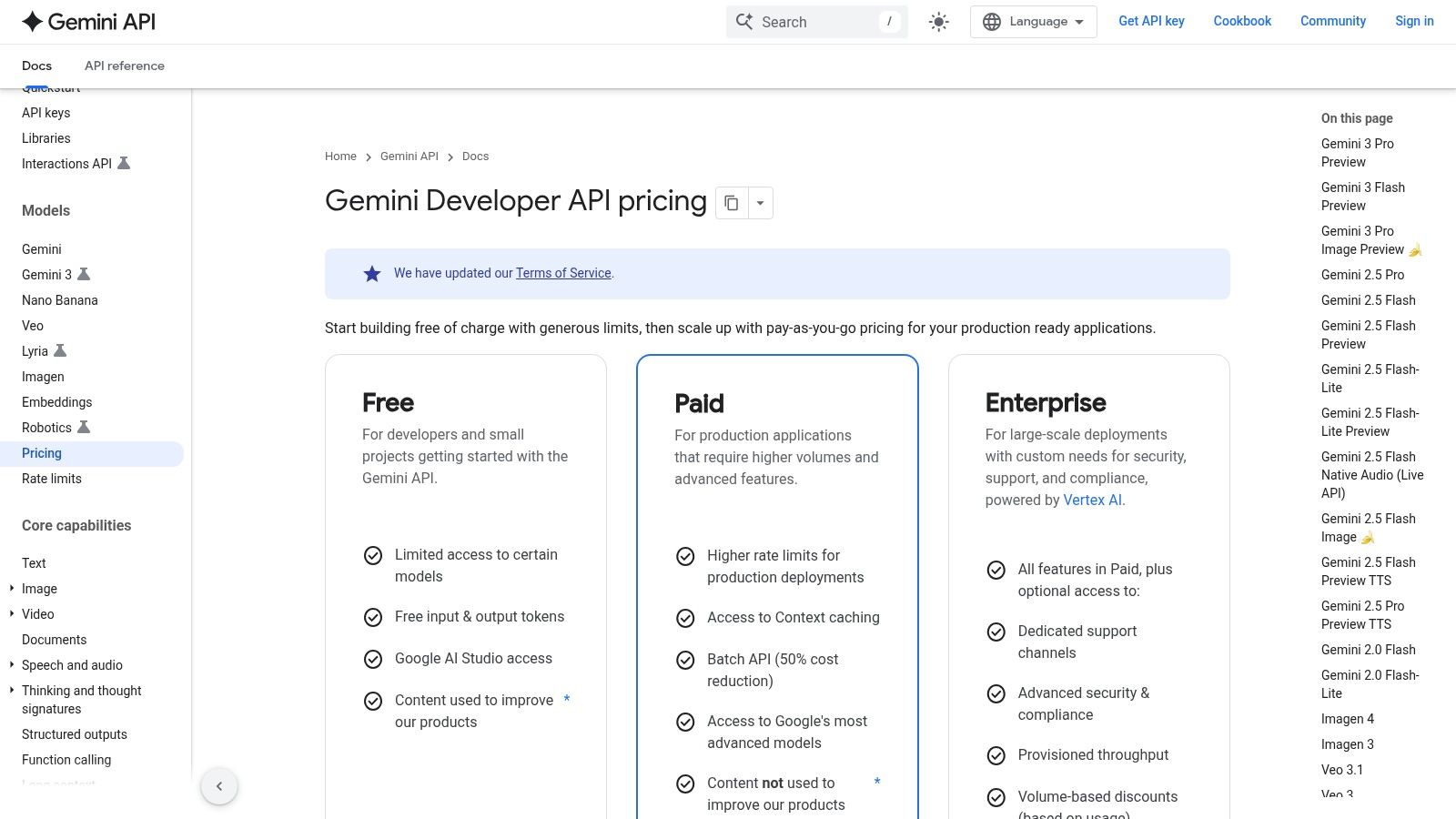
Unlike a simple chat interface, Google AI Studio is all about API access. Its strength is its transparent, "pay-as-you-go" pricing and different model tiers. This lets you pick the perfect balance between power and cost. For example, you might use the super-powerful Gemini 1.5 Pro for complex data analysis, but the faster, cheaper Flash model for simple tasks like categorizing customer support tickets.
Key Details & Use Cases
- Pricing: Features a generous free tier for prototyping. Paid usage is based on per-million-token pricing, which varies by model (e.g., Gemini 1.5 Flash is significantly cheaper than 1.5 Pro). Additional features like grounding with Google Search are billed separately.
- Ideal For: Prototyping AI-powered app features, building custom internal automation tools, and processing large datasets with batch API calls.
- Practical Example: An e-commerce founder could use the API to build a tool that automatically generates product descriptions from a list of features and a target audience.
- Pros: Very low entry cost for experimentation and development. Flexible model tiers give you excellent cost control. Developer-friendly pricing is great for scaling.
- Cons: You'll need some technical knowledge to use it effectively. The platform is still evolving, so features and limits can change.
Website: https://ai.google.dev/pricing
5. Anthropic — Claude
Anthropic's Claude is a powerful AI assistant that's especially good at tasks that require deep thinking, understanding nuance, and processing very large documents. For an entrepreneur, this is a huge help for analyzing complex contracts, summarizing long market research reports, or even refining technical user guides. Its standout feature is its huge "context window," which means you can give it a massive amount of information (like a whole book!) and get back a coherent, detailed analysis.
Unlike some other AIs, Claude is known for its careful and thoughtful responses, making it one of the best AI tools for entrepreneurs who value accuracy and detail over pure speed. The Team plan is built for business use, offering higher usage limits and admin features. This makes it perfect for startups in legal, finance, or research fields that need to understand dense information quickly and reliably.
Key Details & Use Cases
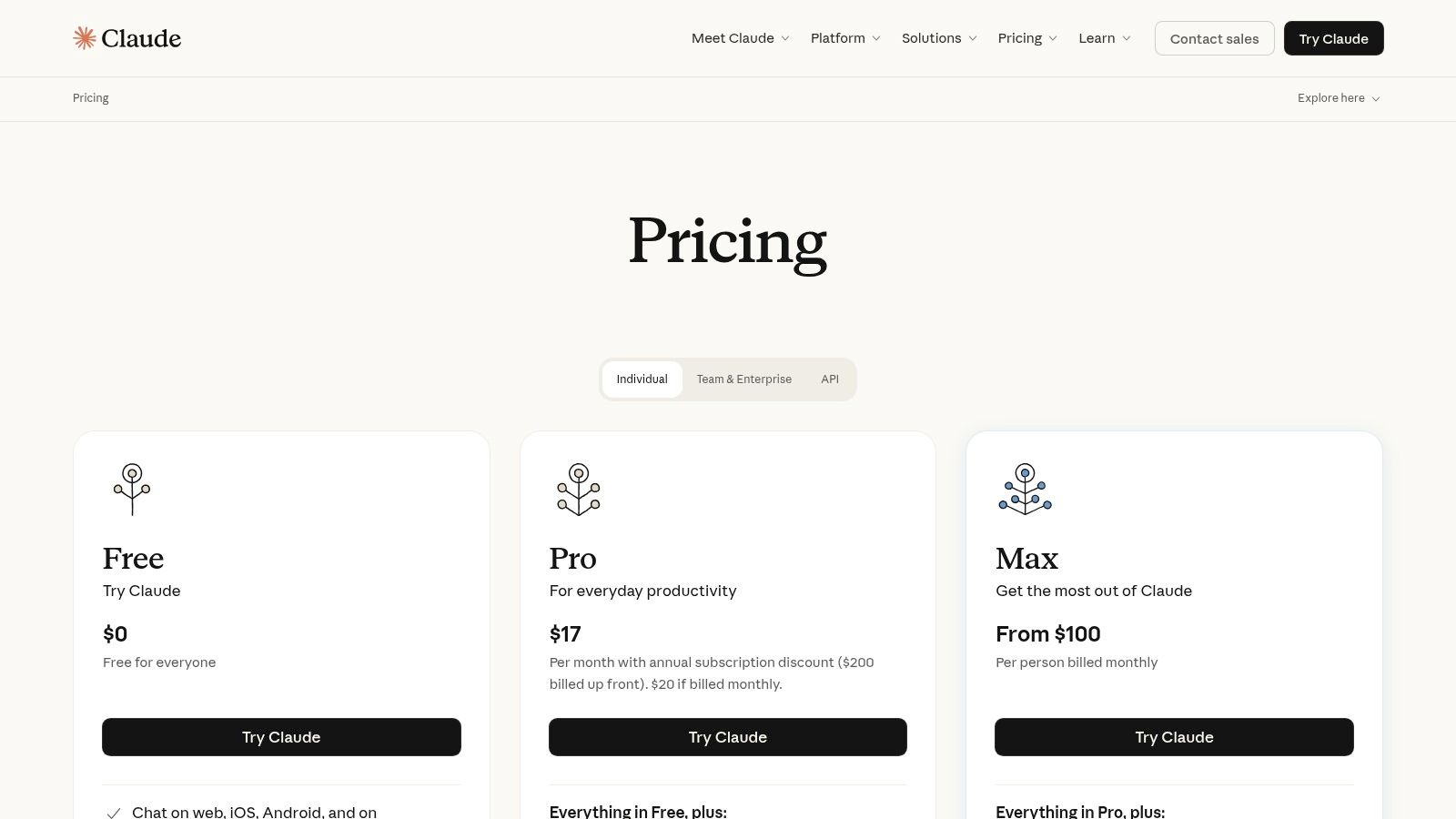
- Pricing: Offers a free tier and a Pro plan ($20/month). The Team plan is $30/user/month (minimum 5 seats). API access is priced per token with different rates for models like Opus, Sonnet, and Haiku.
- Ideal For: Legal document analysis, summarizing academic research, refining complex business strategies, and generating high-fidelity code.
- Practical Example: You could upload a 100-page competitor analysis report and ask, "What are the top 3 threats and opportunities for my business mentioned in this document?"
- Pros: Exceptional performance with long documents and complex reasoning tasks. Clear and predictable API pricing with discounts for batch processing.
- Cons: API costs can add up quickly with heavy use if you're not careful. Extra features like web search are billed separately, which can make the final cost a bit complicated.
Website: https://www.anthropic.com/pricing
6. Zapier
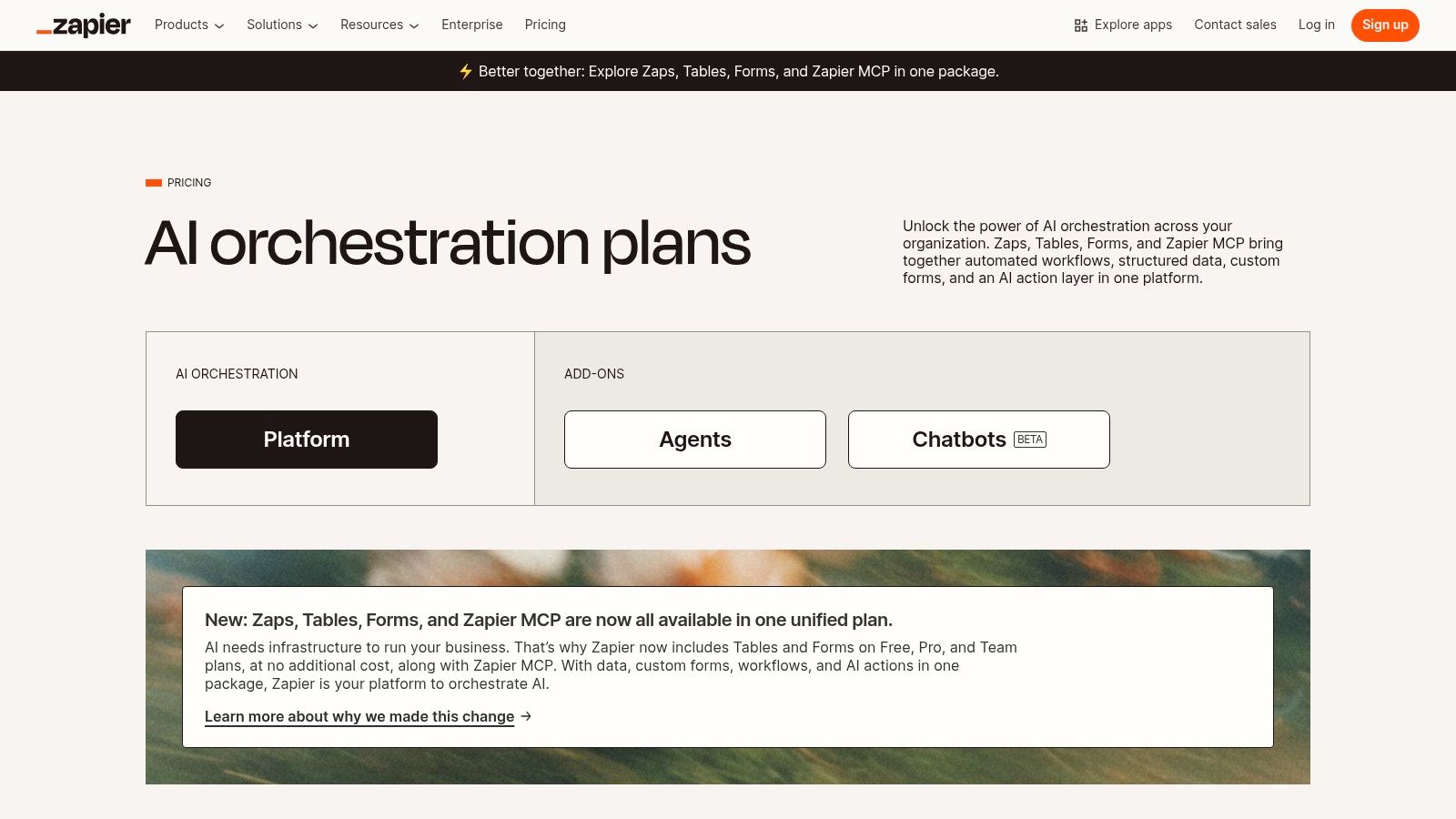
Zapier is the glue that holds your business automation together, and its new AI features make it a must-have for entrepreneurs. This "no-code" platform connects over 7,000 different apps, letting you create automated workflows (called "Zaps") that handle repetitive tasks without any programming skills. You can automatically add leads to your CRM, manage data entry, and streamline your operations by linking the tools you already use every day.
The real magic for modern entrepreneurs is Zapier’s built-in AI. You can add steps to your Zaps that use AI to summarize text, classify leads, draft email responses, or even format data before it lands in your CRM. For example, a new contact form submission on your website could trigger a Zap that uses AI to analyze the message's sentiment. If it's positive, it routes it to sales; if it's negative, it goes to support—all instantly. This makes Zapier one of the most practical AI tools for entrepreneurs looking to build a lean, automated business.
Key Details & Use Cases
- Pricing: Starts with a Free plan for basic Zaps. Paid tiers include Professional, Team, and Enterprise, priced based on the number of "tasks" (automation actions) you use per month.
- Ideal For: Automating lead-to-CRM pipelines, streamlining social media posting, syncing data between different apps, and creating AI-powered back-office workflows.
- Practical Example: Create a Zap where every new email attachment in a specific Gmail folder is automatically sent to ChatGPT to be summarized, with the summary then posted to a dedicated Slack channel.
- Pros: Its massive ecosystem of 7,000+ app integrations is unmatched. The visual editor is easy to use, and you can build powerful, AI-enhanced automations in minutes.
- Cons: The task-based pricing can get expensive for high-volume workflows, and some complex Zaps can have a slight delay.
Understanding how to chain different apps together is key to unlocking its full potential. Learn more about how you can leverage AI automation for your business to get started.
Website: https://zapier.com/pricing
7. Notion
Notion has become the go-to all-in-one workspace for startups, combining docs, project management, and knowledge bases with powerful, built-in AI. For entrepreneurs, this means you can build your company's entire operating system in one place. Notion AI is embedded right into your workflow, letting you draft investor updates, summarize long market research docs, or generate project plans without ever leaving the app.
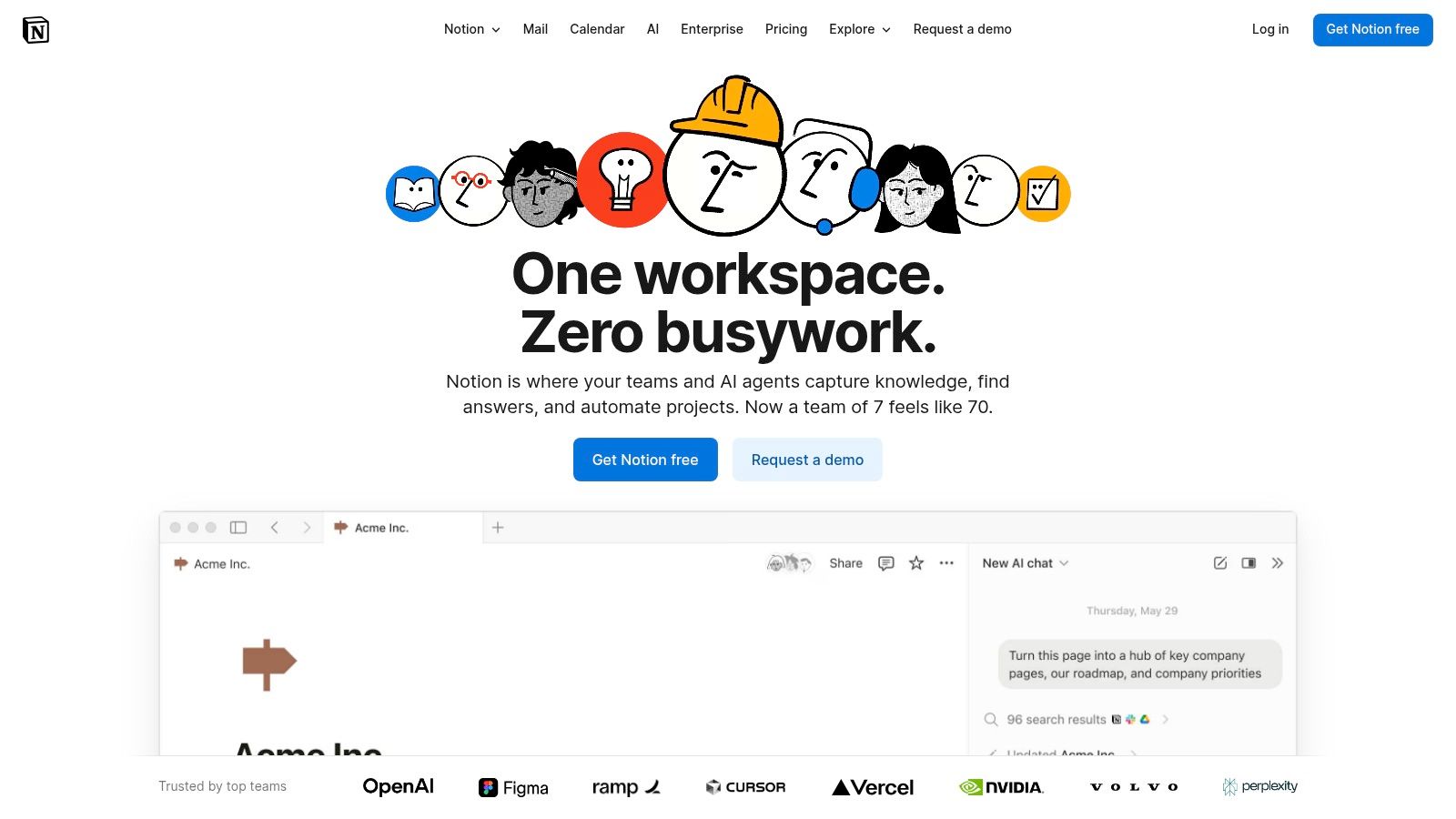
The real magic happens when Notion AI interacts with your existing company data. You can ask it to find info buried in meeting notes from six months ago or create a sales CRM entry based on a customer email. This makes it one of the most practical AI tools for entrepreneurs who want to simplify their tech stack and stop switching between a dozen different apps all day.
Key Details & Use Cases
- Pricing: Free plan for individuals. Paid plans include Plus ($8/user/month billed annually) and Business ($15/user/month billed annually). Notion AI is included in the Business and Enterprise plans.
- Ideal For: Creating a central company wiki, managing team projects, drafting documents with AI help, and summarizing internal knowledge.
- Practical Example: After a team brainstorming session, highlight your messy notes and ask Notion AI to "Summarize these notes and create a table of action items with owners and due dates."
- Pros: Combines core business functions (docs, tasks, knowledge base) in a single platform. The deep integration of AI with your own data is a huge plus.
- Cons: The best AI features are locked behind the Business plan, which might be a stretch for solo founders. The platform's flexibility can also make it a bit tricky to learn at first.
Website: https://www.notion.so
8. Shopify
For entrepreneurs building an e-commerce business, Shopify is no longer just a storefront builder—it's a full-fledged platform with powerful, native AI. The built-in "Shopify Magic" toolset helps you generate compelling product descriptions, craft email marketing campaigns, and even auto-generate FAQ sections and policy pages. This makes it one of the most practical AI tools for entrepreneurs launching a product-based business from the ground up.
The real power of Shopify's AI ecosystem is in its huge App Store. Beyond the free content generation, you can add sophisticated AI apps for things like dynamic pricing, personalized product recommendations, and advanced chatbot support. This lets you create a smart, automated customer experience. For instance, an app could analyze a customer's browsing history to show them products they're more likely to buy, boosting your sales without you lifting a finger.
Key Details & Use Cases
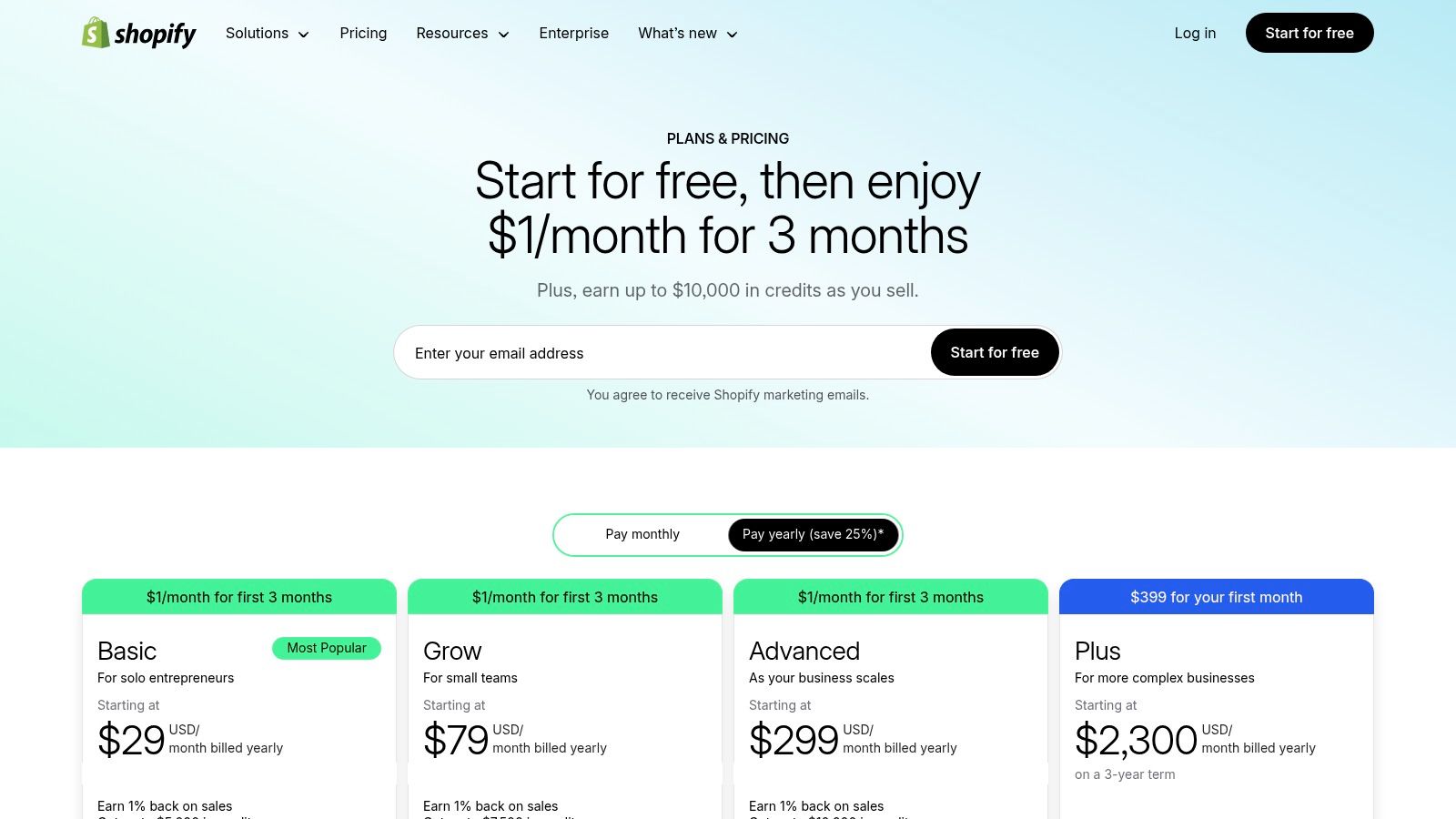
- Pricing: Plans start at $29/month (billed annually) for Basic, with Shopify and Advanced tiers offering lower transaction fees and more features. Shopify Magic is included in all plans.
- Ideal For: Product-based entrepreneurs who need an all-in-one solution for their storefront, marketing content, payments, and fulfillment.
- Practical Example: When adding a new product, use Shopify Magic to generate three different descriptions—one focused on features, one on benefits, and one with a playful tone—to see which one converts best.
- Pros: Native AI is included at no extra cost, which is great for essential tasks like copywriting. The App Store offers nearly limitless potential for adding more AI features. It's a robust, all-in-one system.
- Cons: The total cost can climb quickly with paid app subscriptions. Transaction fees can eat into your profits if not managed carefully.
Website: https://www.shopify.com/pricing
9. Canva (Magic Studio)
Canva's Magic Studio brings a powerful suite of AI features right into its super user-friendly design platform, making it a lifesaver for entrepreneurs who aren't graphic designers. It lets you quickly create professional marketing materials, eye-catching pitch decks, and consistent social media content without the hefty price tag of an agency. From generating text with Magic Write to creating unique images with Magic Media, Canva makes the whole creative process a breeze.
The platform is especially valuable for startups that need to keep their branding consistent. The Brand Kit feature makes sure every design uses your company colors, fonts, and logos. For entrepreneurs, this means you can empower your team to create on-brand visuals on their own, freeing you up to focus on strategy. This makes it one of the most practical AI tools for entrepreneurs looking to scale their marketing efficiently.
Key Details & Use Cases
- Pricing: A robust Free plan is available. Canva Pro is approximately $14.99/month for one person, while Canva for Teams starts around $29.99/month for the first 5 people.
- Ideal For: Creating social media graphics, business presentations, marketing flyers, and brand style guides.
- Practical Example: Use Magic Media to generate a custom image by typing "a minimalist photo of a person working on a laptop in a bright, modern cafe." Then, use Magic Write to create a catchy Instagram caption for it.
- Pros: Dramatically reduces the time and cost of routine design work. The collaboration features and Brand Kit are excellent for keeping your team aligned. Its huge template library gives you a great starting point for any project.
- Cons: Team pricing and included features can change, so always double-check the current costs and seat requirements on their site.
Website: https://www.canva.com
10. Jasper
Jasper is a marketing-focused AI platform built for entrepreneurs and teams who need to create brand-safe content across many different channels. Unlike general-purpose AI writers, Jasper is designed with your brand in mind. It lets you establish a consistent brand voice and feed it a knowledge base of your company's information. This makes it a great choice for scaling your marketing without sacrificing quality or brand identity.
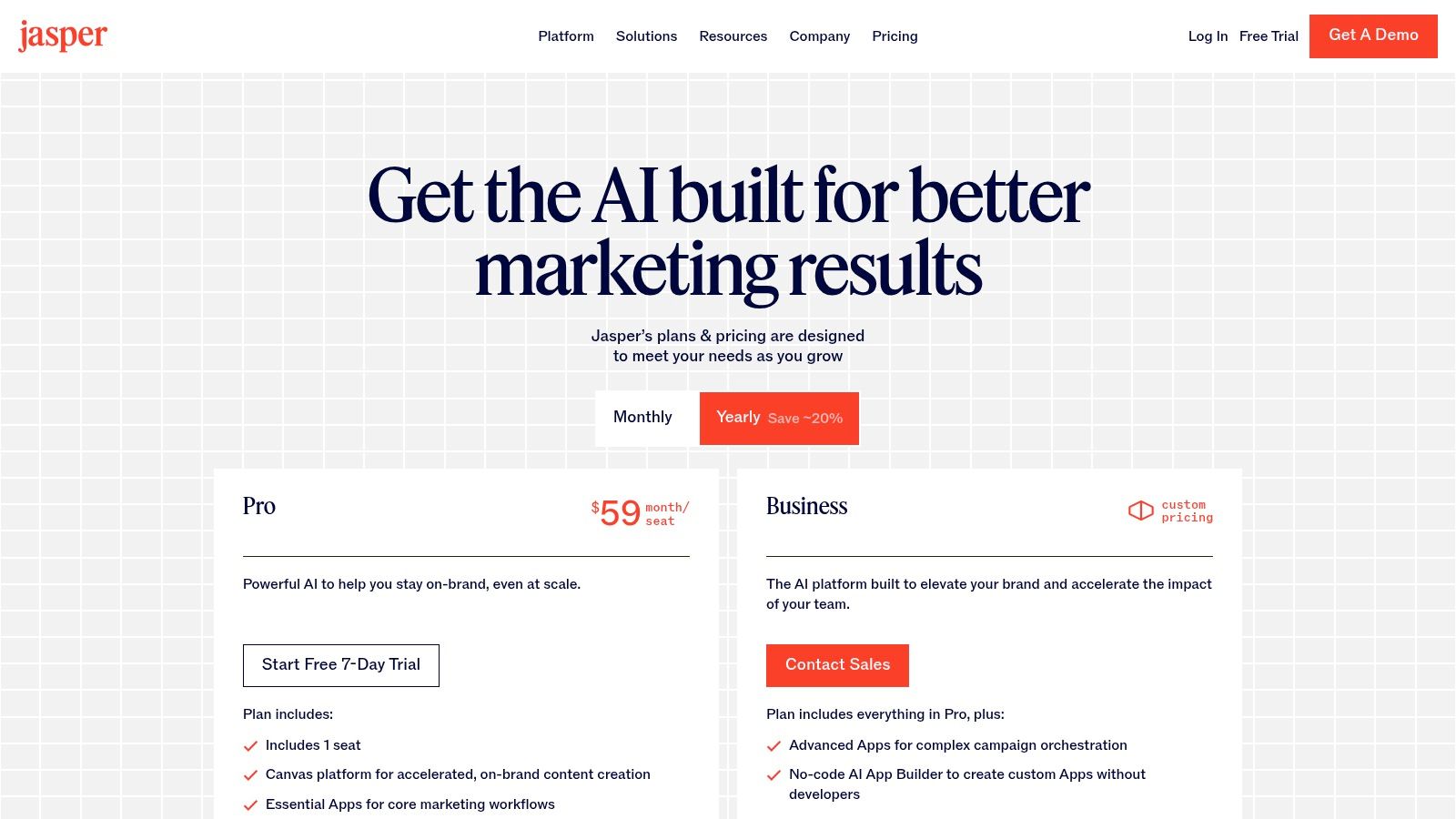
The platform offers a bunch of templates and marketing workflows to speed up campaign creation, from blog posts and social media ads to entire email sequences. The Business plan is where Jasper really shines for teams, offering collaborative features, admin controls, and API access. This positions it as one of the best AI tools for entrepreneurs who want to build a repeatable and scalable content machine for their business.
Key Details & Use Cases
- Pricing: Starts with a Creator plan at $39/user/month (billed annually) and a Pro plan at $59/user/month. The Business plan offers custom pricing for teams and adds advanced collaboration and governance features.
- Ideal For: Marketing teams, content creators, and agencies needing to produce on-brand, multi-channel marketing campaigns at scale.
- Practical Example: Use the "One-Shot Blog Post" template. Give it a topic like "5 Time-Saving Tips for Busy Entrepreneurs," your target keywords, and your brand's tone of voice (e.g., "witty and helpful"), and watch it generate a full draft.
- Pros: Purpose-built for marketing with excellent brand voice controls. Pre-built templates and workflows dramatically speed up content creation.
- Cons: The most valuable team features are locked behind the custom-priced Business plan. The Pro plan is only for one person, making it less ideal for collaborative teams.
While Jasper is a powerful tool, exploring top Jasper AI alternatives can help you find the perfect fit for your specific marketing needs.
Website: https://www.jasper.ai/pricing
11. Product Hunt
Okay, so Product Hunt isn't an AI tool itself, but it's an essential resource for any entrepreneur trying to stay ahead of the curve. It’s a community-based platform where new tech products, especially AI tools, launch every single day. For a founder, it’s a real-time feed of market trends, new competitors, and cool ideas. You can discover everything from niche AI agents to groundbreaking photo and video tools, often before they become mainstream.
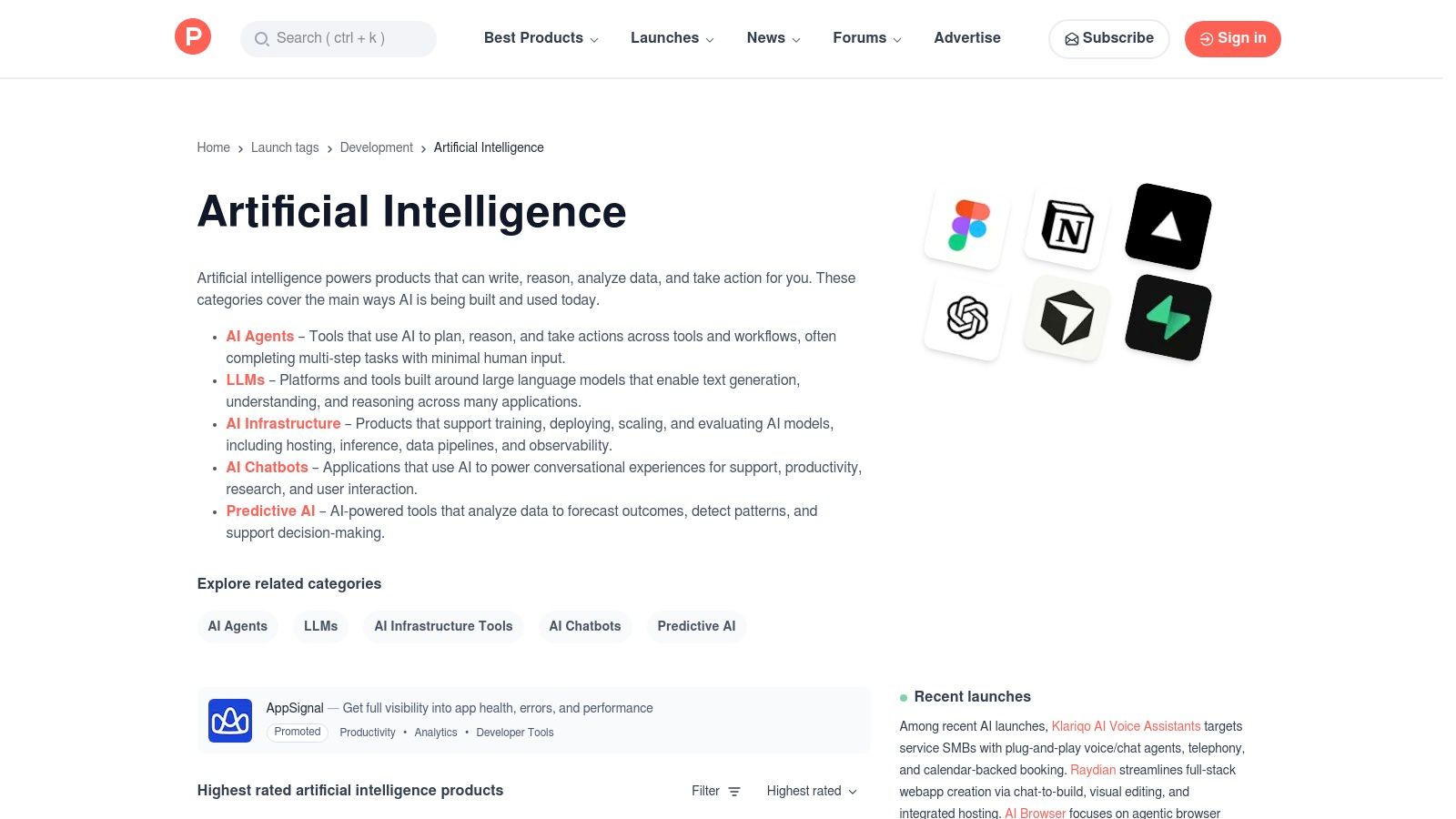
The platform's real value is its community. Each product launch has ratings, reviews, and a discussion where you can see honest user feedback and even ask the founders questions directly. This makes it one of the best AI tools for entrepreneurs doing market research or looking for new software to solve a specific problem. Just by following the "Artificial Intelligence" topic, you get a daily dose of innovation.
Key Details & Use Cases
- Pricing: Free to browse, create an account, and join in the discussions.
- Ideal For: Discovering new and trending AI tools, analyzing competitors, and seeing what users really think about new tech.
- Practical Example: You're looking for an AI tool to automate your social media scheduling. You can search "AI social media" on Product Hunt to find the newest tools, read reviews, and see which one is getting the most buzz.
- Pros: An excellent, fast way to see what's new in the market. The community discussions provide valuable, unfiltered insights.
- Cons: The quality and long-term viability of the tools listed can vary a lot, so always do your own research. It's for discovery, not for buying directly.
Website: https://www.producthunt.com/topics/artificial-intelligence
12. AppSumo
AppSumo isn't a single AI tool but an absolute goldmine for entrepreneurs looking to build their AI toolkit on a budget. It's a deal site that offers huge discounts and lifetime deals (LTDs) on new software, including a massive selection of AI-powered platforms for copywriting, SEO, chatbots, and more. For a startup or small business, this is a low-risk way to get your hands on powerful AI tools for entrepreneurs without getting locked into expensive monthly subscriptions.
The biggest benefit is saving money. Instead of paying hundreds per month for various tools, you can often get lifetime access for a one-time fee that’s about the same as a few months of a normal subscription. AppSumo’s refund policy on most deals also lowers the risk, letting you test if a tool actually fits your workflow before you fully commit. This makes it an ideal launchpad for experimenting with different AI solutions to see what works for you.
Key Details & Use Cases
- Pricing: Varies by deal. Most offers are one-time purchases for lifetime access, often with different tiers based on usage limits.
- Ideal For: Budget-conscious entrepreneurs, testing new AI technologies, and building a diverse software stack without recurring fees.
- Practical Example: You've been wanting to try an AI video creation tool but the $50/month subscription is too steep. You find a lifetime deal for a similar tool on AppSumo for a one-time payment of $69.
- Pros: Incredible potential for savings compared to standard SaaS pricing. It provides a fantastic opportunity to experiment with multiple AI tools affordably.
- Cons: A "lifetime" deal is only as good as the company offering it; some startups might not last, making the deal worthless. Some deals might also have fewer features than the plans sold directly by the vendor.
Website: https://appsumo.com
Top 12 AI Tools for Entrepreneurs — Quick Comparison
| Product | Core features | Quality ★ | Price/Value 💰 | Target 👥 | USP ✨🏆 |
|---|---|---|---|---|---|
| The Smart Solopreneur Stack | Automation blueprints, SOPs, templates, integrations for solo businesses | ★★★★☆ — practical | 💰 Cost‑efficient (low OPEX) | 👥 Freelancers, coaches, microbusinesses | ✨ Implementation‑focused stack + ownership |
| OpenAI | GPT models, custom GPTs, team workspace, admin/SSO | ★★★★★ — versatile | 💰 Free→Enterprise plans; Business = value | 👥 Teams, researchers, product builders | 🏆 Latest models + fast setup |
| Microsoft 365 Copilot | Copilot in Word/Excel/Teams, Copilot Studio, enterprise security | ★★★★☆ — enterprise grade | 💰 Requires M365 license; metered agent costs | 👥 Microsoft 365 customers, IT teams | 🏆 Deep native app & security integration |
| Google AI Studio (Gemini API) | Gemini models, token pricing, free tier, batch/flash tiers | ★★★★☆ — developer friendly | 💰 Transparent per‑token pricing; free trial | 👥 Founders, developers, prototypers | ✨ Cost/throughput tiers for prototyping |
| Anthropic — Claude | Long‑context reasoning, API models, web/code features, batch pricing | ★★★★☆ — strong reasoning | 💰 Clear API pricing + batch discounts | 👥 Research teams, document analysts | 🏆 Excels at complex, long‑context tasks |
| Zapier | No‑code automations, 7,000+ apps, AI steps, Tables/Interfaces | ★★★★☆ — fast wins | 💰 Task‑based billing; can scale costly | 👥 SMBs, non‑engineers automating ops | ✨ Massive app ecosystem for quick automations |
| Notion | Docs, tasks, KB, lightweight CRM + Notion AI features | ★★★★☆ — unified workspace | 💰 Free→Enterprise; AI features on Business+ | 👥 Startups, product teams, knowledge workers | ✨ All‑in‑one hub reducing context switching |
| Shopify | Storefront, Shopify Magic AI, App Store, payments & fulfillment | ★★★★☆ — commerce complete | 💰 Tiered plans; apps/add‑ons add cost | 👥 Product businesses, DTC brands | 🏆 End‑to‑end ecommerce + native AI |
| Canva (Magic Studio) | AI design (text+image), templates, brand kits, collaboration | ★★★★☆ — design for non‑designers | 💰 Pro/Teams pricing; regional variance | 👥 Marketers, small teams, creators | ✨ Fast on‑brand visual production |
| Jasper | Marketing templates, brand voices, AI app builder, governance | ★★★★☆ — marketing focused | 💰 Pro single‑seat → Business custom pricing | 👥 Marketing teams, agencies | ✨ Brand‑safe, multi‑channel campaign tools |
| Product Hunt | Discovery hub, ratings, launch threads, category hubs | ★★★☆☆ — discovery‑centric | 💰 Free discovery; transactions on vendor sites | 👥 Tool scouts, founders, investors | ✨ Rapid way to surface new AI tools |
| AppSumo | Deals & lifetime offers on AI SaaS, themed promos, refunds | ★★★☆☆ — budget deals | 💰 Deep discounts / lifetime deals | 👥 Budget-conscious entrepreneurs | ✨ Affordable risk‑light trial of tools |
Your Next Move: Start Building Your AI Advantage
We've explored a powerful landscape of AI tools for entrepreneurs, from foundational models like OpenAI and Google's Gemini to specialized platforms like Jasper and Canva. It can feel like a lot, but the main message is one of empowerment. You don't need a team of data scientists or a huge budget to start using artificial intelligence. The right tools, used strategically, can act as your co-founder, your marketing team, your operations manager, and your creative director, all at once.
The key takeaway isn't to adopt every single tool on this list. It's about recognizing that AI is no longer a futuristic concept—it's a practical, accessible tool. For the solopreneur juggling a dozen roles, tools like Zapier and Notion AI can automate boring admin tasks, freeing up precious hours for big-picture thinking. For the growing e-commerce brand, Shopify's built-in AI can optimize product descriptions and personalize customer interactions, directly boosting your bottom line.
The era of manual, repetitive work is quickly coming to an end. The competitive advantage now comes from your ability to spot inefficiencies and use AI to solve them.
How to Choose Your Starting Lineup
Feeling that "analysis paralysis"? Don't sweat it. Picking your first AI tools is less about finding the "perfect" one and more about solving your most immediate problem. Use this simple framework to guide your decision:
- Identify Your Biggest Bottleneck: Where do you spend the most time for the least reward? Is it writing social media posts? Answering customer emails? Analyzing sales data? Pinpoint the single biggest time-suck in your day.
- Match the Tool to the Task: If your bottleneck is content creation, start with Jasper or Canva. If it's workflow automation, Zapier is a clear winner. If it's organizing research and meeting notes, Notion AI is the logical first step. Focus on one specific use case to prove the value to yourself.
- Consider Your Existing Ecosystem: The best AI tools are the ones that fit smoothly into how you already work. If you live in the Microsoft universe, exploring 365 Copilot is a no-brainer. If your business is built on Shopify, start with its native AI features before looking elsewhere. The less friction, the better.
- Start Small and Scale: You don’t need to subscribe to five premium tools on day one. Begin with a free trial or a basic plan. Spend a week genuinely trying to integrate one tool into your routine. Once you see a real return—whether in time saved or money earned—you can confidently expand your AI stack.
Beyond the Tools: Adopting an AI Mindset
Ultimately, the biggest shift isn't just about using these platforms; it's about adopting an AI-first mindset. Before you start any new task, ask yourself: "Can AI help me do this faster, better, or more creatively?" This simple question is the key to unlocking new levels of productivity and innovation.
The AI tools for entrepreneurs we've covered are more than just software; they are force multipliers. They level the playing field, allowing small, agile teams to compete with big, established companies. By embracing this technology, you're not just optimizing your business—you're future-proofing it. The journey starts not with mastering every tool, but with picking one and taking that first, decisive step.
Ready to stay ahead of the curve? The world of AI moves incredibly fast, and keeping up with the latest breakthroughs and tools is a challenge. Subscribe to YourAI2Day, our daily newsletter that delivers the most important AI news and insights directly to your inbox in a simple, easy-to-read format. Join thousands of other entrepreneurs who start their day with YourAI2Day to maintain their competitive edge.