
Demystifying Fuzzy Logic Controllers: Your Guide
Your thermostat says the room is too cold, so it blasts heat. A few minutes later, the room feels stuffy. Then it overcorrects again. You end up living inside a tiny climate drama run by a device that only seems to think in extremes.
That frustration is one reason fuzzy logic controllers still matter. They sit in an interesting middle ground between classic control engineering and human common sense. They do not need the world to behave in a perfectly neat, mathematical way. They work well when conditions are messy, nonlinear, or just hard to describe with a clean equation.
Beginners often hit a wall here. They search for practical help, then land in dense papers full of symbols. That gap is real. Google Trends data discussed in this practical review shows a 40% year-over-year increase in searches for "fuzzy logic tuning tutorial" in major markets like the US and EU, while many top results remain heavily academic.
This guide takes the opposite approach. We will stay grounded in plain language, real control problems, and beginner-friendly implementation. If you like smart-home examples, this practical guide on using a Google Home Hub to save more energy pairs nicely with the thermostat problem that kicks off the discussion below.
Why Your Thermostat Is So Clumsy and How Fuzzy Logic Helps
A basic thermostat often behaves like a switch with only two moods. Heat on. Heat off.
That sounds simple, but your room is not simple. Walls store heat. Sunlight changes the temperature. A kettle boils in the kitchen. Someone opens a door. By the time the thermostat reacts, the room has already changed again.
Why binary control feels awkward
Think about how a person would manage room temperature.
You would not say, “At exactly this number, I must go from zero heating to maximum heating.” You would think in softer terms. A bit chilly. Slightly warm. Getting too hot. That language is vague, but your decisions are often better because of it.
A traditional on/off controller ignores that nuance. It waits for a threshold, then reacts hard. That creates overshoot and undershoot. The system keeps chasing the target instead of gliding toward it.
What fuzzy logic does differently
Fuzzy logic lets the controller act more like a careful human operator. Instead of treating temperature as only “too low” or “too high,” it can treat it as partly cool and partly comfortable at the same time.
That matters because many real systems do not fit crisp boundaries. Heating, braking, fan control, motor speed, and process temperature all involve gradual changes.
A fuzzy controller can make decisions like:
- If the room is slightly cool: add a little heat.
- If the room is very cold: add a lot of heat.
- If the room is near the target and warming quickly: ease off.
Those rules feel natural because they mirror how an experienced person would act.
Key idea: Fuzzy logic is not sloppy logic. It is a structured way to handle the kind of ambiguity humans handle every day.
That is why fuzzy logic controllers show up in places where rigid control feels clumsy. They are especially useful when the system is hard to model precisely, or when expert know-how exists but clean equations do not.
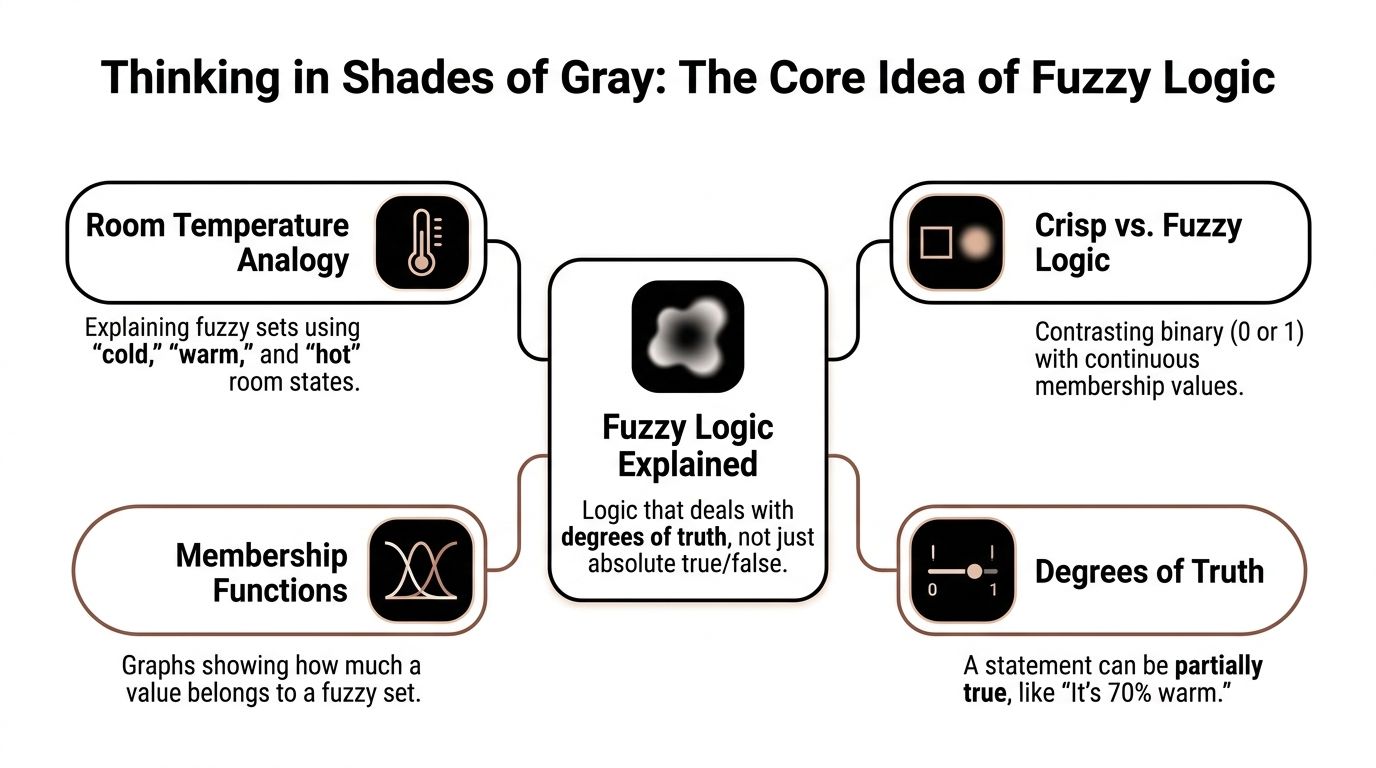
Thinking in Shades of Gray The Core Idea of Fuzzy Logic
At the heart of fuzzy logic is one simple shift. Stop forcing the world into yes-or-no boxes.
A normal logic system asks, “Is this statement true or false?” Fuzzy logic asks, “How true is it?” That small change makes control systems much more natural.
A room can be warm without being fully warm
Take room temperature.
If the room is 22°C, is it cold or warm? For 22°C, a common assessment might be, “Kind of warm.” That answer breaks classic logic, because classic logic wants a hard label. Fuzzy logic is built for that answer.
It uses fuzzy sets such as:
- Cold
- Comfortable
- Warm
- Hot
A single temperature can belong to more than one set at once. So 22°C might be somewhat comfortable and somewhat warm.
That overlap is the point.
Membership functions in plain English
The tool that makes this work is the membership function. It gives a value between 0 and 1 to describe how strongly something belongs to a fuzzy set.
You do not need to get lost in equations to understand it. Think of a dimmer switch instead of a light switch.
- A normal switch is either off or on.
- A dimmer can sit anywhere in between.
A membership function does the same for labels like “warm” or “high humidity.” It tells the controller how much each label applies right now.
Here is the intuition:
- 18°C might be strongly “cool”
- 22°C might be partly “comfortable” and partly “warm”
- 28°C might be strongly “hot”
That is why people call fuzzy logic thinking in shades of gray.
A short visual explanation helps here:
The key terms that confuse beginners
Three terms usually trip people up, so let’s make them friendly.
Linguistic variables
A linguistic variable is just a variable described with words instead of only numbers.
Temperature is a number, but in fuzzy logic we also describe it with words like cold, warm, and hot.
Fuzzy sets
A fuzzy set is one of those word-based categories.
“Warm” is a fuzzy set. “High humidity” is a fuzzy set. “Fast fan speed” is a fuzzy set.
Degree of membership
This is the score from 0 to 1 that says how much a value belongs in a fuzzy set.
If a room is 0.7 warm, that does not mean the thermometer is uncertain. It means the label “warm” applies strongly, but not absolutely.
Practical mindset: Fuzzy logic does not replace numbers with vague words. It uses numbers to manage vague words systematically.
This was the breakthrough behind Lotfi Zadeh’s foundational 1965 work on fuzzy set theory. The big idea was that truth does not have to be only 0 or 1. It can live in between, which makes control systems far better at dealing with uncertainty and imprecision.
Inside the Machine The Three Main Parts of a Fuzzy Controller
A fuzzy controller works like a careful human operator who reads a situation, makes a judgment, then turns that judgment into a clear action. Inside that process are three parts: fuzzification, the inference engine, and defuzzification.

If the names sound academic, the workflow is not. It is close to how you drive a car in traffic. You notice exact signals like speed and distance, translate them into judgments like "a bit close" or "closing too fast," then press the pedal by a precise amount.
Fuzzification
Fuzzification is the input step. It takes a crisp sensor value and asks, "How strongly does this value belong to each label?"
Suppose a room measures 27°C. The controller does not force that reading into only one bucket. It may treat 27°C as partly warm and partly hot at the same time.
The same thing happens with humidity. A reading might belong somewhat to moderate and somewhat to high.
That overlap is the whole point. Real systems rarely change behavior cleanly at one exact threshold. Water does not feel suddenly "too hot" at one perfect degree. Traffic does not become "dangerous" at one exact meter. Fuzzification preserves that gradual change instead of throwing it away.
For a beginner, one detail matters here: the sensor reading itself is still precise. Fuzzy logic does not make the measurement vague. It maps a precise number to several word-based categories with different strengths.
Inference engine
The inference engine is the decision-making part. It checks the fuzzy labels against a set of IF-THEN rules.
A few sample rules for a fan controller look like this:
- IF temperature is hot AND humidity is high, THEN fan speed is fast
- IF temperature is warm AND humidity is moderate, THEN fan speed is medium
- IF temperature is comfortable, THEN fan speed is low
This works like a cookbook for control. A recipe says, "If the pan is very hot, lower the flame." A driving habit says, "If the road is wet and the turn is sharp, slow down more." Fuzzy rules do the same job for a machine. They convert practical judgment into a form the controller can evaluate every cycle.
Several rules can fire at once. That often confuses beginners, but this blending of rules provides smooth fuzzy control. If the room is partly warm and partly hot, both related rules can contribute to the final decision with different strengths.
So the inference engine does not choose one single rule and ignore the rest. It blends the advice from all relevant rules.
Defuzzification
After the rules fire, the controller has a fuzzy conclusion. A machine still needs one exact command, so the final step converts that blended conclusion back into a number.
That output could be:
- a fan duty cycle
- a valve position
- a heater power command
- a motor speed reference
A common method is centroid defuzzification. You can picture it as finding the balance point of all the output recommendations combined. If several rules suggest medium speed and a few strongly suggest fast speed, the final value lands at the weighted center of those suggestions.
This step is where the theory meets hardware. Motors, valves, and power converters respond to numeric commands, not words.
One pass through the controller
A small fan-control example makes the sequence easier to see.
The sensors read a room that is fairly warm and quite humid. Fuzzification converts those readings into memberships such as warm = strong, hot = moderate, humid = strong. The inference engine evaluates the rules and finds that both medium fan and fast fan recommendations should apply. Defuzzification combines them into one output value, such as a higher PWM command for the fan motor.
That is the full loop. Read, interpret, decide, convert.
Why this matters in real designs
This three-part structure is not just classroom theory. It is exactly why fuzzy control is approachable for beginners and useful for engineers. You can describe the controller in plain language first, then implement the same logic in code or in Simulink without changing the core idea.
That bridge matters. Many tutorials either stay abstract with membership-function diagrams, or they jump straight into software blocks and rule tables. A better way is to keep both views side by side. First understand what each part is doing conceptually. Then map each part to the practical implementation: fuzzification as membership functions, inference as rule evaluation, and defuzzification as the final numeric output sent to the actuator.
In embedded systems, engineers usually keep the number of fuzzy sets and rules small enough for real-time execution. The goal is simple: smooth decisions without creating a controller that is slow to compute or hard to tune.
How to Design Your First Fuzzy Logic Controller
Let’s build a small one. A smart fan is a good first project because the behavior is easy to picture, and the rules feel intuitive.
The job is simple. The fan should react to both temperature and humidity. A hot dry room might need moderate airflow. A warm but humid room can feel worse and may need stronger airflow.
Step 1 Choose the inputs and output
We need two inputs and one output:
- Input 1: temperature
- Input 2: humidity
- Output: fan speed
That is enough to make the controller useful without making it messy.
A beginner often adds too many variables too soon. Resist that urge. If you add occupancy, time of day, window state, air quality, and outdoor temperature all at once, you will spend more time debugging the rule base than learning fuzzy control.
Start small: Two inputs and one output is ideal for a first fuzzy controller.
Step 2 Define the word labels
Each variable needs labels a human would use.
For temperature, you might choose:
- cool
- warm
- hot
For humidity:
- low
- medium
- high
For fan speed:
- slow
- medium
- fast
These labels are your fuzzy sets.
Notice that they are not mathematically fancy. That is good. Fuzzy logic works best when the categories make immediate sense to a person.
Step 3 Draw simple membership functions
Now give each label a shape across its range.
If you are sketching by hand, triangles are perfect for a beginner. They are easy to understand and easy to code.
For example:
Temperature
“Cool” is strongest at lower temperatures and fades as the room warms.
“Warm” peaks in the middle and overlaps with both cool and hot.
“Hot” grows stronger at the upper end.
Humidity
Low, medium, and high can overlap the same way.
Fan speed
Slow, medium, and fast define the output choices.
The overlap is important because it prevents jerky behavior. If the room moves from warm toward hot, the fan can increase smoothly instead of jumping suddenly.
Step 4 Write the rule base in plain English
With the rule base written in plain English, beginners finally see the power of fuzzy logic.
You do not start with equations. You start with operating judgment.
A small rule base for the smart fan could be:
- IF temperature is cool AND humidity is low, THEN fan speed is slow
- IF temperature is cool AND humidity is high, THEN fan speed is medium
- IF temperature is warm AND humidity is medium, THEN fan speed is medium
- IF temperature is warm AND humidity is high, THEN fan speed is fast
- IF temperature is hot AND humidity is low, THEN fan speed is medium
- IF temperature is hot AND humidity is high, THEN fan speed is fast
You can already feel the logic. Humidity matters because a humid room often feels more uncomfortable than the same temperature with dry air.
Step 5 Test edge cases
Do not only test obvious inputs. Many fuzzy logic controllers reveal weak spots here. A rule base may look sensible but still produce odd outputs around boundaries.
Step 6 Tune gently, not dramatically
When the controller behaves poorly, beginners often rewrite everything. Usually that is unnecessary.
Try tuning in this order:
- First: adjust the membership function overlap
- Second: revise one or two rules that feel too aggressive
- Third: check whether the output sets are spaced too tightly or too widely
Small changes often create large behavioral differences.
A practical warning
Membership functions and scaling matter as much as the rules. A good rule base can still behave badly if the input ranges are poorly chosen.
That is one reason many real-world guides feel incomplete. They explain the fuzzy concepts, but they skip the hands-on tuning decisions that make a controller work on actual hardware.
From Theory to Reality Code and Simulink Examples
You have the rules on paper. Now comes the part that usually makes beginners hesitate. How do those plain-language decisions become something a computer or simulation can run?
The easiest way to close that gap is to build the same small controller in two forms. Write it once in Python so you can see the logic line by line. Build it again in Simulink so you can watch signals move through a model like water through pipes.

A simple Python example
Python is a friendly starting point because the code stays close to the rule table you already designed. Libraries such as scikit-fuzzy handle the fuzzy math for you, so you can focus on the controller behavior instead of building every operation from scratch.
Here is a compact fan-control example:
import numpy as np
import skfuzzy as fuzz
from skfuzzy import control as ctrl

# Inputs and output
temperature = ctrl.Antecedent(np.arange(0, 41, 1), 'temperature')
humidity = ctrl.Antecedent(np.arange(0, 101, 1), 'humidity')
fan_speed = ctrl.Consequent(np.arange(0, 101, 1), 'fan_speed')

# Membership functions
temperature['cool'] = fuzz.trimf(temperature.universe, [0, 0, 20])
temperature['warm'] = fuzz.trimf(temperature.universe, [15, 25, 35])
temperature['hot']  = fuzz.trimf(temperature.universe, [30, 40, 40])

humidity['low']    = fuzz.trimf(humidity.universe, [0, 0, 40])
humidity['medium'] = fuzz.trimf(humidity.universe, [30, 50, 70])
humidity['high']   = fuzz.trimf(humidity.universe, [60, 100, 100])

fan_speed['slow']   = fuzz.trimf(fan_speed.universe, [0, 0, 40])
fan_speed['medium'] = fuzz.trimf(fan_speed.universe, [30, 50, 70])
fan_speed['fast']   = fuzz.trimf(fan_speed.universe, [60, 100, 100])

# Rules
rule1 = ctrl.Rule(temperature['cool'] & humidity['low'], fan_speed['slow'])
rule2 = ctrl.Rule(temperature['cool'] & humidity['high'], fan_speed['medium'])
rule3 = ctrl.Rule(temperature['warm'] & humidity['medium'], fan_speed['medium'])
rule4 = ctrl.Rule(temperature['warm'] & humidity['high'], fan_speed['fast'])
rule5 = ctrl.Rule(temperature['hot'] & humidity['low'], fan_speed['medium'])
rule6 = ctrl.Rule(temperature['hot'] & humidity['high'], fan_speed['fast'])

# Control system
fan_ctrl = ctrl.ControlSystem([rule1, rule2, rule3, rule4, rule5, rule6])
fan_sim = ctrl.ControlSystemSimulation(fan_ctrl)

# Test input
fan_sim.input['temperature'] = 29
fan_sim.input['humidity'] = 75

fan_sim.compute()
print(f"Recommended fan speed: {fan_sim.output['fan_speed']:.2f}")
Read that code slowly and you will notice something reassuring. Very little of it feels mysterious. You define the input ranges, shape the fuzzy sets, write the rules, then ask the system to compute an output.
That is why side-by-side learning helps so much. The “academic” terms like antecedent, consequent, and inference stop feeling abstract once you can point to the exact lines that implement them. If you are still getting comfortable turning logic steps into code, this guide on moving from pseudo-code to Python can help fill in that gap.
What Simulink changes
Simulink presents the same controller in a more visual way. If Python feels like writing a recipe, Simulink feels like laying out a kitchen workstation. You place the ingredients, connect the tools, and watch the process unfold.
A beginner model usually includes:
- sensor input blocks for temperature and humidity
- a fuzzy inference block that stores the membership functions and rules
- an output block connected to the fan or a simple plant model
- scope blocks so you can watch the response over time
That visual feedback matters. In code, you often test one input pair at a time. In Simulink, you can feed in changing signals and see whether the fan speed rises smoothly, reacts too late, or oscillates in ways you did not expect.
Many tutorials split theory from practice at this stage. Using both gives beginners a much clearer mental model because each format explains what the other hides.
What real implementations care about
Small teaching examples keep the rule base short so the design is easy to inspect and tune. Real controllers often grow larger because the system has more operating conditions, tighter performance targets, or hardware limits that shape the design.
The main lesson is simple. Your toy controller and an industrial controller follow the same workflow. Engineers still choose input ranges, define membership functions, build rules, test edge cases, and tune the response. The professional version just does that with more constraints and more iteration.
So do not dismiss the fan example as “too simple.” It works like training wheels on a bicycle. The structure is the same one you will use later for motor drives, HVAC loops, or embedded control systems.
Implementation advice: Start with the smallest controller that behaves sensibly. Add complexity only when a test result gives you a clear reason to do it.
Fuzzy Logic vs PID A Head-to-Head Performance Comparison
Engineers still use PID controllers everywhere for one reason. They work well on a huge range of problems.
So the honest question is not “Is fuzzy better?” The better question is “When does fuzzy logic earn its complexity?”
Quick comparison
| Attribute | Fuzzy Logic Controller (FLC) | PID Controller |
|---|---|---|
| Control style | Rule-based, human-readable | Equation-based feedback control |
| Best fit | Nonlinear or hard-to-model systems | Systems with reasonably stable dynamics |
| Tuning approach | Membership functions and rules | Proportional, integral, derivative gains |
| Handling ambiguity | Strong | Limited |
| Interpretability | High for rule logic | High for classic control engineers |
| Response to changing conditions | Often more graceful | Can struggle if one tuning must fit all cases |
| Compute load | Higher | Lower |
| Beginner intuition | Often easier conceptually | Often easier mathematically once trained |
Where fuzzy logic wins
Fuzzy logic controllers shine when the process is messy.
Think of systems with nonlinear behavior, changing loads, vague operator expertise, or inputs that interact in awkward ways. A fan reacting to both temperature and humidity is a mild example. Industrial heating, vehicle control, and power electronics are stronger ones.
Commercial hybrid PID-fuzzy controllers show why this matters. OMEGA’s technical note on PID-fuzzy adaptive control reports 40% to 60% lower temperature overshoot in step responses compared with fixed PID controllers. In plastic extrusion, settling time dropped from 10 to 15 minutes to 4 to 6 minutes.
Those are the kinds of applications where fixed gains can feel too rigid.
Where PID still wins
PID remains a superb tool when:
- the process is well understood
- you need a lightweight controller
- the dynamics are not wildly nonlinear
- the team already knows how to tune PID well
A small motor speed loop, a flow controller, or a stable thermal system may not need fuzzy logic at all. If PID already gives reliable control with modest effort, adding fuzzy machinery can be unnecessary.
The practical middle ground
In real plants, the contest is often not fuzzy versus PID. It is fuzzy plus PID.
Hybrid designs let PID handle the familiar feedback loop while fuzzy logic adapts the gains or softens the response when conditions change. That combination explains why many commercial controllers use both methods instead of treating them as enemies.
Rule of thumb: Use PID when the system is predictable enough. Use fuzzy logic when operator intuition is strong but the math model is weak.
That is usually the clearest decision filter for beginners.
Fuzzy Logic in Action Real-World Uses and Best Practices
The best way to trust fuzzy logic controllers is to see where they already proved themselves.
One of the earliest commercial wins came from rail transport. The Sendai Subway 1000 series in 1987 used fuzzy controllers to improve ride smoothness, achieve 10% better energy efficiency, and deliver 15% more precise stops compared to traditional human-operated or PID-based systems (summary of the Sendai Subway fuzzy logic results).
That example is memorable because the rules sound almost human. If the train is close to the station and still moving fast, increase braking. Not as a hard switch, but as a nuanced control action.
Where fuzzy logic controllers fit naturally
Once you notice the pattern, many applications make sense.
Consumer devices
Washing machines, climate systems, and similar appliances often benefit from rule-based control because the inputs are not perfectly clean and the user experience matters. “Gentler” control can feel smarter even when the math behind it is simple.
Industrial temperature and process control
This is one of the most practical areas for beginners to study. Manufacturing lines often deal with delays, nonlinear heat transfer, changing materials, and operator knowledge that is easier to say than to model.
If that interests you, this overview of machine learning in manufacturing gives useful context for how fuzzy control fits into a broader automation stack.
Power electronics and robotics
These systems often face fast changes and imperfect models. Fuzzy control becomes attractive when a controller must stay stable and responsive under varying operating conditions.
Best practices from an engineering mentor
If you want your first project to succeed, a few habits matter more than fancy theory.
- Choose a system you can reason about: Fans, heaters, water-level control, and simple motor speed problems are better first projects than complex autonomous robots.
- Use human language first: Write rules in plain English before you open MATLAB, Simulink, or Python.
- Keep the first rule base small: A compact set of sensible rules teaches more than a huge rule table you do not understand.
- Test boundaries carefully: Most odd behavior appears where fuzzy sets overlap.
- Tune scaling before rewriting rules: Bad input ranges often look like bad logic.
- Compare against a baseline: Even a rough PID or on/off controller helps you judge whether the fuzzy design is better.
Common beginner mistakes
A few traps show up again and again.
Too many labels
If every variable has too many categories, the rule count grows fast. The controller becomes harder to reason about and harder to tune.
Rules that conflict
Two rules may push the output in opposite directions for the same region of operation. That is not always wrong, but you need to know it is happening.
Treating fuzzy logic like magic
Fuzzy control is practical, not mystical. It still needs testing, tuning, and engineering judgment.
Final takeaway: Good fuzzy control starts with good observation. Watch how an expert would operate the system, then turn that behavior into structured rules.
Fuzzy logic controllers are one of the friendliest entry points into intelligent control. They reward intuition, they map well to real machines, and they help beginners cross the gap between “AI sounds interesting” and “I built a controller that works.”
YourAI2Day publishes practical AI guides, tools, and implementation-focused insights for readers who want more than theory. If you want approachable coverage of real AI systems, from smart devices to industrial applications, visit YourAI2Day.