How to Use AI Tools: A Beginner’s Friendly Guide
So, you're ready to dive into the world of AI tools, but it all seems a bit… complicated? Don't worry! You absolutely don't need a computer science degree to get started. The real secret isn't knowing complex code; it's about knowing what you want to achieve.
Everything starts with one simple question: What problem am I trying to solve?
Answering that is your north star. It cuts through the noise of countless apps and guides you straight to the right tool for the job, making your first steps into AI a lot less overwhelming.
Find Your Purpose First
Before you even think about signing up for a service, let's take a moment to pinpoint a specific task. Think about the tedious, annoying, or boring parts of your day.
- Staring at a blank page trying to write a weekly report?
- Struggling to come up with catchy social media posts?
- Needing to boil down a dense, 20-page document into a few key bullet points?
Having a clear goal is the difference between aimlessly tinkering with a new toy and actually getting things done. For instance, a vague thought like "I want to try AI" isn't very helpful. A much better, more actionable goal is, "I need to generate five unique blog post ideas about sustainable gardening." See the difference? That specificity immediately points you in the right direction.
Expert Opinion: "The biggest rookie mistake I see," says tech journalist Maria Santos, "is people trying to make one AI tool a jack-of-all-trades. A brilliant AI writer won't produce a decent image, and an image generator can't make sense of your sales data. Knowing your goal helps you pick the right specialist for the job."
It's no wonder AI is becoming a daily habit for so many. The numbers are staggering—by 2025, AI tools have already attracted an incredible 378 million individual users worldwide. Here in the U.S., about 20% of adults say they rely on AI every single day. That explosive growth isn't just hype; it's proof that these tools solve real-world problems. You can dig into more of these fascinating AI adoption statistics on netguru.com.
This goal-first approach changes AI from a cool gimmick into a practical, powerful assistant. Once you know what you need to do, finding the how becomes a whole lot easier.
To make this even simpler, I've put together a quick reference table. Think of it as a cheat sheet for matching your task to the right category of AI.
Matching Your Goal to the Right AI Tool Type
| Your Goal | Type of AI Tool to Explore | Example Tools |
|---|---|---|
| Write or edit text (emails, articles, reports) | Generative Text / LLM | ChatGPT, Jasper, Copy.ai |
| Create unique images, logos, or illustrations | Image Generator | Midjourney, DALL-E 3, Stable Diffusion |
| Analyze data, find trends, build charts | Data Analysis & Visualization | Julius AI, Tableau, Polymer |
| Summarize videos, audio files, or meetings | Transcription & Summarization | Otter.ai, Fireflies.ai |
| Automate workflows between different apps | Automation & Integration | Zapier, Make |
Use this table to get your bearings. Once you identify the right category, you can start exploring the specific tools within it that best fit your style and budget.
How to Choose the Right AI Tool for Your Needs
With new AI tools launching what feels like every single day, it’s easy to get overwhelmed. How do you pick the right one without getting bogged down in endless options? The secret is to ignore the hype and focus entirely on what problem you're actually trying to solve.
I like to think of it like choosing a kitchen knife. You wouldn't grab a massive bread knife to peel a tiny potato, would you? The same logic applies here. The "best" AI tool is simply the one that fits your specific task most effectively.
This graphic really breaks down a smart way to evaluate and select the tools that will genuinely make your life easier.
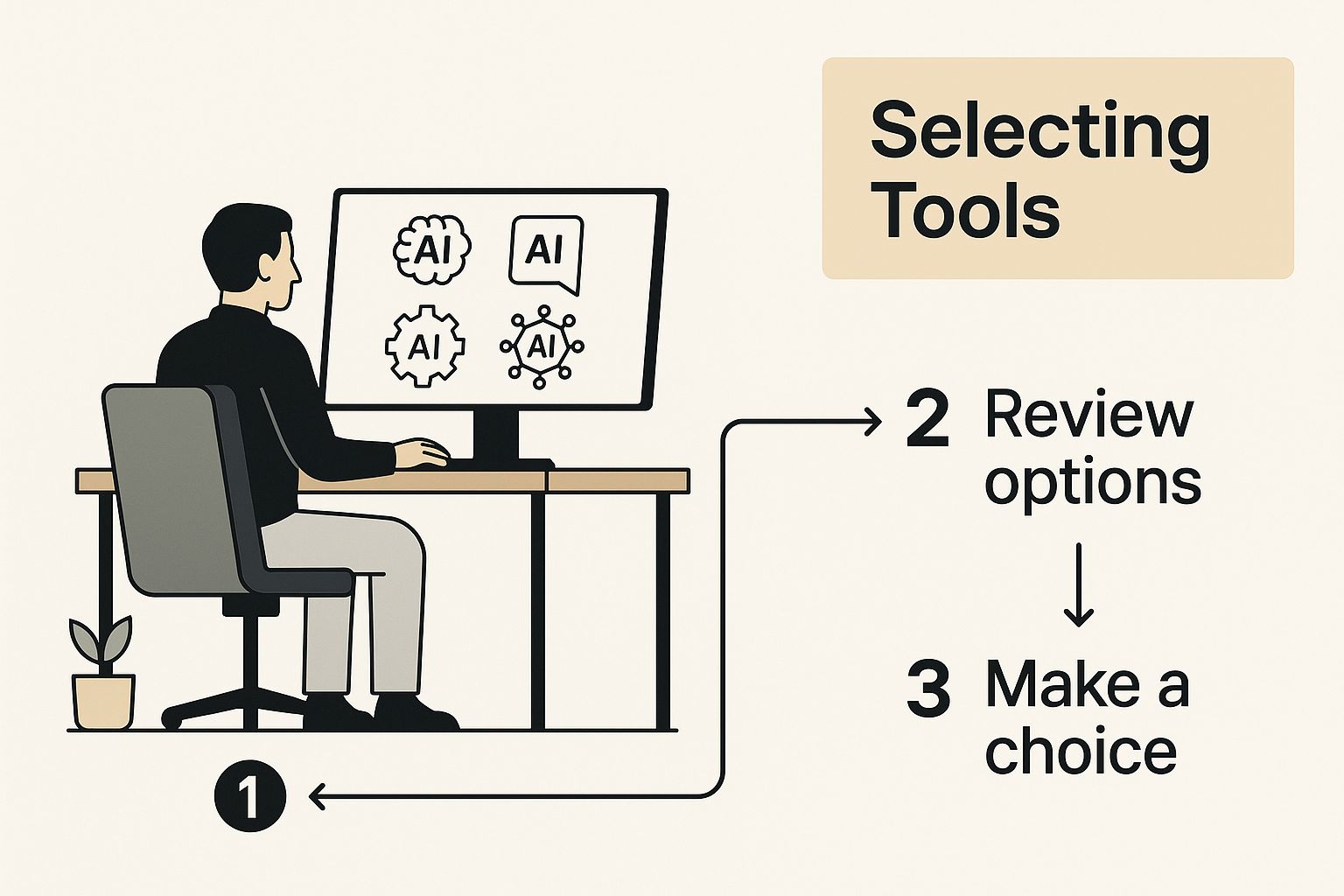
As you can see, the goal isn't to find one perfect, do-it-all app. It's about building a personal toolkit tailored to your own workflow.
Looking Past the Marketing Hype
Every new tool's website will tell you it's a game-changer, but you need to dig a little deeper. The first thing I always look at is the user interface (UI). Is it clean and easy to understand, or does it look like a cluttered airplane cockpit? If you have to spend an hour just figuring out the basics, it’s probably not a good fit for quick, daily tasks.
Next up, let's talk about the price tag. Most tools run on one of three common pricing models, and knowing the difference is key.
- Free: Awesome for experimenting, but they usually have pretty strict usage limits or are light on features. Perfect for just trying things out.
- Freemium: You get the basic functions for free and can pay to unlock more power. This is the most popular model and, honestly, the best way to test-drive a tool before you commit.
- Paid: You have to subscribe right from the get-go. These are often highly specialized tools built for very specific professional jobs.
My friendly advice: Stick with freemium tools when you're just starting. Get really good with the free version first. You’ll be shocked at how much you can get done without spending a penny. Only think about paying when you consistently hit a wall that's actually slowing you down.
A Practical Example: Picking an AI Writer
Let's walk through a scenario. Imagine you're starting a side hustle blog and need an AI writer to help brainstorm ideas and knock out first drafts. You've heard good things about ChatGPT, Claude, and Gemini. How on earth do you choose?
Forget reading a dozen reviews. The best way is to put them to the test yourself with the exact same prompt.
Give each one this task: "Generate five blog post titles about budget-friendly travel for college students. The tone should be fun and adventurous."
Now, compare the outputs side-by-side.
- Which one delivered the most creative and on-point titles?
- Which was the fastest to respond?
- Which interface just felt better and easier to use?
This simple, hands-on approach cuts right through the marketing fluff. It gives you a real feel for how each tool actually performs for your specific needs. This repeatable process is your best bet for finding AI tools that genuinely add value. It's a similar philosophy to what companies like WRTN are doing by building tools that deeply integrate into users' lives, which you can read about in our article on their GPT-5 powered lifestyle AI in Korea.
Learning to Speak the Language of AI

Here’s a secret every seasoned AI user figures out pretty quickly: the tool itself is only half the story. The real magic, the thing that separates mediocre results from incredible ones, is how you talk to it.
Learning how to write a great prompt—the instruction you give the AI—is the single most important skill you can develop.
Think of it this way: asking an AI to "write about social media" is like telling your GPS to "go somewhere." You’ll definitely end up somewhere, but it's almost certainly not where you wanted to be. A well-crafted prompt, on the other hand, is your detailed map, guiding the AI to a precise destination.
You're not just asking a question; you're essentially programming the output with your words. It’s a bit of an art and a science, and it all comes down to understanding what makes a prompt tick.
The Anatomy of a Powerful Prompt
To get the AI to spit out exactly what's in your head, your prompt needs to provide clear, friendly directions. I’ve found that the best prompts almost always include a mix of these four key ingredients.
- Context: Give the AI the backstory. Who are you? Who is the audience? What does it need to know to understand the world your request lives in?
- Task: Be specific about what you want it to do. Use strong action verbs like "Generate," "Summarize," "Analyze," or "Rewrite." Don't be vague.
- Tone: How should the response feel? Do you need it to be fun and casual? Professional and formal? Maybe empathetic and supportive?
- Format: Tell it exactly how to structure the output. A bulleted list? A markdown table? A blog post with H2 and H3 headings?
Mixing these elements into your request transforms a fuzzy idea into a precise command. The quality of the AI's response improves dramatically because you’ve removed the guesswork. The complex algorithms powering these tools thrive on clarity. If you're curious about the tech behind it all, you can learn more about the differences between deep learning vs machine learning in our detailed guide.
From Vague to Valuable: A Practical Example
Let's see this in action. I'll take a weak, generic prompt and build it into something that actually delivers what I need.
The Weak Prompt:
"Write about social media for a coffee shop."
The output from this will be bland, unfocused, and honestly, a waste of time. It has no personality, no specific audience, and no real goal.
Now, let's inject those key ingredients and watch the magic happen.
The Powerful Prompt:
"You are a social media manager for a local coffee shop called 'The Daily Grind.' Generate 5 unique Instagram post ideas to promote our new seasonal pumpkin spice latte. Our target audience is college students aged 18-24. The tone should be fun, casual, and a little bit quirky. Each idea must include a catchy caption, a suggestion for a photo or reel, and a clear call-to-action to visit the shop. Format the output as a numbered list."
See the difference? We gave it a role (social media manager), a specific task (generate 5 ideas), a target audience (college students), a clear tone (fun and quirky), and a defined format (numbered list). The results will be instantly more useful.
Expert Takeaway: "As someone who prompts AI all day, I can't stress this enough: your first prompt is rarely your last," explains AI consultant David Chen. "Think of it as a conversation. If the output isn't quite right, don't just start over. Refine your prompt. Add a detail, clarify the tone, or ask it to try again from a different perspective. Iteration is how you truly master these tools."
Making AI a Part of Your Daily Routine

Having a powerful AI tool is one thing. The real magic happens when you stop thinking about using it and it just becomes a natural part of your day. The goal is to build habits that weave AI so seamlessly into your tasks that it feels less like a gadget and more like a reliable assistant you can't imagine working without.
This isn't just a niche trend; it's a massive shift. The number of organizations using AI has skyrocketed, with 78% reporting its use in 2024. That figure is expected to keep climbing at a compound annual growth rate of 35.9% between 2025 and 2030, according to AI adoption stats from G2. It’s clear AI is becoming deeply embedded in how we work.
For this to happen for you, AI has to be there the moment you need it. Forget bookmarking a website you have to open for every little thing. The best tools have slick browser extensions and mobile apps that put their power right at your fingertips.
Creating Your AI-Powered Workflows
The trick is to spot the little frustrating moments in your day and build a simple AI habit to smooth them over. You don't need a grand, complicated strategy.
Here are a few practical examples:
- For the Project Manager: Manually typing up meeting notes is a total drag. Instead, use a tool like Otter.ai to record and summarize the call. Your new habit is simple: hit record when the meeting starts. Before it's even over, you'll have a draft of takeaways and action items ready to be polished and shared.
- For the Student: The blinking cursor on a blank page is the worst. Use a tool like ChatGPT to brainstorm. Your workflow becomes: before writing, pop the assignment prompt into the AI and ask for three different outlines. It's a fantastic way to shatter writer's block and get a solid foundation to build on.
These aren't earth-shattering changes. They're small, consistent tweaks that add up over time, saving you mental energy and a surprising amount of your day.
My Pro Tip on Habit Building: Start with one thing. Seriously, just one. Pick the single most tedious task you do daily and find an AI to help with it. Once that feels automatic, find another. Trying to reinvent your entire process overnight just leads to frustration and burnout.
Bringing AI into Team Collaboration
Beyond just making your own life easier, AI is quickly becoming the new hub for teamwork. These tools are fundamentally changing how teams talk, create, and get things done together.
For businesses, this is about more than just summarizing meetings. It's about looking at the bigger picture. Implementing AI automation for businesses can connect different software, crush routine data entry, and free up your team to focus on work that actually requires a human brain. That's where you start seeing a serious return on investment.
Many teams are now setting up shared AI workspaces. Inside, they can:
- Brainstorm as a group in a shared AI chat.
- Co-edit AI-generated content like reports or marketing copy in real-time.
- Create a library of go-to prompts so everyone gets consistent, high-quality results.
When you take this approach, the entire team benefits. Work becomes more efficient and, honestly, a lot more interesting. It’s about building a smarter system for everyone, not just creating a few individual power users.
7 Common AI Usage Mistakes and How to Fix Them
Jumping into AI tools is exciting, but let's be real—there's a learning curve. Once you get the hang of the basics, you'll probably run into a few common roadblocks. Knowing what they are ahead of time will help you get much better results, much faster.
One of the biggest mistakes I see people make is blindly trusting whatever the AI spits out. It’s so tempting to just copy, paste, and call it a day, but that’s a huge pitfall. These models are designed to be helpful, not perfect. They can write something that sounds completely authoritative but is factually wrong or just… weird.
Think of the AI’s output as a first draft from a very bright intern. They're fast and eager, but they don't have your experience or common sense. Your job is to be the senior editor—the one who fact-checks, refines the tone, and adds the critical thinking that makes the final piece truly valuable.
Overlooking the Power of Iteration
So many beginners get frustrated when their first prompt doesn't nail it. They'll ask a simple question, get a bland answer, and write the tool off as useless. That’s a bit like walking into a restaurant and telling the chef to "make some food," then being surprised it isn't your favorite meal.
The real magic happens in the back-and-forth conversation.
- Weak Follow-up: "That wasn't right. Try again."
- Strong Follow-up: "That's a good start, but can you make the tone more conversational? And could you swap out the technical jargon for examples a small business owner would understand?"
This iterative process is how you steer the AI toward exactly what you need. Don't be afraid to correct it, give it more context, or ask it to mash up a few of its previous ideas. Every little tweak gets you closer to a fantastic result.
Forgetting AI Has a Global Context
It's also easy to forget that not everyone uses AI the same way. Usage patterns vary wildly across the globe. For instance, in some countries, AI use is heavily focused on practical, technical tasks. In India, for example, more than 50% of AI use is dedicated to coding.
But in markets where AI adoption is more widespread, you see people using it for everything from scientific research and education to complex business strategy. It’s a great reminder of how culture and economics shape how we interact with these tools. You can dive deeper into these global AI economic trends in this research from Anthropic.
Expert Insight: "The biggest ethical misstep beginners make is failing to fact-check," warns Dr. Anya Sharma, an AI ethics researcher. "AI models can 'hallucinate' and present false information with complete authority. Always verify critical data points from a reliable source. Your credibility is on the line, not the AI's."
Getting good with AI often means unlearning a few bad habits first. The table below breaks down some of the most common hurdles I see people face and gives you simple, actionable ways to get past them.
Common AI Usage Mistakes and How to Fix Them
| Common Mistake | Why It Happens | How to Fix It |
|---|---|---|
| Vague, one-shot prompts | You expect the AI to read your mind and deliver a perfect final product on the first try. | Start a conversation. Provide context, examples, and constraints. Refine the output with follow-up prompts. |
| Accepting the first output | It’s quick and easy, and the text often sounds convincing enough at first glance. | Treat every output as a first draft. Your job is to edit, fact-check, and add your unique human perspective. |
| Ignoring the "temperature" setting | You stick with the default settings, which might be too rigid or too chaotic for your needs. | Experiment with the temperature or creativity settings. Lower it for factual tasks (like summaries) and raise it for brainstorming. |
| Using the wrong tool for the job | You try to make a language model like ChatGPT create a complex image or a specialized tool write a poem. | Match the tool to the task. Use image generators for visuals, coding assistants for code, and language models for text. |
| Forgetting to specify the format | The AI gives you a wall of text when you really needed a table, bullet points, or a JSON object. | Be explicit about the final format you want. Use phrases like, "Format the output as a markdown table" or "Provide the answer in a numbered list." |
| Not fact-checking critical info | AI models can "hallucinate" and confidently state things that are completely false. | Always, always verify names, dates, statistics, and any other critical facts using a reliable, independent source. |
Ultimately, your own critical thinking is still your most valuable asset. If you can avoid these common mistakes—trusting blindly, giving up too early, and skipping the human verification step—you’ll be well on your way. You'll shift from being a casual user to someone who can skillfully guide AI to produce incredible work.
Answering Your Top Questions About Using AI
It's natural to have questions when you start exploring AI. Let's be honest, it's a new frontier for most of us. Here are some of the most common things people ask, with friendly answers to help you get started on the right foot.
What's the Best AI for a Total Newbie?
If you're just starting out, you can't go wrong with the free versions of ChatGPT or Microsoft Copilot. Think of them as your all-purpose AI Swiss Army knife.
These tools are brilliant because they're built around a simple chat conversation. If you can text a friend, you can use them. They're perfect for:
- Drafting a tricky email
- Summarizing a dense article you don't have time to read
- Coming up with ideas for a blog post
- Just asking random questions to see what happens
They give you a fantastic, no-pressure environment to figure out how prompting works without needing any technical skills.
Do I Really Need a Paid AI Tool to Get Good Output?
Nope. Especially not when you're just dipping your toes in the water. The free versions of the major AI platforms are incredibly powerful and more than enough for most everyday tasks.
You can get some seriously impressive results from the free tiers of tools like ChatGPT, Claude, and many of the AI art generators out there. Paid plans usually just give you faster responses, higher limits on how much you can use them, and access to the newest, shiniest models.
Here's my friendly advice: Get really, really good with the free version first. Learn its quirks and push it as far as it can go. You should only think about paying when you find yourself hitting a wall and know for a fact that a premium feature is the solution.
How Do I Know if the AI Is Giving Me Accurate Information?
This is maybe the most critical question of all. The golden rule is this: treat anything an AI tells you as a first draft, never as a final, verified fact.
AI models have a tendency to "hallucinate." It's a fancy term for making things up and stating them with absolute confidence. I've seen it happen countless times. Your best defense is to always double-check any specific data, names, stats, or important claims.
Go back to trusted sources—academic papers, major news outlets, official company websites. Use the AI to spark ideas and structure your thoughts, but you have to be the human editor who verifies the facts.
Can I Actually Use This Stuff for My Job or School?
The policies on this are changing all the time, so the first thing you need to do is check the specific rules for your company or school. It's a bit of a wild west out there right now.
Generally, many places are fine with you using AI as a productivity booster—for brainstorming, outlining, or polishing your own writing. What they're not okay with is passing off AI-generated work as 100% your own.
Transparency is everything. If you used an AI to help, be open about it when required. Trying to use AI to cheat is a fast track to serious trouble. Just think of it as a smart assistant, not a ghostwriter doing the work for you.
At YourAI2Day, our mission is to cut through the noise and help you understand and use artificial intelligence. For more tool reviews, news, and straightforward guides, check out our resources at https://www.yourai2day.com.